A document editor earns trust when the file you save still works for its next reader. GenOffice offers an appealing way to get there: edit Office files locally, let an AI make changes beside the document and inspect what changed. For a developer automating reports, the command line may be as interesting as the desktop interface.
Our build passed. The complete test command did not. That combination makes GenOffice worth a controlled trial, with saved-file checks doing more work than the feature list. We did not measure layout fidelity, spreadsheet correctness or AI editing quality, so none of those can be treated as established results here.
What happened when we ran it
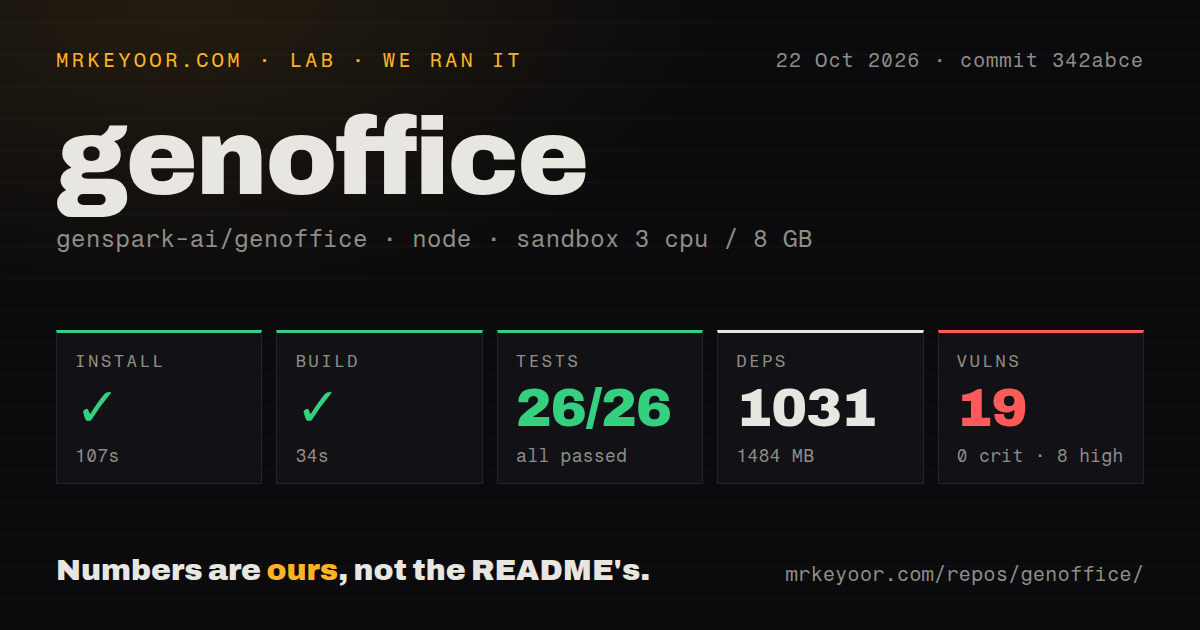
Our sandbox installed GenOffice commit 342abce in 107 seconds and built it in 34 seconds. The October 22, 2026 run recorded 1,031 dependencies and 1,484 MB on disk. Its configuration was 3 CPUs, 8 GB RAM and image lab-node:22. The image name does not establish actual runtime or operating-system versions.
The test command failed after 93 seconds with exit code 1. The supplied summary reports 26 passing tests and 0 failures out of 26. That is one result within a larger command, not evidence that the command passed. The tail contains additional suite summaries with passing and skipped tests. Those results belong to separate groups, so combining them into a new grand total would misrepresent the supplied record.
Near the end, the log names tests/features.test.ts and tests/pagebg-restore.test.ts as failed files, with their listed tests skipped. The final group includes passing files and skipped tests alongside the failed files. The tail lacks the exception text explaining the file failures. Passing assertions and failed suite files can coexist, and the exit status remains a failed overall command.
The audit recorded 19 known vulnerabilities: 8 high and 11 moderate, with 0 critical and 0 low. The supplied evidence does not identify affected packages or show which findings are reachable in a packaged desktop application. The numbers justify investigation. They do not establish an exploit, and we cannot prescribe a package fix from this summary.
Native Office files still need a receiving-app check
The README says GenOffice opens and saves native Office formats and preserves untouched file content. That is a consequential compatibility claim for anyone sharing documents with Word, Excel or PowerPoint users. Our successful build did not verify it. A report can open successfully while a formula, page break or embedded object behaves differently after saving.
Evaluate that promise on copies of your own files. Change a paragraph in a document that uses your normal styles, save it and reopen it in the application your recipient uses. For a workbook, inspect formulas and results after saving. These are recommended acceptance checks, not operations our lab completed. The important artifact is the saved file, rather than how convincing an AI response sounds.
Local storage and AI request routing are separate choices
GenOffice documents local file editing and a choice of AI providers, including compatible local servers. A Genspark sign-in is another route. Before adopting it for private documents, identify which provider receives the content used for AI requests. Choosing a desktop suite does not itself establish offline AI processing.
The optional Jev search reranking feature is a useful example of that boundary. The README says it is off by default and sends excerpts of top search hits when enabled. A team allowing local indexing while prohibiting external excerpts needs to review that setting explicitly. We did not observe network traffic or verify the implementation's data handling.
Headless document automation still has desktop requirements
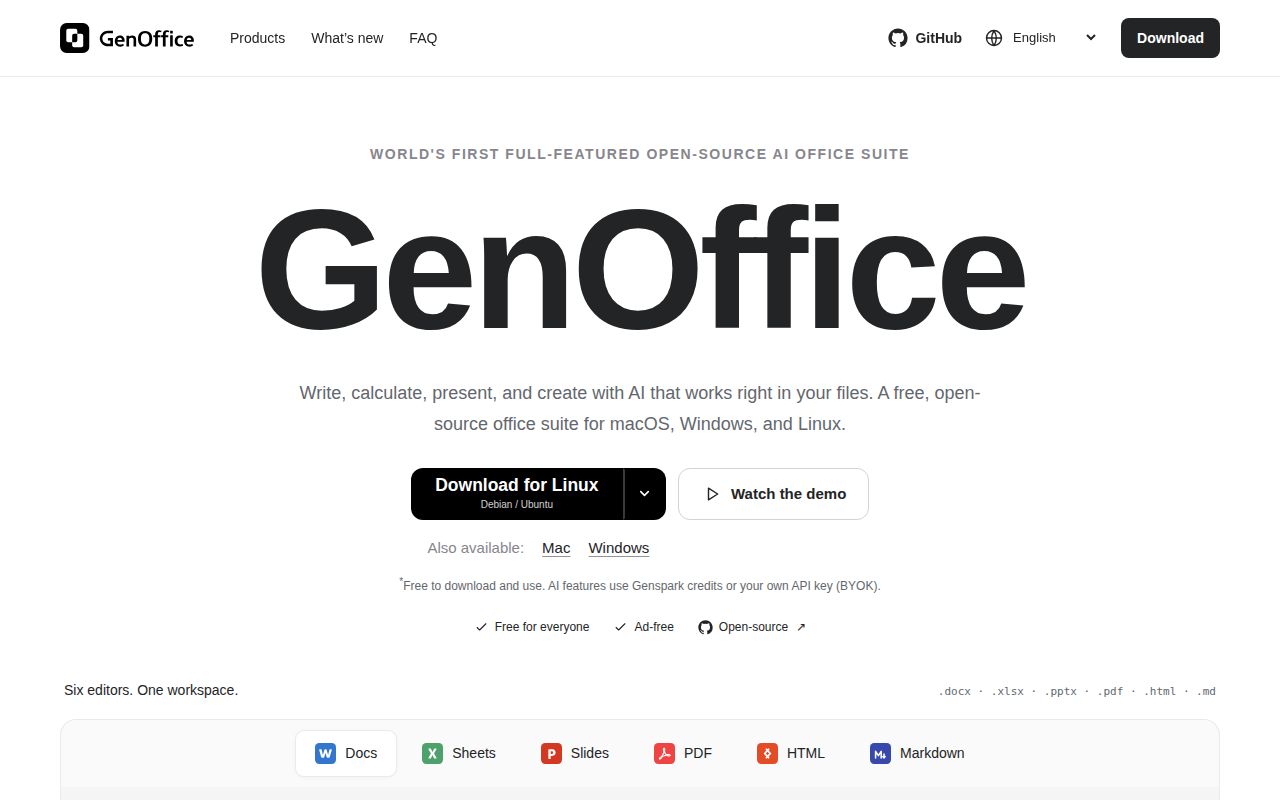
GenOffice supplies a command line, a coding-agent skill and MCP access. That gives developers a route to generate or change real Office files inside an existing agent workflow. The distinction from asking for Markdown is practical: the output can be a file intended for an Office editor. Its correctness still needs checking.
The README says headless rendering and PDF operations launch a hidden app process and need a virtual display on a headless host. Linux packages are listed for x86_64. Those are concrete constraints for a Linux Arm server or a minimal background worker. Confirm the operation and host you need before designing an automated document pipeline around the desktop package.
ONLYOFFICE and Univer address different deployment needs
ONLYOFFICE Docs provides collaborative online office editing. Evaluate it when shared browser editing is the requirement. That comparison does not establish that it preserves your files better than GenOffice. We did not run the alternatives against the same documents, and native-format support alone cannot provide that ranking.
Univer is an SDK for creating office applications inside your own product. It suits a developer building an editing surface rather than choosing a desktop application. GenOffice's ready-made editors and local agent workflow answer a different question, so embedding should be a deliberate reason to change products.
GitHub records a GenOffice push on October 24, 2026. Recent activity includes document-tool fixes, while the October 22 v0.12.29 release describes document and spreadsheet corrections. Those are signs of ongoing maintenance, not proof that our failed suites are resolved. Keep the original file, inspect the changed copy and reopen it where the next person will use it.