One 51,559-byte script supplies the whole effect
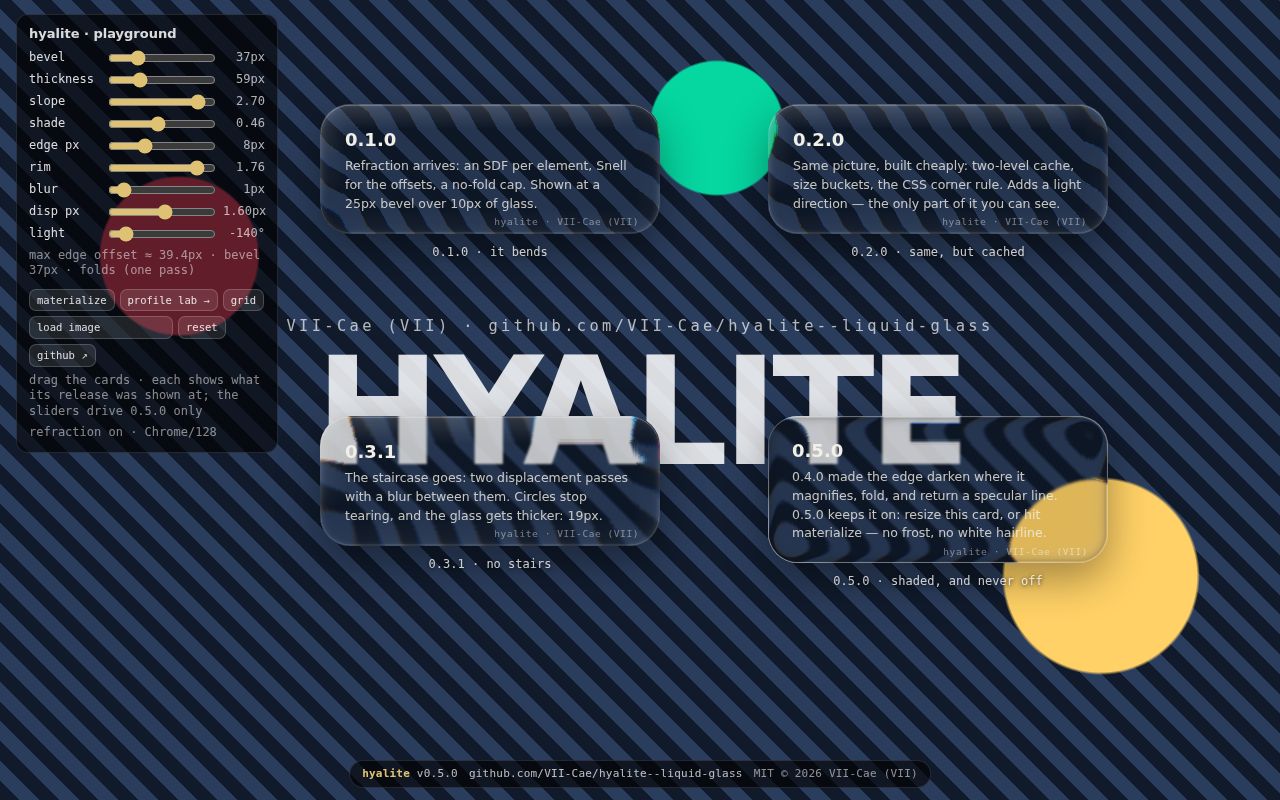
Hyalite turns an ordinary element into a lens over the page behind it. The script calculates a displacement map for that element's dimensions and corner radii, feeds the map into an SVG filter, and exposes the result through CSS custom properties. You keep control of the element's background and radius. Hyalite supplies the bent edge, shade, rim, and optional blur without placing the interface inside a WebGL canvas.
The commit we examined had 20 files, roughly 2,654 lines of source, and a 1.6 MB checkout. Its published package list contains the JavaScript file, TypeScript declarations, two READMEs, and the MIT license. There is no framework adapter or component tree to adopt. You call attach for one element or watch for matching descendants, then style the variables it writes.
Zero installed packages still leaves a browser requirement
The API is compact enough to understand before adding it to a page. watch handles current and future matches, refresh rebuilds after a radius-only change, and setOpts retunes attached elements. Options cover the bevel profile, thickness, dispersion, edge lighting, and resize behavior. This is useful control, though the defaults are the author's visual choices rather than a neutral material preset.
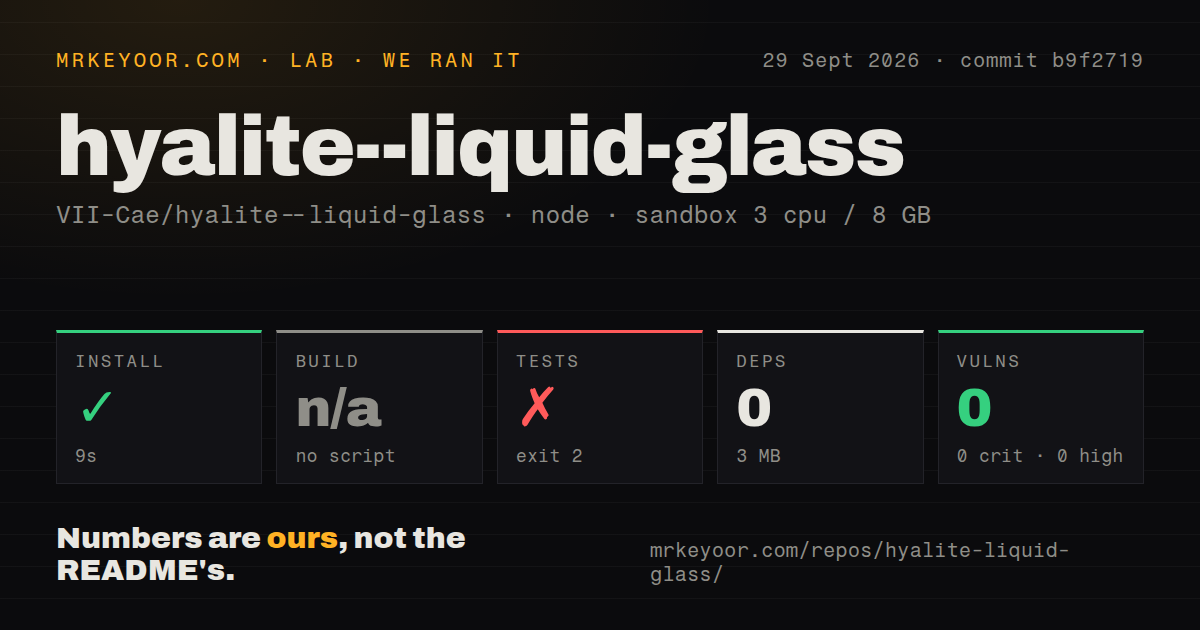
Our npm install completed in 9 seconds, added 0 packages, and left the environment at 3 MB. Package.json defines a test command but no build command, which matches the promise of one file and no build step. The absence of npm dependencies does not make the whole workflow self-contained because visual verification happens in an external browser executable.
What happened when we ran it
Our sandbox installed commit b9f2719 in 9 seconds on an unprivileged Debian container with 3 CPUs, 8 GB of RAM, Node 22, and no secrets. Npm audit reported 0 known vulnerabilities across all severity levels. There was no build target, so we skipped that step rather than counting it as a success.
The test command failed with exit 2 after 7 seconds. Its first check passed: both README option tables matched the defaults in the script. The runner then reported that it could not find Chrome, Chromium, Edge, or Brave in the paths it checks. It told us to provide --browser <path> or set HYALITE_CHROME. The supplied log contains no failed rendering case, so the result establishes a missing browser prerequisite, not a broken glass effect.
The repository has no CI workflow file, Dockerfile, or tests directory. Its browser runner and self-checking page live under demo, which explains why a conventional directory scan can miss them. A team adopting the 51,559-byte script should put a known Chromium build into its own CI image, pass the explicit path, and capture screenshots in the actual component layouts it ships.
Safari and Firefox get blur instead of refraction
Chromium is the only engine where Hyalite claims the SVG backdrop filter renders. Safari accepts the property but drops the SVG portion, while Firefox does not implement SVG graphs in backdrop-filter. Hyalite checks for Chromium before writing its refraction variable. Other engines keep the CSS blur fallback and the inset-shadow rim if you use the documented snippet.
That fallback makes the effect safe to add as decoration, but it does not make the experience visually equal. A Chromium user sees bent lines and channel separation around the bevel. A Safari or Firefox user sees frosted glass. Test the 3 MB project with those engines anyway because your own foreground color, contrast, and border treatment decide whether the fallback still reads as an intentional control.
Each filtered element creates its own render surface
Lens maps are generated on the main thread and cached by geometry. Similar element sizes share a map, while resizing can rebuild at intervals of 90 ms. The README says a modest number of surfaces is fine and hundreds are not. It also explains which settings drop filter work: disabling dispersion removes color passes, and disabling smoothing removes another displacement pass and ring blur.
Those are design constraints, not benchmark results. The project deliberately publishes no speed figures and tells users to measure on target devices. Our 7-second test attempt never reached the visual cases, so we have no frame-rate or map-build measurement to add. Before using Hyalite across a feed or dashboard, profile the worst page on low-end hardware and count simultaneous filtered elements.
Version 0.5.0 fixes motion defects that screenshots miss
The September 11 release focused on two transient artifacts: glass dropping out while an element resized and a bright rim appearing during the materialize animation. Its notes describe frame-by-frame Chrome checks and a changed settle default. The release also calls the new behavior breaking, so an upgrade from 0.4.0 deserves a motion test rather than a static before-and-after image.
GitHub showed 218 stars and no open issues or pull requests on September 30, 2026. The last push was September 11, the day version 0.5.0 landed, only four days after the repository was created. That is recent work with a short public history. Hyalite is a good fit when its narrow job matches your browser policy. The deciding question is whether a blur in two major engines is an acceptable fallback for the exact surface you are designing.