Agents and applications share one desktop
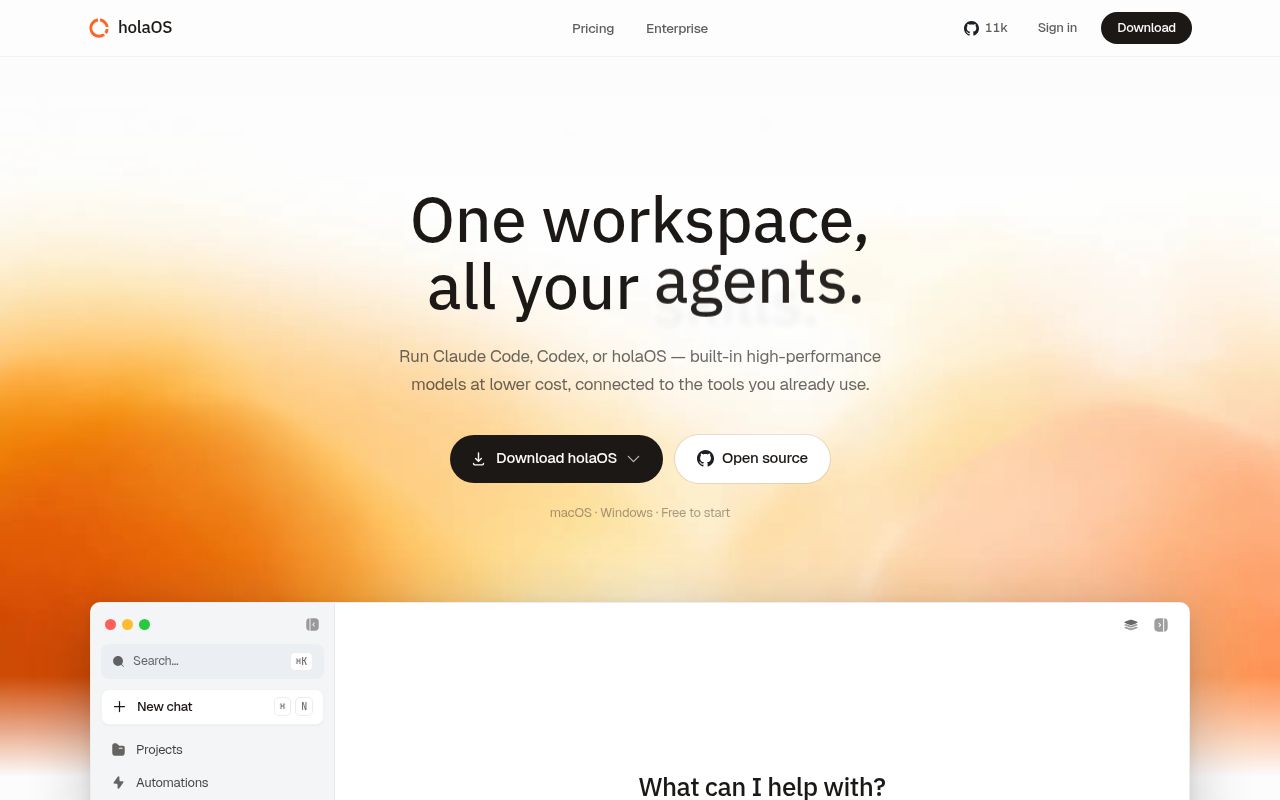
holaOS is an Electron workspace where an agent can sit beside a live application surface. The README describes browser pages, Notion, custom URLs, local files, chat systems, and marketplace apps as things the user can open and the agent can operate with approval. This is a different interaction model from copying an answer out of chat. The user can watch the target app, intervene, and leave the result inside the application.
Claude Code, Codex, and the built-in agent can use the same tools, memory, skills, and project context. MCP servers add callable tools, while workflow skills package repeated procedures. The project also advertises more than 50 one-click OAuth integrations and chat connections for Slack, Feishu, DingTalk, and WeChat. Every connection expands what an agent can read or change, so the useful unit of setup is a permission map, not merely an installed app.
Local memory does not make every connected service local
The strongest architectural promise is that workspace files, session history, embeddings, and shared memory live on the user's disk as visible files. A person can inspect or edit that memory, and different agents can return to it later. For teams frustrated by context trapped inside one provider's chat history, this is a practical feature. It also makes backup, retention, and endpoint security the operator's responsibility.
Model and SaaS calls still cross machine boundaries when configured. The README offers bundled models through a holaOS account, bring-your-own keys for OpenAI, Anthropic, and compatible endpoints, plus OAuth access to external applications. Local storage cannot prevent a selected model or integration from receiving request data needed for a task. Teams should test which content is sent, restrict scopes, and avoid reading “local-first” as “no network disclosure.”
What happened when we ran it
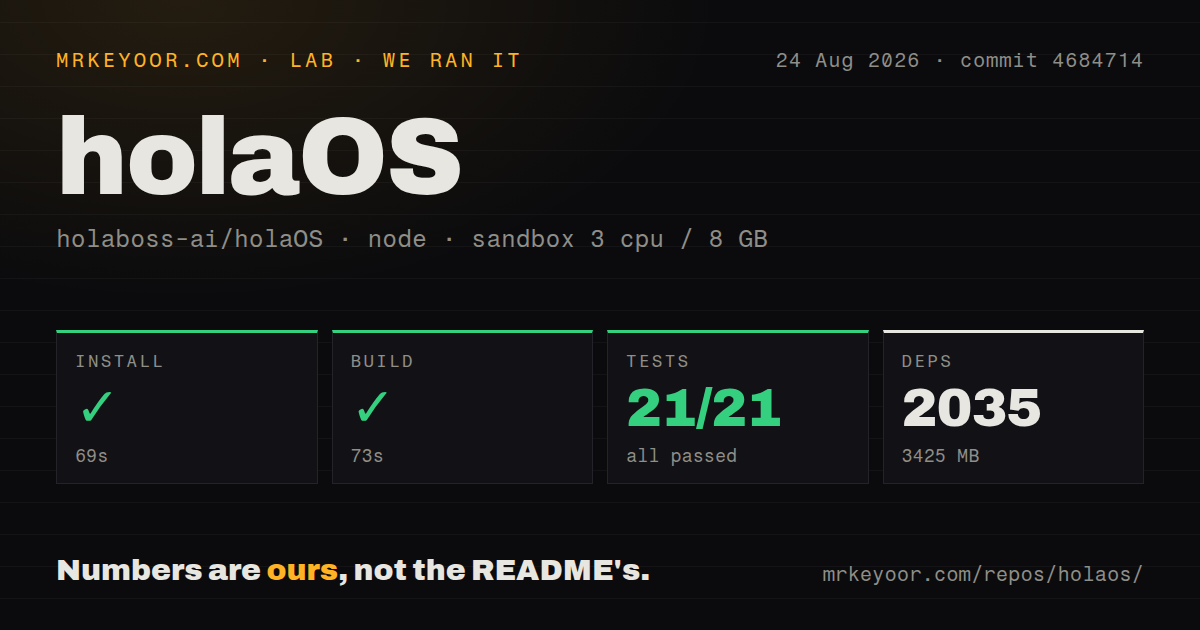
Our sandbox cloned commit 4684714 into a fresh, unprivileged Node 22 container with 3 CPUs, 8 GB of RAM, and no secrets. The 35 MB checkout contained 1,962 files and about 504,013 lines of source. We found 5 CI workflow files and monorepo workspaces, with no root Dockerfile or top-level tests directory.
Installation succeeded in 69 seconds. It installed 2,035 packages and occupied 3,425 MB on disk. That is a large local dependency footprint for a 35 MB checkout, and it matters on managed developer machines, CI caches, and repeated clean installs. The build then succeeded in 73 seconds without credentials.
The test command exited 1 after 63 seconds. The harness summary recorded Vitest with 21 passed and 0 failed out of 21, but the wider workspace log still named failing tests in app-builder-sdk, runtime-state-store, and runtime-api-server. It also showed passing package summaries before those failures. The evidence supports a mixed workspace result, not a clean overall pass.
The visible tail says app-builder-sdk had 1 failed test after running 110 tests across 16 files. It names the other two failing packages without enough detail to identify their assertions. We therefore cannot say whether the failures are environmental, product defects, or test-harness assumptions. The only safe conclusion is that the build worked and the full test command did not.
The installer is short, while the runtime has several stages
The quick path pipes the repository installer into Bash and can launch the desktop when passed --launch. The script can install Git and Node 24, clone into a default directory, create apps/desktop/.env, install desktop dependencies, prepare a local runtime bundle, and run type checking. Developers who do not run remote scripts directly can follow the documented manual sequence instead.
Launching Electron is the last step, and the install guide explicitly tells headless environments to stop after verification. The development command starts Vite, watches Electron main and preload code, checks the environment, rebuilds native modules, and ensures a staged runtime exists. A provider-backed setup then adds API keys or a holaOS account, while each connected application adds OAuth credentials and consent.
Docker is not the main quick path. Issue 462 reports that runtime/deploy/Dockerfile references three package-lock files absent from a checkout that uses bun.lock. The reported result is a failure at COPY before the runtime build script starts. A team standardizing on container deployment should resolve that path before treating self-hosting as routine.
The license permits internal use but restricts resale
The repository does not use plain Apache 2.0. Its modified license permits commercial internal use within one organization, including multiple workspaces, but requires a commercial license to offer substantial holaOS code as SaaS, a managed service, or an embedded commercial component without written permission. It also prohibits removing or changing the logo and copyright information from the frontend.
Those conditions affect product strategy. A company can evaluate and operate holaOS internally under the stated terms, while a vendor cannot assume normal Apache rights for a hosted derivative or white-label desktop. Contributors also agree that the producer may change the open-source agreement and may use contributed code commercially. Legal review is warranted before building a business around the source.
August activity is current, with 6 issues and PRs open
GitHub recorded the last push on August 21, 2026, and listed 6 open issues and pull requests together. Current pull requests covered a provider preset, attachment handling, and Firecrawl search. The main repository's latest release entry points users to a separate releases repository, where holaOS-2026.822.1 was published on August 22.
The small queue does not mean the product surface is finished. Workspaces for grouping projects remain a request, as does voice activation. The Docker report affects a concrete deployment path, while our own test command found unresolved package failures. holaOS is best evaluated as a fast-moving integrated desktop, not as a settled infrastructure component. Its value depends on whether one shared agent workspace is worth the dependency size, permissions, license limits, and operational reach.