Gallery answers whether a model works on your device
Gallery 1.0.19 requires Android 12 or iOS 17 and also ships a macOS download. Its job is practical: put an open model on the hardware you care about, then let you try chat, image questions, audio transcription, prompt settings, and device benchmarks without first writing an app. That makes Gallery useful near the start of a product decision, when a model name tells you less than its behavior on an actual phone.
Gallery 1.0.19 can download models from its list or load a custom model, then keep the work on the device. The README says inference itself is local and can work without an internet connection. Downloads, model discovery, gated model access, skills, and MCP servers can still cross the network. The privacy claim specifically covers inference. It does not make every feature permanently offline.
The app combines model trials that usually need separate demos
Gallery 1.0.19 puts 8 broad jobs in one app: agent skills, chat, image questions, transcription, prompt experiments, mobile actions, a small game, and model management with benchmarks. That range saves time when you want to see whether one device can handle several kinds of local AI. Prompt Lab exposes temperature and top-k, while the benchmark view is meant to compare models on the hardware in your hand.
Version 1.0.19 remains an interactive evaluation app. It does not provide a headless inference service or a library with a stable application API. A team can use it to reject a model that behaves poorly on target hardware, but the production application still needs its own runtime, interface, update policy, and model distribution plan. MLC LLM and ExecuTorch are closer fits when those integration pieces are the work you need to own.
What happened when we ran it
Our sandbox did not run commit 3ec1f34. The project was classified as Kotlin, which our harness does not support, and the checkout contained no Dockerfile that could supply a supported route. Our environment had 3 CPUs, 8 GB of RAM, no secrets, and an unprivileged fresh Debian container. Those are the complete lab findings, so there is no hidden install time, build result, or test total to infer.
The missing run matters because Gallery's central question is hardware-specific. A Debian server result would not establish whether a model starts on your phone, fits its memory, or uses its accelerator correctly. We cannot turn this sandbox result into a judgment about model speed or app stability. You should use the packaged app on the exact Android 12, iOS 17, or macOS device being considered.
A source build needs Hugging Face OAuth configuration
Gallery 1.0.19 development notes require your own Hugging Face developer application before model downloads work in a local build. You replace clientId and redirectUri in ProjectConfig.kt, then change the matching redirect scheme in app/build.gradle.kts. That is manageable Android work, though it is more setup than the README's app-store path suggests. There is no documented container route to make the source build independent of Android Studio.
Model access adds another decision. Release 1.0.19 improved gated-model permission and license acknowledgement on Android, which shows that a download may involve more than tapping a model name. Teams should decide who owns the Hugging Face application, redirect URI, model terms, and release signing before treating a successful personal build as a repeatable team setup. The repo's Apache-2.0 license does not replace the terms attached to individual models.
Experimental MCP sends selected work beyond the device
Gallery 1.0.19 documents an experimental MCP client that requires Streamable HTTP rather than a desktop server's usual standard-input transport. A local server therefore needs a network adapter and a publicly routable HTTPS URL before the phone can reach it. Cloud servers can receive custom authentication headers. The project says it wants to add full OAuth support. That feature is unavailable now.
The guide says mobile models commonly have context windows of 4k to 10k tokens, while tool descriptions from desktop-oriented servers can consume much of that space. It recommends enabling only the tools needed for a task. Open issue 1018 raises a sharper concern: its reporter found that a disabled server or tool could still be selected at execution time because the enabled state was not checked again. The issue remained open when fetched, so sensitive workflows should wait for a confirmed fix or verify the code path themselves.
Active maintenance does not open the contribution door
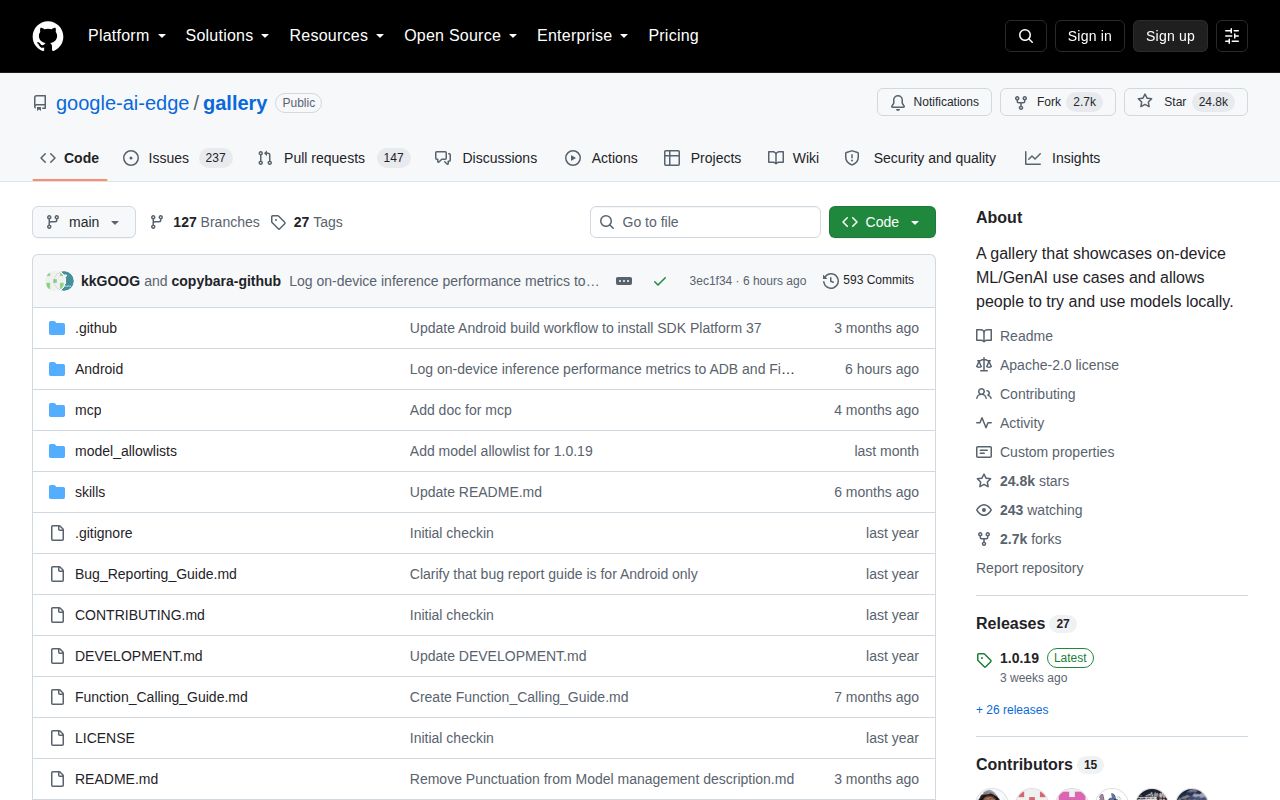
GitHub showed 24,776 stars, 384 combined issues and pull requests, and a last push on 2026-09-26. Release 1.0.19 arrived on 2026-09-02, and current issue traffic includes offline model search and device-specific accelerator failures. Those dated signals show active development and active user reporting. The combined open count is not a bug count.
On 2026-09-26, the repository's contribution file still said it was not ready for code contributions and promised a later announcement. That closes off a normal route for teams that need to carry a fix upstream. Gallery is still easy to recommend as a packaged model trial bench. If your decision depends on a patch, an embeddable runtime, or verified MCP permission behavior, choose a project built for that responsibility.