Short answer: check your desktop before replacing its notifications
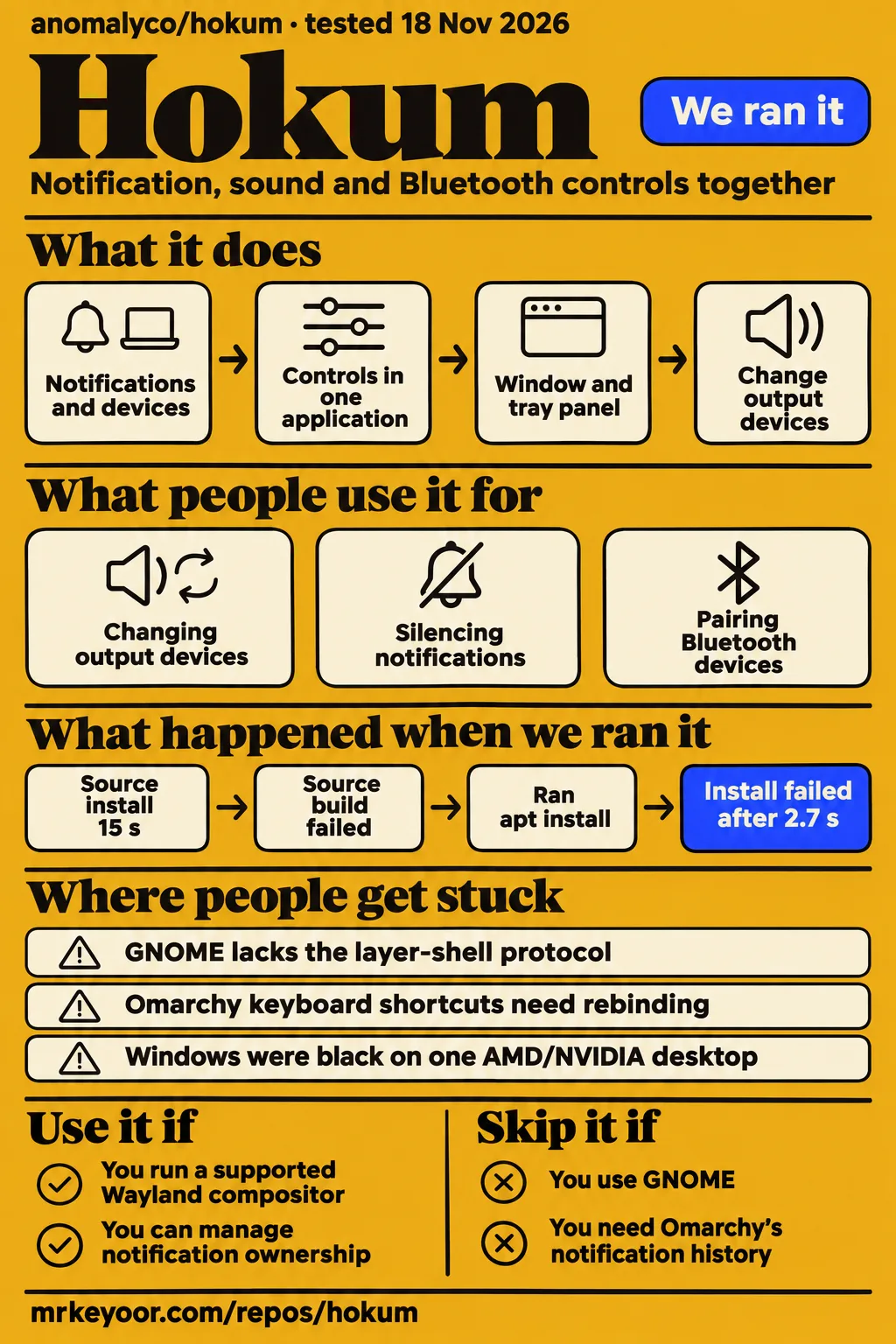
Our Hokum source build stopped because pkg-config could not find libpipewire-0.3, after the install step succeeded in 15 seconds. Use Hokum if you run a supported Wayland compositor and want notifications, sound and Bluetooth controls together enough to change your desktop's notification configuration. Skip it if you use GNOME or depend on Omarchy's existing notification history. The README excludes GNOME, and the Omarchy guide says Hokum keeps no history.
The most useful evidence comes from people trying to replace something already working. One Omarchy user got Hokum running and found clipped shadows. A contributor patched its UI framework to make settings follow a light desktop. Another user traced black windows to GPU selection. Those reports make the choice more concrete than the project's appearance alone: Hokum can fit a customized desktop, but the compositor, notification owner and selected build all matter.
What people use hokum for
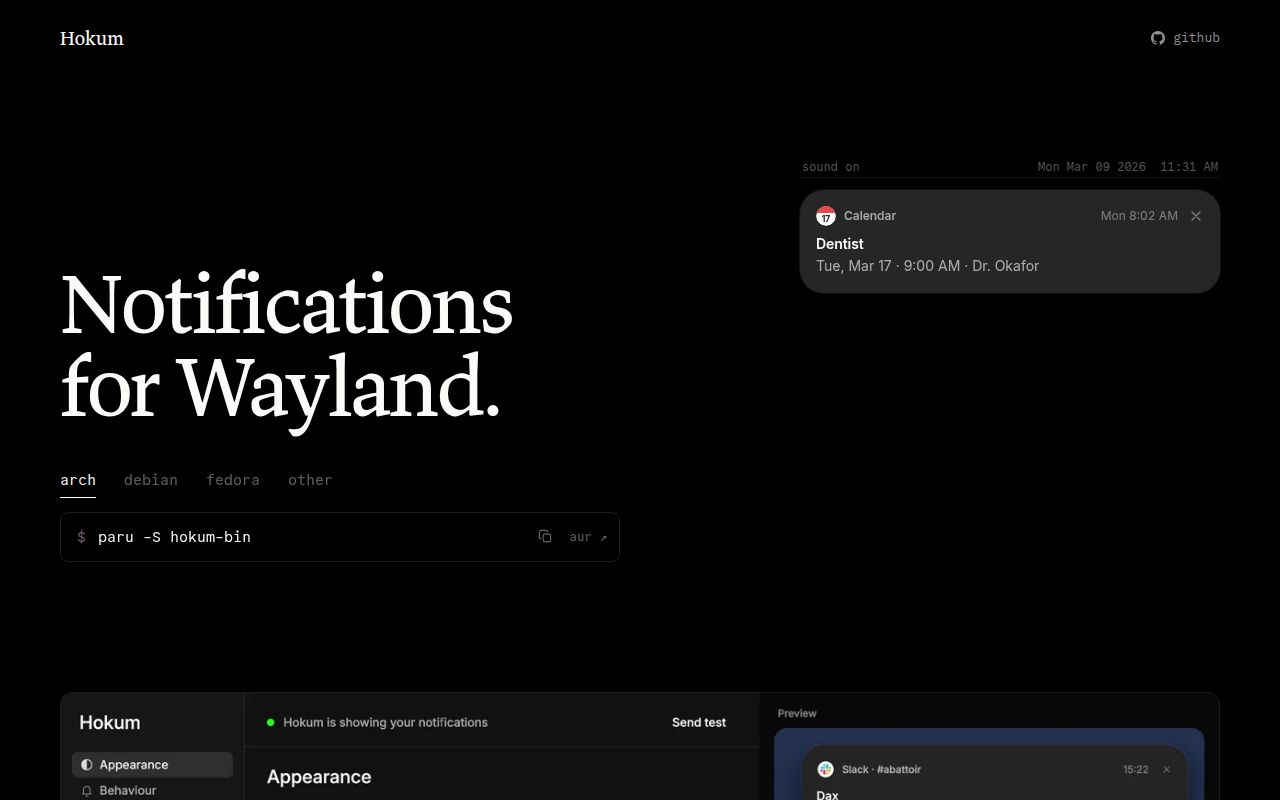
Hokum puts a notification daemon, PipeWire audio controls and BlueZ Bluetooth controls in one application, according to its README. The window has a section for each, while a tray panel exposes frequently used controls. For someone already juggling a notification daemon and separate device applets, the appeal is straightforward: fewer places to visit when changing output devices or silencing notifications.
The documented sound controls extend beyond a volume slider to inputs, application audio, ports, profiles and routing. Bluetooth includes pairing, trust, renaming and forgetting devices. These are upstream capabilities. The distinction matters because the concrete user reports below chiefly concern notification cards, settings and rendering, rather than a musician's routing setup or a collection of Bluetooth peripherals.
Customization uses ~/.config/hokum/config.kdl. The README says the settings window edits that file while preserving comments, and saved hand edits apply automatically. Themes change appearance, while module switches belong to configuration. You can turn Sound or Bluetooth off independently. For a desktop you maintain by hand, that shared file is a useful design choice: settings made with a mouse and settings kept in your dotfiles have the same destination.
GitHub reports show people replacing Omarchy notifications, checking appearance changes and working around rendering trouble, with outcomes specific to their machines.
| Person and task | What they reported | Source |
|---|---|---|
| uncomplexity installed Hokum through Omarchy's AUR command | It worked, then they noticed clipped shadows. The maintainer later reported the inner-shadow fix in 0.1.3. | uncomplexity in issue #3 |
| salemsayed built 0.1.2 with a Rune patch and switched desktop appearance | Settings and preview followed light and dark changes without a restart or focus change. | salemsayed in issue #20 |
| andreitere pinned Vulkan to NVIDIA on a hybrid AMD/NVIDIA desktop | Both settings and notification cards rendered correctly after previously appearing black. | andreitere in issue #38 |
| Rakura-cloud tried centered notification placement | They responded positively and posted a screenshot after the maintainer announced the development build. | Rakura-cloud in issue #26 |
The Omarchy thread is particularly helpful because it starts with source inspection and later gains an installation report. Its opening author explicitly said they had not installed Hokum yet. The later comment from uncomplexity supplies the actual working-installation evidence. Reading those as separate observations avoids turning an integration investigation into a desktop test it never was.
What happened when we ran it
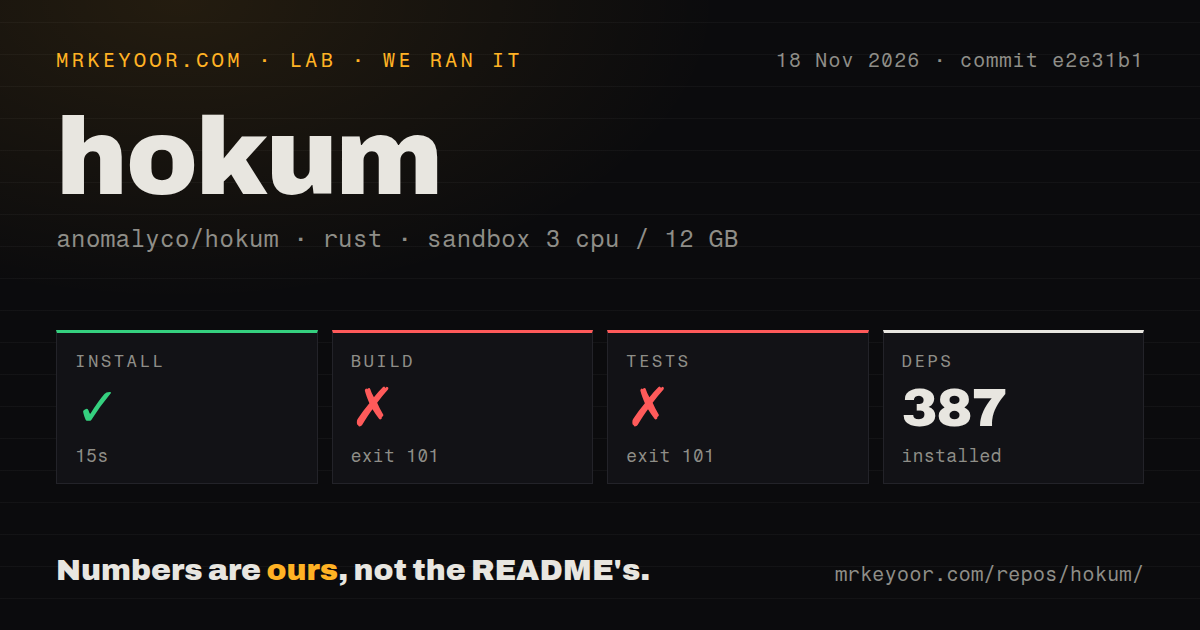
Our sandbox install step succeeded in 15 seconds with 387 dependencies recorded, but the build failed with exit 101 after 81 seconds and the test command failed with exit 101 after 3 seconds. Those results belong to the source harness at commit e2e31b1, run on 18 November 2026. They are separate from the package-install attempt recorded in the research pack.
| Source-harness step | Recorded result | What the result tells us |
|---|---|---|
| Install | Succeeded in 15 seconds; 387 dependencies recorded | This step completed before compilation. |
| Build | Failed, exit 101, after 81 seconds | The log could not find libpipewire-0.3 through pkg-config. |
| Tests | Failed, exit 101, after 3 seconds | The same native-library lookup blocked the command. |
The configured sandbox had 3 CPUs, 12 GB RAM and image label lab-rust:1. That label is not a Rust version or an operating-system version. The checkout contained 134 files, approximately 30,343 source lines and 1.8 MB. The scan found two CI workflow files, no Dockerfile and no tests directory. A missing tests directory says nothing decisive about Rust tests inside source modules.
The diagnostic names a precise missing item: libpipewire-0.3.pc. It says the system library required by libspa-sys was not found and that PKG_CONFIG_PATH was unset. The log allows us to identify the failed native-library discovery. It does not tell us that setting an environment variable alone would fix the environment, because the metadata file must exist first. The current README's Build section explicitly lists PipeWire headers, clang and pkg-config among the source-build requirements.
There was also a separate package attempt. Its record says it stopped at installation with E: Unsupported file /tmp/hokum.deb given on commandline. The recorded command tried to install that local path. The extract gives no successful preceding download of a valid package, so this is evidence that the attempted installation failed, rather than proof that Hokum's published Debian package is defective. The run record identifies commit e2e31b146792; teardown was recorded as successful.
Where people get stuck: the shell may own notifications
GNOME cannot run Hokum because it lacks the layer-shell protocol Hokum uses to draw cards and panels, the maintainer explains in issue #10. There is also a notification-name conflict, but winning that conflict would not supply the missing display protocol. Installing as root is therefore no sensible answer to the GNOME problem.
Plasma is different. The README tells users to disable Notifications in System Tray settings, or remove the Notifications widget, before starting Hokum's user service. A logout and login may be needed if Plasma retains the name. The maintainer explains that D-Bus replacement only works when the existing owner permits it. Passing --replace repeatedly cannot override that decision. Version 0.1.3 improved the explanation and stopped the restart loop, rather than making every desktop replaceable.
On Omarchy 4, the owner is quickshell's omarchy.notifications plugin. The Omarchy guide instructs you to add that plugin to disabledPlugins in the shell configuration, restart the shell and start Hokum's user service. It also gives a rollback: remove the entry, disable Hokum's service and restart the shell. Keep that rollback nearby before replacing a part of the desktop that carries update and crash notices.
The same guide documents real integration costs. Existing keyboard shortcuts need rebinding to Hokum commands, and the bar's DND indicator reads Omarchy's service. Hokum keeps no history. Omarchy's notification-wait helper also expects its original plugin, affecting crash, migration and first-run notices. If those workflows matter more than Hokum's combined controls, keeping the built-in plugin is the easier decision.
Stable 0.1.3 and development fixes answer different questions
The latest GitHub release returned on 18 November 2026 was v0.1.3, published on 29 October, while the issue records name later fixes by development-build identifier. A closed issue is therefore insufficient guidance for choosing a download. The v0.1.3 release notes explicitly cover desktop theme following, clearer notification-owner errors, the unsupported-desktop exit behavior and inner card shadows.
| Problem in the issue record | Maintainer's reported resolution | Build named by the record |
|---|---|---|
| Volume updates animated the whole card away | Replacement notifications update in place and animate their progress bar | 0.1.1, #1 |
| Settings stayed dark on a light desktop | Hokum adopted Rune's portal-theme fix | 0.1.3, #20 |
| Shadows clipped at the inner edge | Follow-up shadow correction shipped | 0.1.3, #3 |
| No centered card positions | Top-center and bottom-center added | 0.0.0-dev-41, #26 |
| Cards ignored desktop text scaling | Cards follow scale live and resize together | 0.0.0-dev-42, #27 |
| Card timestamps disagreed with a 12-hour desktop clock | Desktop or locale defaults plus overrides and template filters | 0.0.0-dev-43, #30 |
| First card skipped its entry animation | Hokum and Rune changes corrected the initial presentation | 0.0.0-dev-44, #34 |
| Hybrid AMD/NVIDIA desktop showed black surfaces | Rune selects the compositor's GPU, with explicit overrides available | 0.0.0-dev-45, #38 |
The GPU report is the strongest troubleshooting story here. andreitere could render snapshots and use daemon commands, yet the actual window and notifications were black. Pinning the Vulkan loader to the NVIDIA ICD made both visible. A successful snapshot would have missed the user-facing failure. The maintainer subsequently described compositor-matched GPU selection and adapter overrides in the development build. That distinction is useful when deciding whether a screenshot proves your desktop integration works.
The GitHub facts endpoint reported 258 stars, 12 open issues and PRs, and a last push on 14 November 2026. Together with the issue replies, that supports describing recent project activity. Stars do not count daily users, and a dated release alone does not measure maintenance capacity. Repository facts.
Security defaults: notification actions can execute commands
Hokum's Omarchy integration can run command hints, and the current guide documents restrictions on which senders can supply them. Commands run directly without a shell. The integration accepts these hints only on Omarchy and excludes Flatpak and Snap senders identified through the mechanisms described in the guide. That is a meaningful boundary to read before treating all notification text as passive content. Omarchy action rules.
The guide also states that Hokum does not defend against your own unsandboxed programs. Treat the session bus and local applications accordingly. For updates, the README says installation requires a click: a writable standalone executable can be replaced after size and SHA-256 checks, while package installations offer the package-manager command or website. Checks contact the release channel and can be disabled. These documented behaviors give you concrete settings to inspect rather than a blanket security assurance.
Hokum vs mako, dunst and Omarchy's notification plugin
The comparison supported by the user records is about replacing notifications and preserving desktop integration, rather than a measured speed contest.
| Option | What the evidence says | When I would choose it |
|---|---|---|
| Hokum | The README combines notifications with sound and Bluetooth; issue #1 reports in-place update behavior shipped in 0.1.1. | You want those controls together and accept the desktop configuration work. |
| mako | The reporter in issue #1 said mako handled continuous updates without looking odd. | Your existing mako setup already handles the notification behavior you need. |
| dunst | The same reporter included dunst in that observation. | You already have working dunst rules and changing notification appearance offers little practical benefit. |
| Omarchy's built-in plugin | Issue #3 and the current guide tie shortcuts, the DND indicator and notification-wait behavior to the shell integration. | You depend on the existing history and shell workflows. |
The mako and dunst observation belongs to the reporter in #1. The subsequent fix means it would be unfair to keep describing Hokum's original volume-card animation as unchanged. Likewise, the Omarchy investigation in #3 led to CLI controls and hint support in 0.1.1, but the current guide still explains the shell-specific costs. Choose around the workflow you would lose as well as the controls you would gain.
What the other reviews get wrong
HotRepo's Hokum overview lists capabilities, but it does not supply the desktop and release distinctions needed to choose a build. Its footer explicitly describes an AI-written README summary and provides no usable update date. The page's requirements discussion covers notification ownership, yet omits GNOME's separate layer-shell barrier. Its feature coverage also leaves out the hybrid-GPU report and the development-build boundaries above. Those are omissions in a named overview, not evidence that every review is inaccurate. HotRepo overview.
For searches such as “hokum reviews” or “hokum rating,” the entity needs to be explicit: this page evaluates Anomalyco's desktop software. “Hokum movie,” “hokum (2026),” “hokum watch,” “hokum movie review,” “hokum imdb” and “hokum ott india” are outside this software review's scope. The same applies to “hokum vs backrooms” and “hokum vs obsession.” “Hokum meaning” is a dictionary question. None of those queries supplies evidence about desktop compatibility, installation or software quality. The research pack's query list explains the ambiguity, not demand for this project.
Questions people ask
On Omarchy 4, Hokum needs the shell's notification plugin disabled before it can own the notification bus name, according to the project's Omarchy guide.
How do I install Hokum on Omarchy 4 and release the notification bus name?
The README offers paru -S hokum-bin. Then add omarchy.notifications to disabledPlugins in ~/.config/omarchy/shell.json, run omarchy-restart-shell and start hokum.service as a user service. The guide uses busctl --user status org.freedesktop.Notifications to check the owner. Omarchy guide.
How do I restore Omarchy notification shortcuts and clickable system notifications with Hokum?
Version 0.1.1 added dismiss, invoke and DND commands plus Omarchy hint handling, the maintainer reports. Rebind the shortcuts to Hokum using the current guide. The history shortcut has no equivalent because Hokum keeps no history. Issue #3, keybinding instructions.
Why does Hokum's --replace option fail on GNOME or KDE Plasma?
Those shells do not allow replacement of their notification name. GNOME also lacks layer-shell, so Hokum cannot run there. Plasma users can disable its Notifications entry or remove the widget before starting Hokum. The improved error handling shipped in 0.1.3. Issue #10, desktop instructions.
Why do Hokum's notification shadows look clipped?
The maintainer traced the reported clipping to insufficient overlay room for deeper shadows. They report the inner-shadow follow-up in 0.1.3. This applies to that specific reported visual defect, rather than every possible shadow problem. Issue #3.
Can Hokum update a volume notification smoothly without replacing the whole card?
Yes: the maintainer says 0.1.1 updates replacement notifications in place and animates the progress bar. The issue began with a report that the earlier whole-card replacement looked odd during continuous volume changes. Issue #1.
Why do Hokum's settings and preview stay dark when the desktop uses a light theme?
The 0.1.2 report identified a Rune theme-detection path that defaulted to dark when no window theme was reported. Hokum adopted the portal fallback, and the maintainer says the correction shipped in 0.1.3. Issue #20.
Can Hokum follow desktop text scaling and make all notification text larger?
The maintainer reports live desktop scaling and whole-card resizing in 0.0.0-dev-42. The contributor says the settings size control was omitted and the documented units are logical pixels. Readers who require large text should choose their build with that distinction in mind. Issue #27.
Can I place Hokum notifications at the top-center or bottom-center of the screen?
Both positions are reported in 0.0.0-dev-41. The maintainer explicitly said they would ship after stable 0.1.3. The development version exposes them through configuration and the settings position picker. Issue #26.
Why does the first Hokum notification skip its entry animation?
The maintainer says Rune snapped the restored surface to rest when the empty stack became visible again. The reported fix combines Hokum and Rune changes in 0.0.0-dev-44. This is the first-card issue reported on 0.1.3. Issue #34.
Why are Hokum windows and notifications black on a hybrid AMD and NVIDIA system?
andreitere reported that Rune selected the integrated GPU while the compositor used NVIDIA. Pinning the NVIDIA Vulkan ICD corrected that machine's presentation. The maintainer reports compositor-matched selection and overrides in 0.0.0-dev-45. Keep the machine-specific workaround separate from the general selection change. Issue #38.
Can Hokum play different sounds for normal and critical notifications?
The maintainer reports optional notification sounds, off by default, with a separate critical sound and per-app rules. The record excludes in-place updates, DND and Hokum's volume card from sound playback. The current README also documents opt-in sounds. Issue #41, README.
Can Hokum notification cards use 12-hour time and follow my desktop clock?
Development build 0.0.0-dev-43 is reported to follow the desktop or locale, with a configuration override and template filters for explicit formats. That answers the reported mismatch between card timestamps and a 12-hour desktop clock. Issue #30.
What we have not tested yet
Neither lab attempt reached an interactive Hokum desktop, so we have no measured result for notification delivery, audio routing, Bluetooth pairing, rendering latency, idle memory, accessibility or sustained notification traffic. The source harness's failing test command provides no passing-test count. Its image label does not establish runtime versions. The package attempt lacks enough download evidence to diagnose why apt rejected the local file. We have not rerun either attempt after supplying the missing prerequisites.
The issue records establish maintainer-reported development fixes, not their stable shipment, and the sound thread names no release version. The latest-release lookup identifies 0.1.3 as the stable tag returned during research. We have not exercised development-build fixes, the GPU workaround, command-hint restrictions or updater checks ourselves. Community screenshots show individual observations rather than reliability over weeks. No hands-on screenshot records accompany our runs, and unrelated film videos, Reddit discussions and X posts provide no software-use evidence.
Our recommendation is consequently a configuration decision, with operational acceptance still on your machine. Start on a supported compositor, preserve your existing notification configuration and check a real application's action button as well as an ordinary message. On a hybrid-GPU machine, check the visible window and cards: the reported black-surface failure could coexist with a healthy daemon and correct snapshots.