Local storage still sends generation inputs to kie.ai
HeliosGen sends generation jobs to kie.ai while keeping its workflow database on your computer. That distinction should decide whether you try it. The desktop application gives you a visual place to connect prompts and reference media, then retain the results locally. You still need an external provider for its default generation path. The README's claim that data never leaves your machine is too broad for that behavior.
Our 770 MB installed environment does not establish private, offline image generation. The source makes the network boundary explicit: the reference-upload helper sends local media to a Kie temporary file store so the remote generator can retrieve it. A local file picker therefore doesn't keep an input local once you use that generation route. Check your permission to upload client material before connecting it to a workflow.
What happened when we ran it
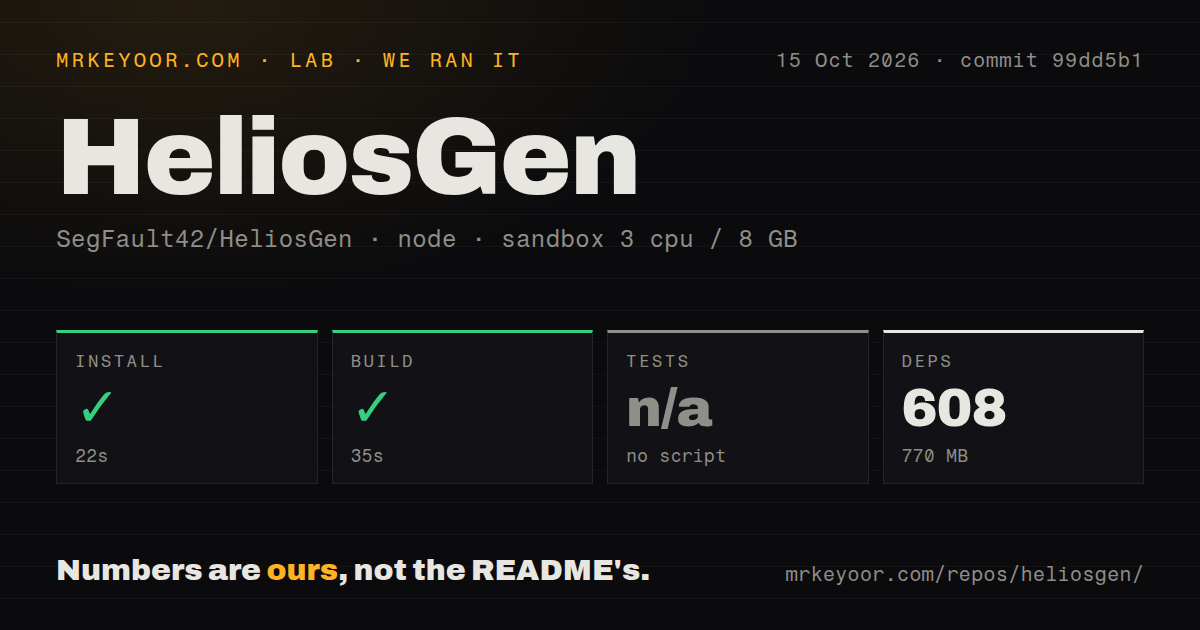
Our run installed HeliosGen commit 99dd5b1 in 22 seconds and built it in 35 seconds. Installation added 608 pnpm packages and occupied 770 MB. We used an unprivileged Debian container with 3 CPUs, 8 GB RAM, and the lab-node:22 image on October 15, 2026. The container had no secrets. Both reported steps succeeded, giving developers a usable starting point for inspecting the application code.
Tests were skipped because the repository had no test script or target. The scan found 1 CI workflow file, no Dockerfile, and no tests directory. The checkout contained 195 files, roughly 36,523 source lines, and occupied 7.8 MB. A successful build is the result we can stand behind. It provides no measured evidence about paid generations, desktop startup, or whether a completed video downloads correctly.
The canvas connects work, while SQLite keeps the project
The workflow executor groups generation nodes by dependency: independent nodes can run together, and downstream work waits for its inputs. That is useful when the same prompt and reference asset feed several outputs. You can preserve the structure instead of rebuilding a sequence of provider forms each time. The value is in keeping those relationships visible and reusable, especially when a project crosses image and video generation.
The 195-file checkout also includes workflow export code. The desktop architecture guide describes a ZIP containing workflow.json and referenced media, alongside a local SQLite database and a media directory. That gives you an understandable backup target. Keep the database and generated files together when moving a project. Exporting a canvas doesn't turn its remote generation providers into portable local models.
Release 1.2.1 supplies an unsigned Apple Silicon download
The latest official release, 1.2.1, was published on September 9 and attaches an Apple Silicon DMG. No Windows or Linux installer is attached. The project documents the Mac application as unsigned, so a managed machine may be unable to accept it. That is a concrete adoption barrier for a studio whose devices require approved signing, regardless of how convenient the canvas looks.
Our 35-second build should not be read as a desktop packaging measurement. The application wraps a Next.js server in a Tauri shell and bundles Node, while source packaging requires Rust and platform dependencies. An open Windows contribution describes startup-path and process-cleanup fixes. Those proposed changes are useful evidence of ongoing platform work, but they do not add an official Windows artifact to the release you can download.
Attached images and video downloads have open reports
Issue 31 reports that the regular Generate screen omits attached images from Veo requests in HeliosGen 1.2.1. The report distinguishes that path from Kling, where the attachments worked for the reporter. That is more consequential than a missing interface polish item: a generation can consume a carefully chosen prompt while losing the reference image that was supposed to constrain the result.
The lab's 3-CPU container had no provider credentials, so the supplied results don't resolve that report. Another open report, issue 30, describes a Kling video that plays but fails to download through the app. Its reporter could retrieve it through a browser. If either path is central to your work, verify an attached-image request and an actual saved video before committing a larger project.
September code activity sits beside October contribution work
GitHub records the last push as September 17, 2026, with 3,039 stars and 17 open issues and PRs. The Windows contribution arrived on October 15. Those dates show interest and continuing proposed work, while the last pushed code predates it. They don't justify calling the project abandoned. They also don't justify describing fixes or extra provider integrations from unmerged contributions as features you already have.
Installing 608 packages successfully makes the source approachable enough for an experienced JavaScript developer to investigate those gaps. Operating it still involves a local server, application data, and credentials for whichever hosted route you choose. The desktop guide also lists external video utilities rather than bundling them. Budget time for the specific editing and generation path you need, especially if your platform differs from the published Mac package.
Choose local model execution when uploads are the deal-breaker
ComfyUI is the closer alternative when a node graph should execute compatible models on hardware you control. InvokeAI is worth comparing for an image-focused canvas with locally managed models. Neither choice makes HeliosGen's hosted model catalog available offline. Decide whether your priority is access to those providers or keeping generation inputs inside your own environment.
HeliosGen's 22-second install is easy to justify for a trial on a suitable Mac. Use a reference image you're allowed to upload, generate an output, and confirm that you can save it outside the app. If the job requires keeping that reference image off external services, the default Kie workflow fails the requirement before the first generation starts.