Headroom has 4 entry points for compressing agent context
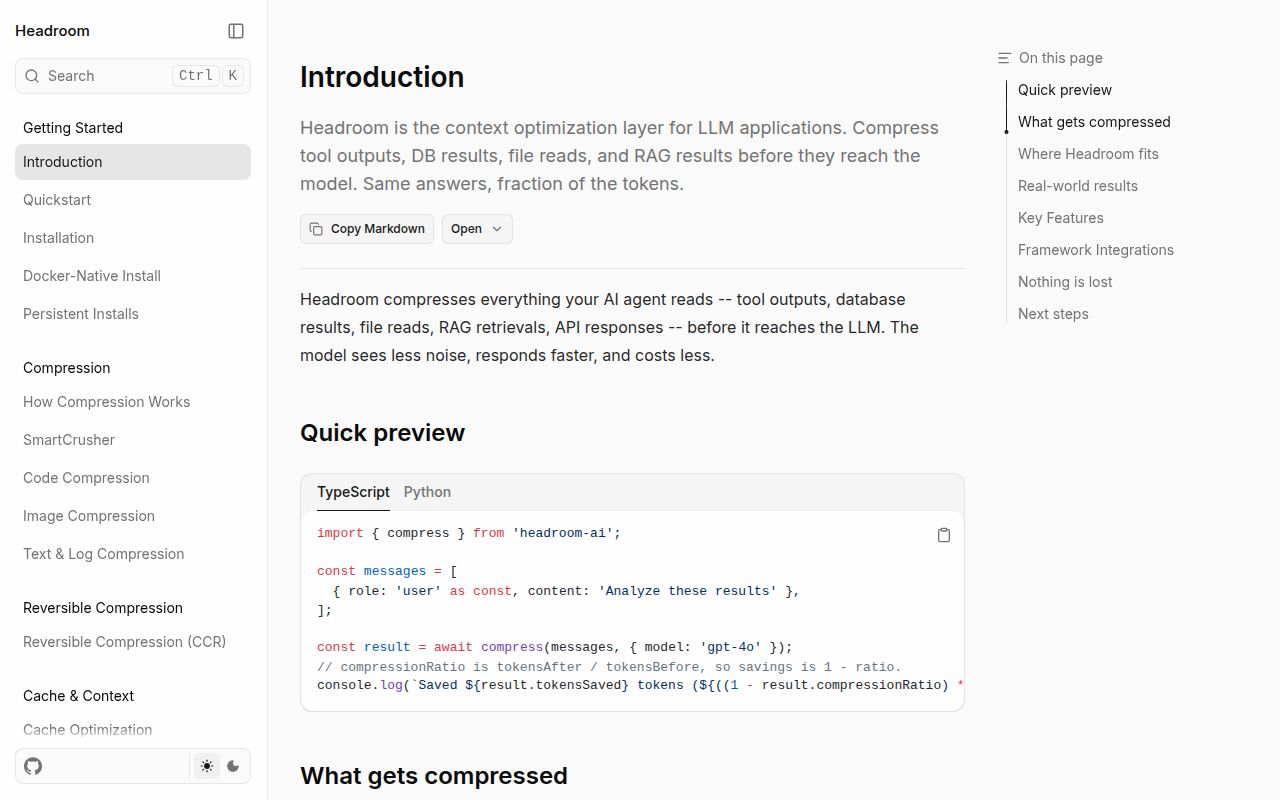
Headroom provides 4 ways into the request path: a Python or TypeScript library, a proxy on port 8787, coding-agent wrappers, and an MCP server. Its 3 MCP tools handle compression, retrieval, and statistics. Content stays on the machine for compression. That makes the project most interesting when an agent keeps rereading logs, JSON, search results, or file excerpts that are longer than the decision they support.
The local cache also makes compression reversible through CCR, Headroom's retrieval mechanism. An agent can request the original passage when the shortened form is insufficient, and shared memory can cross Claude, Codex, Gemini, and Grok sessions. The README draws a useful boundary: short conversations, dense prose, and blocks below the configured minimum may shrink little or remain byte-identical. A developer with mostly brief prompts may add 1 proxy without removing much context.
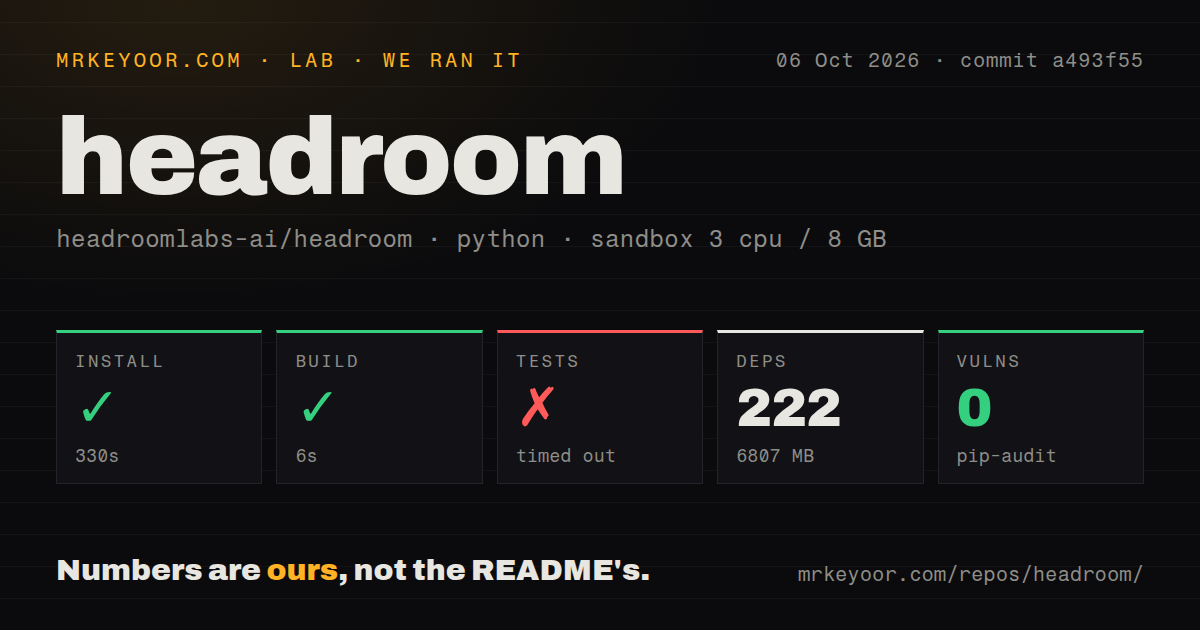
The 60-second quick start became a 6,807 MB environment
Headroom's README labels its install path a 60-second start. Our full installation took 330 seconds, pulled 222 packages, and occupied 6,807 MB before we sent a model request. The gap matters more than the command count. The [all] extra covers the proxy, MCP, memory, text compression, image handling, and other paths, while some framework adapters still need separate extras. Python 3.10 or newer is required for the CLI.
The wrapper also does more than replace a base URL. It starts a local proxy, updates the selected agent's configuration, installs Serena for semantic code navigation, and launches the agent through that route. headroom unwrap reverses the durable registration. The npm package only provides the TypeScript SDK, so JavaScript users do not receive the CLI shown in the quick start. On Intel Macs, the documented route is Docker-native because native wheels currently cover Apple Silicon and Linux.
What happened when we ran it
Our sandbox installed commit a493f55 in 330 seconds and built it in another 6 seconds. The unprivileged Debian container had 3 CPUs, 8 GB of RAM, Python 3.12, and no secrets. The checkout contained 2,573 files, about 722,701 lines of source, and used 71.7 MB before installation. Pip-audit reported 0 known vulnerabilities in the environment we tested. These figures cover repository setup, not compression quality or token savings.
The test command did not finish within 900 seconds. Pytest was still running at 47% when the cap stopped it. The final lines show registry tests completing and memory tests continuing through budget, metadata-index, and core-operation cases. They contain no assertion failure or exception that explains the timeout. The repository does have a tests directory, a Dockerfile, a Compose file, and 23 CI workflow files, but our complete fresh-container suite remains unverified.
CCR retrieval has an open failure case in issue 3544
Open issue 3544 on CCR retrieval describes a custom non-MCP client running headroom-ai v0.37.0. The model received a retrieval marker, called headroom_retrieve, and the client rejected the unknown tool. The same report says a marker inserted inside a small string made its JSON container invalid. The reporter's local workaround is lossless mode. That is one client report, yet it reaches the central adoption question: can your client always recover removed material?
Headroom's normal proxy still needs the provider credentials or account login your agent already uses. Routing deserves a deliberate check. The README warns that a third-party OpenAI-compatible key can be sent to OpenAI and rejected with a 401 unless you pass the provider's URL or set OPENAI_TARGET_API_URL. The anonymous beacon is enabled by default and reports compression ratios, counters, provider and model IDs, OS, and architecture. Three documented opt-outs are available, including offline mode.
Five holdout conversations can produce a misleading measured label
Open issue 3993 on output-savings estimates says 5 holdout conversations can replace the synthetic estimate and label the result as measured. The confidence band then uses many requests inside those few conversations. This optional path concerns output-savings measurement rather than the basic compressor. Output shaping is disabled by default, but teams using HEADROOM_OUTPUT_HOLDOUT should inspect sample size and the issue status before putting that dashboard figure into a cost report.
This distinction matters because our 900-second test timeout does not validate any savings display. Our sandbox also had no secrets, so it did not send live provider traffic or compare model answers. A sensible trial needs your own long sessions, an uncompressed control, and task-level checks for missing details. The project's headroom savings command can report observed traffic, but the purchasing decision should use provider billing and answer quality outside the proxy as the final record.
v0.40.0 shipped one day before this review
Headroom v0.40.0 was released on October 6, 2026, with breaking proxy changes and fixes across routing, cache behavior, CCR, security, and wrappers. GitHub recorded 74,533 stars, 407 combined open issues and pull requests, and a push on October 7. Those dates show active maintenance. The long release note also shows how many provider and agent paths the proxy must keep aligned, which is why a passing 6-second build cannot stand in for endpoint-specific testing.
Headroom is easiest to justify for one technical user who can watch port 8787, retain originals, and compare results before trusting compression. A shared deployment needs stricter work: pin v0.40.0 or another tested release, verify each provider route, disable or approve the beacon, and prove that every client can execute retrieval. Keep it only if those checks turn the 6,807 MB local cost into lower provider usage without changing the answers you rely on.