Short answer: use Hairline for objects you can explore
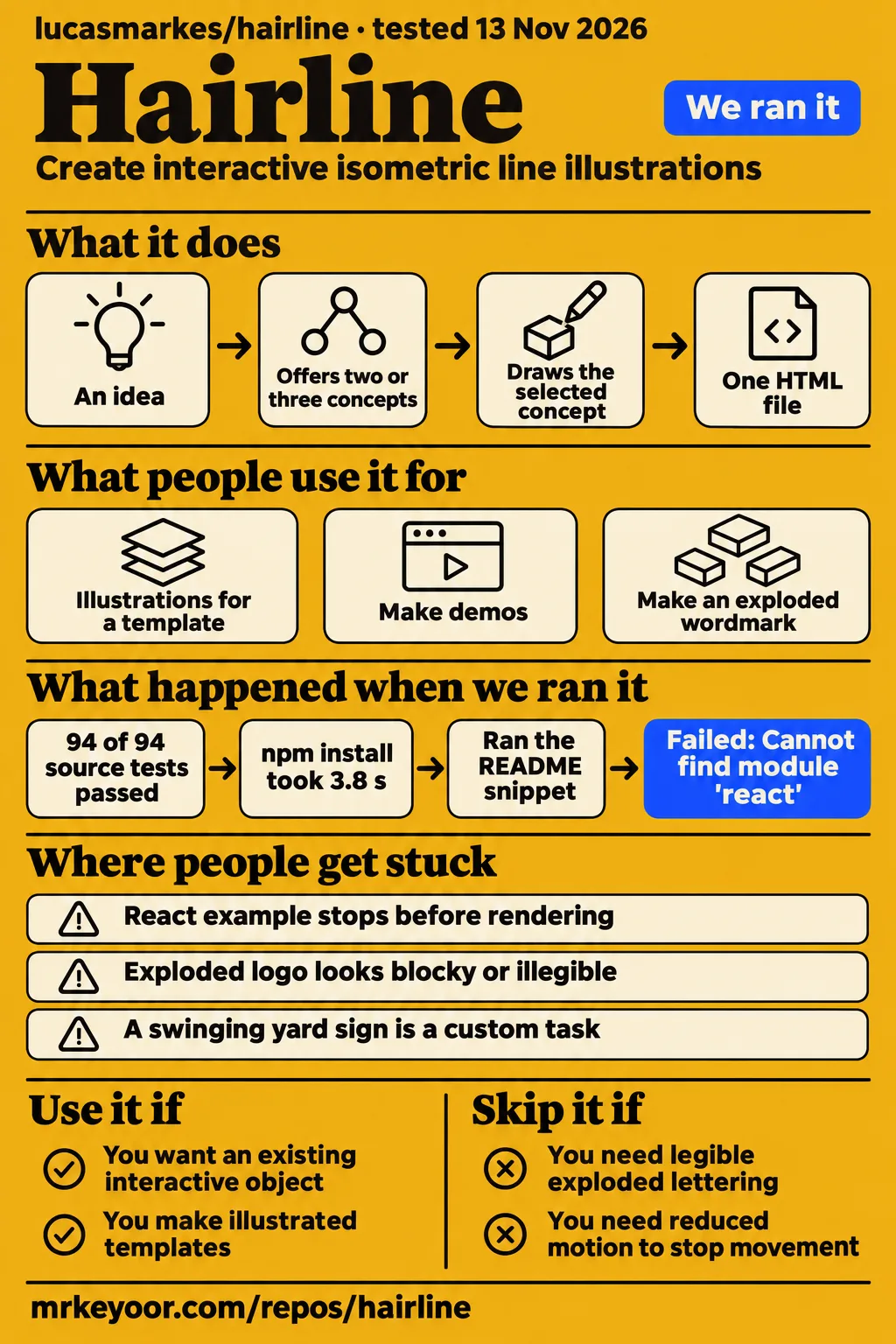
Try lucasmarkes/hairline when an existing interactive object fits your frontend page; choose another drawing approach when legible exploded lettering is essential. Our repository run passed all 94 Vitest tests at commit 034f4bf. A separate attempt to load the README's React example stopped with Error: Cannot find module 'react'. Those outcomes distinguish the checked-out project's build and tests from the attempted consumer integration.
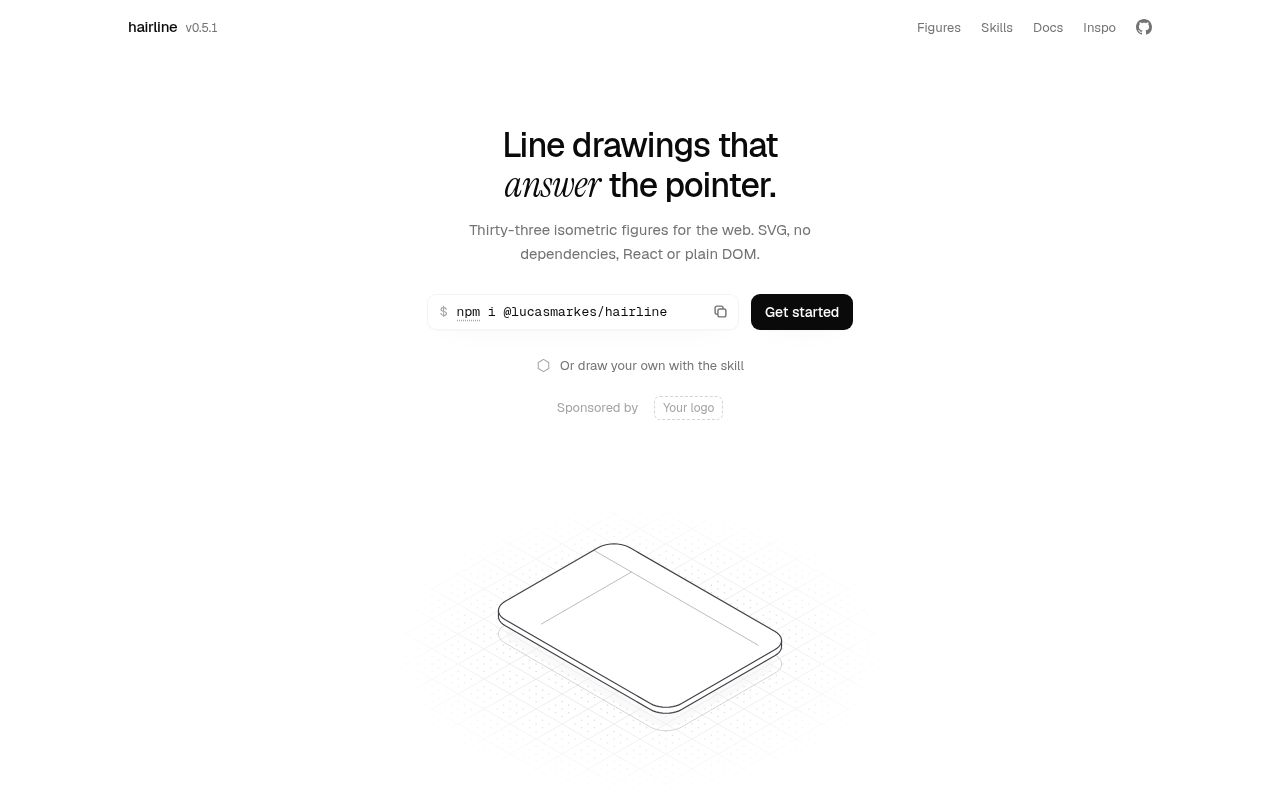
Hairline is the illustration library and coding-agent skills from lucasmarkes/hairline. The Hairline README describes thirty-three isometric figures with React and DOM interfaces. A phone separates into layers, a turntable spins, and pillars rise around the pointer. That gives a frontend developer a set of objects and behaviors to choose from before commissioning or constructing a custom drawing.
The design decision is whether one of those objects communicates the intended idea. A layered phone can accompany product copy; a commit graph can illustrate branching. An exploded brand name requires the letterforms themselves to become geometry. Issue #41 describes that second task as difficult in v0.5.1. Keep the page's message in ordinary text and choose the illustration for the object it depicts and the interaction it provides.
What people use Hairline for
A Framer creator reports using Hairline throughout a template, while a design-system user reports an unsuccessful exploded-wordmark attempt in v0.5.1.
| Who used it | What they attempted | Reported outcome |
|---|---|---|
| vaadika_ui's Framer report | Illustrations throughout a new free Framer template | Reported using Hairline for every illustration. |
| Issue #41's design-system author | Vendored v0.5.1 and attempted an exploded wordmark | Described the result as illegible at the intended scale without typography support. |
| MengTo's demo workflow | Listed Hairline among skills used regularly for demos | Identified its role as isometric line drawings that answer the pointer. |
The Framer report names a concrete deliverable: illustrations across one free template. That makes it useful to a designer considering the same kind of work. MengTo's post describes several tools together, with Hairline assigned the interactive-drawing role. Read those as two creators' accounts of their workflows, rather than transferring the result of a multi-tool demo to one library.
The design-system report supplies a different kind of use case. Its author tried to adapt Hairline to an existing visual system and make a product wordmark into an exploded object. Their account connects a specific desired result to a specific difficulty: manually plotting letterforms as geometry was laborious and blocky. That is more useful for selecting an illustration approach than an undifferentiated recommendation to use the project.
What happened when we ran it
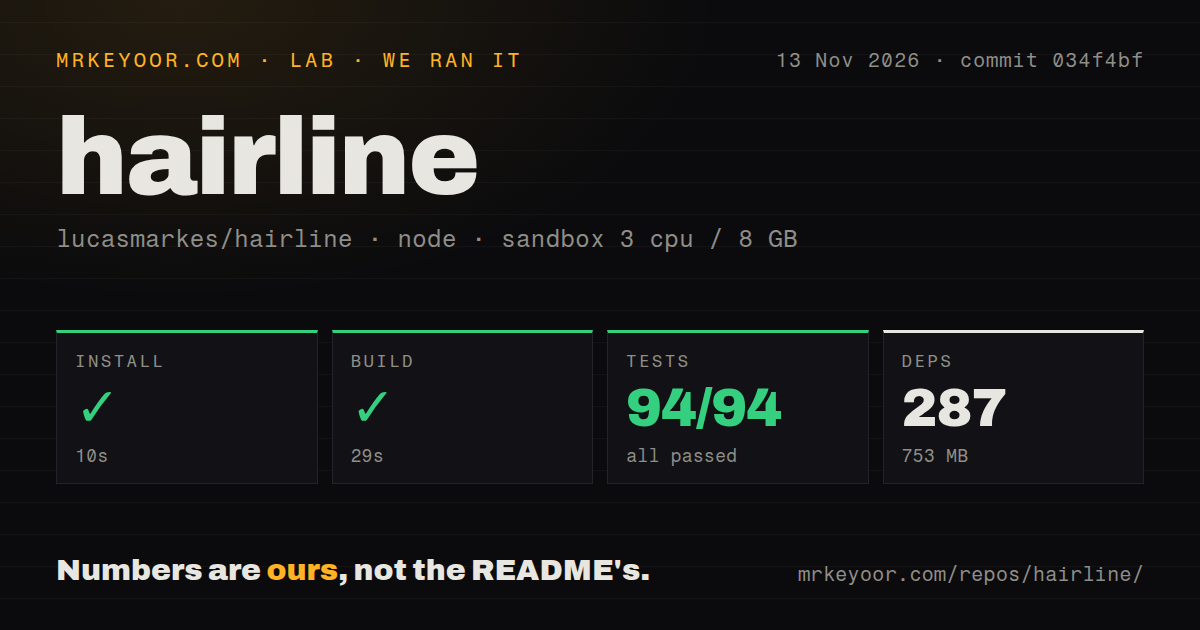
Our repository sandbox installed Hairline in 10 seconds, built it in 29 seconds, and passed 94 of 94 Vitest tests in 27 seconds on 2026-11-13.
The source checkout used commit 034f4bf, with three CPUs, 8 GB RAM and the configured image label lab-node:22. Our run recorded 218 files, approximately 18,007 source lines and a 6.6 MB checkout. These figures describe the repository and its development environment. The separate quickstart below installed the published package and attempted the README's React snippet, so its smaller installation belongs to a different task.
| Repository check | Our recorded result | What it helps you decide |
|---|---|---|
| pnpm installation | Succeeded in 10 seconds; 287 dependencies recorded; 753 MB on disk | Budget for this source workspace when contributing. |
| Build | Succeeded in 29 seconds | The checked-out project completed the recorded build. |
| Vitest | 94 passed, zero failed out of 94; succeeded in 27 seconds | The recorded suite passed at this commit. |
| Checkout | 218 files, approximately 18,007 source lines, 6.6 MB | Separate source size from dependency size. |
| Automation scan | Three CI workflow files, monorepo workspaces, no Dockerfile or tests directory detected | Tests can exist outside a directory named tests. |
The quickstart run record identifies commit 034f4bf9902c and the quickstart-lib recipe. It used a fresh unprivileged lab-node:22 container configured with two CPUs, 4 GB RAM, no published ports and no secrets. The recorded task was a five-line README React block, run unedited through tsx. This environment and task differ from the pnpm repository checks above.
| Hands-on question | Answer | Verdict | Why |
|---|---|---|---|
| Did the clone step complete? | The quickstart-lib clone step took 1 second. | Completed | The clone step records the recipe and duration. |
| Did the published package install? | @lucasmarkes/hairline 0.5.1 installed in 3.8 seconds. | Completed | The npm install step names the installed version. |
| How much space did that installation occupy? | node_modules occupied 860 KB after installation. | Recorded | This is the quickstart installation's disk footprint. |
| How many additional packages were installed? | Zero packages besides @lucasmarkes/hairline. | Recorded | The dependency-count step reports zero additional packages. |
| Did the unedited React snippet run? | It failed in 0.4 seconds with exit 1, MODULE_NOT_FOUND and Error: Cannot find module 'react'. | Failed | Execution stopped at module resolution. |
| What finding did the attempt record? | The README snippet failed with Error: Cannot find module 'react'. | Recorded failure | The finding matches the failed snippet step. |
| Did cleanup complete? | Teardown reported ok. | Completed | The teardown record reports successful cleanup. |
The clone step, package installation, installed-size measurement and dependency count describe that published-package attempt. The failed snippet step, failure finding and teardown complete its outcome. React 18 or later is an optional peer required by the React entry, according to the README; supplying it in a host application is the documented prerequisite to address next.
Where people get stuck: React peers, letterforms and figure requests
The React entry requires a React peer, while issue #41 asks for typography features and issue #40 requests a swinging yard sign.
| Symptom or request | Evidence | Practical response |
|---|---|---|
| React example stops before rendering | Our snippet attempt reports a missing React module; the README requires the React peer for that entry | Supply the documented peer in the host React application. |
| Exploded logo looks blocky or illegible | Issue #41 describes hand-plotted letterforms and requests typography primitives | Choose a text-geometry approach before committing the wordmark design. |
| Need empty-state illustrations | Issue #25 requests figures for filters, views, search and sorting and is marked closed | Select a specific figure from the current catalog. |
| Need a swinging yard sign | Issue #40 requests a swinging For sale section and is marked open | Treat the requested subject as a custom illustration task. |
Issue #41's typography request describes vendoring v0.5.1 into a design system and attempting an exploded wordmark. The author requests wordmark solids, labels within the drawing and typography primitives. Their proposed API belongs to that feature request. For a design brief centered on lettering, ask for a legible prototype before choosing the illustration system for the rest of the page.
Issue #25's empty-state request is marked closed, and issue #40's yard-sign request is marked open in the supplied records. The README separately lists a drawer, basket and bar chart among its figures. Match the selected object to the intended empty-state message and show that actual figure during design review, rather than choosing from an issue title alone.
Your page background is part of the drawing
Hairline's plates are filled surfaces that hide geometry behind them, and the README tells users to match their fill to the background.
The relevant custom property is --hairline-plate. The README says to set it to the surrounding background when that background is neither white nor #08090a. This is a compositing detail with a direct integration consequence: the plate provides occlusion inside the drawing. When placing the same object in differently colored page sections, configure the fill for the section that contains it.
The documented theme settings also cover lit edges, silhouettes, other strokes, receding geometry and stroke width. The shared theme option accepts auto, light or dark; automatic selection follows page theme cues described in the README. Start with a figure whose subject fits the page, then match its colors to the surrounding layout. Increasing movement intensity changes the figure's response, rather than solving a mismatch between the illustration and its message.
The React figure fills its parent's width at a 5:4 aspect ratio. For the DOM interface, the function draws into the supplied element; update changes options and destroy removes what the figure added. The README instructs developers to call DOM functions after the element exists, such as in an effect, onMount or a script after the element. These are distinct integration routes with different lifecycle responsibilities.
Motion settings still leave pointer interaction active
The README says reduced motion stops automatic play while figures still respond to the pointer.
With prefers-reduced-motion, the README says Phosphor and Slow hold still, and a figure given play rests. Pointer responses continue. That distinction belongs in the page's motion design: an illustration can stop playing automatically while retaining an interactive response. Choose its role alongside the surrounding page controls and explanatory text, particularly when the drawing depicts something that might otherwise resemble a usable control.
The documented accessibility model treats a figure as an image with a replaceable description. Riffle is the exception: the README describes a focusable group, arrow-key traversal of its cards and a live region that reads the card out. Use the accessible description to explain the depicted object, and keep meaningful product actions in ordinary page controls. A drawing of a padlock can accompany an explanation of access without carrying that explanation alone.
The README also describes a shared animation loop for every figure on a page. It says figures at rest or off screen do no work, the loop stops when nothing moves, and a visible figure given play keeps it running. For a page with several illustrations, decide which one should attract attention automatically and which ones should wait for interaction. That design choice follows the documented distinction between resting figures and automatic play.
The agent skills create a different integration task
The README describes hairline-create as producing one HTML file and hairline-adopt as rebuilding an existing SVG's object as an interactive figure.
The create workflow begins with an idea, offers two or three concepts and draws the selected concept. The README says the resulting page includes a tour and a play button, and names Claude Code, Cursor and Codex among agents that read the skills. This explains the project's two roles: developers can integrate library figures, while coding-agent users can ask for a new illustrated subject.
The adopt workflow starts with an existing SVG, such as an icon or logo, and rebuilds its object with proportions and parts before proposing pointer behavior. That makes the generated artifact the thing to review. For either skill, inspect the resulting HTML, the object it depicts and the interaction before integration. For an existing catalog figure, the corresponding decision is simpler: choose the documented React or DOM route and manage its lifecycle in the host application.
Hairline vs Zdog and Rough.js: choose the starting material
Hairline supplies interactive figures, Zdog constructs pseudo-3D models from shapes, and Rough.js supplies sketch-style drawing primitives.
The useful comparison is the material each project asks you to start with. Hairline's catalog already associates an object with a pointer response. Zdog's README demonstrates adding an ellipse and rectangle to an illustration and rotating it. Rough.js demonstrates drawing primitives into Canvas and SVG, with options for a sketch-like appearance. Choose according to the geometry and art direction your page requires.
| Project | Documented starting point | Choose it when |
|---|---|---|
| Hairline illustration library | Isometric figures with React and DOM interfaces | An existing object and its pointer response fit the page. |
| Zdog pseudo-3D engine | Models assembled from shapes and rendered through Canvas or SVG | You want to compose the model and define its behavior. |
| Rough.js graphics library | Sketch-style primitives and SVG paths, using Canvas or SVG | You want to construct geometry with a hand-drawn appearance. |
Zdog's shape-based approach gives a developer a different starting point from adapting a Hairline object. Rough.js changes the visual vocabulary as well as the construction process: its README describes lines, curves, arcs, polygons, circles and ellipses with a sketch-style appearance. For the wordmark brief, first decide how to construct the lettering, then assess whether the chosen drawing system suits the intended presentation and interaction.
This page concerns lucasmarkes/hairline, the illustration project; the unrelated autocomplete results establish no software demand.
FAQ
Issue #41 requests typography support, issue #25 requests empty-state figures, and issue #40 requests a swinging yard sign.
These questions come from the supplied issue synthesis and concern concrete illustration choices. The typography questions distinguish text that describes a figure from text that forms part of its geometry. The figure requests concern catalog selection. Read the issue status alongside the requested behavior, then compare the actual subject you intend to ship with the documented library or the custom artifact you commission.
Can Hairline create legible exploded wordmarks and extruded text?
Issue #41's author reports that their v0.5.1 exploded-wordmark attempt was illegible at Hairline's intended scale. They ask for short text to become extruded geometry and describe manually plotted letterforms as laborious and blocky. If the brand name is the illustrated object, make legibility the first design milestone. A successful demonstration of another catalog figure answers a different design question.
Can labels inside a Hairline drawing follow its projection and paint order?
Issue #41 requests labels that participate in the drawing's projection and paint order. The author distinguishes those labels from read-outs and accessibility text in the DOM outside the SVG. An accessible description tells a reader what the image depicts; a drawing-integrated label must also occupy a position within the illustration. Decide which of those jobs your labels need to perform before selecting an implementation.
Does Hairline have figures for search, filter, view, and sorting empty states?
Issue #25 requests figures for those empty states and is marked closed in the supplied record. The README lists subjects including a drawer, basket and bar chart. Those provide concrete candidates for a design review: compare what each object communicates with the reason the interface is empty. A missing search result and an empty collection can call for different text and imagery.
Can Hairline provide a "For sale" yard sign with a swinging section?
Issue #40 requests a For sale yard sign with a swinging section and is marked open in the supplied record. The create skill is the documented route for asking a coding agent to make a new subject. Treat the sign's geometry and swinging behavior as the deliverable to inspect, with the requested motion shown in the prototype before choosing it for a page.
What we have not tested yet
Our React snippet stopped at module resolution, so the supplied runs contain no mounted browser demonstration or completed React repair.
Browser rendering quality, touch behavior, keyboard behavior beyond documented intent, screen-reader output, hydration and background compositing lack independent validation here. The DOM route and both coding-agent skills were not exercised. Generated HTML received no security assessment in this evidence. The reduced-motion and idle-loop descriptions above come from upstream documentation. The configured image label supplies neither actual runtime versions nor an operating-system version.
The measurements contain no animation frame rate, browser memory use, client bundle size or page-load impact. The 753 MB workspace and 860 KB quickstart installation describe disk footprints from different tasks. The repository commit, npm package 0.5.1 and issue author's v0.5.1 account are separate evidence scopes; the supplied record contains no cross-version browser comparison or comparative benchmark against Zdog and Rough.js.
The creator reports are attributed accounts rather than audited deployments. The supplied issues contain no demonstrated typography or swinging-sign resolution, and the closed empty-state request has no delivery explanation. No previous published page or inspected collection results accompany this correction, and search demand remains unknown. Rendered review layout, assets, related links, recommendation modules and template content also fall outside this text review. Next, mount the selected figure against the intended background and assess keyboard, touch and reduced-motion behavior; for exploded lettering, require a legible prototype first.