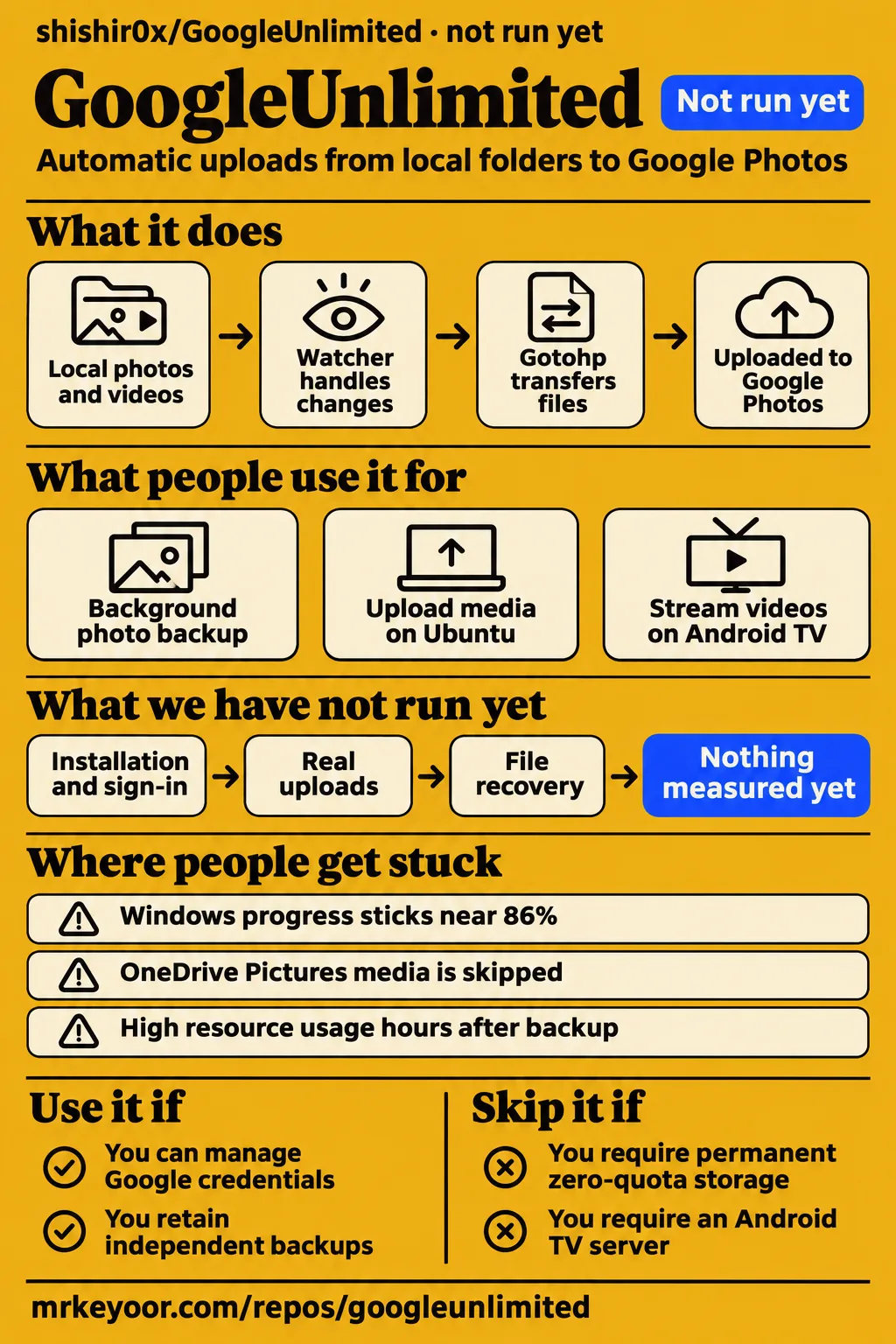
GoogleUnlimited has a user report of completed uploads, while our sandbox assessment at commit 179c2d1 stopped before application execution. Use it if you want to evaluate automatic uploads from local folders and can manage Google credentials yourself. Skip it if you require a permanent storage guarantee or an Android TV streaming server. The practical decision is whether you want background automation around a Google Photos uploader or a different kind of photo-library service.
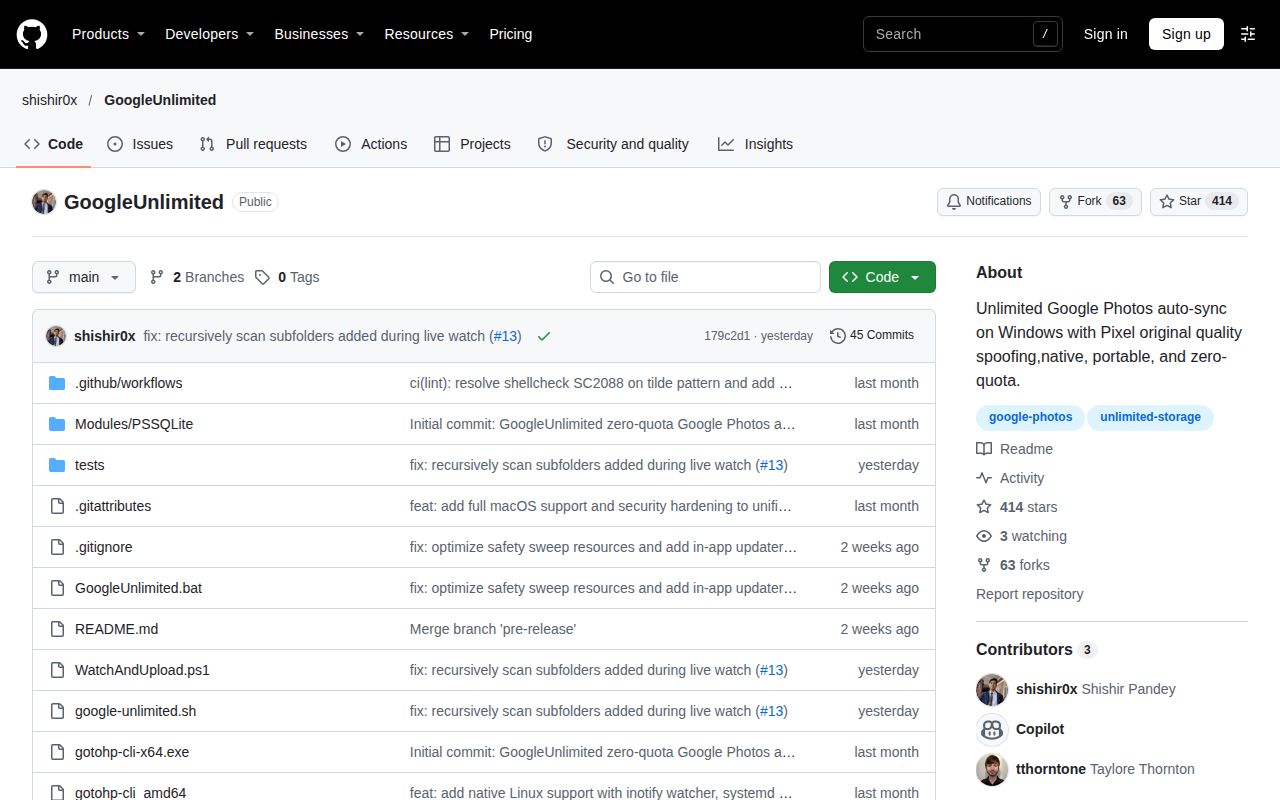
This review covers shishir0x/GoogleUnlimited, the folder watcher powered by gotohp. Its README describes Pixel device emulation and native background operation on Windows, macOS, and Linux. A separate Workspace MCP project shares the GoogleUnlimited name. Keeping the repository owner explicit matters: a search result about AI integrations can describe the other project accurately while answering the wrong question for someone choosing a photo backup utility.
What people use GoogleUnlimited for
Users reported Ubuntu uploads, background photo backup, and playback of uploaded media on Android TV, with different outcomes in each workflow. These reports describe what people attempted and what they observed. They also separate three decisions that a product name alone cannot answer: whether files upload, whether background operation behaves as expected, and whether the uploaded videos work comfortably with a preferred player.
| Who used it | What they did | What happened |
|---|---|---|
| GitHub user warpirobo | Streamed uploaded content on an Android TV box | Playback worked, but external-player seeking and resume failed. The internal Google Photos player restored resume with fewer controls and lower reported quality. Android TV issue #4 |
| The reporter of GitHub issue #8 | Uploaded media using the Unix script on Ubuntu | Uploads finished, but intermediate progress was invisible. The maintainer subsequently reported dynamic progress bars. Ubuntu issue #8 |
| GitHub user spectrum705 | Left the PowerShell backup watcher running in the background | Reported high resource usage hours after backup. The maintainer identified repeated logging and an aggressive safety sweep. Background-usage issue #11 |
Warpirobo wanted to return to a half-watched video the following day. The external player started over and could not seek. Switching to the internal Google Photos player recovered resume while losing audio-track selection, subtitle selection, and reported quality. That account makes the use case concrete: uploading a video and watching it comfortably on a television involve different components. A reader choosing a television media library should consider the playback outcome alongside the transfer outcome.
What happened when we ran it
Our run at commit 179c2d1 on November 15, 2026 recorded NOT RUN because the harness lacked a supported PowerShell ecosystem and found no Dockerfile. The recorded sandbox configuration was 3 CPUs and 8 GB RAM, image n/a. Installation, build, and tests did not run. The result describes where the assessment stopped; it supplies no application execution outcome.
| Recorded item | Result | What it means |
|---|---|---|
| Sandbox configuration | 3 CPUs, 8 GB RAM, image n/a | The configuration recorded for the assessment |
| Ecosystem check | No supported ecosystem, language PowerShell | The harness had no supported route to execute this project |
| Container route | No Dockerfile | The harness had no Dockerfile route |
| Installation, build, tests | Not run | The assessment stopped before these steps |
The separate hands-on safety step failed because none of compose.yaml, compose.yml, docker-compose.yaml, or docker-compose.yml existed. Its error labels the repository unsafe under a rule requiring a Compose file. The runner rejected the repository before reaching application execution. The README describes native PowerShell and Bash workflows, so the runner's requirement and the project's documented installation route are separate facts.
The generic hands-on run record says the project was deployed with its own Docker Compose on the lab server, with every port bound to 127.0.0.1. That conflicts with the failed Compose safety step and the harness's explicit NOT RUN result. Teardown recorded ok. The deployment wording is conflicting metadata; the assessment's recorded outcome is that execution stopped before the application ran.
Where people get stuck: detection and progress
The maintainer reports changes for missed media, OneDrive scanning, and progress displays, with different scripts and branches named in the responses. These reports concern distinct stages: detecting a file, deciding whether it is a duplicate, and displaying an upload already in progress. Matching a symptom to its issue gives readers a more specific repair path than treating every silent or stalled-looking upload as the same problem.
| Symptom | Maintainer's explanation or response | Reported repair path |
|---|---|---|
| New changes and older media are skipped | Added Changed monitoring with debouncing, removed a timestamp filter, and addressed false duplicate skips with SHA-256 checks | Pull main, according to detection issue #1 |
| Windows progress sticks near 86% | The display guessed speed from a timer and capped progress at 86.8%; the response describes byte tracking in WatchAndUpload.ps1 | The linked script is on pre-release in Windows progress issue #6 |
| Ubuntu shows completion without intermediate progress | Maintainer says dynamic progress rendering was added to google-unlimited.sh | Pull main, according to Ubuntu progress issue #8 |
| OneDrive Pictures media is skipped | A rule against symlink loops also rejected cloud reparse points; the scanner was changed to distinguish them | Maintainer names commit 05cdcd7 on main in OneDrive issue #7 |
| Windows cannot recognize PowerShell | Maintainer advises restoring the default PowerShell directory to the system PATH | PATH recommendation in launcher issue #5 |
The Windows percentage report initially sounds like a stalled upload. The maintainer says the video was uploading and the display estimated progress from elapsed time. The response links a script on pre-release, whereas other issue responses direct users to main. Recording the checkout therefore matters when following these repair paths: a linked change on one branch and an instruction to update another branch are different pieces of guidance. Windows progress explanation
For missed files, distinguish detection from file availability. Issue #7 concerns how the scanner classified OneDrive directories. The README separately says cloud-only placeholders must be downloaded locally before the watcher can read them. A folder can appear in Explorer while its media bytes remain in cloud storage. The local-download requirement addresses a different condition from the maintainer's reparse-point change. OneDrive scanner response, README cloud-placeholder requirement
Background scanning can keep the disk busy after uploads finish
Spectrum705 reported continued resource usage after backup, and the maintainer identified per-file logging and a safety sweep running every 30 seconds. In the response, existing files were logged before the script checked whether they had already uploaded. For a large collection, the maintainer describes tens of thousands of log writes per minute. Those figures belong to the maintainer's diagnosis. Resource-usage report
The response also calls the 30-second safety sweep too frequent for its intended fallback role. That makes the quiet period after a transfer relevant to an evaluation: initial scanning and continued background operation exercise different behavior. The README documents status and log commands for both platform routes, giving users places to inspect upload history, retry activity, and recent operational messages after the upload queue empties. Documented status and log commands
Authentication uses a Google cookie and local credentials
The README asks users to retrieve an oauth_token cookie through browser developer tools and stores credentials locally in gotohp.config. On Unix, its credential command accepts the token at a hidden prompt. The README says the configuration and database receive owner-only permissions, and that authentication and uploads communicate directly with Google. These are the project's descriptions of its account-handling and storage model. Authentication documentation
The README also describes a Windows Startup shortcut, a macOS LaunchAgent, and a Linux systemd user service. Its foreground watcher, account controls, status display, and activity logs provide a sequence for inspecting selected folders and the active account before enabling automatic startup. The background controls then provide documented ways to start, stop, enable, or disable continued operation. Background operation documentation
ItsOkDev reported antivirus detection after an update. The maintainer says commit bc7e6a3 resolved that report and identifies an obsolete VBScript launcher and inline Windows API use in the explanation. This is the maintainer's account of the detection and response. The named launcher and commit give readers a specific artifact history to inspect rather than treating the issue's closed label as a description of the code change. Antivirus report and response
GoogleUnlimited vs gotohp, Immich, and Google Photos playback
Gotohp supplies direct GUI and CLI upload interfaces; Immich describes self-hosted photo and video management. GoogleUnlimited adds local folder watching around gotohp, while player selection concerns what happens after a video reaches Google Photos. These source descriptions support a comparison by task and architecture: automatic upload monitoring, direct uploads, hosting a library, or choosing playback controls.
| Option | Choose it for | Decision boundary |
|---|---|---|
| GoogleUnlimited | Automatically watching local folders and sending eligible media to Google Photos | Its README describes native watchers, local upload history, and background service controls around gotohp |
| gotohp | Direct GUI or CLI uploads of files and directories | Its README documents drag-and-drop uploads, credential management, and CLI mode |
| Immich | A photo and video library you host yourself | Its README describes self-hosted photo and video management |
| External Android TV player | The playback controls warpirobo preferred | The reporter could stream but could not seek or resume in that setup |
| Internal Google Photos player | Resuming a video in warpirobo's setup | The reporter regained resume but lost audio/subtitle selection and reported lower quality |
The final two rows come from warpirobo's playback report. They describe choices after media has been uploaded. The maintainer describes GoogleUnlimited as a filesystem watcher and backup client. That division identifies the component relevant to the job: a watcher handles local changes, an uploader transfers files, and a player determines the viewing controls available in the reported television setup.
Gotohp exposes GUI and CLI upload interfaces directly. Immich describes self-hosted management of photos and videos. For a reader choosing a backup workflow, those differences determine a useful next step: inspect direct uploader controls if background monitoring is unnecessary, or investigate hosting the library service if that is the goal. The comparison follows the projects' stated roles rather than assigning them a shared performance ranking.
English documentation and repository activity
The README is in English, and GitHub recorded a last push on November 14, 2026, with 414 stars and 63 forks observed on November 15. These repository facts record attention, copying, and activity. The issue sample supplies more specific workflow information: Ubuntu uploads, Windows background operation, OneDrive folders, Android TV playback, and requests for albums and updates. Dated repository facts
The API returned no detected repository license. The supplied README credits gotohp under the GNU General Public License v3.0 and links PSSQLite as another component. Repository metadata and component credits describe different things: GitHub's detected license for the wrapper and the dependencies acknowledged by its documentation. A team examining redistribution terms needs to keep those records separate. README credits
Distinguishing the two GoogleUnlimited projects
Devlist describes the GoogleUnlimited Workspace FastMCP2 server, while this review concerns shishir0x's Google Photos watcher. The listing's title and URL identify the Workspace project, and its description discusses AI assistants and Google Workspace services. It is a separate entity using the same name. Including the owner and intended task in a search makes the distinction explicit. Devlist Workspace entry
The supplied dipseth repository excerpt also describes Workspace integration through MCP. By contrast, shishir0x's README describes local media monitoring and Google Photos uploads through gotohp. The useful distinction is between the repositories and their jobs. Workspace tools and API-integration features from dipseth's project should not become feature claims about the photo watcher merely because both use the GoogleUnlimited name.
Questions people ask
For missed new changes and older media, the maintainer reports adding Changed monitoring, removing a timestamp filter, and correcting false duplicate skips in issue #1. The questions below come from the supplied issue discussions. Their answers identify the reported cause, repair path, or requested behavior, with detailed explanations retained in the relevant sections above rather than repeated in every answer.
Why is GoogleUnlimited missing new changes and older media?
The maintainer reports fixes to event monitoring, an older-media timestamp filter, and false duplicate detection, and directs users to pull main. The response separates modifications and newly saved files from older photos skipped during scanning. That distinction helps match the repair to the reported symptom rather than treating all missing media as an authentication failure. Detection report and response
Why does GoogleUnlimited keep using disk, CPU, and memory after backup finishes?
The maintainer attributes spectrum705's report to unconditional per-file logging and a safety sweep running every 30 seconds. The diagnosis concerns scanning after uploads, so activity after the queue empties belongs in the observation. The README's status and log controls provide the documented inspection points; the background-scanning section explains the reported logging behavior. Resource-usage issue #11
Can I update GoogleUnlimited from the app without replacing my configuration?
The maintainer reports an in-application updater for Windows and Unix that preserves configuration and databases and creates pre-update backups. The response names gotohp.config, watch_dirs.txt, and gphotos.db among the preserved files. The README lists update commands for both platform routes, connecting the requested feature to a documented application entry point. Updater response, README command reference
Why does upload progress appear stuck near 86%?
The maintainer says the Windows display estimated speed from a timer and capped its progress bar at 86.8% until completion. The response describes changing WatchAndUpload.ps1 to track bytes sent and links pre-release. In that account, the percentage behavior came from the display calculation while the video continued uploading in the background. Windows progress explanation
How do I see live upload progress on Ubuntu?
The maintainer tells users to pull main and run ./google-unlimited.sh, saying dynamic progress bars were added there. The reporter described completion at 100% without intermediate progress between 1% and 99%. The response addresses the Unix terminal display and preserves the original distinction between a completed upload and an uninformative progress indicator. Ubuntu progress response
Can I resume and seek uploaded videos in an external Android TV player?
Warpirobo could stream but could not resume or seek in the reported external-player setup. Switching to the internal Google Photos player allowed resume while losing audio-track selection, subtitle selection, and reported quality. The comparison table records that playback tradeoff separately from choosing the watcher or uploader responsible for getting media into Google Photos. Android TV playback report
How do I fix the Windows launcher failing to recognize PowerShell?
The maintainer advises adding C:\Windows\System32\WindowsPowerShell\v1.0\ to the system PATH. That recommendation responds to a launcher error after account sign-in, when Windows reported that PowerShell was not recognized as a command. It addresses executable discovery by the launcher, a different stage from authenticating an account or diagnosing an upload. PowerShell PATH recommendation
Why are photos and videos in my OneDrive folder not detected?
The maintainer says loop protection confused OneDrive cloud reparse points with links the scanner should skip, and names commit 05cdcd7 on main as the correction. The README separately requires cloud placeholders to be downloaded locally. These descriptions identify two checks: whether scanning includes the directory and whether the media bytes are present on disk. OneDrive response, README placeholder requirement
Why does an updated GoogleUnlimited download trigger antivirus detection?
The maintainer attributes ItsOkDev's report partly to a legacy VBScript launcher and says commit bc7e6a3 resolved it. The supplied response also begins an explanation involving inline Windows API use in progress tracking. This answer describes the project's response to a particular updated download; the authentication section identifies the associated launcher history. Antivirus response
Can GoogleUnlimited create a Google Photos album from each uploaded folder?
The maintainer says the CLI's --album AUTO option creates Google Photos albums named after folders and describes --album with a custom album name as another choice. The same response promises app-menu integration in an upcoming update. These are separate statements about a described CLI route and a future menu option, rather than one claim about the current menu. Album response
Can album uploads be archived so they do not appear in the Google Photos timeline?
Spectrum705 requested an archive mode that would create an album while keeping uploaded images out of the timeline. That requested behavior differs from naming an album after a folder: the CLI explanation concerns album organization, while the follow-up concerns timeline visibility. The implementation evidence for that follow-up is addressed in the testing limits below. Archive-mode request
What we have not tested yet
Installation, sign-in, real uploads, and file recovery at commit 179c2d1 remain untested here because the assessment stopped before application execution. The recorded 3-CPU, 8-GB configuration is not a hardware requirement, and image n/a identifies no operating-system or runtime version. The evidence provides no application screenshot records, throughput results, passing-test counts, dependency measurements, or security-audit results. The conflicting Compose metadata supplies no completed upload observation.
The maintainer-reported detection, progress, updater, OneDrive, and antivirus changes lack independent regression results in this assessment. Issue #11 ends during the resource-usage diagnosis, without a complete fix account or before-and-after idle measurements. The PowerShell PATH recommendation has no supplied user confirmation. The Android TV outcome belongs to one user's setup. The supplied exchange does not establish archive-mode support, and the promised album-menu integration needs a check against a selected revision. GitHub's missing license detection and component credits do not settle redistribution terms for the wrapper.
The supplied X post and video excerpt provide no upload or recovery test of this watcher and no permanence guarantee. The video excerpt supports complaints about Google storage costs, rather than a specific account-sharing workflow. This text review also supplies no rendered-layout, related-link, recommendation-module, template, or page-interaction assessment. Those boundaries describe the available evidence; they are not results from additional testing or from executing any command mentioned on this page.
Long-term quota treatment and durability of Pixel emulation have no independent measured outcome here. The README says Google may change endpoints, authentication mechanisms, device eligibility, and storage policies. The README gives no guarantee of permanent service or indefinite zero-quota storage. It advises independent, permanent backups. Keep a separate permanent copy of important photos before evaluating this upload workflow; that recommendation follows the project's own stated limits. Project limitations and backup advice