One changed URL gives you a read-only VS Code view
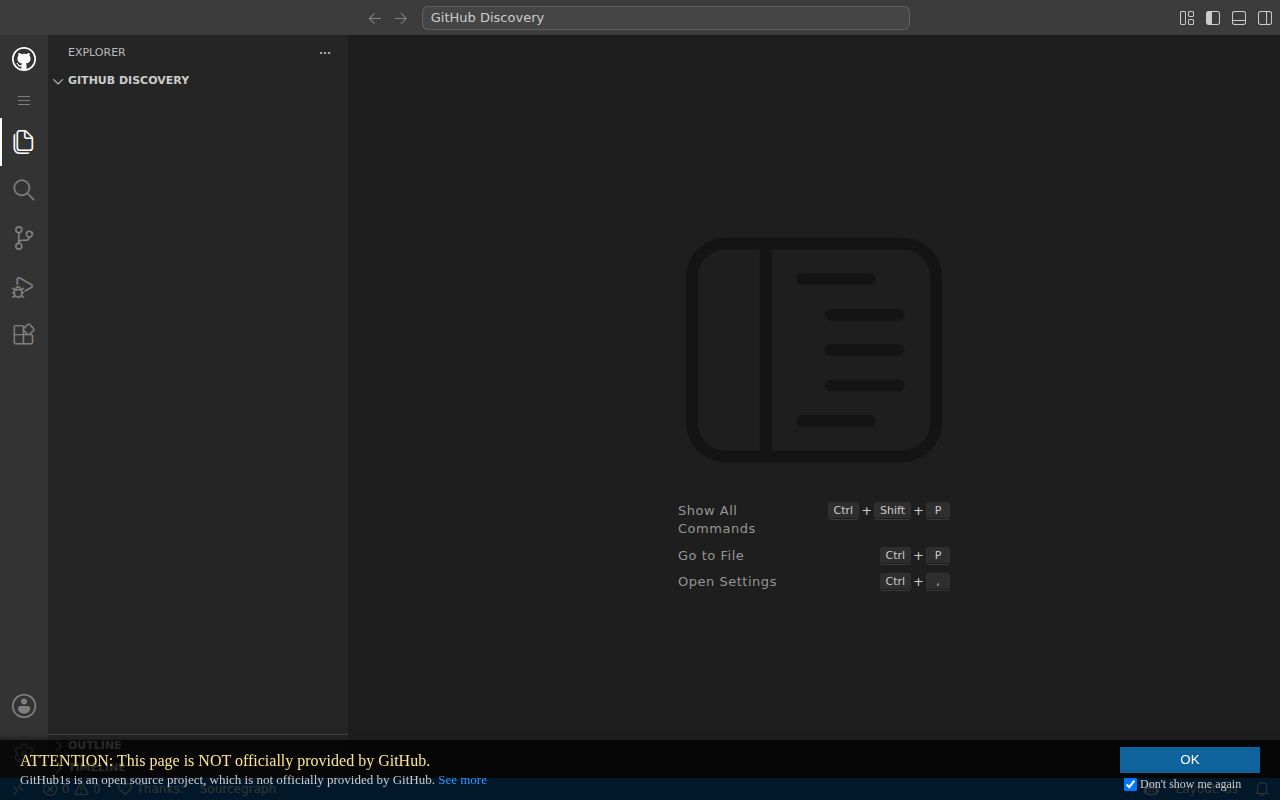
Adding 1s to github.com opened the 391-file project we measured in a familiar editor shell. There is no clone, local checkout, or account step. Explorer, file search, line links, blame, commit history, and pull request diffs cover the reading jobs that GitHub's normal file pages can make awkward. GitLab repositories and published npm packages have matching hostnames. The trade is explicit: remote files are read-only.
That narrow job is GitHub1s's best argument. The project itself contained 391 files and about 24,845 lines of source at commit 7e7f5c5, yet a reader can move through it without downloading the 12.6 MB checkout. This is useful when someone sends you an unfamiliar repository and you need ten minutes of orientation. It is the wrong mental model for a cloud IDE, because you cannot edit, commit, run, or debug the remote project.
What happened when we ran it
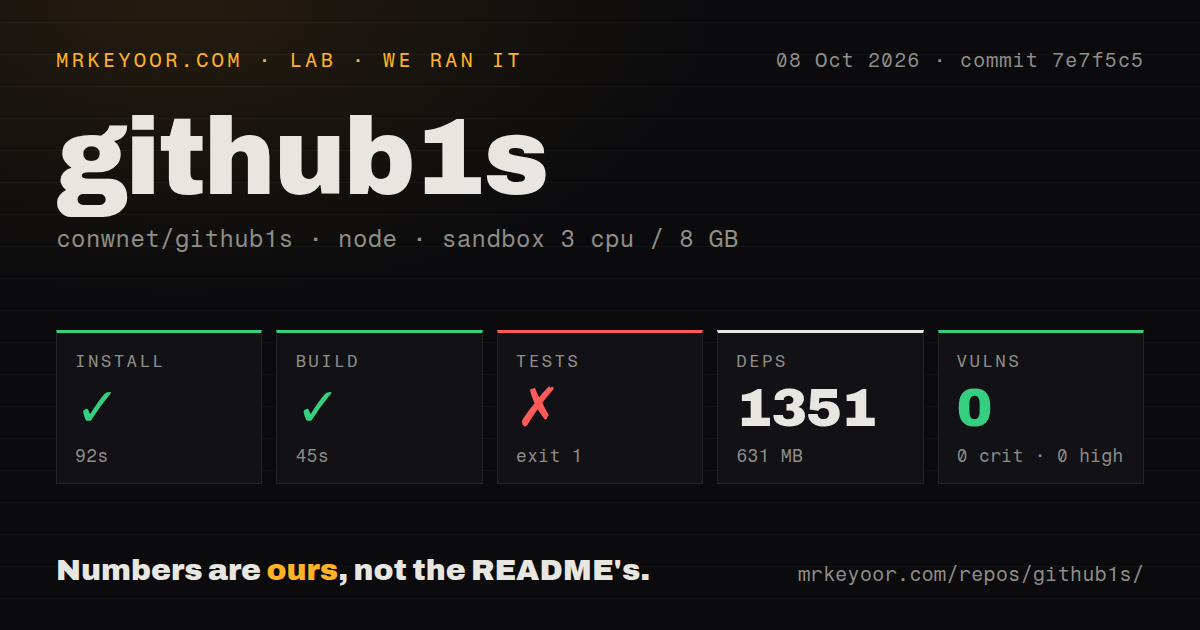
Our measurement setup was a fresh Debian container with 3 CPUs and 8 GB of RAM. It ran unprivileged and held no secrets. We cloned commit 7e7f5c5, then our sandbox installed the project in 92 seconds. npm added 1,351 packages and used 631 MB on disk, far beyond the 12.6 MB checkout. The production build completed successfully in 45 seconds. npm audit reported 0 known vulnerabilities across the installed dependency tree. Those results cover repository mechanics, not page speed, search accuracy, or the quality of AI answers.
The test command failed after 72 seconds, before any test ran. Playwright's stack trace ends while Firefox is validating its host requirements. Jest therefore reported 0 of 1 suites completed and 0 tests total. The log tail does not name the failed requirement, so calling it a missing library or a project defect would go beyond the evidence. What we can say is that the supplied browser suite did not start in a fresh, unprivileged Debian container.
Search can inspect the wrong ref or return nothing
In version 0.35.2, GitHub1s can route GitHub search through Sourcegraph, searchcode, and GitHub REST. The REST fallback uses a same-origin proxy and searches the default branch, even when you are viewing another ref. It does not support regular expressions or multiline queries. Definition, reference, and hover results also depend on Sourcegraph coverage. A file opening successfully does not prove that repository-wide search or symbol navigation will work.
The 45-second build produces the browser application, but self-hosting that bundle does not make those outside indexes complete. Private repositories add another variable because service coverage and permissions differ. For code review on a branch, confirm the current ref before trusting a search hit. If exact cross-reference search is the main need, a dedicated indexer is a better choice than treating the VS Code interface as proof of backend parity.
AI sends selected code to your model endpoint
GitHub1s AI can attach up to 5 file paths from recently viewed files to a model request. You also enter a provider, base URL, model ID, and API key, and requests originate in the browser. Attached code, messages, and repository tool results go to that endpoint as conversation context. GitHub1s stores model settings, keys, histories, and optional MCP credentials in browser-backed VS Code extension state. Security review has to include the browser profile and each connected service.
Our audit found 0 known dependency vulnerabilities, which says nothing about whether a chosen model or MCP server should receive private source. MCP support accepts HTTP and SSE servers, while local stdio servers are unavailable in the browser. MCP tools can perform actions beyond the built-in repository tools' read-only limits. Review those tools separately, and do not infer a read-only safety boundary from the repository viewer around them.
Self-hosting needs server routes for the useful account features
The version 0.35.2 deployment has 3 parts: static application assets, Pages Functions, and a separate discovery Worker. The Functions handle OAuth callbacks and the GitHub REST search proxy. Another host must reproduce the callback and search routes, serve the app from an origin root, fall back deep links to index.html, and apply the documented cross-origin headers. Hosting under a subdirectory requires code changes because asset paths are absolute.
The repository has 4 CI workflow files and a tests directory, but no Dockerfile. Its current guide asks for Node.js 24; our build passed on the supplied Node 22 image, and we did not rerun the lab on 24. OAuth also needs provider client IDs at build time, secrets at Functions runtime, and exact allowed origins. This is reasonable documentation for an operator, though it is more work than uploading the dist directory.
Recent releases coexist with an old issue tail
GitHub showed 23,304 stars on October 8, 2026. Version 0.35.2 shipped on September 20, and the repository was pushed again on October 8. The open queue contained 57 issues and 3 pull requests. Recent activity includes dependency work and AI discussion, while several requests about editing, other source hosts, and extension behavior date back years. The project is active, but activity has not cleared every longstanding edge case.
Four CI workflows and a successful 45-second build are reassuring signals. The failed 72-second browser run matters more for anyone changing the project, because 0 tests means our sandbox produced no behavioral confirmation. For ordinary users, the hosted viewer remains the easier bet: use it to read public code quickly. Choose code-server, OpenVSCode Server, or desktop VS Code when the next action is to change or execute what you found.