GitHub MCP Server gives an AI client access to GitHub operations, so the adoption decision starts with which repositories and actions that client should reach. Our recorded command run helps assess part of the local setup process. It does not settle authentication, client compatibility or permission design.
Choose the deployment route before configuring credentials
The README describes a GitHub-hosted remote server and a local server. Remote access requires a compatible MCP host. It lists VS Code 1.101 or later for remote MCP and OAuth support, and explains that other hosts need their own GitHub App or OAuth App configuration for OAuth. PAT authentication is another documented route; configuration and support vary by host.
GitHub Enterprise Cloud with data residency can use a corresponding remote endpoint. GitHub Enterprise Server cannot use remote hosting and needs the local server. Local deployment requires Docker or a built executable, plus an authentication method supported by the chosen setup.
The README describes local browser OAuth on github.com, with the token kept in memory, and PAT authentication that takes precedence when supplied. Its Docker OAuth example publishes a callback at 127.0.0.1:8085. These are documentation claims, not observations from our sandbox.
The supplied policies guide says it reflects July 2025 and describes local authentication more narrowly than the supplied README. Use the README's setup instructions for the documented authentication paths, and confirm applicable organization policies separately.
What our September 28 run establishes
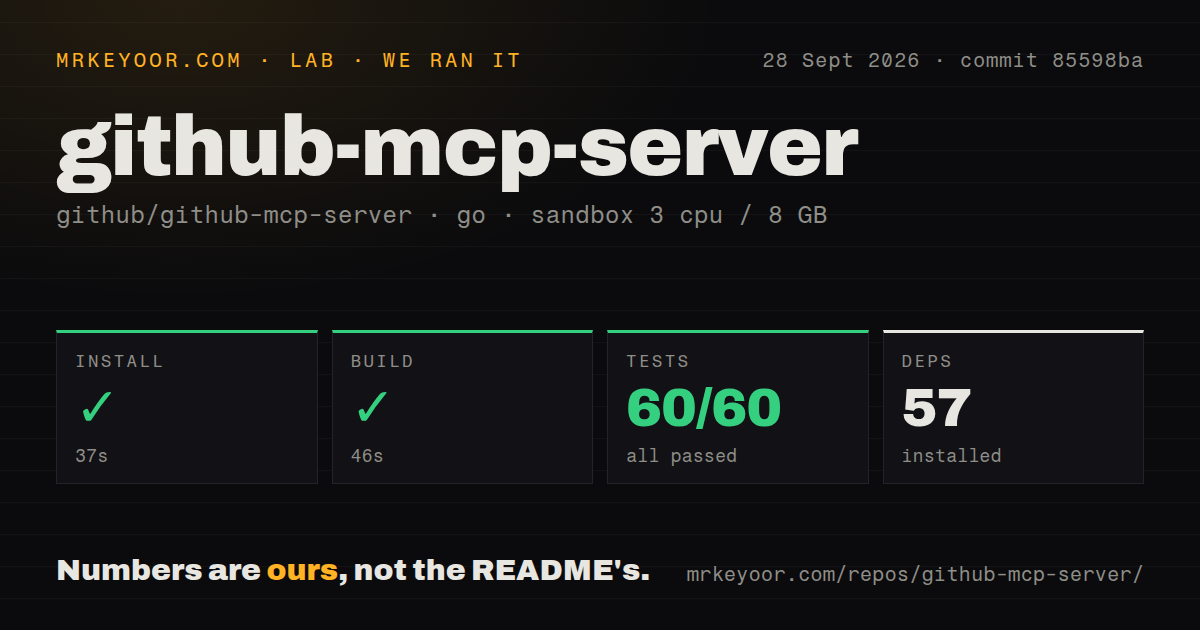
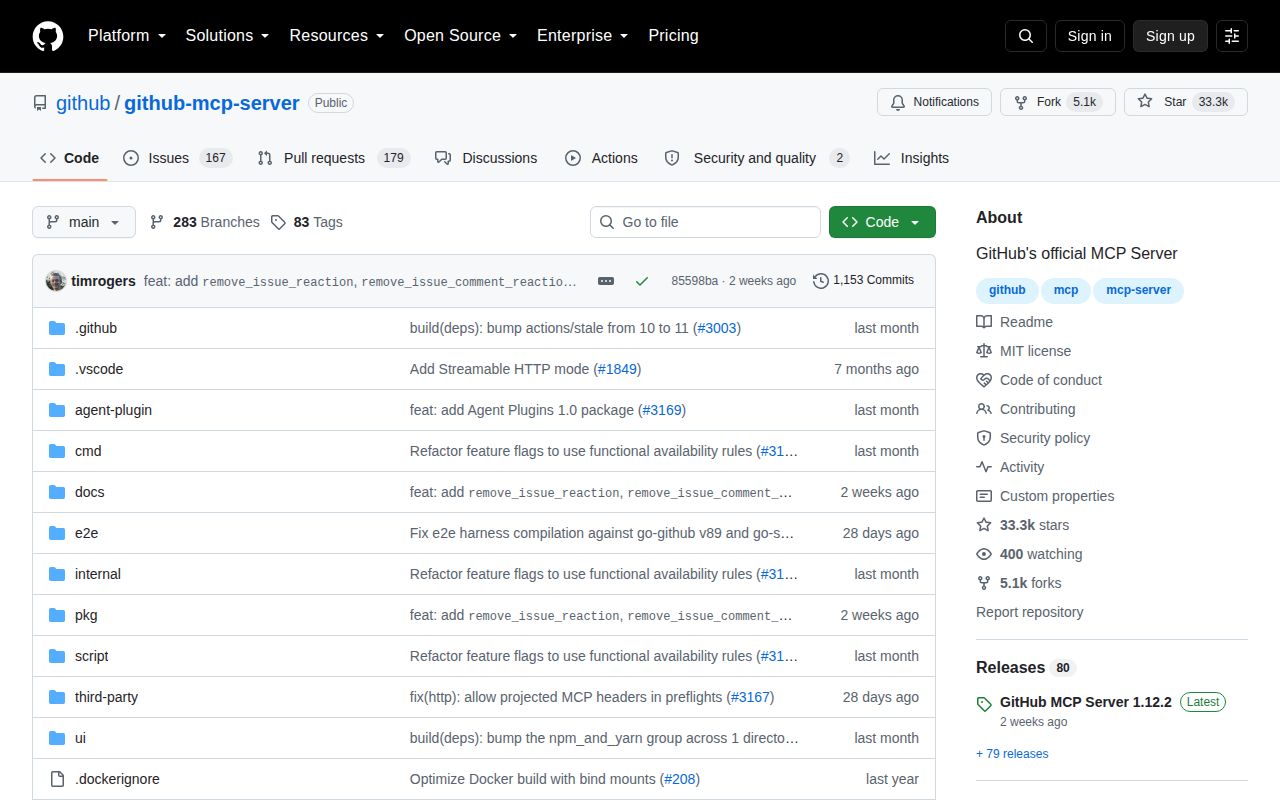
Our stored run began on September 28, 2026 at 04:05:49.015 UTC against commit 85598ba6e1256f7ebf4867b95d63b833c4549264. That commit corresponds to the supplied v1.12.2 release record. This is a historical run, not a test of the current main branch or hosted service.
The recorded configuration was 3 CPUs, 8 GB of memory and the golang:1.24-bookworm image. The image label does not establish the actual Go version used. The dependency-step tail specifically records downloading go1.25.12 for linux/amd64.
| Recorded step | Result | What the retained evidence establishes |
|---|---|---|
| Dependency step | Exit 0, 37 seconds | Successful step execution; 57 dependency entries recorded, with a toolchain download visible in the tail |
| Step labeled build | Exit 0, 46 seconds | Successful step execution; the retained tail says vet-exit:0, without independent confirmation of a compiled binary |
| go test step | Exit 0, 26 seconds | Successful test-command execution, without a verified exhaustive count of unique tests |
The test parser recorded 60 successful package results, 0 failed package results and 6 entries without test files. The retained output repeats package results in a summary section. Without complete-log reconciliation, those figures cannot establish 60 unique passing packages or 60 individual tests. Entries without test files are not failed tests.
The checkout measurements were 584 files, approximately 120,230 lines of source and 5.2 MB. The record also identifies 13 CI workflow files, a Dockerfile and no separate tests directory. Tests appear within Go packages; the absence of a separate directory does not establish an absence of tests.
The stored evidence does not demonstrate an installed-binary check, server startup, OAuth login, authenticated GitHub API operation, MCP client approval flow, Enterprise deployment or measured application workload. No security audit result is recorded. The command results should not be used as proof of production readiness or safety.
Limit tools and credentials separately
The README's default toolsets are context, repos, issues, pull_requests and users. Optional toolsets cover additional surfaces such as Actions and security alerts. Enable the capabilities needed for the task rather than assuming the defaults match your intended access.
The README and configuration guide say read-only mode disables write tools even when explicitly requested. That is useful for an initial evaluation, but credential permissions still determine the underlying GitHub access.
The configuration guide describes lockdown mode as a best-effort filter for some public-repository content. It does not restrict what the credential can otherwise read or write, and filtered content may remain reachable through another tool or direct API access. Treat it as a content-filtering option when relevant, rather than an authorization boundary. These documented controls were not independently exercised in our run.
A compatibility report needs its maintainer response
Issue #3311 reported missing projected-header errors with older negotiated MCP protocol versions after v1.12.0. On September 23, 2026, a maintainer said the real handler stack returned HTTP 200 with protocol version 2025-11-25, body-only owner/repo arguments and no projected headers. The maintainer requested the reporter's client details and full request headers. The supplied issue record shows it closed as completed on October 2.
That record supports describing a reported problem that maintainers could not reproduce under their stated conditions. It does not establish a confirmed general regression or a verified fix. Our local test-command result cannot resolve the report because it did not exercise that remote client workflow.
Pick the interface that matches the work
GitHub CLI brings pull requests, issues and other GitHub concepts to the terminal. Choose it when explicit commands fit the task. Octokit.js provides REST and GraphQL clients for JavaScript applications; choose it when reviewed application code should control the requests. Neither alternative was benchmarked against GitHub MCP Server in our run.
For an MCP evaluation, select one repository and one read task, restrict the credential, enable read-only mode and confirm the returned information against GitHub. If writes are required, separately authorize a disposable change and verify the resulting state. These are suggested validation steps, not work completed in our sandbox.
How to read the scores
These are editorial ratings of the supplied evidence, not measured performance or adoption scores. The rubric is: 1 means substantial documented obstacles; 2 means limited evidence with major gaps; 3 means a documented usable path with important validation outstanding; 4 means strong evidence across the relevant criteria; 5 requires broad corroboration with few material gaps. Missing evidence lowers confidence and is not proof of poor product quality.
Setup receives 3 because remote and local routes are documented, while our run leaves binary and authenticated-client validation outstanding. Documentation receives 3 because the sources explain hosts and controls but differ on local authentication. Community receives 2 because the supplied issues show participation without establishing support reliability or adoption. Maturity receives 3 because a release and successful command steps are recorded, while compatibility and operational readiness remain outside our measured scope.