Its problem-first index is faster than a Git book during an incident
Git Flight Rules begins with the mistake in your head, not the command name you have forgotten. The contents include wrong remotes, amended commits, hard resets, deleted branches, failed rebases, stashes, submodules, and reflog recovery. That organization works when you know what went wrong but cannot remember whether the repair starts with branch, reset, reflog, or rebase.
The main README is English, with 8 linked translations: Spanish, Russian, Traditional Chinese, Simplified Chinese, Korean, Vietnamese, French, and Japanese. Each answer is short enough to scan, and many include the shell state in a customized prompt. The guide says every command should work on Git 2.13.0 or newer, a compatibility floor that reaches far back into Git's history.
Its best use is orientation. The page can tell you that a hard-reset recovery starts with git reflog, or that rewriting an amended remote commit should use --force-with-lease rather than an unconditional force. It also warns that committed or stashed work may be recoverable after a hard reset, while uncommitted modifications can be removed. Those distinctions are more useful than a generic list of commands.
The 22-second install maintains the table of contents
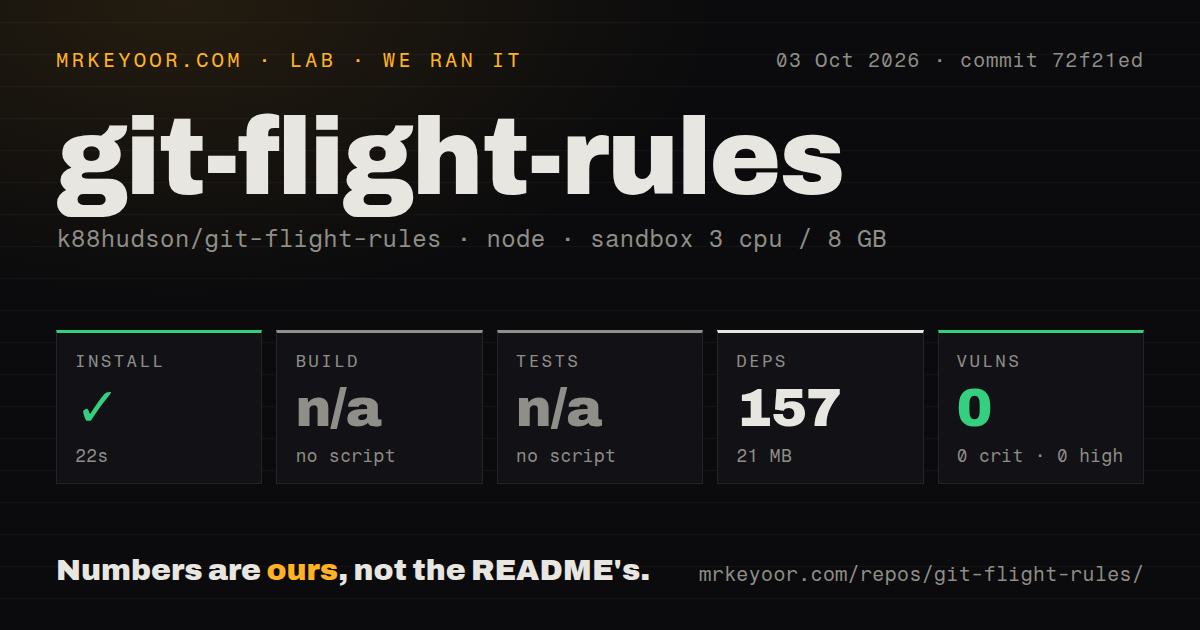
Our sandbox cloned commit 72f21ed, a documentation update from October 2, 2026. Npm installed 157 packages in 22 seconds and occupied 21 MB. The checkout itself contained 14 files, about 0 lines of source, and used 0.8 MB. This is a Markdown project with a small maintenance toolchain, not a program that needs installing before you can use it.
The private package defines scripts for regenerating tables of contents and checking README diffs. Its dependencies are DocToc and an anchor-heading package. Readers can ignore all of that and open the Markdown on GitHub. The npm result tells maintainers that dependencies resolved at the measured commit. It does not validate a single Git recovery sequence.
What happened when we ran it
Our run installed 157 npm packages in 22 seconds and used 21 MB on disk. Npm audit reported 0 known vulnerabilities: 0 critical, 0 high, 0 moderate, and 0 low. The fresh Debian container had 3 CPUs, 8 GB of RAM, no secrets, and no elevated privileges. Installation succeeded without a build step.
Build and tests were both skipped because the package exposed no generic target for either. The repository also had 0 CI workflow files, no Dockerfile, and no tests directory. There is no failing log to explain. The finding is that the document toolchain installs cleanly, while the advice itself has no executed proof from our sandbox.
Destructive recipes need a disposable-clone rehearsal
Across this 14-file project, several sections intentionally solve destructive jobs. Discarding changes includes git reset --hard, git checkout -f, and git clean -fd. Removing a large file from history requires a force push. The guide describes the consequence and recommends --force-with-lease, but Markdown cannot see your intended branch or whether another developer pushed work since your last fetch.
Open issue 351 is a useful example of that gap. A reader says the "committed to main" recipe discarded new code after git reset --hard HEAD^. The recipe first creates a new branch at the current commit, which should preserve that commit before main moves back. The issue remained open after an October 2025 update. Even a valid sequence can be misread when the screen is stressful and the command is irreversible.
The README gives 2 immediate actions for leaked secrets: change a password and regenerate a key. It says rewriting history cannot erase copies that other people already pulled. That is sound incident framing. Still, credential rotation and host-specific cache removal extend beyond Git, so this page should be one part of a response procedure.
Git 2.13 compatibility keeps older command idioms in view
A minimum of Git 2.13.0 helps people on older machines, but it also explains why the guide often reaches for git checkout and git reset where newer teaching may use git switch or git restore. Those older commands still work. They also carry several behaviors under one name, which makes them harder to teach during recovery.
Across the English README and 8 translations, the Bash-first convention is another boundary. Git Bash users will recognize the prompt, and the page has later shortcut sections for Git Bash and PowerShell. Most recipes are shell sessions rather than native PowerShell walkthroughs. Windows developers should check quoting, pipes, utilities, and path behavior against a second source.
October 2026 edits show maintenance without a release process
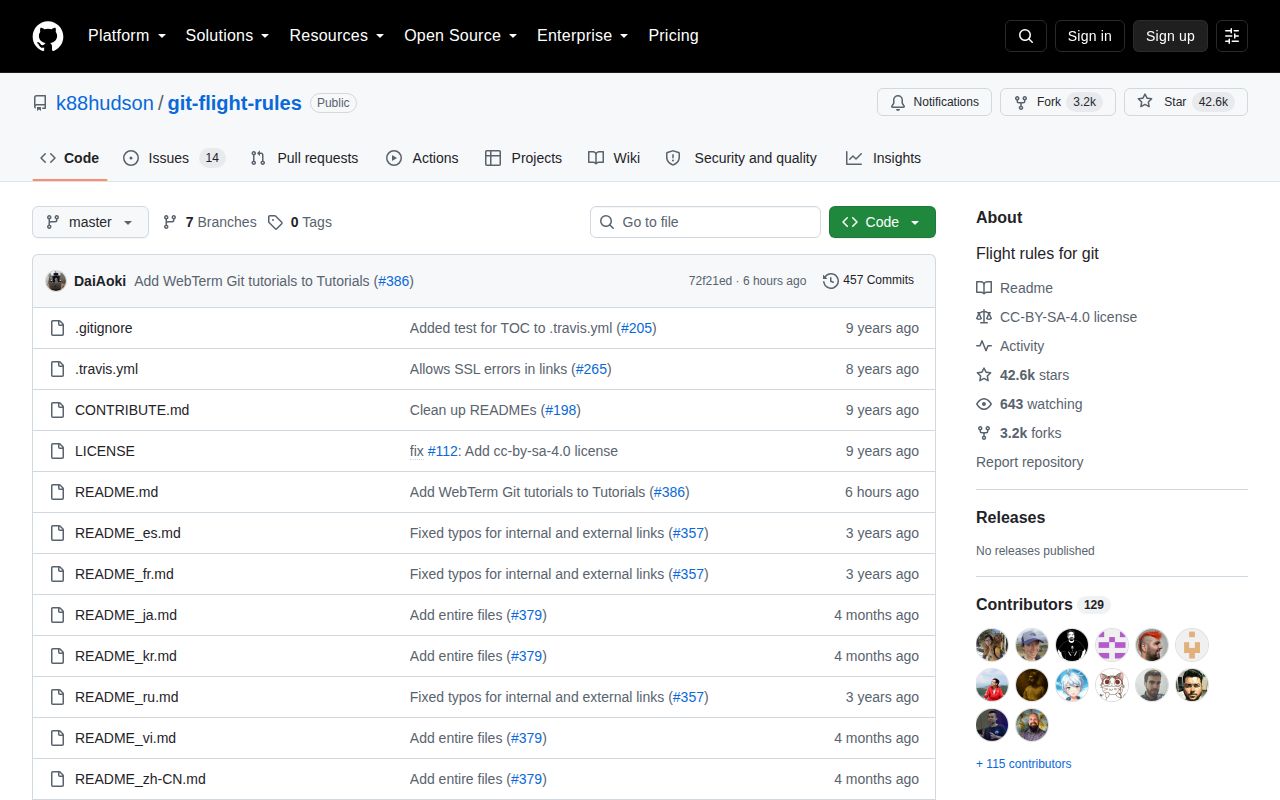
GitHub showed 42,592 stars and 14 open issues on October 3, 2026, with no open pull requests in the API search. Two documentation changes landed on October 2: one added a WebTerm tutorial and another added a staging recipe. The latest-release endpoint returned no release. Health here comes from recent document edits, not tagged software versions.
Of the 14 open issues, the oldest include translation requests and disputed or confusing instructions. That matters because there is no test suite to settle behavior automatically. A fresh push proves someone can merge an edit. It does not prove every command was rerun against modern Git on Linux, macOS, Git Bash, and PowerShell.
Use Git Flight Rules as the first lookup when you can describe the mess but cannot name the repair. Then slow down. Capture git status, git branch -vv, the relevant remotes, and a reflog before changing anything. For commands that move or delete refs, reproduce the state in a disposable clone and compare the exact flags with your installed Git manual. That extra minute is the difference between a handy handbook and an unsafe runbook.