Attribution comes from agent checkpoints, not a classifier
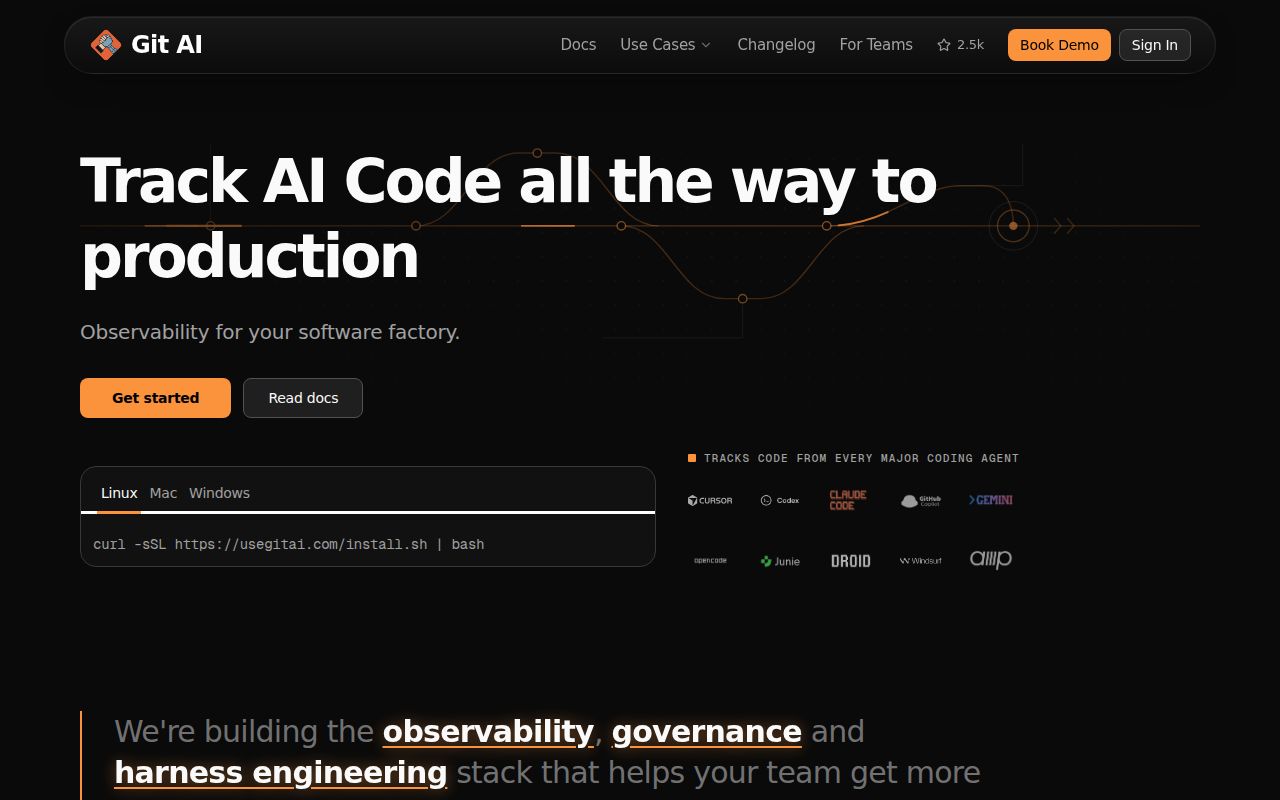
Git AI fills a gap in ordinary commit history. A commit names its human author, yet the patch may mix manual edits with output from several agents, models, and prompts. Supported agents call git-ai checkpoint as they change files. The extension maps those checkpoints to lines and stores attribution in Git Notes, allowing git ai blame to identify the reported agent behind a line.
This is a better basis than guessing from coding style. The tool records explicit events and can connect an accepted line to a session or tool call. Its statistics cover AI additions, accepted output, human overrides, model use, tokens, and cost. The format is published as version 3 of the Git AI standard, so the data model is not confined to one editor integration.
The method still depends on every relevant agent integration emitting correct checkpoints. Unsupported tools, broken hooks, and timing defects can leave gaps or wrong labels. Git AI is evidence about recorded activity, not proof that every line has been classified correctly. That distinction should appear in any policy or dashboard built on top of it.
The local CLI avoids per-repository setup but runs a daemon
Installation is a shell command on macOS, Linux, and WSL, with a PowerShell path for Windows. Release v1.7.0 supplies x64 and ARM64 binaries, checksums, and instructions for GitHub attestation verification. Its Windows MSI and macOS PKG installers are explicitly beta. The CLI works offline without a login, and a developer does not initialize each repository separately.
The background machinery is less visible. Git AI installs hooks or integrations for supported agents, uses a daemon to reconcile changes, and updates agent hooks daily according to the README. Developers can refresh them with git ai install-hooks. Prompt sessions stay outside the repository, while the Git Notes attached to commits hold line attribution that needs to move with the Git history.
What happened when we ran it
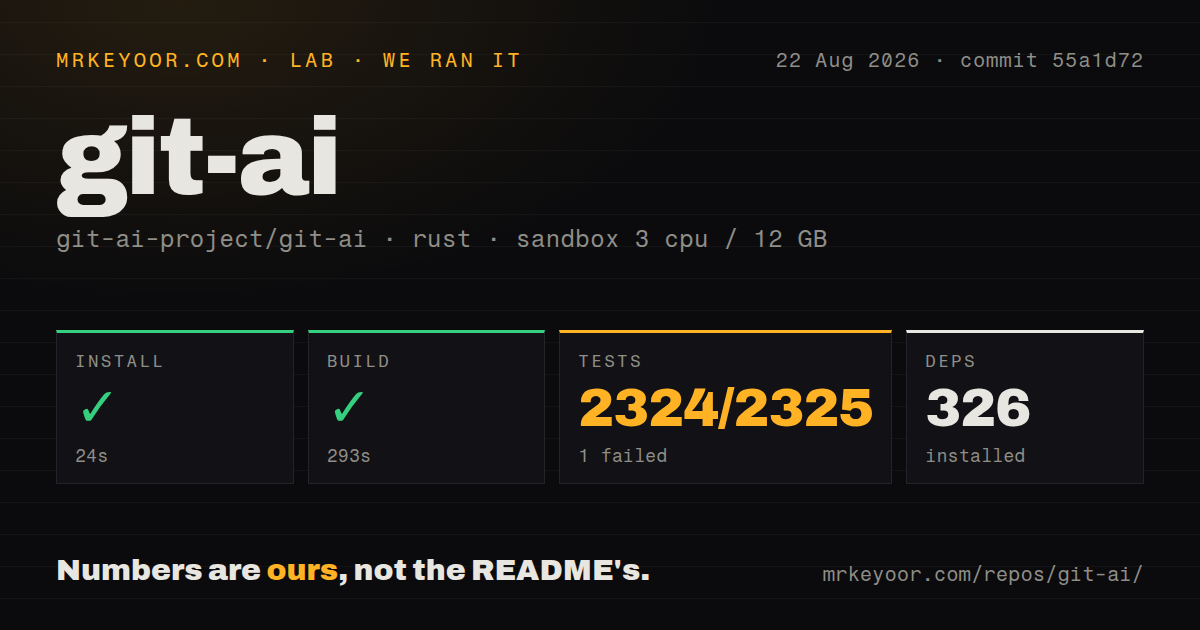
Our sandbox installed 326 Rust packages in 24 seconds, then completed the build in 293 seconds. The checkout at commit 55a1d72 contained 891 files, roughly 306,090 lines of source, and 23.2 MB before dependencies. We found 22 CI workflow files, a tests directory, and no Dockerfile. Those figures describe the source checkout and commands we ran, not the packaged installer experience.
Tests ran for 228 seconds and reported 2,324 passed with 1 failed out of 2,325. The failing case was test_graphite_style_multi_commit_single_update_ref. It called git merge-tree with the merge-base option, and the Git executable in our fresh Debian container rejected that option as unknown. Cargo exited with code 101. The log does not show an attribution mismatch, so we do not treat it as one.
A 2,324-to-1 result is substantial coverage, while the failure still matters for reproducibility. The repository built successfully, and the failed test exposed a dependency on Git command behavior that the selected rust:1-bookworm image did not provide. Anyone building from source should record both Rust and Git versions in their environment rather than pinning only the compiler image.
Git Notes survive many rewrites, with named exclusions
The useful part of this project is what happens after the first commit. The README says attribution follows rebase, cherry-pick, stash, squash merges, soft and mixed resets, amend, branch changes, pulls, pushes, and linked worktrees. Formatters are meant to preserve AI authorship instead of turning every touched line into human work. This is much more useful than adding an AI-assisted trailer to a commit message.
Boundaries are documented. git mv does not carry attribution to the renamed file. Bulk rewrites through git filter-branch or git filter-repo are unsupported, as is git replace. A multi-repository agent must run Bash commands with its working directory inside each affected repository for those changes to be attributed. These constraints deserve regression tests against the exact workflow a team uses.
Hosted merge operations add another layer. GitHub, GitLab, Bitbucket, and Azure DevOps can squash or rebase work on the server, outside the local daemon's view. Preserving notes there requires the open CI actions or Git AI for Teams. A rollout that omits this step may look accurate on developer branches and lose continuity when pull requests merge.
A current Copilot report shows why spot checks matter
Issue 2221, opened August 26, 2026, reports that GitHub Copilot edits to existing files were attributed to the agent while newly created files were attributed to the human. The reporter reproduced it on Linux and WSL2 with git-ai 1.6.14 and 1.6.22. The issue describes a silent failure, which is especially serious because an attribution tool can look complete while labeling the wrong author.
The report is specific to a Copilot and VS Code path and does not prove every integration has the defect. It does justify a simple acceptance test: ask each supported agent to create and edit files, commit the result, run git-ai show and git ai blame, then exercise the team's rebase, squash, and worktree patterns. Wrong attribution should block policy use even when the overall percentage looks plausible.
Same-day code and release activity support a careful trial
GitHub showed 2,506 stars and 147 combined open issues and pull requests. The repository was pushed on August 26, 2026, and v1.7.0 was published the same day. The release added usage and token-accounting work alongside fixes and dependency updates. That is active maintenance, though the combined open count says nothing by itself about confirmed defects.
For a solo developer, the 24-second install and local operation make Git AI easy to sample. Teams face a larger decision involving agent coverage, Git Notes transport, server merges, privacy rules, and failure detection. The project earns a pilot because its explicit checkpoint model answers a real question. It earns trust only after its labels match known edits in the repository operations that matter to you.