mrkeyoor.com_
Sat 26 Sept 16:11 UTC
Dev Toolsevaluationupdated 26 Sept 2026

terminal-browser review

Terminal Browser puts a graphical Chromium browser inside a terminal pane by sending offscreen-rendered pixels through the kitty graphics protocol. It lets a developer keep a live site beside a coding agent, control open browser sessions from a compatible CLI, and proxy page requests through a remote machine over SSH. An experimental Claude Code plugin can place that browser inside Claude's terminal interface.

Verdict

Our Terminal Browser checkout installed 149 packages in 35 seconds and built in 10 seconds, but it offered no test target, so this is an appealing developer interface with a meaningful verification gap. Try it if your daily terminal supports kitty graphics and you want a real browser beside Claude Code or another agent. Keep Playwright or another tested automation layer underneath important workflows, and skip the Claude plugin if experimental rendering hooks are unacceptable.

We ran it

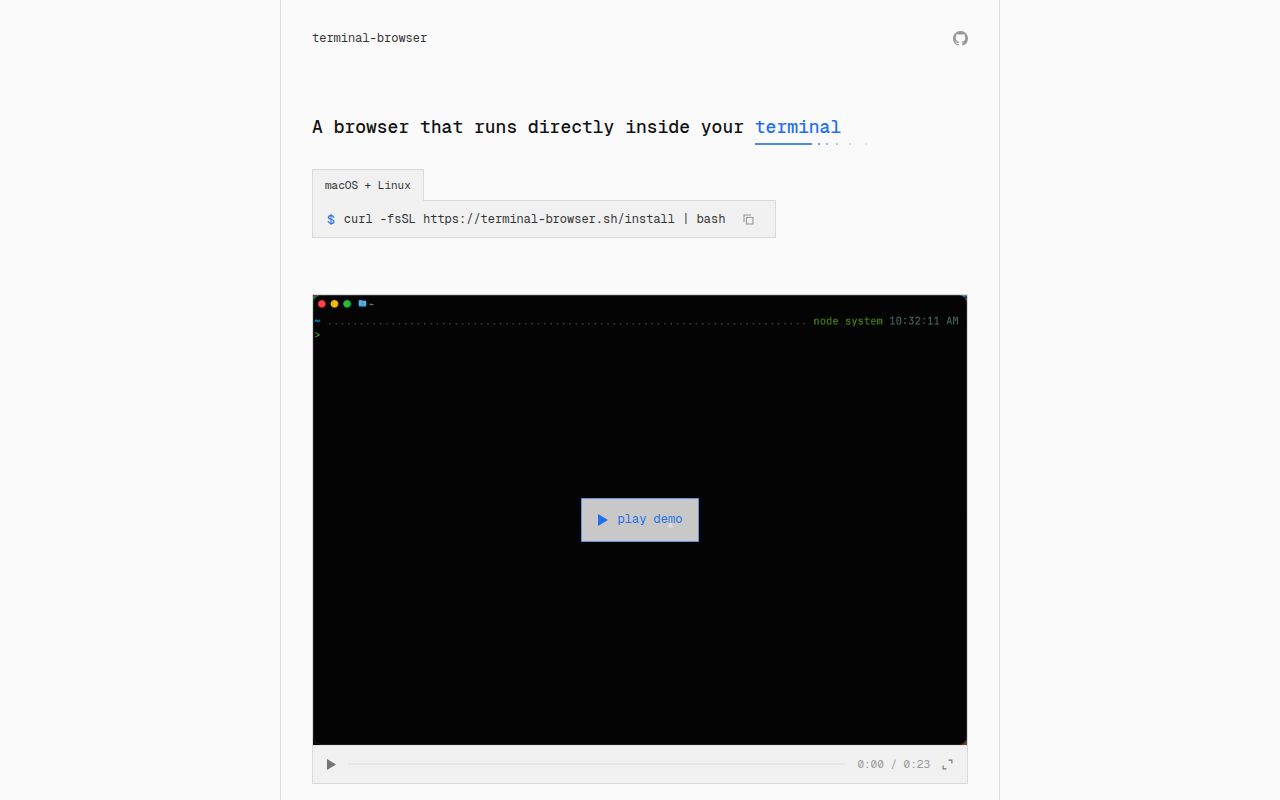
Lab card: what happened when we ran terminal-browserScreenshot of terminal-browser (terminal-browser.com)
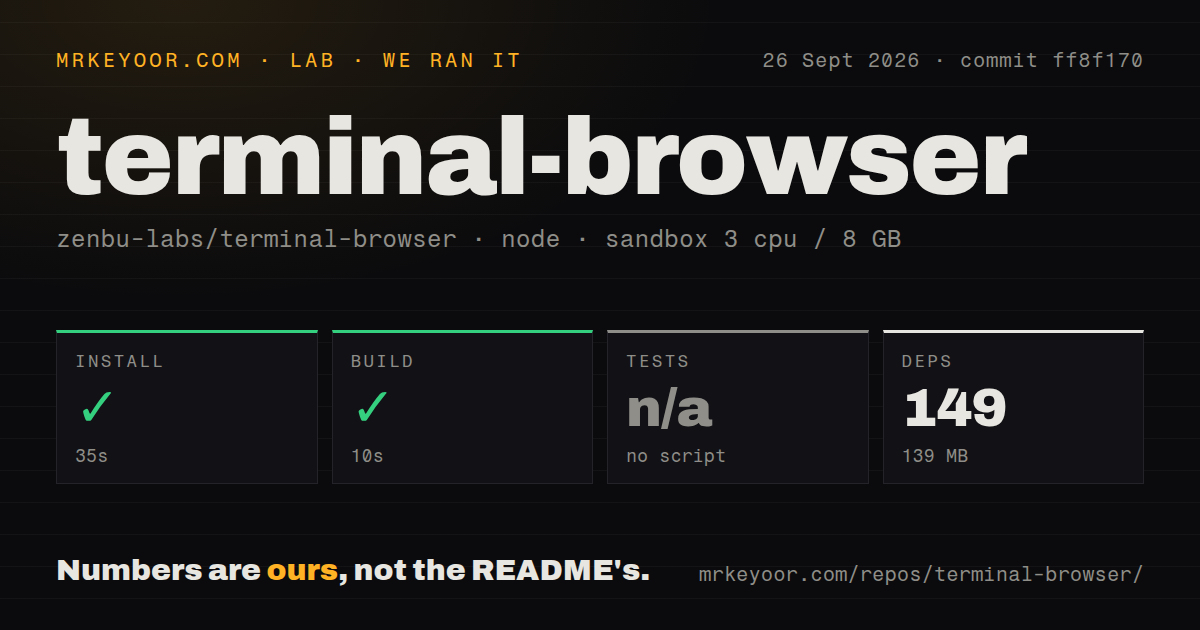
Install✓ · 35s149 packages · 139 MB
Build✓ · 10s
Testsn/ano test script
Repo166 files~17,953 lines of source · 1.1 MB · 1 CI workflows

Answers from our run

Does terminal-browser build from source?

Dependencies installed in 35 seconds (149 packages), and the build succeeded in 10 seconds. We cloned commit ff8f170 into a clean Debian container with 3 CPUs and no project-specific setup.

Does terminal-browser have tests you can run?

Not through a standard command: the project exposes no test script or target that our harness could run.

Who should not use terminal-browser?

Users whose terminal lacks the kitty graphics protocol and unicode placeholders: the plugin documentation warns that the Claude Code TUI may become garbled.

What are the alternatives to terminal-browser?

Carbonyl, awrit, Playwright. Our Terminal Browser checkout installed 149 packages in 35 seconds and built in 10 seconds, but it offered no test target, so this is an appealing developer interface with a meaningful verification gap.

Setup3/5Fast source build, but runtime depends on terminal and plugin support
Docs3/5Clear usage and architecture notes. Development guidance is thin
Community4/53,454 stars with active September issues and merged changes
Maturity2/5v0.11.1 is moving quickly and the repository has no test target

Who it’s for

Developers using Ghostty, Kitty, or another compatible terminal who want a live browser beside their editor or coding agent.
Claude Code users willing to try an experimental visual plugin and its function-hooks setting.
Remote developers who need a local browser to reach services bound to a server's localhost through SSH.
TUI authors who want to embed a browser surface inside an existing terminal application.

Who it’s NOT for

Users whose terminal lacks the kitty graphics protocol and unicode placeholders: the plugin documentation warns that the Claude Code TUI may become garbled.
Windows users who need a supported install today: the README documents macOS and Linux, while native Windows support remains an open pull request.
Teams that require a checked-in automated test target before adoption: our source checkout had no test script or target, so the lab could not run tests.
People who need Chrome extensions now: extension support is still an unchecked roadmap item.
Users relying on Basic authentication or video-call permissions: issue 80 reports missing Basic-auth prompts, and issue 103 says camera and microphone permissions lack an Allow or Block UI.
Anyone who needs the Claude Code plugin to remain stable across updates: its docs call the function-hooks API experimental, and issue 118 reports a blank browser pane on Claude Code 2.1.278.

Setup reality

Our pnpm install succeeded in 35 seconds, adding 149 packages and using 139 MB. The monorepo build passed in 10 seconds. There was no test script or target, so the lab skipped tests rather than reporting a pass. The checkout contained 166 files and about 17,953 lines of source.

End users can install a binary with the project's shell installer or Homebrew. The browser needs a terminal that implements the kitty graphics protocol. Claude Code integration also requires enabling function hooks in ~/.claude/settings.json, adding the plugin marketplace, and installing the plugin separately.

The Claude plugin uses a local HTTP server to communicate with the CLI and may trigger a local-network permission prompt. The main browser uses Electron offscreen rendering plus a Rust graphics layer, while macOS input handling can involve a background Swift app. There is no Dockerfile, and interactive graphics make a normal headless container a poor runtime match.

Chromium pixels appear inside a compatible terminal pane

Terminal Browser uses Electron's offscreen rendering API to obtain Chromium frames, then draws those pixels through a Rust graphics layer and the kitty graphics protocol. Mouse and keyboard events travel back from the terminal to Chromium. On macOS, a background Swift helper reads input events that terminals do not expose, including trackpad activity needed for smooth scrolling and canvas-heavy sites.

This produces a real graphical browser rather than a text-only page renderer. A developer can open a local site beside a coding agent, inspect it with devtools, use tabs and find-in-page, or record a page for review. The CLI also exposes an action command compatible with agent-browser interactions. That combination is the point: a human can see the same browser surface an agent is manipulating without switching to a separate desktop window.

The Claude Code plugin supports a narrower terminal set

The experimental plugin requires kitty unicode placeholders in addition to the graphics protocol. Its documentation names Ghostty and Kitty as the common supported choices, plus terminals built on libghostty such as cmux and Supacode. An unsupported terminal may garble the Claude Code interface. Multiplexers add another compatibility layer because they can rewrite the control sequences carrying the image.

Installation also changes Claude Code settings. Users enable CLAUDE_CODE_ENABLE_FUNCTION_HOOKS, add Zenbu Labs as a plugin marketplace, and install the Terminal Browser plugin. The optional agent tool is off by default. The plugin talks to a local HTTP server and can prompt for local-network access, while its function-hooks API is explicitly described as unstable. This is a useful experiment, not a drop-in browser feature with a fixed compatibility contract.

What happened when we ran it

Our sandbox installed the pnpm workspace in 35 seconds, adding 149 packages and consuming 139 MB. The build completed successfully in 10 seconds. No test script or target existed, so the lab skipped the test step. That result confirms the source compiled at commit ff8f170, but it provides no automated regression count for browser input, rendering, SSH, or plugin behavior.

The checkout had 166 files, about 17,953 source lines, and a 1.1 MB repository footprint before dependencies. It is a workspace with browser, CLI, and store packages. We found 1 CI workflow, no Dockerfile, and no tests directory. A container would not exercise the normal display path anyway because Terminal Browser depends on an interactive terminal and its graphics capabilities.

SSH mode keeps frames local and proxies network requests

Running the full application on a remote host would send every rendered frame and every input event across the network. Terminal Browser's recommended --ssh mode takes a different route. Chromium stays on the local machine, while browser network requests travel through the remote server. A site bound to remote localhost can then appear locally without moving the graphical frame stream over SSH.

That design is practical for previewing a development server, but it changes what "remote browser" means. Rendering, cookies, and the browser process remain local, while network reachability comes from the server. Teams should test authentication, certificates, proxy behavior, and access controls in their own environment rather than treating it as the same setup as Chromium running on the host.

Open issues expose authentication and rendering limits

Issue 118 reports that Claude Code 2.1.278 rejects the plugin's image placeholder, leaving the pane visible but blank with Terminal Browser v0.11.1. Issue 121 reports that the action bridge can exceed the macOS Unix-socket path limit. Both were open on September 26, 2026. These are specific failures in the two agent-facing paths that make the project unusual.

Ordinary browsing has gaps too. Issue 80 says a Basic authentication prompt never appears on Debian. Issue 103 says camera and microphone access is granted without an in-browser Allow or Block dialog, while video-call sites face user-agent and macOS signing problems. An Ubuntu report also shows browser startup failing while reading an AppArmor-related kernel setting. Those reports do not make every site unusable, but they rule out treating Terminal Browser as a complete replacement for a daily browser.

v0.11.1 is active, while 68 issues and PRs remain open

GitHub recorded the last push on September 20, 2026, 3 days after the v0.11.1 release. The project had 3,454 stars and 68 open issues and pull requests when fetched. Recent work added settings and shortcuts, exposed a socket for agent actions, and merged the Claude Code plugin. The same pace can change integration behavior quickly.

Terminal Browser is worth trying for the visual loop it shortens: edit in an agent, watch the real page in the same terminal, and take over with the mouse when needed. Carbonyl is the closer terminal-browser alternative, while archived awrit shows the earlier approach the README credits. For automated acceptance checks, Playwright is the safer comparison. The 10-second build makes experimentation cheap. Terminal support and the missing test target decide whether it belongs in your core workflow.

Alternatives

ProjectWhat it isPick it when
CarbonylA Chromium build designed to render web pages inside a terminal.pick this instead when terminal Chromium is the main goal and agent or Claude Code integration is secondary.
awritAn earlier graphical browser for Kitty with mouse and keyboard support, now archived.pick this instead when studying a smaller predecessor matters more than active maintenance.
Playwright gh↗A browser automation and testing framework for Chromium, Firefox, and WebKit.pick this instead when repeatable automated tests matter more than seeing the browser inside your terminal.

What people are saying

  1. [github-trending] zenbu-labs/terminal-browser

Sources

  1. Terminal Browser README
  2. Terminal Browser Claude Code plugin guide
  3. Terminal Browser v0.11.1 release
  4. Claude Code blank-rendering issue 118
  5. Camera and microphone permission issue 103
  6. Basic authentication issue 80

More dev tools reviews

fearless_simd · devops-exercises · scriptc · 30-seconds-of-code · styleguide · just · the whole board →