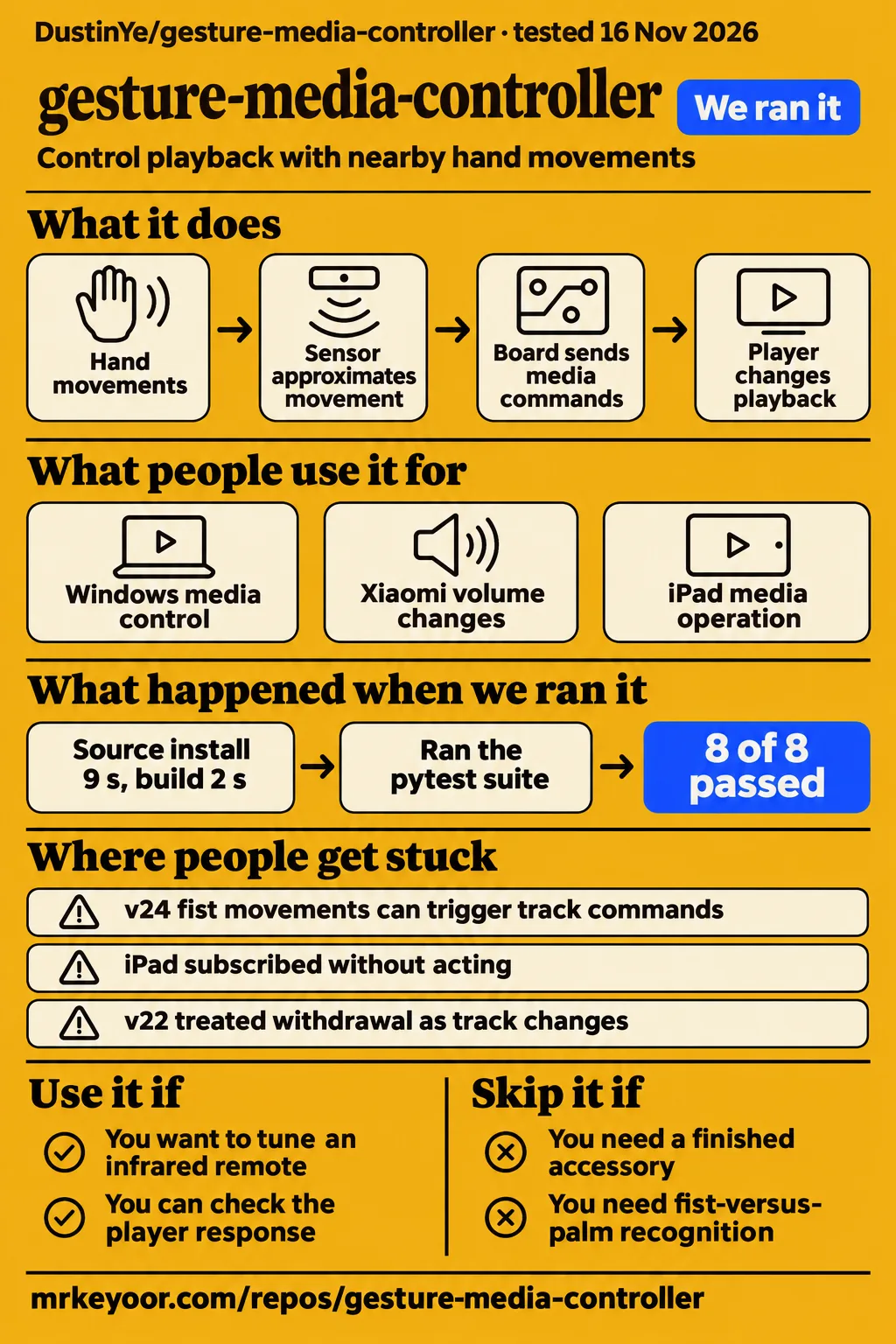
Gesture Media's published v24 firmware has a reported host-switching success alongside a documented fist-sweep problem. Use it if you want to work on a small infrared remote and can tune its physical setup. Skip it if you need a finished accessory or dependable hand-shape recognition. The useful distinction throughout this review is between software replay results, the project's historical hardware reports and an actual media player responding to a command.
What people use gesture-media-controller for
The project's testers reported Windows media control, Xiaomi volume changes and iPad media operation at different development stages. The version attached to each result tells you what the report demonstrated. The development history records successful interactions alongside failed attempts, making it more useful than a single list of platform names when choosing a starting point for your own hardware work.
| Who used it | What they did | Recorded outcome |
|---|---|---|
| The project's student tester, v14 | Controlled media on Windows | Windows media operation worked; continuous circles counted as one action. Development history |
| The project's hardware tester, v18 | Changed volume on a Xiaomi phone | Xiaomi volume worked after the local BLE fix; the iPad still did not act. Development history |
| The project's user tester, v20 | Controlled media on an iPad | Media operation worked after encrypted HID access changes; keyboard identity affected typing. Development history |
| The project's user tester, v23 | Tried grasp, withdrawal and lateral gestures | The tester confirmed grasp, clean withdrawal and left/right track changes. Development history |
| The project's user tester, compiled and flashed v24 | Switched to another BLE host | Another host reached READY and actually controlled media. Development history |
The iPad sequence explains why those stages matter. In v18, the Xiaomi phone responded to volume commands while the iPad subscribed without acting. Removing a Smart Keyboard in v19 did not solve that behavior. The v20 change gave the report and Report Reference encrypted access, after which the user confirmed media control. The history therefore connects a delivery symptom to a specific change and a subsequent player response.
The intended interaction is small: closing an open palm toward the sensor toggles play/pause, lateral slap-style movements change tracks, and completed circles send volume keys. The README's interaction table says the host and player determine volume step size and previous-track behavior. The board sends a media-key command, and the player decides what that command means in its current playback state.
What happened when we ran it
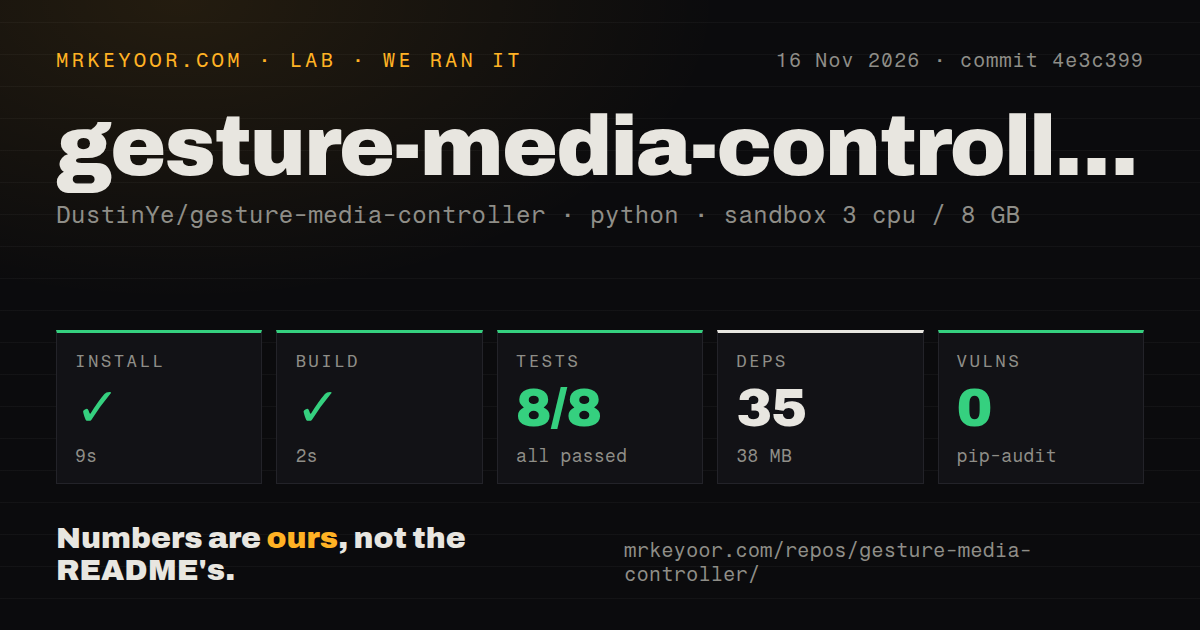
Our sandbox install succeeded in 9 seconds, the build step succeeded in 2 seconds, and pytest passed all 8 tests in 4 seconds at commit 4e3c399 on 2026-11-16. Our run used a recorded configuration of 3 CPUs and 8 GB RAM with image ghcr.io/astral-sh/uv:python3.12-bookworm. The measurement record identifies that image and configuration separately from the repository's pinned Arduino build environment.
| Our recorded check | Result | What it tells you |
|---|---|---|
| Install | Succeeded in 9 s; 35 dependencies recorded, 38 MB on disk | The recorded software environment installed successfully |
| Build | Succeeded in 2 s | The sandbox build step completed |
| Tests | Succeeded in 4 s; pytest 8 passed, 0 failed of 8 | The recorded Python checks passed |
| Dependency audit | pip-audit: 0 known vulnerabilities | The audit reported no known vulnerabilities |
| Repository scan | 63 files, approximately 3,368 source lines, 0.5 MB checked out | These are the recorded checkout measurements |
| Automation signals | 0 CI workflow files; no Dockerfile; tests directory present | The scan found local tests and no CI workflow |
The separate hands-on attempt failed at its Compose-file prerequisite. The safety-step record names all four missing candidates: compose.yaml, compose.yml, docker-compose.yaml and docker-compose.yml. Its error labels the repository unsafe under a runner rule requiring a Compose file. The repository's documented build route instead uses Arduino tooling, so the failure belongs to that attempted deployment procedure.
The run-summary record nevertheless describes deployment with the repository's own Docker Compose on our lab server, with every port bound to 127.0.0.1. That statement conflicts with the failed prerequisite. The teardown record records successful teardown. Keeping all three records visible preserves the failed step and the contradiction rather than turning the summary into a successful controller demonstration.
Where people get stuck: separate recognition from delivery
READY means authentication and report subscription succeeded, according to the README. The design notes separate connection, authentication, subscription, queued notifications and player response. If the display changes but the song does not, identify the last observed stage before changing gesture thresholds. The historical iPad sequence shows why a delivery problem deserves attention separately from the sensor's interpretation of a movement.
| Symptom in the project's history | What changed | How to use that evidence |
|---|---|---|
| iPad subscribed without acting | v20 encrypted report and Report Reference access | Compare HID layout and permissions with the documented baseline |
| Later same-UUID reports disappeared in combined keyboard/media layouts | A local BLE library patch served v18 through v20 | The build guide says v24's single report does not need that historical patch |
| v22 missed grasps and treated withdrawal as track changes | v23 changed the baseline and added settling and withdrawal checks | The user then confirmed grasp and clean withdrawal |
| Continuous circles counted as one action in v14 | v15 added heading-based circle counting | The history records a three-turn replay and noncircle controls |
These fixes come from the development history and build guide. Their value is the connection between a symptom, a change and the result recorded afterward. The current public build script leaves the installed core alone. The guide also says to read the source before applying the historical duplicate-report patch to another library version, rather than treating that old workaround as a routine installation step.
A single front-button click is decided about 350 ms after release so a double-click does not also pause gesture control. The README's button instructions distinguish that delay from the gesture-processing loop. The front screen is the physical control button, while the side Reset button serves the board's reset and download-mode procedures. Knowing which button and timing the documentation describes avoids mixing two different interactions.
The hardware build starts with an AtomS3R and a vertical sensor
The documented setup uses an M5Stack AtomS3R, Unit Gesture U127 with a PAJ7620U2 sensor, a Grove cable and USB-C power/programming. Mount the sensor face vertically toward you and start around 8 to 10 cm away, following the README's hardware instructions. That arrangement is the project's calibrated starting point and gives a builder a specific physical setup to reproduce before changing recognition rules.
The build guide pins M5Stack ESP32 core 3.3.9, M5Unified 0.2.25, M5GFX 0.2.32, M5Unit-GESTURE 0.2.0, M5UnitUnified 0.5.8, M5Utility 0.3.1 and M5HAL 0.1.4. It documents Arduino IDE and PowerShell/Arduino CLI routes. The board package supplies the compiler, ESP32 core and built-in BLE library; the project uses that library's NimBLE backend.
The setup script installs the pinned board and libraries, the build script compiles, and the upload script writes the current build result to the selected serial port. COM4 is the documentation's example port. Uploading replaces the board's application, so choose the actual connected device deliberately. Normal operation then needs power and a compatible BLE host. The board transmits media commands rather than audio, leaving the existing speaker connection and playback software in place.
BLE switching preserves bonds and controls one host at a time
A double-click starts a switch session that rejects the previous host until a different host authenticates and subscribes. Select Gesture Media on the new device, following the README's switching instructions. The design notes explain that identity checks also happen after authentication, addressing reconnection by the previous peer during the handover. This is an explicit transfer of control between hosts.
Switching preserves stored bonds; another double-click cancels the session, and reboot cancels its in-memory state. Clearing bonds is a separate action: hold the front button for three seconds. For a desk shared between a tablet and computer, those controls explain the routine the project implements. Switching moves the active connection while retaining pairing relationships; clearing bonds discards those relationships and serves a different purpose.
The BLE media input report contains two bytes and uses encrypted access permissions with automatic key release. The design notes describe a zero report releasing keys after approximately 40 ms. These details explain how a recognized gesture becomes a bounded key press. They also give a builder concrete report behavior to compare with the historical delivery problems, without treating a display status as the final player outcome.
English docs explain the build, but reuse has a licence boundary
No project-wide licence has been selected. The README says dependencies retain their own licences, and it credits a student-led interaction-design and hardware-testing process with substantial AI-assisted implementation and debugging. The repository provides an English README and a linked Simplified Chinese README, plus English build, design and history documents. Those documents explain the project's build route and the sequence behind its current baseline.
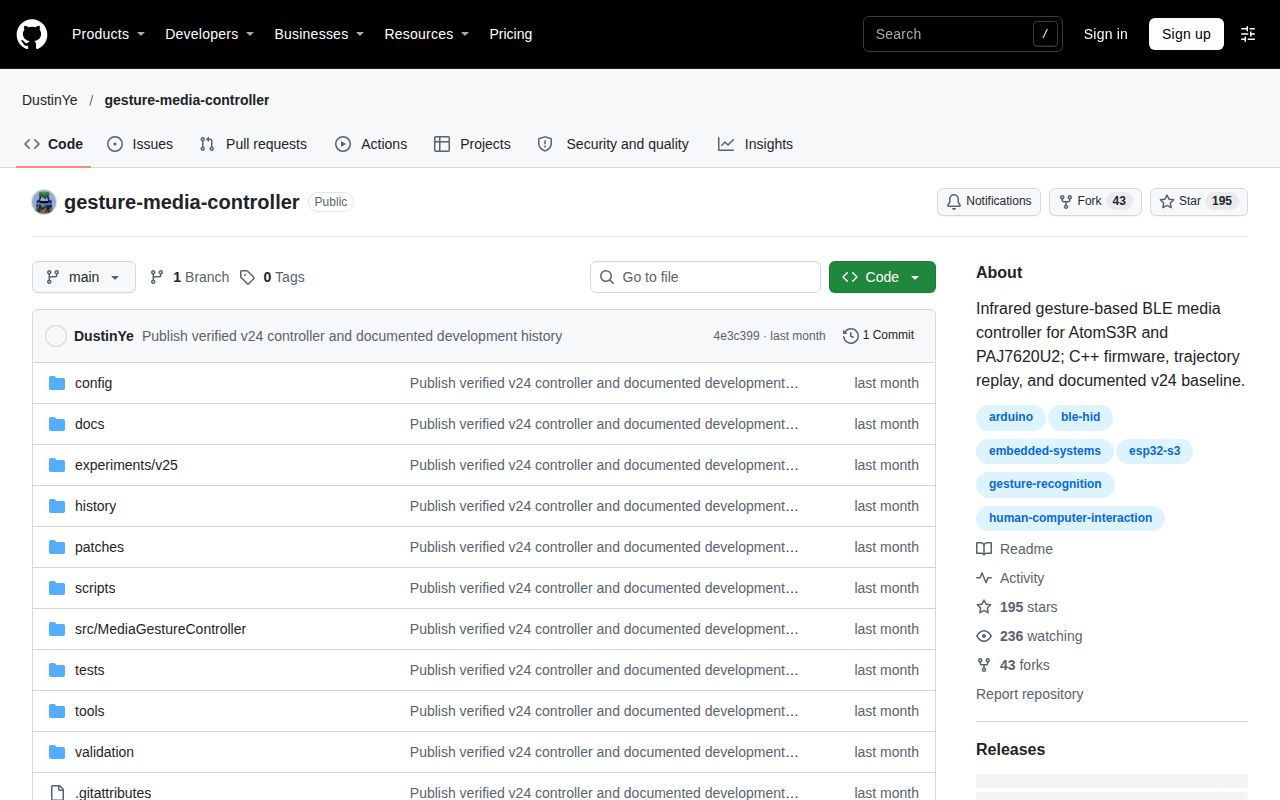
The supplied GitHub facts show 195 stars, 43 forks, zero open issues and PRs, and a last push of 2026-10-18, observed on 2026-11-16. These are repository activity and attention figures. The development labels describe experiments as well as successful steps: the changelog explicitly includes failed diagnostics and reverted directions. Reading v24 as a baseline identifier keeps that history attached to the actual program under discussion.
gesture-media-controller vs physical remotes, webcam projects and APDS-9960
Gesture Media puts infrared sensing and BLE media-key delivery on a powered peripheral, while the webcam alternative detects hand gestures through a computer's camera. Choose by the interaction and hardware you want to build. HotRepo's overview suggests cooking, soldering and presenting as reasons to want touchless control. Its scenarios explain the intended convenience of avoiding a keyboard, mouse or phone during another task.
| Approach | Evidence-backed distinction | When to choose it |
|---|---|---|
| Gesture Media | AtomS3R and PAJ7620U2 send BLE media commands | You want to modify a documented infrared peripheral |
| Ordinary physical remote | HotRepo notes that ordinary remotes require touching them | A physical button suits the task |
| Webcam gesture controller | Its README describes hand gestures detected through a webcam | You want camera-based recognition on the host computer |
| APDS-9960/ESP32 project | Projectech describes BLE HID and an optional USB-serial helper | You want to examine that sensor and its serial fallback |
Jaswanth-mjy's Hand Gesture Media Controller describes media playback control through hand gestures detected by a webcam. Nilutpol Kashyap's Gesture Controlled Media Player describes OpenCV and MediaPipe recognition and reports deployment on Raspberry Pi 4 for a TV or monitor. These are different architectural choices from a separate infrared BLE peripheral, particularly when deciding whether the media computer itself belongs in the hardware project.
Projectech's APDS-9960 offering describes a built-to-order ESP32 controller with BLE HID and a USB-serial path. Its optional serial helper requires Python and pyautogui. Projectech labels approximately 5 to 15 cm above the sensor as a working-zone design target and describes a 10 ms debounce with side shields for overhead-light interference. Its final-year-project offering includes firmware, wiring notes, a report, a presentation and viva preparation material.
What this review adds
The design notes separate five observations: connection, authentication, report subscription, queued notifications and actual player behavior. That sequence is the most useful diagnostic addition to a short platform list. MCU Atlas's supplied overview lists Windows, a Xiaomi phone and an iPad as tested per the README. The upstream history supplies the version-specific outcomes needed to interpret that list, including the iPad's earlier failures.
The other practical additions are switching cancellation and button timing. Another double-click cancels a switch session, reboot clears its in-memory state, and the single-click decision waits about 350 ms after release. These details answer different questions from whether a gesture was recognized. Together with the versioned history, they help a builder decide whether to inspect input recognition, connection state, report delivery or the player's response next.
FAQ
Gesture Media needs power and a compatible BLE host; normal use requires no project-specific host application. The repository's README answers that setup question directly. The supplied reader questions concern Projectech's APDS-9960 alternative, so the answers below name that product explicitly and keep its instructions attached to it. Gesture Media uses PAJ7620U2 hardware and the AtomS3R build route described above.
Does the APDS-9960 alternative need software installed on the PC?
Projectech says BLE HID mode needs no installed PC software, while its optional USB-serial mode needs Python and pyautogui. The Projectech software answer ties that distinction to the connection mode: BLE sends media-key reports directly, and the serial helper turns received commands into key presses. Choose the mode before preparing the computer, rather than installing the helper for every configuration.
How far from the sensor do gestures work on the APDS-9960 alternative?
Projectech lists approximately 5 to 15 cm above its APDS-9960 sensor as the working-zone design target. Its specifications and distance answer describe an upward-facing sensor on the breadboard, a different physical arrangement from Gesture Media's vertical mount. A builder comparing the two projects should therefore keep each distance recommendation with its sensor and mounting instructions when planning the desk interaction.
Will room lighting interfere with the APDS-9960 alternative?
Projectech reports that direct overhead tube lighting can cause false triggers and describes a 10 ms debounce plus small side shields as its mitigation. The Projectech lighting answer attributes the symptom and response to that build. This gives someone evaluating the APDS-9960 option a specific environmental behavior to investigate alongside deliberate swipes, rather than assuming the two infrared projects have identical lighting behavior.
Can the APDS-9960 alternative control a phone instead of a PC?
Projectech lists phone support as future scope and describes the delivered version as validated against a PC or laptop. Its phone-support answer separates that delivered configuration from the optional phone-pairing direction. For a phone-focused project, Gesture Media's history provides different evidence: Xiaomi volume control at v18 and iPad media operation at v20, with the changes and reported outcomes recorded separately.
Is the APDS-9960 alternative suitable for a final-year project?
Projectech markets its build for final-year work covering embedded sensing, I2C communication, firmware and wireless HID. The project-suitability answer connects those topics to its prototype and accompanying report, presentation and viva material. That explains what the seller provides for an academic demonstration; the reviewed Gesture Media repository instead documents its own student-led interaction requirements, hardware testing and development history.
What we have not tested yet
The eight passing Python tests exercise a separate reference implementation, not the C++ firmware binary. Our sandbox work did not include an AtomS3R, firmware flashing, physical gesture accuracy, end-to-end latency or long-running BLE behavior. The Compose records conflict, and their summary supplies no successful hardware result. Actual sandbox runtime versions require raw toolchain logs; the recorded image label alone supplies no runtime-version result. The firmware's roughly 4 ms polling and 16 ms sampling intervals are scheduling values.
The published v24 baseline can mistake sideways fist movement for a track gesture. v25 is an uncompiled, unflashed and untested filtering draft outside the default build. The design notes call for independent recordings across directions, distances and users before assessing false-positive behavior. PAJ7620U2 approximates movement rather than counting fingers or classifying hand shapes, and changing its mounting can require recalibration. The replay's expected-failure example documents the unresolved fist-sweep case.
Historical Windows, Xiaomi and iPad results cover different development stages rather than a complete platform-by-function matrix. Screen-keyboard recovery after v21's consumer-only change lacked separate confirmation at that stage. Xiaomi Home and Home Assistant integration remain unimplemented. No comparative reliability measurement, independent deployment count or firmware/Bluetooth security assessment appears in the supplied evidence. The dependency audit covers its reported advisories. For a first hardware check, use the documented mount and record intended gestures, sideways fist movements, board status and actual player response together.