The 21 lessons work as a course map rather than one application
Generative AI for Beginners spreads its advertised 21 lessons across the 11,070 files in our measured checkout. The route moves from language-model basics to small-model and Meta examples. Between them, the course covers model selection, responsible use, prompting, text generation, chat, vector search, images, function calling, UX, security, RAG, agents, and fine-tuning. That range is the reason to open this repository.
The lessons do not assemble into one product with a single runtime. Learn chapters explain concepts; build chapters offer Python and TypeScript examples when possible. Each folder has its own README, and many lessons add video or further-reading links. Think of the repo as a course shelf: choose a lesson, follow its local instructions, then verify its provider calls before carrying code into your own project.
Four model-access paths make setup a lesson-by-lesson choice
The README names 4 model-access paths: Azure OpenAI, Microsoft Foundry Models, the OpenAI API, and Foundry Local. The setup guide recommends GitHub Codespaces, shows how to store an OPENAI_API_KEY, and documents Foundry endpoint and credential variables. Foundry Local is the stated offline option. A student still has to match each exercise with its supported provider, language, model name, and environment variables.
Codespaces is the shortest documented route, while local study can involve Python, Jupyter, optional Conda, or a VS Code dev container. Our scan found no Dockerfile at the repository root. The setup lesson says the dev-container route takes extra work outside Codespaces and recommends it only to people already comfortable with containers. That is an honest warning, especially when the starting checkout is 771 MB.
Provider choice also ages faster than the course structure. The README says GitHub Models retired at the end of July 2026. Open pull request 1371 reports that two Meta model IDs used by lesson 21 now return 410 Gone, while its lesson 19 notes still point readers toward a retired Phi family. Pull request 1370 describes an OpenAI 0.x dependency pin that conflicts with the v1-style calls in lesson 8. Both fixes were still open on September 26.
What happened when we ran it
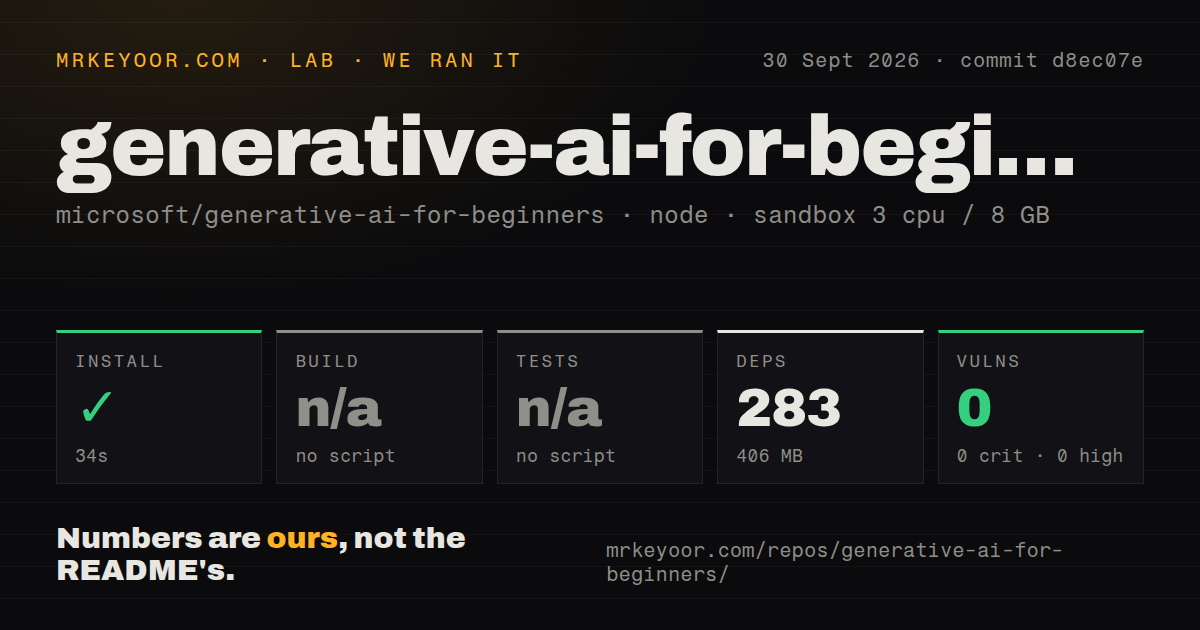
Our sandbox installed commit d8ec07e in 34 seconds, pulling 283 npm packages and using 406 MB on disk. The fresh Debian container had 3 CPUs, 8 GB of RAM, no secrets, and no elevated privileges. Npm audit found 0 known vulnerabilities across critical, high, moderate, and low severities. Installation was the only executable project step that completed.
The repository supplied no build script or target, so our harness skipped the build. It also supplied no test script or target, so the test step was skipped. A tests directory and 7 CI workflow files were present, but neither gives a learner one root command that checks the course. Our run did not call a model provider, execute the notebooks, or validate every Python and TypeScript example.
The checkout contained 11,070 files, about 3,540 lines classified as source, and occupied 771 MB before installation. After npm installed 283 packages, dependencies occupied another 406 MB. Those figures make the normal clone the first avoidable cost. Microsoft explicitly says the 50-plus translations increase the download size and provides sparse-checkout commands that omit both translations and translated_images. English-only learners should use them.
Two September repair PRs show where the broad course drifts
The 2 repair PRs opened on September 26 cover SDK and model breakage in lessons 8, 19, and 21. Other chapters give security, responsible use, application lifecycle, and UX their own space, which is better preparation than a prompt-only tutorial. Microsoft also points advanced readers toward a separate collection of code samples. The course introduces patterns across its advertised 21 lessons; it does not provide a production architecture or prove a deployment under load.
A notebook can remain readable while its model disappears or its pinned SDK no longer matches the code. PRs 1370 and 1371 are useful evidence because they name exact failures instead of using age as a proxy. Before teaching a build lesson, run that folder yourself, confirm the listed model is still offered, and compare its package pins with the API style used in the example. The root has no test target to do this work for you.
October 1 activity matters more than the missing release tag
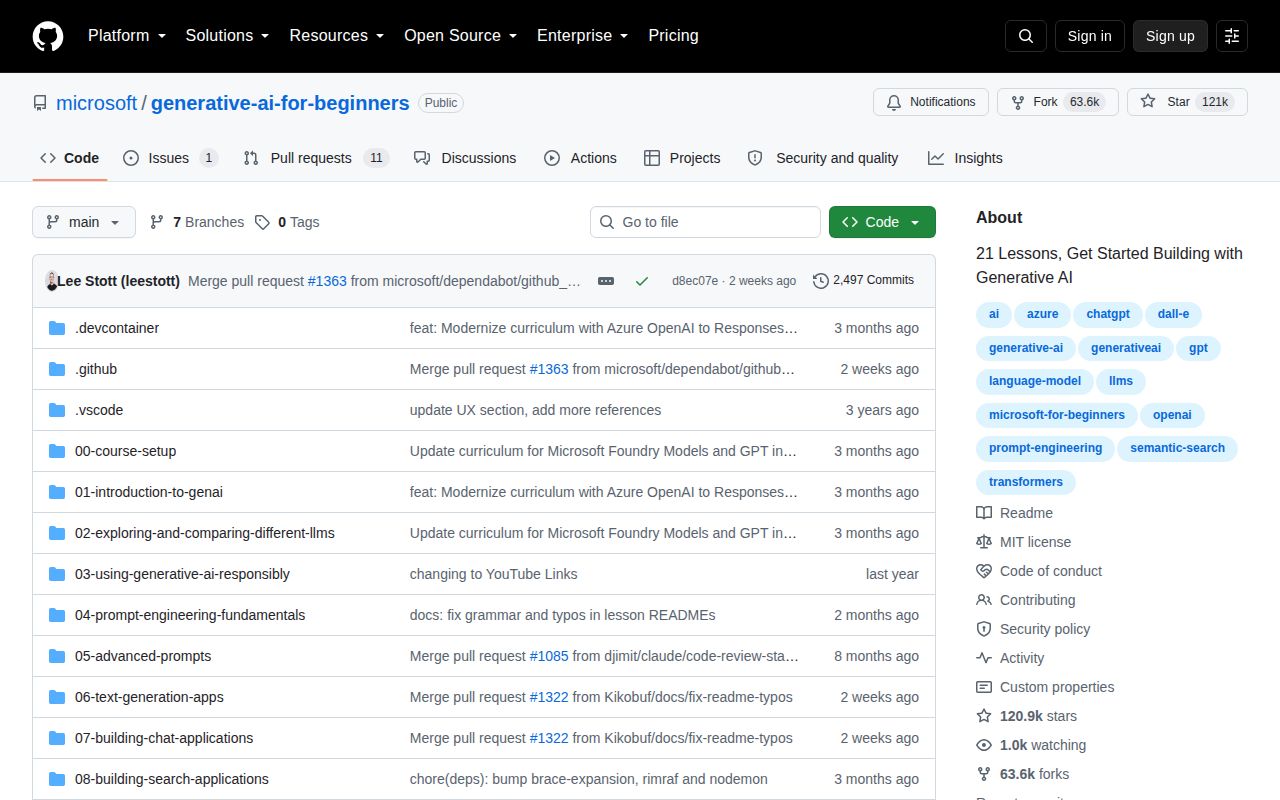
GitHub showed 120,868 stars and 12 combined issues and pull requests on October 1, 2026. The open list contained 1 issue and 11 pull requests, and the repository was pushed that same day. The latest-release endpoint returned no GitHub release object. For a curriculum kept in lesson folders, current source and repair activity say more about health than a package-style release cadence.
Generative AI for Beginners works best as a guided index for a developer who already knows how to read a notebook and question a dependency file. Our 34-second install was clean, and the audit found 0 known vulnerabilities, but the absent build and test targets leave every selected exercise to earn your trust separately. Start with the explanation, run only the lesson you need, and keep the provider's current documentation beside it.