One proxy keeps familiar coding clients while models change
Free Claude Code sits between a coding agent and the model service that answers it. You keep using Claude Code, Codex, Pi, OpenCode, Cline, Hermes, Aider, or another supported client, while FCC translates requests for the selected provider. Its Admin UI handles model choice, provider settings, tier routing, and ordered fallbacks. That is useful if the client workflow is settled but the model source is not.
The README currently lists 56 providers and 11 coding agents. That breadth includes API services, subscription connections, and local servers rather than 56 interchangeable free endpoints. FCC's headline claim of more than 1.3 billion free tokens per month is an aggregate of provider allowances. The same README says availability and limits can change, so treat the catalog as a set of routes to verify, not a monthly entitlement.
Python 3.14.7 and provider accounts are real prerequisites
The quick install script sets up FCC, prompts for coding agents, and can add optional RTK support. Afterward, fcc-server opens the Admin UI on Linux, while Windows and macOS get desktop launchers. The configuration is approachable for a personal workstation. It becomes more involved once several clients, fallback models, and messaging channels share the proxy.
At commit 105bfab, pyproject.toml requires exactly Python 3.14.7 and uv 0.12.13 or newer. Cloud providers need their own keys, OAuth session, or subscription. Local choices need a running LM Studio, llama.cpp, or Ollama server. The code is AGPL-3.0-only, a material constraint for companies that plan to modify it and expose that version over a network.
What happened when we ran it
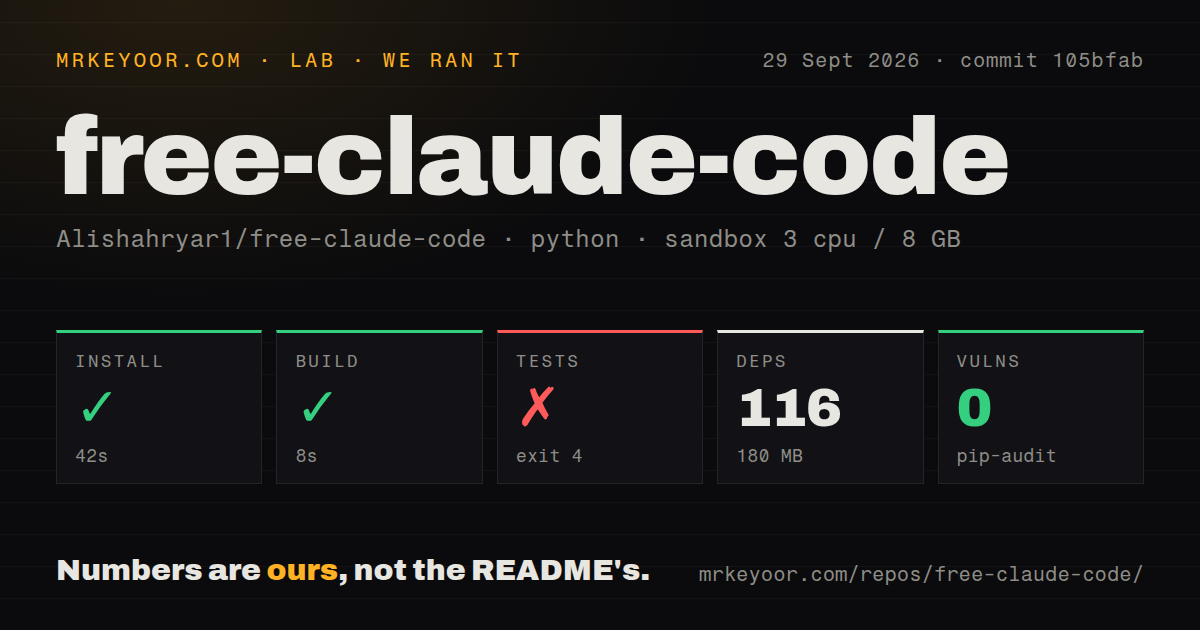
Our sandbox installed commit 105bfab in 42 seconds, adding 116 packages and using 180 MB on disk. The build succeeded in 8 seconds. This was a fresh unprivileged Debian container with 3 CPUs, 8 GB of RAM, Python 3.12 in the base image, and no secrets. Pip-audit reported 0 known vulnerabilities.
The test step failed with exit 4 after 7 seconds. Pytest stopped while loading tests/conftest.py, where importing pytest_asyncio raised ModuleNotFoundError. The log contained no collected or passing test count, so the accurate finding is that the supplied test command did not reach collection in our environment. The log does not establish why the module was absent, and we will not turn that single line into a broader diagnosis.
The checkout itself was substantial: 913 files, roughly 213,909 source lines, and 11.4 MB before installation. Four CI workflow files and a tests directory were present, but there was no Dockerfile. A fresh container still needs a dependency path that produces the environment those tests expect, despite the repository's visible automation and tests.
Free routes still carry quotas, compatibility limits, and bills
FCC does not supply the models. A selected route may be a free allowance, a paid API key, a subscription connection, or your own local server. The model picker can show choices your account cannot use, and an ordered fallback may consume usage from more than one provider before a request succeeds. Budget controls therefore belong at the provider account as well as in the proxy.
The compatibility layer is the main reason to use the project. It preserves streaming, tools, images, and model-tier mapping across clients that normally expect different back ends. That promise also creates a wide test surface. Open issue 1797 reports a selected model becoming unavailable on NVIDIA NIM, while issue 1910 reports Claude Desktop connectors failing through FCC. These reports do not prove universal faults, but they identify integrations to test with your exact account and client.
Remote messaging needs a smaller trust boundary than the default demo
Discord and Telegram support can turn a phone message into work inside an allowed directory. The setup requires a bot token, an allowlist, and filesystem access for the agent. FCC also offers proxy bearer authentication. Those controls matter because this is not a read-only chat relay: the connected coding agent can inspect and change files within the access you give it.
Local providers reduce dependence on hosted APIs, but they do not remove setup work. The documented defaults point LM Studio at port 1234, llama.cpp at 8080, and Ollama at 11434. You still need a tool-capable model with enough context for the client's system prompt and tool definitions. FCC can route to that model, but it cannot make an undersized model behave like the client expects.
A September 30 release shows speed, while 296 open items show load
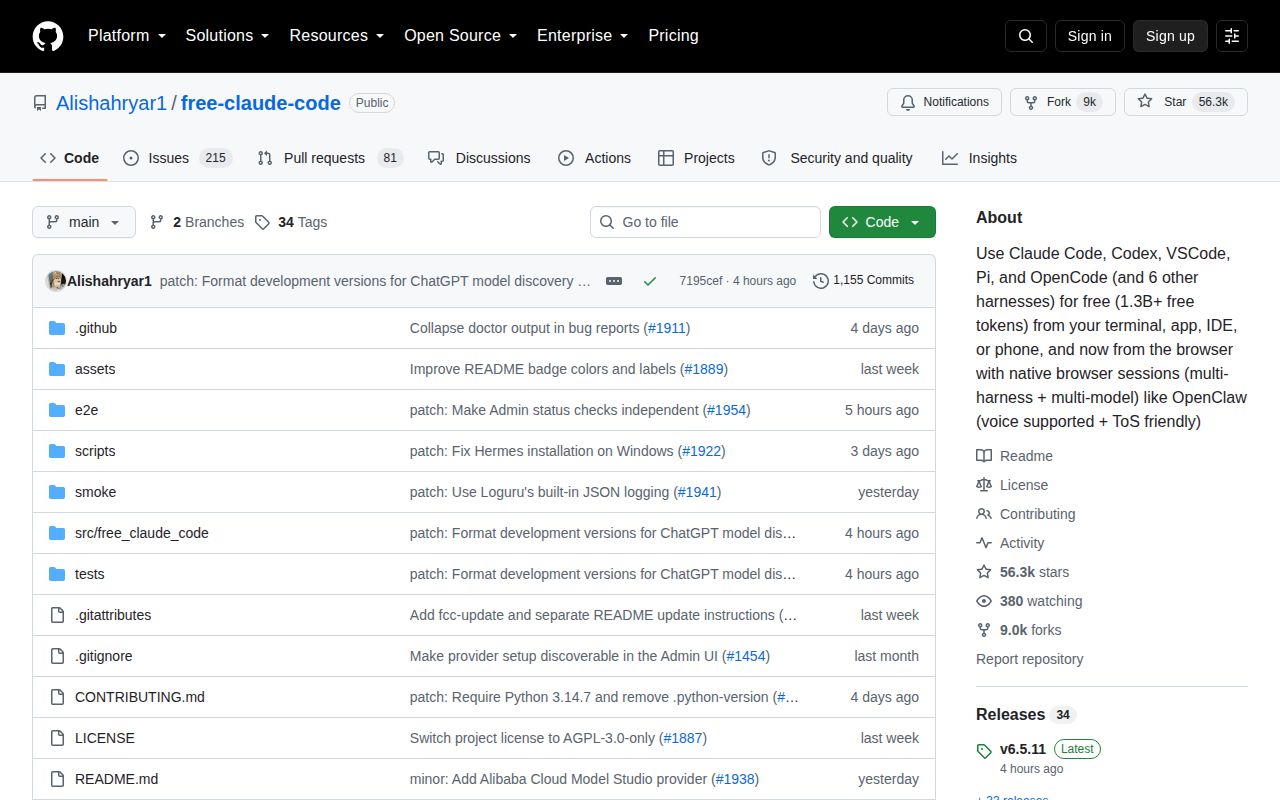
GitHub showed 56,262 stars, 8,996 forks, and 296 combined open issues and pull requests on September 30, 2026. The repository was pushed that morning, and v6.5.11 shipped the same day. Open pull requests and issue updates from that date show active maintenance rather than a project living on an old release badge.
The pace cuts both ways. Provider APIs, model names, coding clients, and authentication flows all move independently, so some of FCC's 296 open items are the cost of spanning that many boundaries. Use the project for its central bargain: keep the agent interface you like while changing the service behind it. Our failed collection means you should prove the test environment, one chosen provider, and one chosen client before making FCC part of daily work.