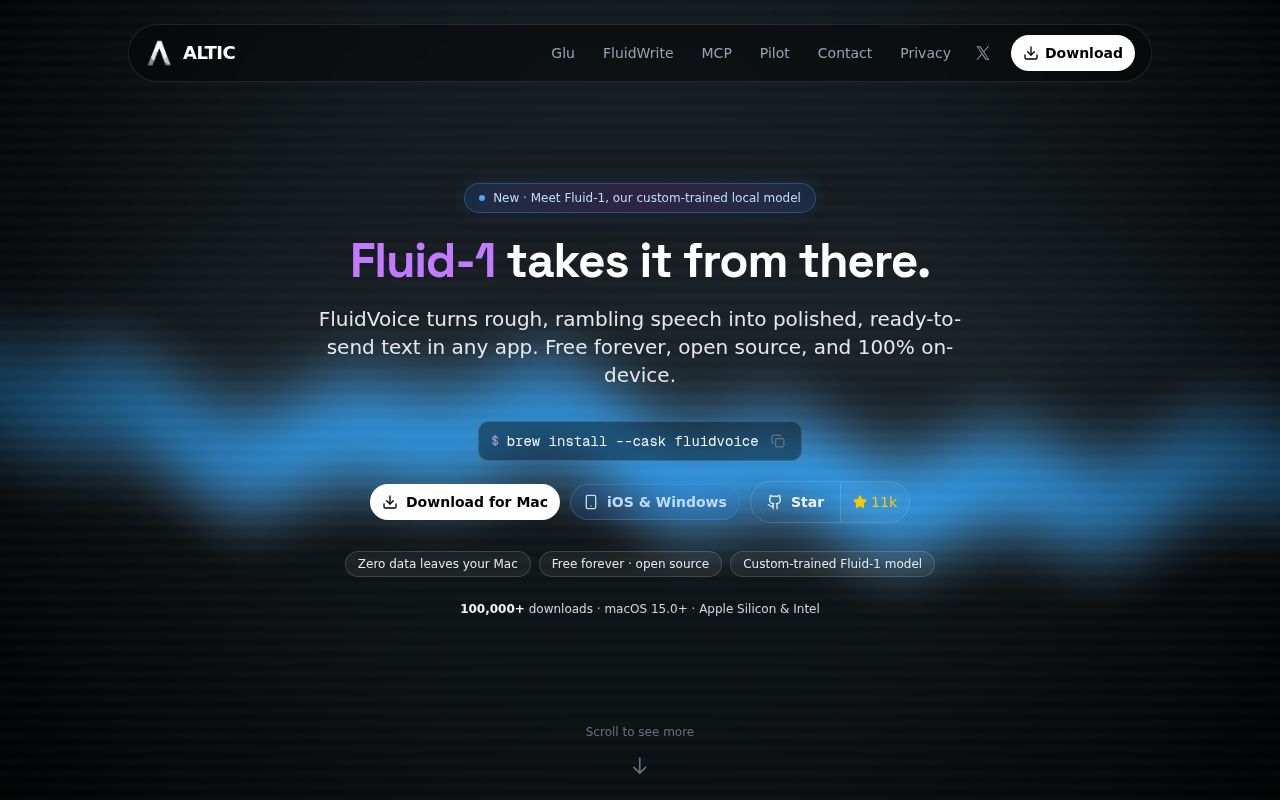
Dictation that feels like a Mac app
FluidVoice is not merely a Whisper command wrapped in a window. It is a native menu-bar dictation app with a global hotkey, live transcription preview, direct insertion into the active text field, local history, per-app configuration, and a command mode that can launch apps or run shortcuts. That product work is the reason to consider it over a bare speech model. You can speak into the application you are already using instead of recording a file, waiting for transcription, and pasting the result yourself.
The model selection is another strength. Apple Speech offers a zero-download start, Whisper covers Intel and Apple Silicon Macs across many languages, and several Parakeet, Nemotron, and Cohere options target lower latency or broader language support on Apple Silicon. FluidVoice does not pretend one engine is best for everyone. Its onboarding asks you to choose based on language, hardware, speed, and download size, which is the right framing for local speech recognition.
Easy installation, heavier first use
The shortest path is credible: install the Homebrew cask or download the signed release, grant microphone and Accessibility access, choose a hotkey, and select a model. The permissions are essential, not optional ceremony. Microphone access captures speech, while Accessibility lets FluidVoice type into other applications. Users who dislike granting that second permission should stop before installing because cross-app insertion is the core convenience.
Model storage ranges widely. Apple Speech uses the system engine, but downloadable choices run from roughly 75 MB for Whisper Tiny to 2.9 GB for Whisper Large. The README suggests budgeting around 1 GB for a normal voice model. Optional Fluid Intelligence requires about 3.5 GB more. Those downloads and the initial model loading make the real first session slower than the one-line Homebrew command implies.
Source builds are reasonable for a native Swift project: clone it, open the Xcode project, and let Swift Package Manager resolve dependencies. Signed debug builds preserve Accessibility authorization more predictably. Unsigned builds are available for CI and contributors without a signing identity, but may require permission to be removed and granted again after executable changes.
Local-first, with one closed component
The core app is GPLv3 and can transcribe through local models. Audio history is optional and local, and cloud enhancement requires an explicit provider choice. FluidVoice says raw audio, transcripts, selected text, prompts, file paths, and clipboard content are not part of its anonymous analytics. This is a much better privacy position than dictation tools that send every utterance to a hosted service.
There are two qualifications. Anonymous app and feature telemetry is enabled by default, although settings include an off switch. More importantly, Fluid Intelligence is a separate, privately maintained runtime. It performs the promoted local formatting, capitalization, and post-processing without a cloud key, but its source is not part of the open app. The project is transparent about this boundary. Still, users choosing FluidVoice specifically because it is open source should understand that its marquee local cleanup layer cannot be audited like the surrounding application.
You can skip Fluid Intelligence and use raw transcription, a cloud provider, or a compatible custom provider. That makes the closed runtime avoidable, but not irrelevant. It is one of the main features highlighted in the current release line.
Reliability depends on your workflow
FluidVoice is moving fast, and the current issue queue shows the cost. One open 1.6.8 report says all microphones became unavailable after upgrading from 1.6.7. Another says versions 1.6.7 and 1.6.8 stop detecting microphone input after three or four seconds on one Apple Silicon system. These are individual reports, not proof that every installation is affected, but a dictation app has little value when its input path fails. Test a short and long recording immediately after every update.
Long dictation deserves extra caution. A detailed issue reports that live preview repeatedly transcribes the complete audio buffer, so the preview falls farther behind as a session grows. The final transcript remained intact in that report, but a separate user described a crash after processing a roughly 50-minute recording with no history entry. FluidVoice now supports file transcription and speaker labeling, yet the evidence suggests it should not be the sole recorder for an important interview or meeting.
Text insertion is also an application boundary worth testing. One report shows the history entry remaining correct while characters disappeared from inserted text and reappeared in reverse order at the end. Another report describes multi-second stalls during consecutive dictations into Ghostty. Keep history enabled while evaluating the app, compare the saved result with inserted text, and try every editor or terminal where accuracy matters.
Healthy project, unfinished edges
The project was pushed on August 13, 2026, and version 1.6.8 arrived two days earlier. Releases have been frequent through July and August, while issues and pull requests are updated daily. The repository's open count of 103 combines both issues and pull requests, so it is an active work queue rather than 103 confirmed defects. This pace and contributor activity are reassuring, but frequent fixes can also introduce new audio-device and shortcut behavior.
Documentation is clear about models, languages, hardware, privacy, analytics, installation, and source builds. What is missing is a calmer stability story. A dictation utility sits in the path of every sentence, so small regressions are disproportionately disruptive. Pinning or retaining a known-good release is sensible for heavy users.
FluidVoice is an excellent free experiment for a Mac user who wants fast local dictation and dislikes subscriptions. Its polished workflow and model menu are more valuable than another raw transcription demo. Treat it as a daily assistant after it passes your own microphone, application, and duration tests, not as the only copy of irreplaceable spoken work.