FlClash puts a Clash profile on Android and desktop
Importing a proxy profile is where FlClash starts to make sense. The client uses the mihomo, or Clash.Meta, routing core and exposes proxy groups, custom rules and connection logs through a graphical interface. Its README lists Android, Windows, macOS and Linux. If you already manage a compatible subscription, that gives you a reason to consider the same application on your phone and computer.
FlClash has English documentation alongside Simplified Chinese, although the issue activity we inspected was predominantly Chinese. That matters more when troubleshooting than when choosing a download. A developer who can follow the English build instructions may still need translation to compare a network problem with someone else's report. The interface's appearance alone won't answer whether a particular profile behaves correctly on your machine.
What happened when we ran it
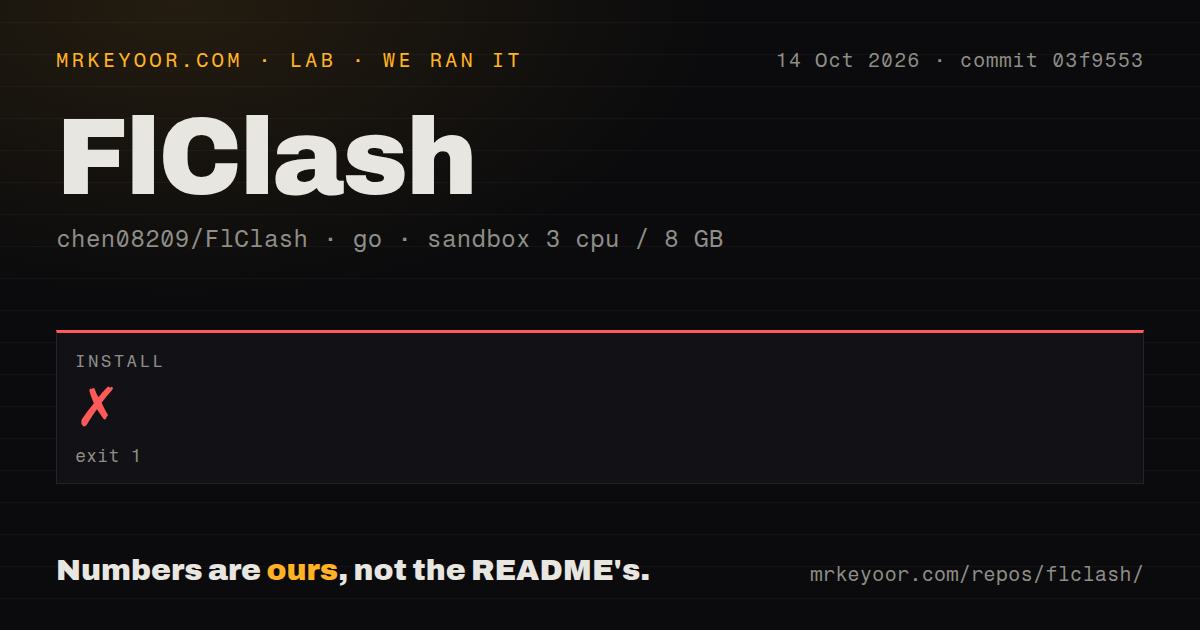
Our FlClash install failed with exit 1 after 18 seconds at commit 03f9553 on October 14, 2026. The lab entered the Go project under core/. Go tried to resolve a mihomo dependency through the local replacement ./Clash.Meta, then reported that /work/repo/core/Clash.Meta/go.mod did not exist. That missing file is the concrete finding. The log tail doesn't establish why it was absent.
The preceding line says go: downloading go1.27.0 (linux/amd64). A download message does not establish which toolchain ultimately ran. The recorded sandbox configuration specified 3 CPUs, 8g RAM and the image golang:1.24-bookworm; the image label alone doesn't verify the runtime or operating-system version. We have no successful application launch, routing result or build result to report from this attempt.
The measured checkout contained 1,351 files, roughly 36,793 source lines and 60.8 MB of files. Our scan found 2 CI workflow files, a tests directory and no Dockerfile. Those are repository signals, not evidence that the application passed checks in our sandbox. Installation stopped too early to support a setup-ease score or a judgment about tunnel reliability.
The source route requires native tooling
The current README starts its source instructions with a recursive clone and requires Flutter, Go and Rust. Each platform builds on its own host, except Android. That is a materially different undertaking from downloading a release. The README's recursive command is relevant to anyone investigating our missing local path, but we did not rerun it and cannot claim it fixes the measured failure.
Platform prerequisites make this a poor choice for a contributor seeking a small, language-only project. Android adds its SDK and NDK. Windows needs GCC and installer tooling, while the macOS route needs Xcode and Node.js. Linux instructions use Debian or Ubuntu and a script that installs build packages through apt. Check those host requirements before reserving an afternoon for a source change.
Release users have a shorter documented route: the download table lists APKs, Windows packages, macOS disk images and Linux packages. We haven't verified those packages by launching them. Linux users should read the tray note: the AppImage and RPM routes need the AyatanaAppIndicator library for the icon to appear. A missing tray icon would therefore deserve a prerequisite check before a broader diagnosis.
Profiles and TUN settings remain your responsibility
FlClash imports profiles from a subscription link or a file and includes an editor plus override scripts. You must bring a usable configuration, including whatever endpoint access it needs. The client doesn't turn an empty profile into a working connection. WebDAV backup is optional and requires a WebDAV destination and its credentials if you choose that route; local-file backup is also documented.
The v0.9.1 release notes, published October 17, label a desktop TUN settings change as breaking. Desktop TUN keys now follow the profile unless explicitly chosen, and changed values carry over. For an existing installation, compare your profile with saved desktop settings before upgrading. That recommendation follows the documented change, rather than a routing failure we observed ourselves.
The same release notes say Android no longer uses Firebase analytics or crash reporting. That is a maintainer statement about this release, not our privacy audit. Nor does the app's ad-free description settle whether your subscription provider is trustworthy. Treat profile provenance and client selection as separate decisions, especially when importing scripts or restoring a backup.
Desktop-only and iPhone users have different choices
Clash Verge Rev is a Tauri-based Clash Meta GUI for Windows, Linux and macOS. Pick it for a desktop-focused comparison if sharing a client with Android carries little value. We haven't measured whether it starts faster or routes traffic more reliably than FlClash, so the useful distinction here is its platform focus and framework.
Hiddify App uses sing-box and lists iOS alongside Android and desktop platforms. Its README lists those targets. It is the more relevant candidate when an iPhone must be included. FlClash's supported-platform list omits iOS, and its iOS request remains open. Changing engines also deserves a profile-compatibility check before you move an existing configuration.
Recent activity supports a trial, with routing still unverified
GitHub records FlClash's last push as October 17, 2026, and issue activity continued on October 19, including the open iOS request. Together with the v0.9.1 release, that supports calling the project actively maintained. It doesn't establish response quality or compatibility with your network.
Our documentation rating is 4/5: package choices, profile import and native prerequisites are explained, while the README has no troubleshooting entry for our missing-path failure. Other dimensions remain unscored where we lack direct evidence. Start with the package for your device, save your existing profile separately, and check the exit address, DNS behavior and local access before making FlClash your everyday client.