A practical control panel for Mihomo
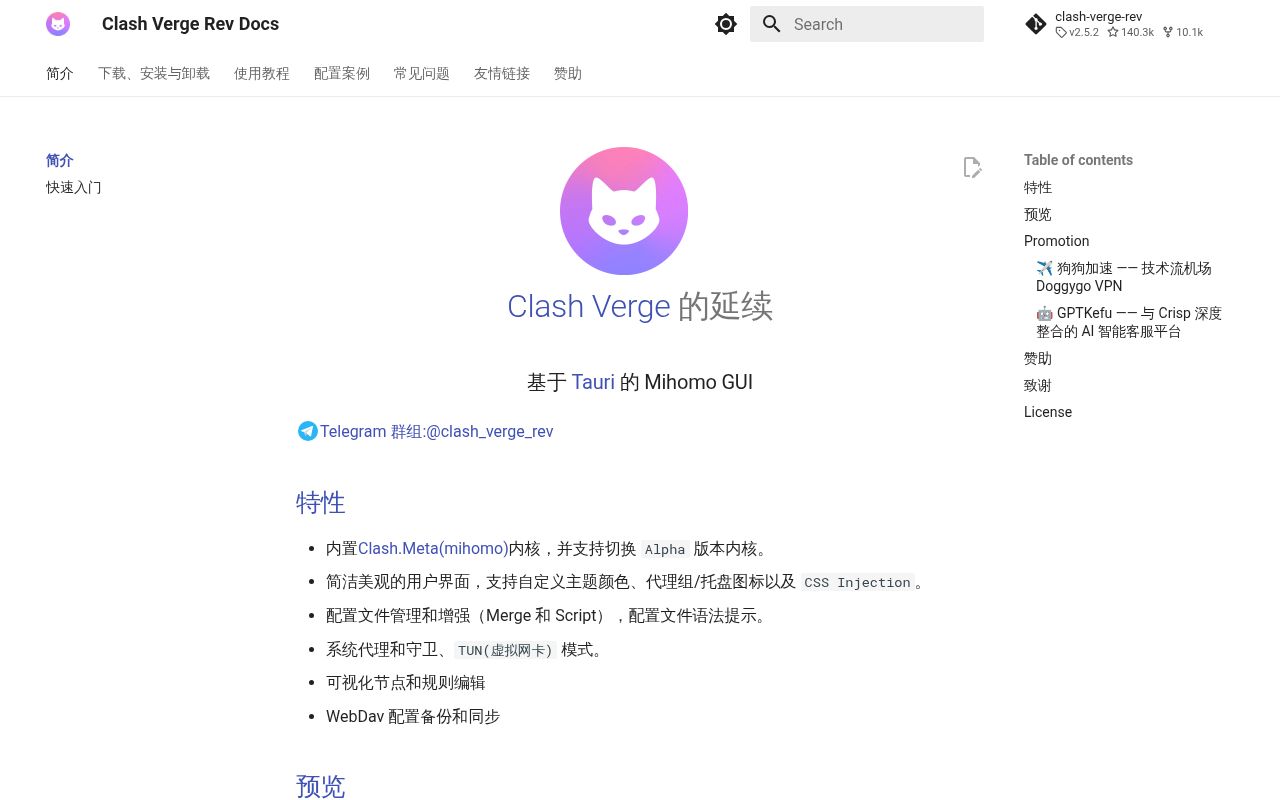
Clash Verge Rev wraps the Mihomo proxy core in a native desktop application. Its job is to make a complicated routing configuration manageable: import profiles, select proxy groups, edit nodes and rules, inspect connections, switch system proxy behavior, and enable a TUN virtual adapter. Tauri supplies the desktop shell, while the interface is largely TypeScript and the system layer is Rust.
The default README is in Simplified Chinese. An English version covers installation, release channels, features, development commands, and links to the project documentation. Spanish, Russian, Japanese, Korean, and Persian translations are linked too. English speakers can get started, though releases and much issue discussion still require translation.
This application does not provide proxy access by itself. You bring a subscription or configuration compatible with the embedded core. The promotions in the README and release notes point to commercial services, but those offers are separate from the GPL-licensed client. That distinction matters because a polished connection screen can look like a complete VPN product to a newcomer.
Why the desktop interface earns its place
Mihomo configurations can express proxy groups, routing rules, DNS behavior, providers, scripts, and several traffic modes. Editing all of that as YAML is workable for an administrator and unpleasant for a person who changes endpoints daily. Clash Verge Rev adds visual node and rule editors, syntax hints, profile merge and script helpers, theme controls, tray actions, and connection views.
System proxy mode is the lower-impact route for applications that honor operating-system proxy settings. TUN mode creates a virtual network adapter so more traffic can be routed, but it also reaches deeper into the host. The client includes a guard mode and a privileged service path for these jobs. Users should know how to disable the mode or restore network settings before experimenting, especially on a remote machine.
Profile backup through WebDAV is useful across several desktops. It also introduces another store containing sensitive connection details. Choose a server you control, protect its credentials, and understand what the selected backup includes. The README confirms the feature but does not turn that decision into a security policy for you.
What happened when we ran it
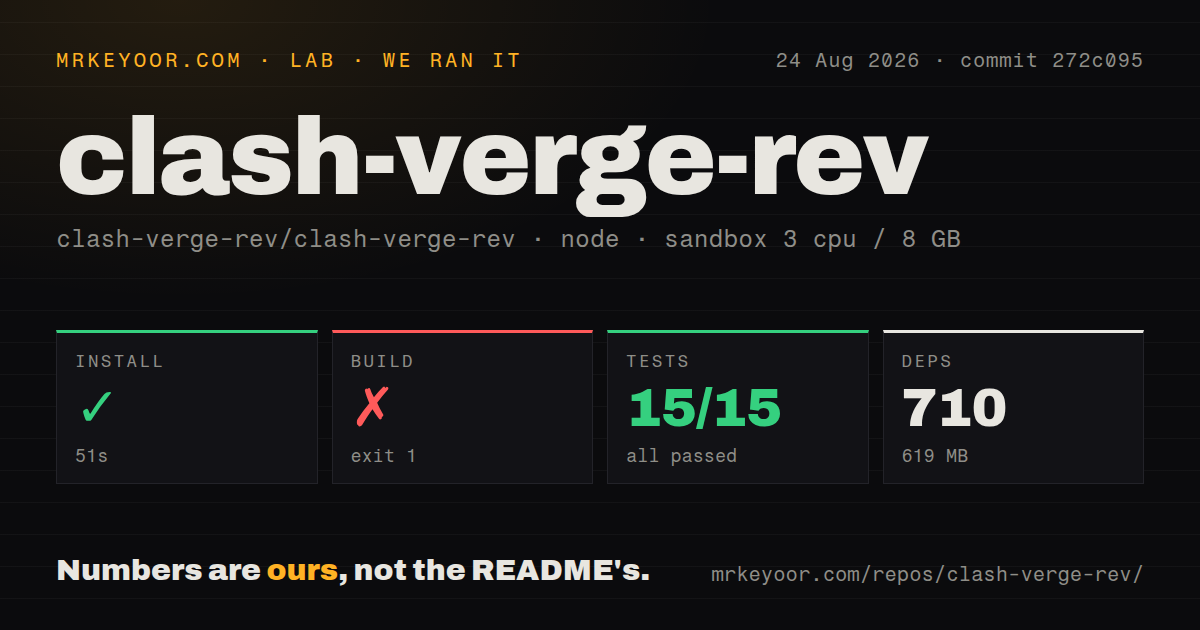
We cloned commit 272c095 into an unprivileged fresh Debian container with three CPUs, 8 GB of RAM, Node 22, and no secrets. The repository contained 676 files and about 89,200 lines of source. Its checkout occupied 33.1 MB. pnpm installation succeeded in 51 seconds, adding 710 packages and consuming 619 MB on disk.
The build failed after 95 seconds with exit code 1. The final log came from the Rust gdk-sys crate: gdk-3.0.pc could not be found, the gdk-3.0 package was unavailable to pkg-config, and PKG_CONFIG_PATH was not set. The error recommended installing the library metadata or pointing PKG_CONFIG_PATH to it. That is the evidence we have; the log did not show a JavaScript or application-code failure.
Vitest completed in 9 seconds. All 15 tests passed, with zero failures. The repository has a tests directory and 14 CI workflow files, yet those 15 tests are a small automated surface for a cross-platform networking application of this size. There is no Dockerfile, which fits software that must integrate with a real desktop, tray, service manager, WebView, and virtual network adapter.
For contributors, the README reduces development to installing Tauri's prerequisites, running pnpm i, running the prebuild task, and starting the development command. Our result shows how much weight sits inside that prerequisites clause. A clean Linux environment needs native GUI libraries before the Rust half can compile.
Packaged releases are the sensible default
Stable downloads cover Windows, macOS, Debian-family Linux, and RPM-based distributions across several processor architectures. The project also publishes rolling AutoBuild packages for testing. Its README labels that channel experimental and says defects should be expected. Most people should choose the stable installer matching their platform rather than recreating the release toolchain.
Release 2.5.2 arrived on July 19, 2026. Its long fix list spans subscription parsing, WebDAV behavior, Linux updates, macOS windows and tray behavior, Windows TUN startup, DNS editing, global hotkeys, traffic totals, and proxy-group state. The breadth shows active maintenance and also explains why desktop proxy clients need testing on each operating system. A fix in one integration path does not establish that every network stack behaves alike.
The repository was pushed on August 26, 2026. GitHub's open count of 415 includes issues and pull requests, and new reports were receiving updates the same day. This is an active project with an active support burden, not a finished utility.
Current bugs can affect the whole machine
Issue #7743 reports that enabling TUN in service mode on Windows disconnected all networking, while turning TUN off restored it. The report covers versions 2.5.2 and 2.4.7 and says changing stack mode did not help. One report does not prove a universal defect, but its consequence is serious enough to justify testing TUN locally before relying on it.
Issue #7688 describes the lightweight-mode control becoming unresponsive on Windows 11, temporarily recovering after restart, and producing no application log when clicked. That is less damaging than a network outage, yet it illustrates the debugging difficulty of a Tauri interface, service IPC, tray behavior, and core process sharing one product.
Clash Verge Rev is easiest to recommend to an experienced Mihomo user who values its configuration model and wants a good desktop surface. New proxy users may find Hiddify simpler, while server operators should use a headless core. For this client, prefer stable packages, export a known-good profile, and test privileged modes while you still have another way to reach the machine.