One web client fronts more than 20 storage backends
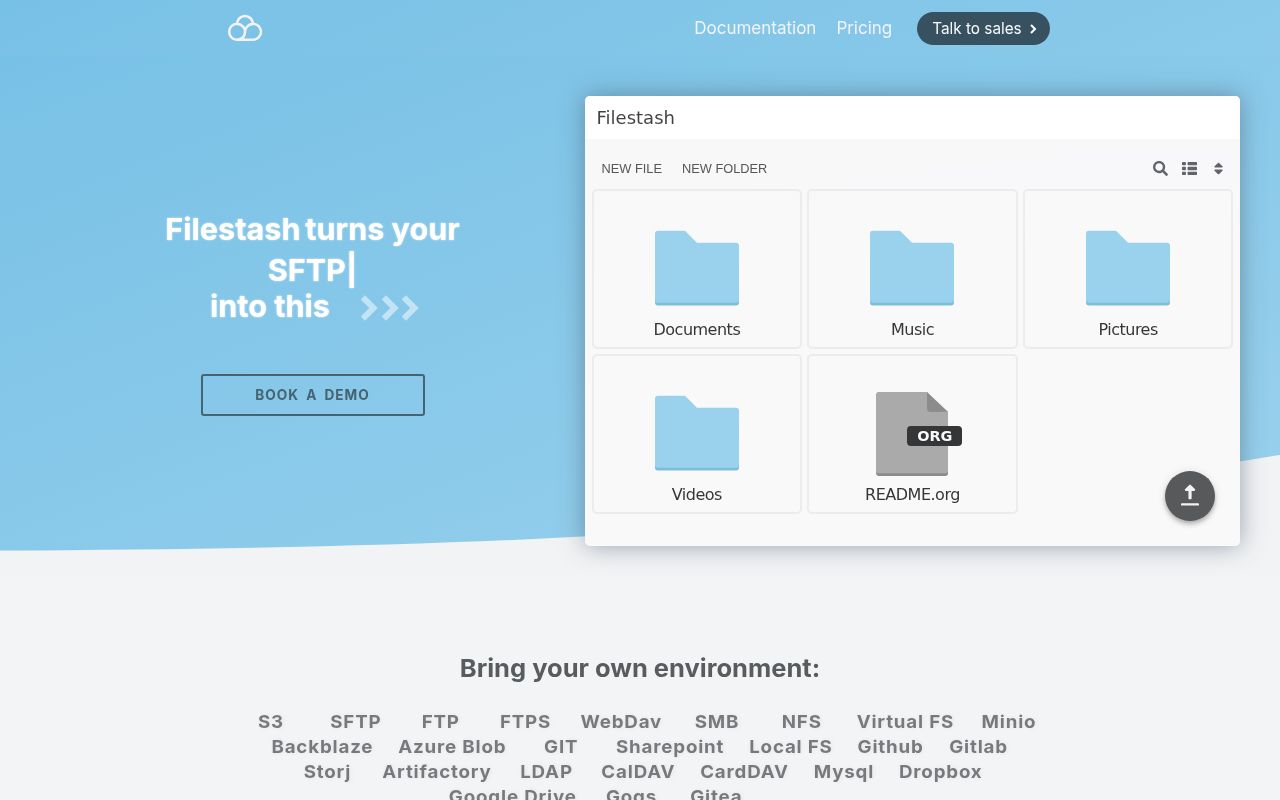
Filestash gives FTP, SFTP, S3, SMB, WebDAV, Git, NFS, and other storage systems a shared browser interface. It does not ask a company to migrate those files into a new proprietary store. A backend plugin implements listing, reading, writing, moving, deleting, and related operations, while the web client presents the common controls. That is a practical fit for organizations with several inherited systems and no appetite for several user interfaces.
Plugins go much further than storage. Filestash exposes extension points for authentication, authorization, search, viewers, thumbnails, middleware, workflows, and new endpoints. Its listed file apps cover ordinary documents plus specialist formats used in photography, GIS, engineering, science, and media. The checkout remains fairly compact at 838 files, about 74,737 source lines, and 15.1 MB, though the runtime surface is much wider than those figures suggest.
The 119-second install is the easy part
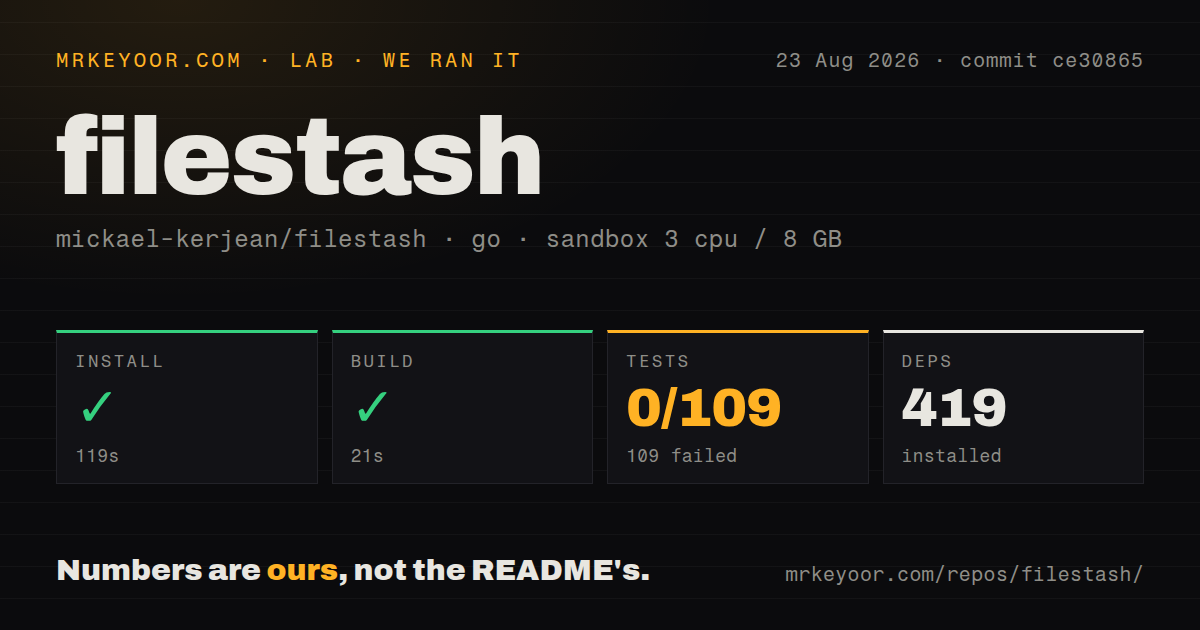
Our sandbox downloaded 419 Go packages in 119 seconds, then built Filestash successfully in 21 seconds. That proves commit ce30865 could produce its normal build in an unprivileged Debian container with 3 CPUs and 8 GB of RAM. It does not prove that any S3 bucket, SFTP host, directory service, office server, or media converter was configured correctly.
The official installation path uses Docker Compose and publishes the application on port 8334. First launch asks the operator to create an admin password. The supplied Compose file also defines a Collabora service for office documents and persists application state under /app/data/state/. Filestash's guide says a production base deployment needs a reverse proxy to terminate TLS. Storage passwords, cloud keys, and identity-provider settings then depend on the plugins selected.
What happened when we ran it
Our run reached the test step after the 119-second install and 21-second build, then failed after 172 seconds. The Go test summary reported 0 passed and 109 failed out of 109. The final lines identify package build failures in the Tor starter, video thumbnail and transcoder paths, FFmpeg and libav code, chat, console, description, favourites, PGP, and recent-item widgets.
The log tail does not show the compiler messages that caused those package failures, so assigning one missing system library would be speculation. A fresh Debian container can expose undocumented native requirements, and Filestash does use C media libraries plus FFmpeg. The safe conclusion is narrower: the repository built through the harness's build command, while its full go test command did not compile any of the 109 reported packages. Our scan found no CI workflow file and no tests directory.
WebDAV deletion needs a backend-specific safety test
Open issue 994 reports a data-loss case involving WebDAV mounted on Windows and an S3 backend. Deleting a folder named TestBug also deleted sibling TestBugfoo because the request omitted a trailing slash and the object-store operation matched by prefix. The reporter says move had the same pattern and that the web interface itself supplied the slash. Azure appeared to share the relevant code path.
Pull request 996 proposes a fix for S3 and Azure, but it was still open when fetched. Anyone exposing object storage over Filestash's WebDAV gateway should reproduce deletion and move behavior with similarly prefixed folders before granting write access. Backups and object versioning are sensible controls, yet neither makes an unverified destructive path acceptable for routine use. Read-only access is the safer evaluation mode.
MCP turns the same storage into an agent tool
Filestash includes an MCP plugin that lets an AI client work with a configured remote store. The plugin README names FTP, SFTP, S3, WebDAV, SMB, Git, and NFS as possible sources. This can keep files behind one managed service instead of handing each agent separate backend credentials. It also turns a language-model tool call into a file operation, so scope matters more than convenience.
Use a dedicated identity, restrict it to the smallest directory and operation set, and log its actions. Do not give an experimental agent the same credentials used by a human administrator. The WebDAV deletion report is a useful warning here: a gateway can preserve an application's intent while still translating paths incorrectly for the backend. MCP support earns the required mcp tag, though it should not drive adoption before ordinary file operations are proven.
August activity is high, and the queue is large
GitHub recorded 14,549 stars, a last push on August 25, 2026, and 122 combined issues and pull requests. A separate issue search returned 92 open issues. Recent items cover local authentication confusion, FFmpeg 8 transcoding, configuration persistence after Docker recreation, WebDAV behavior, and interface requests. The latest-release endpoint returned no published release, while the deployment examples use the latest container tag. Pinning an image digest is wiser than inheriting an unreviewed upgrade.
Filestash is an unusually flexible bridge across storage generations. That flexibility is the reason to choose it and the reason to test it carefully. Start with one backend, read-only access, a persistent state backup, and TLS at the proxy. Add write operations, gateways, workflows, and MCP only after the exact paths pass realistic recovery tests.