What you can do with FakeLiang
FakeLiang's README describes validating an existing attack graph against a matching security lab and retaining the evidence behind each conclusion. The intended reader is a lab owner who already has the graph, target machines and access to the surrounding services. Our source harness installed the project in 37 seconds, then stopped at a pytest argument error. The adoption question is whether its documented workflow fits the environment you can maintain and the results you need to inspect.
An attack graph describes possible steps and the conditions those steps require. FakeLiang reads an existing graph in MulVAL TXT or compiled JSON, alongside asset information and a host-IP mapping. The FakeLiang README makes those inputs central to its workflow. Before arranging model access, compare your graph with your available lab: the hosts, routes and assets need to match the inputs that will guide execution.
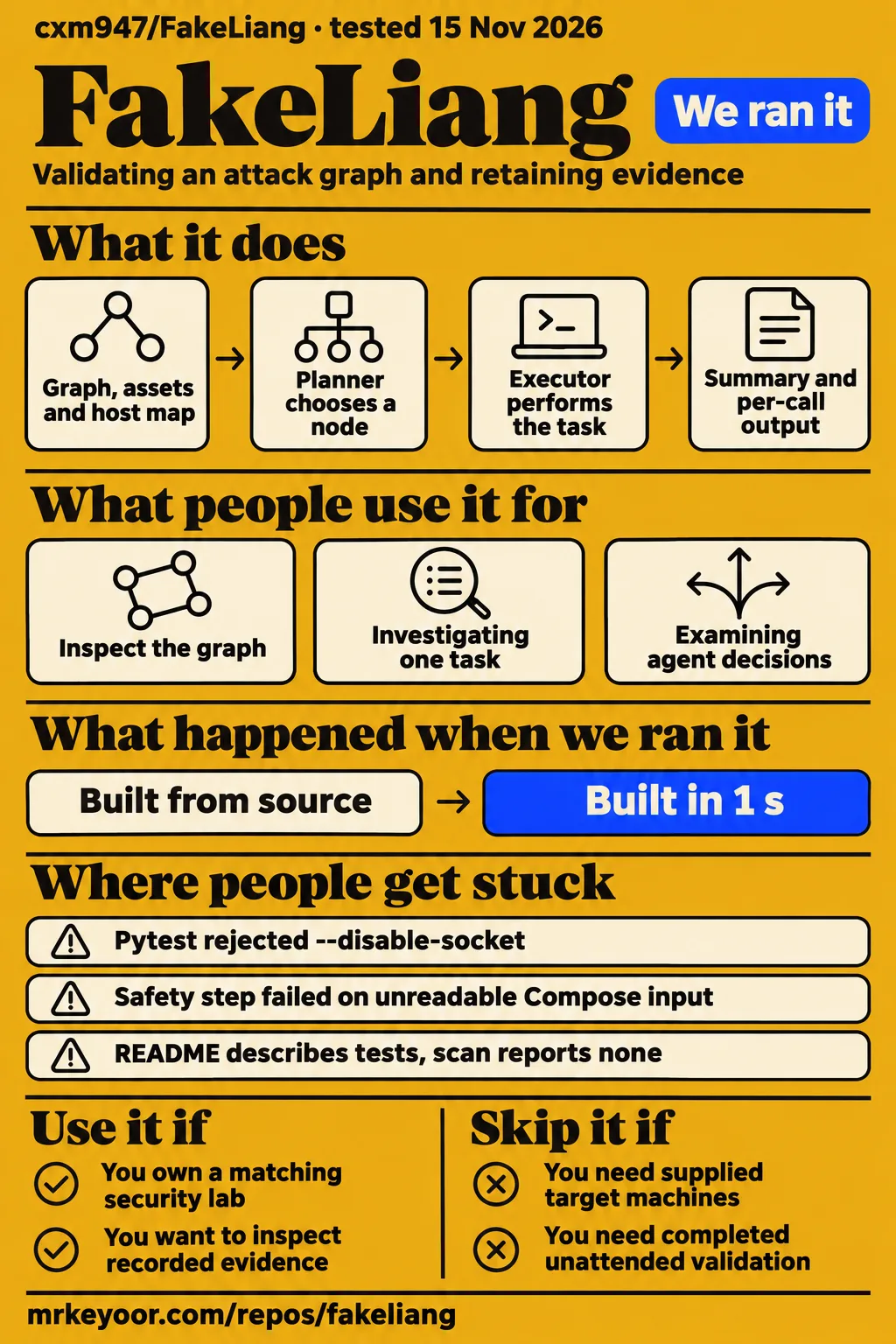
The README assigns planning, execution and evidence checking to separate roles. Planner chooses a node using the graph and earlier results, Executor performs the skill-card task, and Verifier checks the current evidence against the relevant facts. That design gives a prospective evaluator a concrete inspection task: follow a node's recorded actions and determine how its result relates to the expected fact. The role names matter because they identify different responsibilities within that process.
What people use FakeLiang for
The maintainer's Hongri7 example supplies graph input, asset information and a host-IP map for graph preview and whole-graph execution. The README's Hongri7 example describes both entry points. A lab owner can begin with the documented preview to inspect the graph's structure, then choose a task whose expected facts are clear before preparing a complete graph run. This is a documented use case rather than a customer deployment account.
The README also points to individual-node and skill-card entry points for investigating one task. Its task-entry table names run_node.py and run_lean_task.py for those purposes. That division gives researchers a smaller unit to examine than a whole graph. An evaluation focused on one node can define its inputs and expected output first; an evaluation focused on orchestration can instead start with the whole-run entry point.
A third documented use is examining the evidence behind agent decisions. The README's artifact list includes a whole-run summary, a readable walk, planner records and per-call output. These files are intended to expose different parts of a result: the final state, the sequence of steps and the individual calls. For researchers studying agent decisions, the useful starting point is a specific node judgment and the records associated with it.
What happened when we ran it
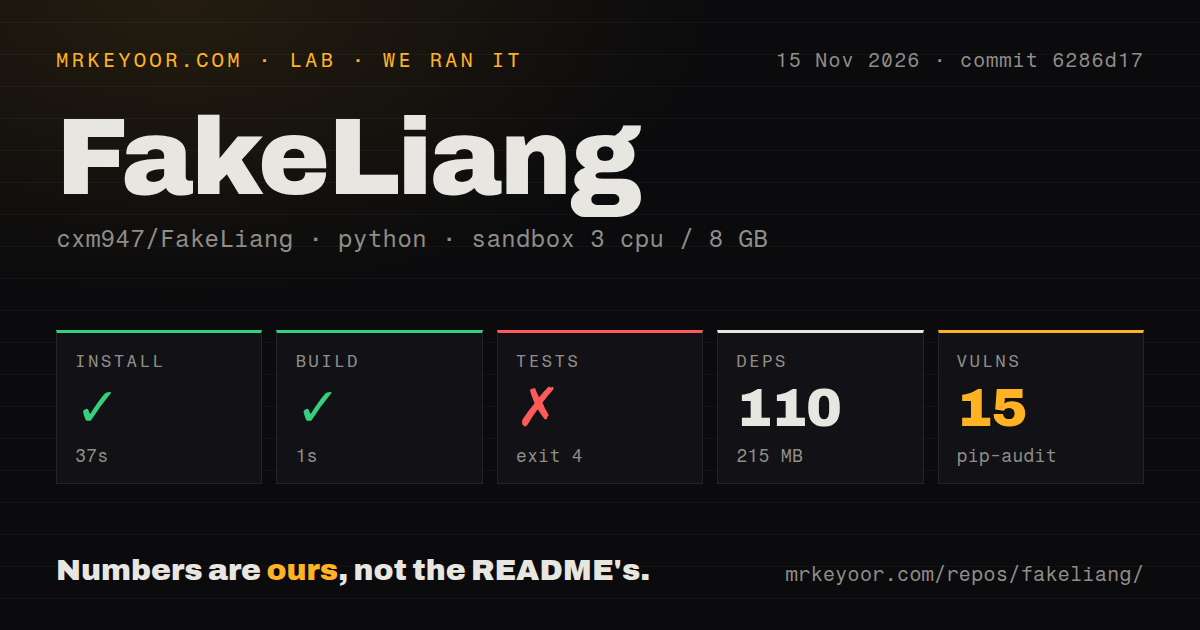
Our November 15, 2026 source harness ran commit 6286d17: installation succeeded in 37 seconds and the build step succeeded in 1 second. The test command failed with exit 4 after 4 seconds. We measured 110 installed dependencies occupying 215 MB, while pip-audit reported 15 known vulnerabilities. Installation completed, but the recorded test invocation stopped at argument parsing, making that invocation the first concrete problem to investigate before using the check as an acceptance step.
| Source-harness step or observation | Recorded result | What it means for this review |
|---|---|---|
| Install | Succeeded in 37 seconds | The recorded installation step completed |
| Build | Succeeded in 1 second | The recorded build step completed |
| Tests | Failed, exit 4, in 4 seconds | Pytest rejected an argument |
| Dependencies | 110 recorded; 215 MB on disk | Footprint of this dependency installation |
| pip-audit | 15 known vulnerabilities | A dependency finding requiring inspection |
| Repository scan | 0 CI workflow files; no Dockerfile; compose file present; no tests directory | Signals detected by this scan |
The test-log tail says python -m pytest: error: unrecognized arguments: --disable-socket and identifies /work/repo/pyproject.toml as its configuration file. A lab owner investigating this failure has a specific starting point: compare the test invocation, that configuration and the installed packages with the README's offline-check instructions. The recorded outcome is an argument rejection, so the immediate troubleshooting task concerns how the check was invoked.
The sandbox configuration recorded 3 CPUs, 8 GB RAM and image ghcr.io/astral-sh/uv:python3.12-bookworm. The checkout contained 250 files, approximately 18,423 source lines and occupied 19.5 MB. The installed dependencies occupied 215 MB, substantially more disk space than the checkout. For preparation, that means the source download is only one part of the recorded storage footprint; dependency installation adds its own allocation before the surrounding lab and services enter the picture.
The separate hands-on setup record describes deployment using the project's own Docker Compose on our lab server, with every port bound to 127.0.0.1. The safety step failed with the message "compose config unreadable." The teardown record reports success. For another attempt, the concrete next task is to inspect the Compose input that the safety step tried to read.
Where people get stuck: inputs and a rejected test option
Pytest rejected --disable-socket in the source harness, and the separate hands-on safety step reported an unreadable Compose configuration. These failures point to different preparation tasks: investigating the test invocation and inspecting the deployment input. The README adds a third task by requiring the graph, assets and host map to match the lab. An operator needs to address each input at its own entry point before attempting the documented workflow.
| Evidence you encounter | What to do next | Record to compare |
|---|---|---|
Pytest rejects --disable-socket |
Compare the invocation, configuration and installed-package record | The supplied failing test-log tail |
| Safety check says compose config unreadable | Inspect the exact Compose input before another deployment attempt | The hands-on setup and safety records |
| README requires graph, assets and host map to match | Compare those inputs with the intended lab | The main-branch README's requirements and example inputs |
| Scan reports no tests directory, README describes tests and fixtures | Compare checkout contents and scan coverage | Harness scan at 6286d17 and supplied main-branch README |
The main-branch README describes a tests directory, while the harness scan at 6286d17 reports none. That discrepancy makes checkout contents a practical investigation point alongside the rejected option. The README documents a pytest command and scripts/ci.py, whose listed checks cover tests, skill cards and the file map. Those entry points identify what an operator should compare with the failing harness invocation when preparing offline acceptance.
A Windows controller and a Kali host are part of the setup
The README specifies Windows with CPython 3.12 for the controller and a Kali execution host reachable through SSH and Metasploit RPC. It also requires an OpenAI-compatible model endpoint and your own API key. The FakeLiang requirements distinguish the package metadata's Python lower bound from the Windows x64/Python 3.12 release acceptance target. The documented controller preparation therefore starts with that acceptance environment rather than the metadata lower bound alone.
The target environment needs preparation beyond Python installation. Hosts, routes, asset information and the host-IP map must agree with the graph. The README says target images, private credentials and model keys need separate preparation. It also describes JSON, DOT and PDF graph output, with Graphviz required for PDF and --json-only available to skip PDF while retaining JSON and DOT. A lab owner can use those requirements to identify the machines, services and output tools needed for the intended task.
The supplied README explains requirements, setup and result interpretation in Chinese. An English-speaking operator may need translation to follow the distinctions around execution receipts, model judgments and fact acceptance. Commands and filenames help navigation, while the surrounding explanations define what those outputs mean. Understanding that distinction matters when choosing the expected fact for a node and deciding which recorded output would support its acceptance.
Security starts with credentials and evidence files
Our pip-audit result reported 15 known vulnerabilities, and the documented live workflow uses model access, Kali credentials and Metasploit RPC credentials. Dependency inspection and credential handling therefore belong in preparation. The audit count gives an operator a concrete reason to obtain the detailed advisory report for that installation before deciding where to run it. The credentials also connect the controller to services that must be available for the documented workflow.
The README directs users to keep credential files and private material outside the repository. It also lists call arguments, standard output, errors and credential references among the recorded artifacts. Those files deserve inspection before an experiment becomes a bug report or shared example. Select the records needed to explain the problem, then examine their contents for private details before attaching them to a public discussion or passing them to another person.
The recorded Compose attempt bound every port to 127.0.0.1. For the README's controller-and-Kali workflow, the operator must also arrange the intended hosts and access paths before supplying credentials. The host map connects graph inputs to actions against the lab, making it part of operational preparation alongside service access. Reviewing that map against the actual deployment is a concrete step supported by the README's requirement that the graph and environment agree.
The evidence files are the reason to evaluate this design
The README lists plan_result.json for node states and whole-run judgment, plus call.json, stdout.txt and stderr.txt for individual calls. Those named outputs give an evaluator a practical inspection route. Begin with the whole-run summary, select a node whose judgment matters, and follow its calls and output. The README's artifact descriptions explain what each file is intended to contribute, including blocked and unattempted items in the summary.
The documented method separates execution receipts, model conclusions, fact evidence and graph acceptance. A useful evaluation can turn that distinction into explicit questions: what action completed, what did the model report, and what output supports the expected fact? Naming the expected fact before execution makes the inspection criterion concrete. Another reader can then examine the relevant artifacts and assess the judgment against the same criterion rather than relying on a successful call alone.
FakeLiang vs Caldera and Metasploit Framework
Caldera documents adversary-emulation automation, Metasploit Framework identifies msfconsole as its primary interaction interface, and FakeLiang describes validation of a supplied attack graph. These starting points help a lab owner choose which workflow to investigate. A supplied graph points toward FakeLiang's documented orchestration; an adversary-emulation exercise points toward Caldera; direct operation of Metasploit points toward its own interface. The decision starts with the task and the components the operator is prepared to maintain.
| Project | What its own documentation describes | When to evaluate it |
|---|---|---|
| FakeLiang | Existing attack graph, skill cards and separate evidence-checking roles | You already have a graph and want to examine node-level conclusions |
| Caldera | Adversary-emulation automation built on MITRE ATT&CK | Your exercise starts with adversary behaviors |
| Metasploit Framework | msfconsole as its primary interaction interface | You want to operate Metasploit directly |
Caldera's README describes an asynchronous command-and-control server with a REST API, web interface and plugins. The Caldera README explains that structure, while Metasploit Framework's README identifies msfconsole as its primary interaction interface. Metasploit RPC also appears in FakeLiang's requirements. Choosing FakeLiang therefore leaves that service in the documented environment and adds the graph inputs, model access and controller workflow described by its README.
Mid or Real's mcd-mcp-kit comparison and macro comparison place FakeLiang beside other MCP projects and show Hype and Reality scores. Both pages call their verdict an opinion and say neither side is declared a winner. A lab owner choosing a workflow has more specific decision material in the requirements above: the required inputs, the operating interfaces and the services each project's own documentation describes.
Public attention gives little guidance about support
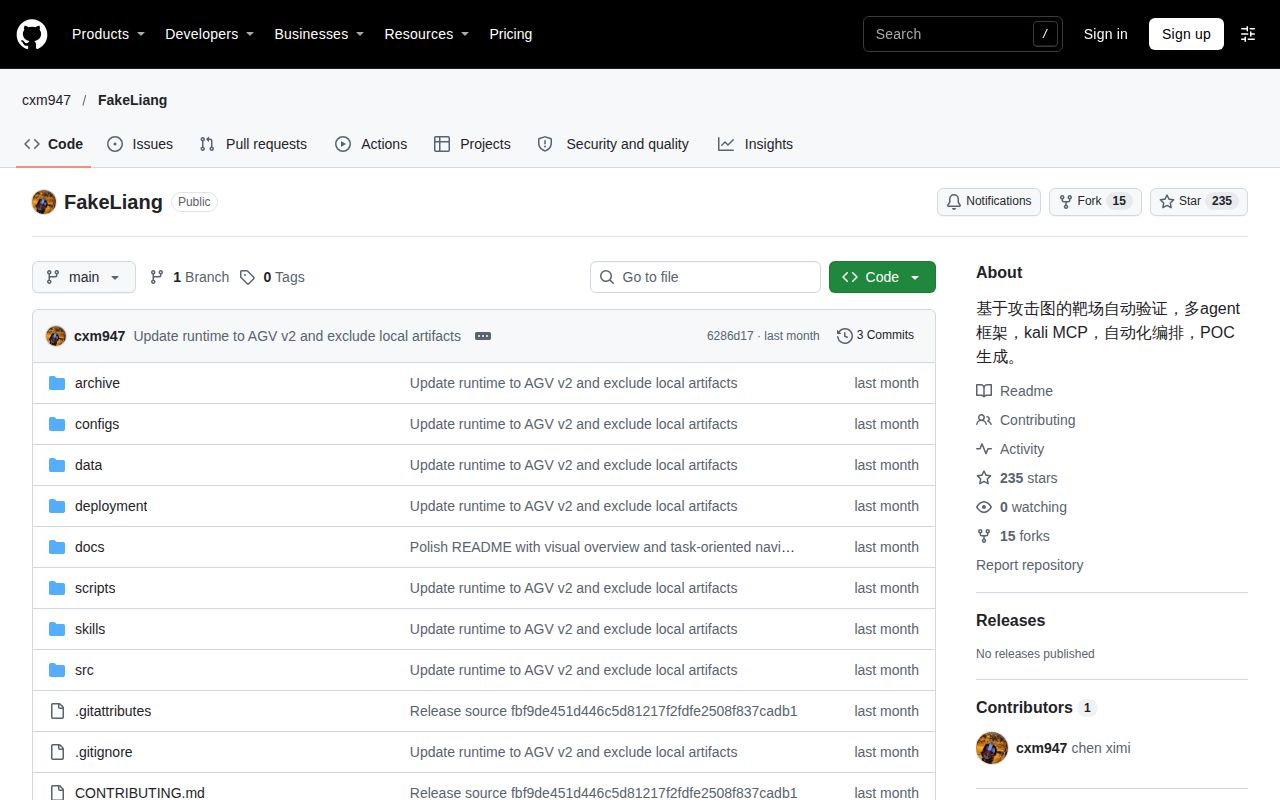
Trendshift reports 144 additional stars, 15 additional forks and zero merged pull requests in its 35-day October 12 to November 15, 2026 window. The Trendshift activity record describes repository attention and merged-PR activity over that period. For someone planning an evaluation, those figures provide activity context; the installation, deployment and artifact requirements remain the concrete preparation work documented elsewhere in this review.
The supplied GitHub repository API response reports a last push of October 20, 2026 and zero open issues and PRs, observed on November 15. For a lab owner preparing a troubleshooting report, the supplied pytest and Compose messages are the specific recorded problems to describe. Including the relevant checkout and failing input would make such a report actionable without turning the current open-item count into a judgment about support.
FAQ
FakeLiang requires a Windows controller with CPython 3.12 and a Kali host reachable through SSH and Metasploit RPC, according to its README. A first-time user's setup decision starts with whether those systems, model access and matching graph inputs are available. The README also distinguishes the repository's supplied files from the surrounding target environment and names the artifacts intended for inspecting results. Those distinctions answer the preparation questions below.
What does FakeLiang need to run?
The documented workflow needs Windows, Kali, an OpenAI-compatible model endpoint and your own API key, plus graph inputs matching the lab. Graphviz supports PDF output, and the README provides an option to skip PDF generation while retaining JSON and DOT. The README requirements describe the controller, execution host and model service separately, giving an operator a checklist of the machines and services to prepare.
Does FakeLiang include the target lab?
The README says target images, model keys and private credentials require separate preparation. The repository supplies code, skill cards and offline acceptance inputs, including the Hongri7 example files. Those inputs describe the example's graph and assets; the actual target machines are a separate responsibility. The release-scope description distinguishes supplied files from the surrounding environment and also explains the scope of the Windows CPython 3.12 lock files.
Can I inspect why a graph node passed?
The README documents a whole-run summary and per-call argument, output and error files as the route for inspecting node judgments. Its stated method separates execution receipts, model conclusions, fact evidence and graph acceptance. Start with the node state in the summary and follow the relevant call records. The evidence-output table names those files and their intended roles, including planner records and node events for following the sequence of decisions.
What we have not tested yet
The supplied hands-on attempt contains no completed graph-validation result, accepted or rejected node, generated proof of concept, measured model accuracy, task latency or operating-memory result. The setup record and failed Compose safety step do not establish a healthy deployment; the Compose filename, parser diagnostic and corrective result are absent. There are no screenshot records. The localhost binding describes this attempt's configuration rather than the project's default exposure, and this revision includes no execution of the supplied examples.
The source harness ran commit 6286d17, while the supplied README retrieval targets main; their revision equivalence is unknown. The harness did not reproduce Windows release acceptance, and the image label does not establish actual runtime or operating-system versions. The tests-directory discrepancy and the cause and remedy of pytest's rejected option remain unresolved. No corrective rerun, installed command-line check or separate execution of the README's offline checks is supplied.
The audit summary supplies no advisory severity or exploitability assessment. Credential redaction, network isolation, concurrent runs, interruption recovery and large-graph behavior also lack measured results here. Caldera and Metasploit received documentation comparisons only. The supplied evidence contains no independent deployment account. Zero open issues and PRs says nothing about historical tracker contents or support quality. GitHub returned no detected license; applicable reuse terms require clarification. All four editorial score dimensions therefore remain unassessed.