Xendra Wallet is a browser package for the separate wallet-core-web app, with a configurable API connection. This extension review examines commit 6da774e and its recorded sandbox outcome: NOT RUN. The repository is relevant to developers maintaining the companion app, particularly when a change involves the bundled interface or its connection to the API. The central development decision is where that change belongs: in the app that generates the interface and supplies the service, or in the extension that packages it for the browser.
What you can do with Xendra Wallet
Xendra Wallet packages the companion wallet-core-web interface as a Manifest V3 extension for Chrome and Chromium. The Xendra README at commit 6da774e identifies the interface as a production build from the app repository. This checkout contains the browser package and committed interface files. The README directs service setup and interface generation to wallet-core-web, giving maintainers a starting point for deciding which repository needs an edit.
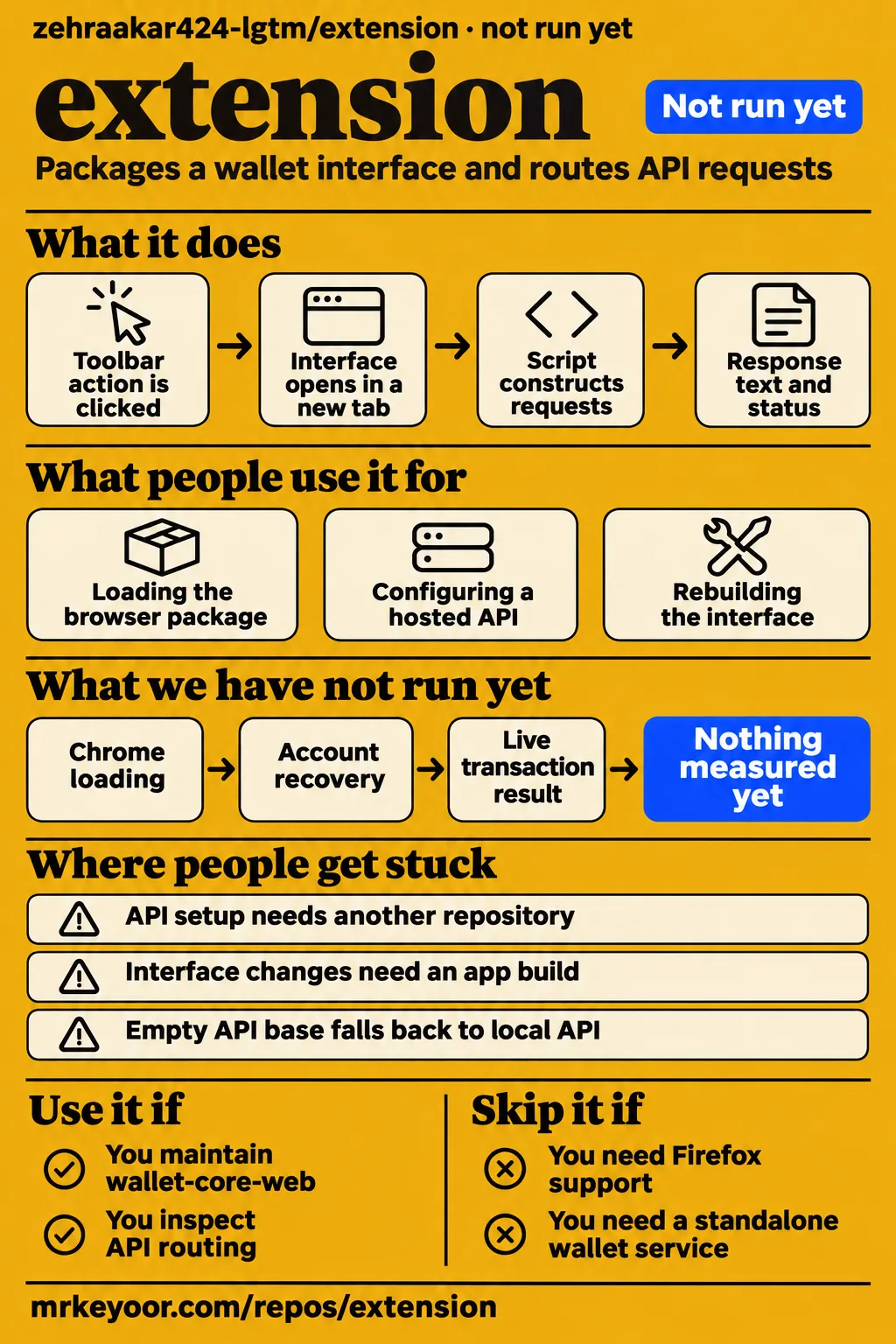
The background script at commit 6da774e opens app/index.html in a new tab when the toolbar action is clicked. It also accepts messages labelled xendra-api and constructs requests using a selected API base and a supplied path. A developer following a browser action can therefore begin with the bundled interface, inspect the message it sends, and then follow the background request to the companion service.
What people use extension for
The README documents loading the browser package, configuring a hosted API and rebuilding the bundled interface. These tasks give Xendra maintainers three entry points into the project. Local setup connects the extension to a development service; hosted configuration changes the service origin; rebuilding brings app-interface changes into the committed browser package. The instructions put each task in a specific repository or browser setting, so a maintainer can follow the relevant handoff without treating every change as an extension-code change.
For local browser development, start the companion wallet API and load this repository through Chrome's Developer mode. For a hosted service, place the wallet origin in apiBase. For interface maintenance, run build:ext from wallet-core-web and commit the updated app/ and icons/ directories here. The distinction matters when preparing a change: the interface build originates in the app repository, while its generated output is maintained in this browser package.
What happened when we ran it
Our run recorded NOT RUN for commit 6da774e on 2026-11-15 because the harness had no supported JavaScript ecosystem path and found no Dockerfile. The sandbox configuration was 3 CPUs and 8g RAM, with image n/a. The separate hands-on route required Compose and failed its safety prerequisite. The table keeps the harness outcome, failed admission step and cleanup result separate, because they describe different parts of the recorded evaluation.
| Recorded check | Answer | Verdict | Why |
|---|---|---|---|
| Build/test harness | NOT RUN: no supported ecosystem; language JavaScript; no Dockerfile | Execution stopped | The harness supplied no supported route for this checkout |
| Hands-on safety step | FAILED: none of compose.yaml, compose.yml, docker-compose.yaml or docker-compose.yml exists | Prerequisite failed | This hands-on route required a Compose file |
| Teardown | ok | Cleanup reported okay | The record reports cleanup status |
The hands-on safety record calls the repository unsafe because its Compose-file rule failed. That is a lab admission result: none of the four accepted Compose filenames existed. The teardown record reports cleanup as ok. The failed prerequisite identifies the missing input for that execution route; it is not a finding of a wallet security vulnerability.
The hands-on run summary says the repository deployed with its own Docker Compose configuration on 2026-11-15, with every port bound to 127.0.0.1. That conflicts with the missing-Compose finding and the harness's NOT RUN outcome. The failed prerequisite and harness result control the execution account here. The deployment wording remains a conflicting summary, rather than evidence of a successful application deployment.
Where people get stuck: the API lives elsewhere
The README starts the wallet API from wallet-core-web before loading this extension. Chrome's Load unpacked step supplies the browser package, while the companion app supplies the service named by the instructions. The default address is http://127.0.0.1:8790. When tracing setup, follow both parts: which browser folder was loaded and which service is expected to answer requests at the selected origin. The README's installation sequence connects those two responsibilities.
| Documented situation | Configuration or action | Codebase or location |
|---|---|---|
| Local development | Start the wallet API | wallet-core-web |
| Browser loading | Enable Developer mode and select Load unpacked | This repository folder |
| Hosted API | Set apiBase to the hosted wallet origin | Chrome sync storage |
| Interface update | Run build:ext and commit app/ and icons/ | Build in wallet-core-web; commit output here |
The background script reads apiBase from Chrome sync storage, trims whitespace and removes a trailing slash. It falls back to http://127.0.0.1:8790 when the resulting base is empty. The README specifies that a hosted origin uses the same /api/* routes as server.mjs in the companion app. For request tracing, those details establish the configuration sequence: find the selected origin, identify the message path, and follow that route into the app service.
How the wrapper handles API requests
The background listener handles messages whose type is xendra-api and builds a URL from the configured base plus the message path. It adds a leading slash when the supplied path lacks one. Requests default to GET and include an Accept header for application/json, with message-provided headers merged into that object. A message body is passed to fetch when it is neither null nor an empty string. These branches describe how the wrapper constructs its outgoing request.
An unsuccessful HTTP response produces a reply containing ok: false, the status, an error and the response body. The initial error is HTTP followed by the status; the script then attempts to use an error or message field from a JSON response. A successful response includes the status, response text and content type. An exception returns an error string. The response body is read as text, so the handler's success reply and its error-parsing branch are distinct places to inspect when tracing a service response.
Security: storage and the selected API origin
The README says recovery phrases and passwords stay in browser localStorage or sessionStorage. It also says they are absent from this repository. Those are the project's storage statements, and they belong alongside the request-routing code when mapping the system. The browser package, bundled interface and companion service have different responsibilities. Keeping those components visible helps a reviewer follow where an interface action starts and which code constructs the resulting service request.
The manifest at commit 6da774e declares storage permission and host permissions for http://127.0.0.1:8790/, http://localhost:8790/ and https:///. Its extension-page policy names HTTPS and the local API addresses as connection destinations. The HTTPS host scope accompanies the README's configurable hosted origin. The manifest describes the allowed destination scope, while background.js supplies the selection and request-construction logic used by this wrapper.
A source review can follow a request through the interface, message handler and companion service. Start with an interface action, identify its xendra-api message, and record the path, method, headers and body that reach the background listener. Then follow the corresponding service route in the app repository. Pairing those steps produces a concrete request map and gives maintainers a way to connect browser behavior with the code responsible for it.
Repository attention and documentation
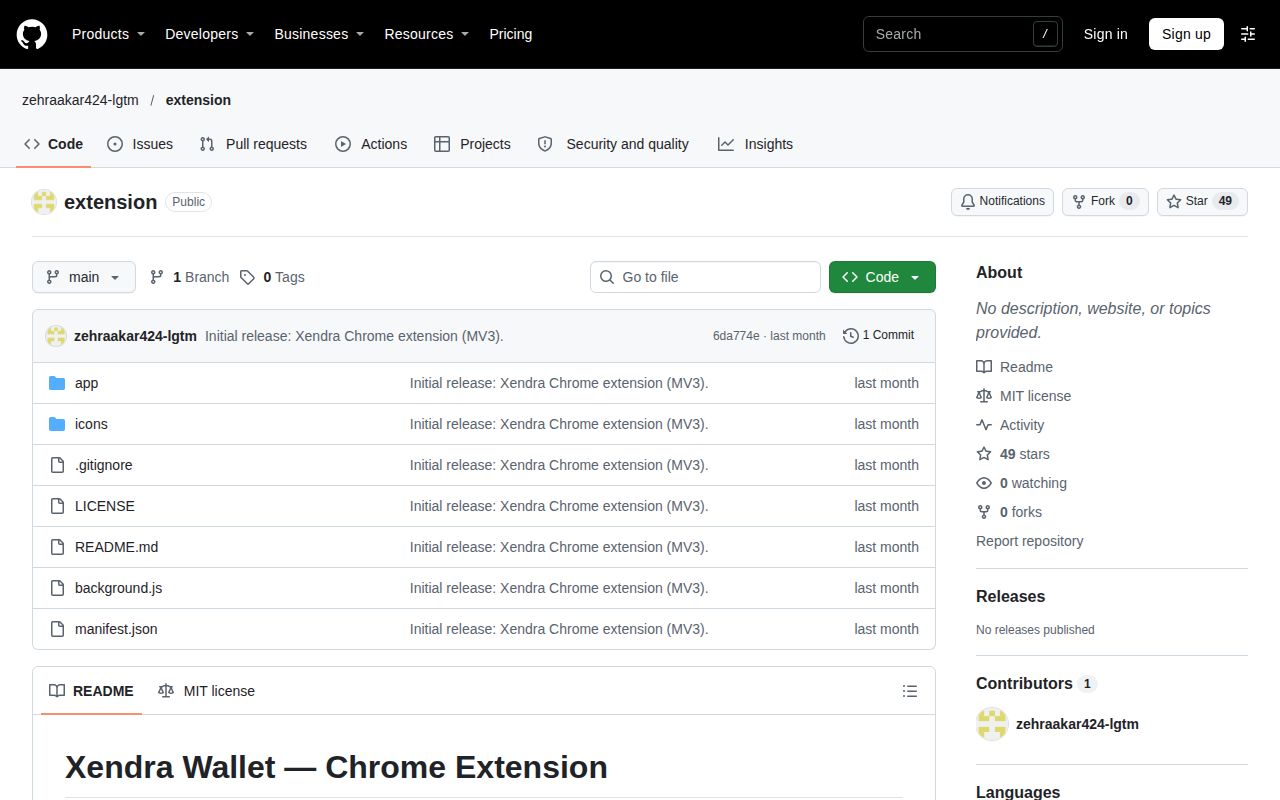
GitHub metadata observed on 2026-11-15 recorded 49 stars, zero forks and zero open issues and PRs. The last push was 2026-10-13. The repository metadata extract identifies JavaScript and an MIT license. These dated facts describe the repository and its visible tracker. The README provides the development instructions a maintainer needs to locate the companion API, load the browser package and regenerate its committed interface files.
The English README's directory layout lists manifest.json, background.js, icons/ and app/, identifying app/ as a committed Vite build. Read that layout together with the rebuild instructions: interface work starts in wallet-core-web, build:ext produces the extension output, and updated app/ and icons/ directories are committed here. This is the documentation's most useful handoff for maintainers because it connects the files in this checkout with the repository that generates them.
Xendra Wallet vs MetaMask and Rabby
MetaMask documents Firefox support, while Rabby describes a browser plugin for the DeFi ecosystem and explains dapp connection handling. Xendra's README describes a Chrome and Chromium package built around the companion wallet-core-web interface. Those documented differences give developers a way to choose which repository to investigate for a particular task: maintaining Xendra's app package, meeting a Firefox requirement, or examining DeFi dapp integration.
| Project | Documented scope | When to investigate it |
|---|---|---|
| Xendra Wallet | Chrome and Chromium package for the wallet-core-web interface | You maintain or inspect that companion app |
| MetaMask | Supports Firefox, Google Chrome and Chromium-based browsers | Firefox support is a browser-wallet requirement |
| Rabby | Browser plugin for the DeFi ecosystem | DeFi dapp integration is the work you need to examine |
MetaMask's README explicitly lists Firefox, Google Chrome and Chromium-based browsers. It also directs developers to its contributor and extension documentation. For a developer beginning with a Firefox requirement, that browser list provides a direct reason to investigate MetaMask. Xendra's installation instructions instead name Chrome and Chromium and begin with its companion app's local API, making the app-to-browser handoff central to its documented workflow.
Rabby's README explains how dapps detect an Ethereum object and may label the detected wallet as MetaMask. It discusses connection buttons and the relationship between wallet branding and the detected object. That makes its integration guidance relevant to developers investigating connection labels. Xendra's supplied wrapper sources describe a different path: opening its bundled interface and forwarding messages to a selected API origin.
How to identify the right repository
Xendra Wallet is the product described by zehraakar424-lgtm/extension, and its README identifies wallet-core-web as the source of the bundled interface. Use the full product name and owner/repository address when locating it. The repository's short name, extension, does not describe that relationship by itself. The README's Xendra title, companion-app reference and development instructions provide the concrete identity cues needed to distinguish this package from another browser extension.
The same distinction helps when navigating the source. A file in app/ belongs to the committed interface build described by the README; background.js contains the wrapper's browser action and API listener; manifest.json declares the extension configuration. For changes to the generated interface, the README points back to wallet-core-web. Keeping those filenames and repository names together makes the next development step easier to locate than searching for the generic repository name alone.
FAQ
Xendra's documented installation starts the companion API, then loads this repository through Chrome's Developer mode and Load unpacked controls. The README places these steps in that order and ends with clicking the Xendra toolbar icon to open the wallet. Interface rebuilding is a separate task performed from wallet-core-web, with the generated files committed back into this repository. The questions below explain those instructions for someone approaching the browser package for the first time.
What does extension mean?
For this repository, extension means Xendra Wallet's Manifest V3 browser package for Chrome and Chromium. Its interface is a production build from wallet-core-web, according to the pinned README. The package contains the committed interface output and the browser wrapper files. This product-specific meaning explains why setup begins in another repository and why interface changes use the companion app's build command before updated files are committed here.
How do you add a Chrome extension?
For Xendra, start the wallet API from the app repository, open chrome://extensions, enable Developer mode and choose Load unpacked. Select this repository folder, then click the Xendra toolbar icon to open the wallet. The README gives http://127.0.0.1:8790 as the local server address. These are the project's development-installation instructions, with service preparation preceding the browser-loading step and the toolbar action opening the bundled interface.
How do you make a Chrome extension?
For Xendra's bundled interface, run npm run build:ext from a clone of wallet-core-web, as directed by the README. The documented default output is the sibling ../ext-git/app directory; XENDRA_EXT_DIR selects another repository destination. The next documented action is committing updated app/ and icons/ directories in this repository. This is the generation workflow for Xendra's existing browser package, connecting app changes with the files maintained in the extension checkout.
What we have not tested yet
The recorded evaluation stopped before browser use: no Chrome loading, companion API execution, account creation, account recovery or live transaction result accompanies it. Installation, build and tests have no supported execution outcome. The 3 CPUs and 8g RAM describe the sandbox allocation, not minimum wallet requirements; actual runtime versions require raw toolchain logs. The supplied pack contains no screenshot records or known-answer wallet tasks, and this revision adds no execution claim.
Storage encryption, request contents, transaction signing, supported chains, malicious-page isolation and recovery after storage loss need wallet-specific assessment. The README's browser-storage statement and the inspected wrapper code provide an architecture account, not a security assurance. Firefox compatibility, interface language coverage and comparative behavior against MetaMask or Rabby also lack application results here. The sampled research supplies no target-specific user report or issue resolution from which to assess support responsiveness, and the four editorial rating dimensions remain unassessed.
Rendered layout, automatic related links, recommendation modules and template behavior remain untested. Search volumes, rankings and demand are unknown. The evidence supports a developer's source-inspection decision at commit 6da774e, while a daily-wallet recommendation needs browser operation, transaction and recovery evidence. Developers maintaining wallet-core-web should start with the documented API and build handoff. People choosing a wallet for assets should seek a completed operational evaluation before selecting Xendra.