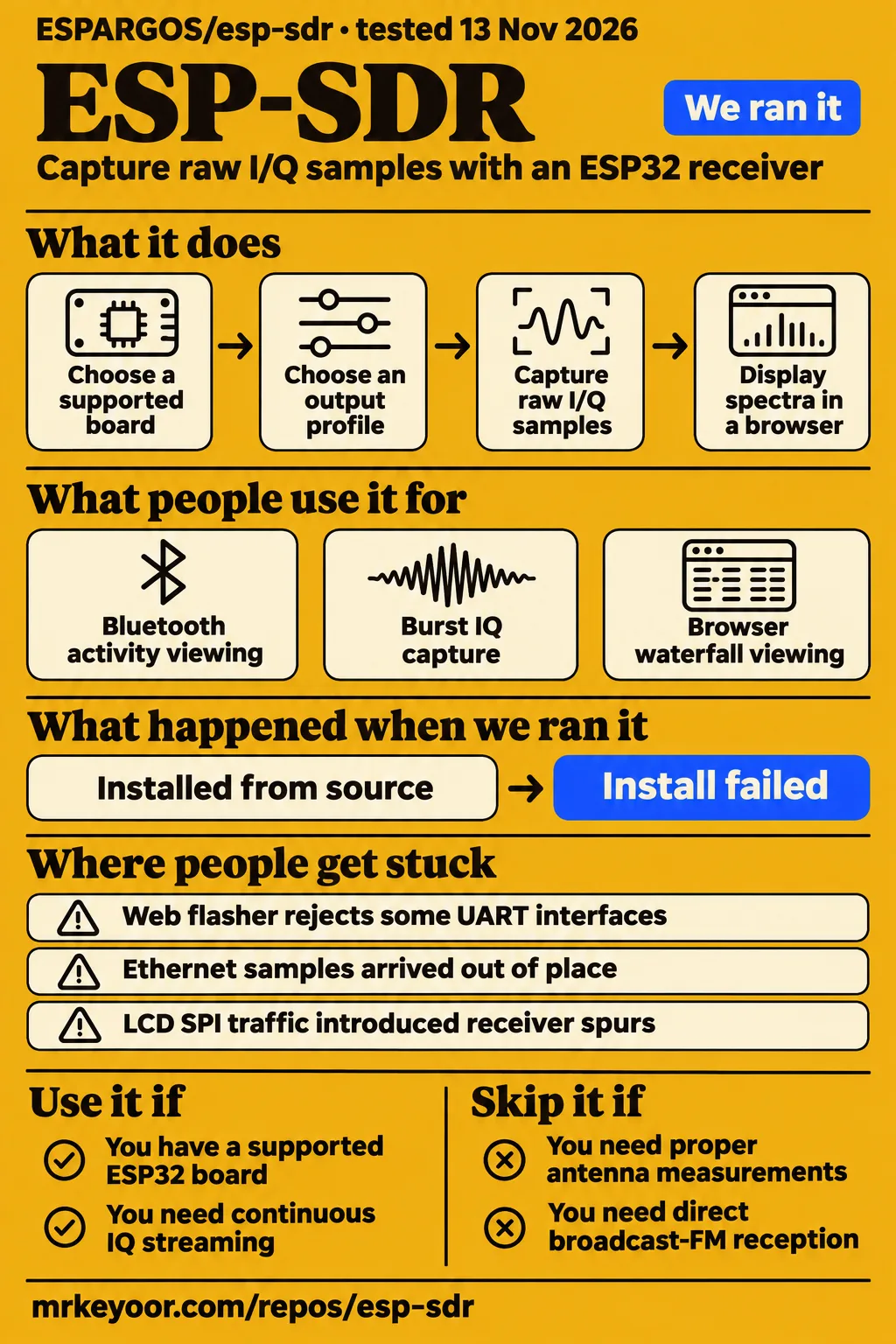
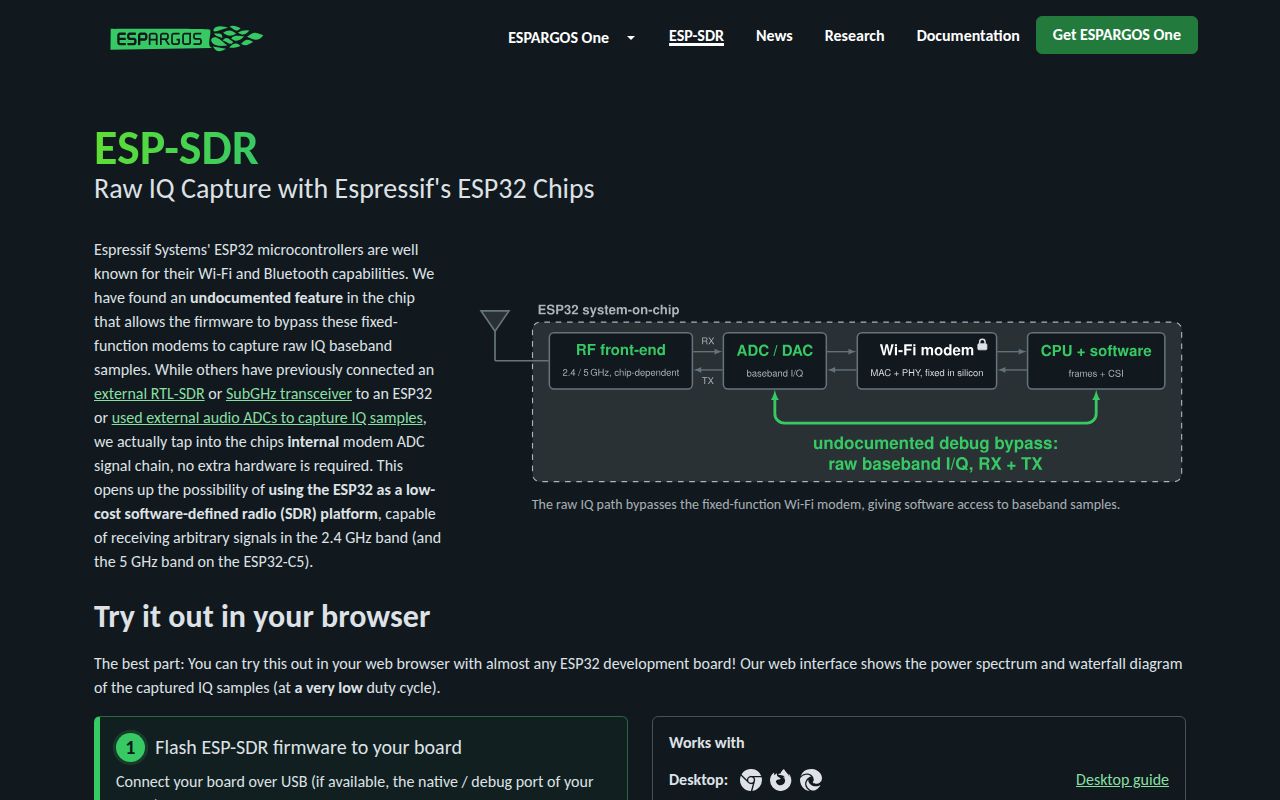
ESP-SDR is a practical candidate for spectrum inspection when you already have a supported ESP32 board and want to investigate activity around its receive band. Its firmware exposes raw samples from the chip's own receiver. Start by choosing the output you need: browser spectra, burst IQ or a continuous IQ stream. Those choices lead to different boards, connections and firmware profiles.
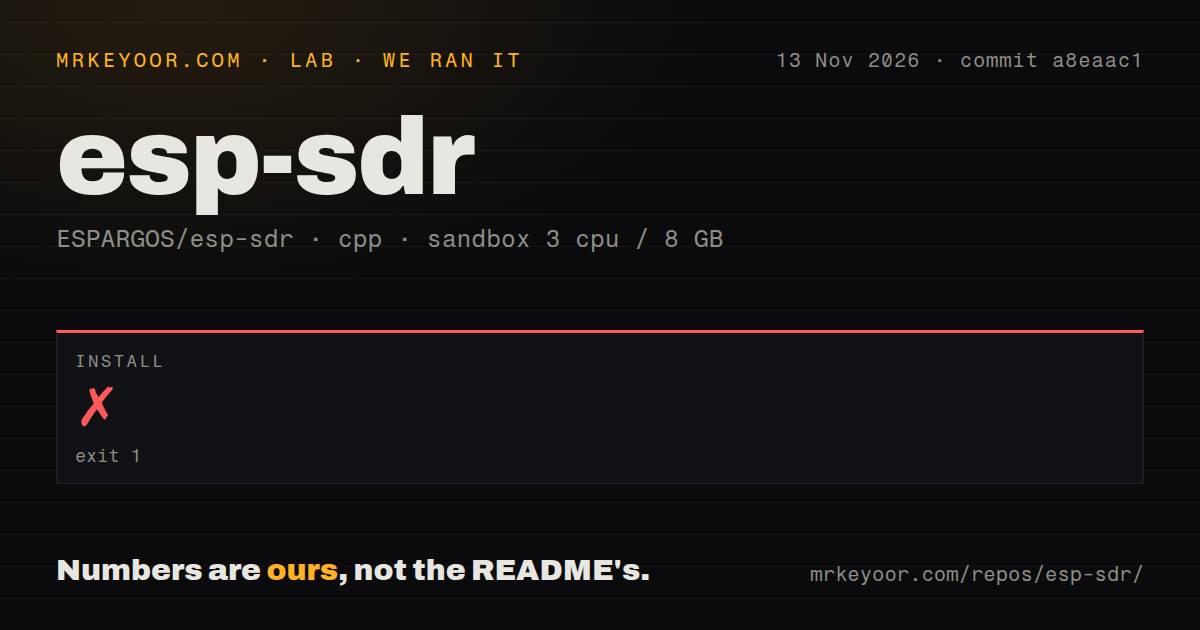
Our install step failed with exit 1 after 1 second at commit a8eaac1 on November 13, 2026. That result belongs alongside the hardware reports because it answers a different question: what happened in our source-install attempt. The useful decision throughout this review is whether your task needs visible activity, samples delivered to desktop software or a signal recovered by a demodulator. The supplied issue history shows why those outcomes deserve separate checks.
What people use esp-sdr for
Reported ESP-SDR projects include Bluetooth activity viewing, a standalone C5 interference watchdog and broadcast FM translated into the ESP32 receive band. The examples name their hardware and output, which makes them useful starting points for choosing a setup. A browser waterfall, a touchscreen alarm and an SDR++ audio demonstration each answer a different practical question.
| Who used it | What they did | What the result supports |
|---|---|---|
| Brian Michael Niles, in Adafruit's Facebook discussion | Viewed Bluetooth pairing activity on an ATS Mini containing an ESP32-S3 | Activity viewing on that setup. Adafruit Bluetooth report |
| The_Digital_1, on r/esp32 | Built a standalone interference watchdog on a Waveshare ESP32-C5 touchscreen board | Reported baseline learning, alarms, CSV logging and waterfall images. C5 watchdog report |
| Zoltan Doczi, reported by RTL-SDR.com | Received broadcast FM in SDR++ using a moRFeus upconverter | The reported 90.9 MHz station was translated to 2350 MHz before reception. Upconverted FM demonstration |
| EstoniaDX, on X | Ran the browser waterfall on a NodeMCU ESP-32S | Reported rebuilding for 1 Mbaud and flashing with another tool after a CP2102 limitation. NodeMCU board report |
The FM demonstration gives a concrete shopping-list lesson. The moRFeus upconverter is part of the receiver arrangement, with its local oscillator set to 2259.1 MHz. It moves the station into a band the ESP32 can receive. Someone who already owns that RF hardware has a specific experiment to follow; someone buying a simple broadcast-FM receiver should account for the extra conversion hardware before choosing this route.
The watchdog puts the screen and alarm logic on the board. Its author reported that LCD SPI traffic introduced 4 to 9 dB spurs into 2.4 GHz captures, then described pausing LCD DMA during sampling and redrawing the display in strips between captures. That report makes display scheduling part of the receiver design: the screen changes when the board can sample and can introduce activity into the capture itself. Watchdog integration report
What happened when we ran it
Our run stopped during CMake configuration after 1 second, with exit 1 at commit a8eaac1. The recorded sandbox configuration was 3 CPUs, 8 GB RAM and image label lab-cpp:1. The checkout contained 732 files, approximately 48,787 source lines and 5.3 MB. These figures describe the measured checkout and install invocation.
| Recorded question | Answer | Verdict | Why |
|---|---|---|---|
| How large was the source checkout? | 732 files, approximately 48,787 source lines, 5.3 MB | Checkout measured | These are the harness's recorded checkout figures. |
| Did installation complete? | Failed, exit 1, 1 second | Configuration failed | The setup command stopped during CMake configuration. |
| What was the first CMake error? | Could not include /tools/cmake/project.cmake at CMakeLists.txt:18 | Include failed | The invocation could not load the requested include. |
| What was the next CMake error? | Unknown command idf_build_set_property at CMakeLists.txt:19 | Command rejected | Configuration stopped at the following command. |
| Which repository signals were detected? | 2 CI workflow files, a tests directory, no Dockerfile | Files detected | These describe files in the checkout. |
| Did the separate hands-on safety step pass? | Failed because no recognized Compose file existed | Runner blocked | Its rule required compose.yaml, compose.yml, docker-compose.yaml or docker-compose.yml. |
| What did the separate run summary claim? | Deployment on 2026-11-13 using its own Docker Compose, every port bound to 127.0.0.1 | Contradictory summary | The recorded safety step had failed. |
| What did teardown report? | ok | Teardown recorded | That is the supplied teardown outcome. |
The install log repeats the same pair of errors and ends with configuration incomplete. The README's source-build instructions describe a profile-pinned ESP-IDF checkout, its installation script and an exported environment. That documented route provides the next setup procedure to follow. The browser installer is a separate route that supplies firmware for a connected board.
A separate hands-on safety step failed because none of compose.yaml, compose.yml, docker-compose.yaml or docker-compose.yml existed. Its runner applied the label "unsafe repo" under a rule requiring a Compose file. The hands-on run summary nevertheless says it deployed using its own Docker Compose, with every port bound to 127.0.0.1, on 2026-11-13. The failed step takes precedence over that generic deployment description. Hands-on teardown reports ok.
Where people get stuck: flashing, gain and sample order
Issue #10 reports a UART port that worked with the viewer but failed in the flashing flow; issue #21 reports sample corruption behind a normal-looking spectrum. These are different failure paths. Record the board, firmware profile and connection method before applying a workaround, because successful viewing, successful flashing and correctly ordered IQ are separate outcomes.
| Report | What went wrong | Resolution in the record |
|---|---|---|
| Issue #10: UART flashing | The flasher rejected a UART interface that worked with the viewer | Lower-baud flashing was added; the reporter subsequently used Espressif's esptool-js flasher successfully. The issue remained open. |
| Issue #15: WROOM-32 detection | A board was not detected after browser, BOOT-button and serial-client troubleshooting | The report remained open. |
| Issue #5: C5 hardware AGC | Upper-5 GHz captures contained a self-generated pattern | The reporter obtained clean captures with moderate manual gain; a contributor described a calibration change. |
| Issue #21: S31 sample order | Ethernet samples arrived one ring lap out of place while loss counters stayed at zero | The reporter confirmed the corruption was gone on firmware 89193f1 at 40 MSa/s. |
| Issue #18: IQ convention | Burst documentation omitted the spectral-sign convention | The maintainer reported a documentation update in cd3200f6e402afab34c7abd45402827b3115ea33. |
Issue #21 provides a useful acceptance method for coherent reception. The reporter compared captured samples with a known transmitted OFDM waveform after the maintainer supplied changes. Their follow-up names an ESP32-S31 Function-CoreBoard, the SoapyESPSDR streaming profile, Gigabit Ethernet and firmware 89193f1. The waveform comparison exposed a sample-order problem that the spectrum display and loss counters had concealed. S31 corruption report and follow-up
Other integration reports add narrower fixes. In issue #8, the maintainer added GPIO output controls and supplied XIAO ESP32-C6 antenna-switch settings. A separate S3 user reported bridge frame gaps and an SDR++ waterfall without signal peaks, then suggested SDRPlusPlus as another connection route. Those reports make antenna selection and desktop connection software useful troubleshooting branches after basic flashing. Antenna-switch report, S3 bridge report
Capture rate, FFT coverage and host streaming need separate labels
The official overview lists up to 80 MSa/s capture into memory, while the installer lists S3 USB IQ at 250 kS/s with 8-bit samples. The experimental S31 profile advertises up to 20 MSa/s over high-speed USB or 40 MSa/s over Gigabit Ethernet. The output profile determines which of those documented figures applies to your task.
| Your task | Relevant route | Decision to make |
|---|---|---|
| See a spectrum in a browser | Burst captures or on-chip FFT spectra | Whether the selected capture and FFT coverage suit the event |
| Feed narrower IQ to desktop software | ESP32-S3 native USB and a compatible bridge | Whether the stream rate suits the signal |
| Deliver wider continuous IQ | Experimental S31 streaming firmware and SoapyESPSDR | Which transport and firmware profile to use |
The official overview identifies sample export as the bottleneck. The README explains another distinction: continuous capture keeps the receiver recording while FFT computation uses only a share of those samples. The viewer displays that share as FFT coverage. For C6 and C61 this mode uses 256 FFT bins; S3 and S31 support it at all listed FFT sizes over native USB. Capture and FFT documentation
For a monitoring task, write separate acceptance questions for acquisition, FFT analysis, host delivery and decoding. A signal can enter the capture buffer without contributing to the displayed FFT, and delivered samples still need correct ordering for coherent processing. The maintainer's terminology change in issue #12 calls this continuous capture with partial FFT coverage. That wording connects the display to the part of the signal it actually analyzes.
Flashing replaces your board's existing firmware
Installing replaces the current firmware and partition table. The official firmware installer states that consequence before connection. Use a spare board or retain a recovery path for its existing application. The same page directs users to a WebSerial or WebUSB browser, BOOT-button recovery when connection fails, and Linux serial-permission checks when access is denied.
Upstream ESPARGOS ESP-SDR provides reception and deliberately withholds a transmitter implementation. That choice matters when selecting firmware because public transmit demonstrations use separate implementations. The official explanation gives misuse concerns as its reason. Record the repository and profile with any demonstration you intend to reproduce, especially when the broader ESP-SDR name appears in coverage of derivative work.
The source-audit thread in issue #11 records maintainer-reported changes in 217d47d and ba64fd4. The changes cover S3 argument validation and S31 USB recovery and transport-loss accounting. Keeping those commit identifiers with the report makes the proposed resolution traceable and distinguishes this source-audit exchange from the board reports about flashing, gain and sample order.
Repository activity includes dated pushes and issue follow-ups
GitHub metadata records a November 9, 2026 push and 1,278 stars in the supplied November 13 observation. The repository API record labels the main language C. The sandbox's cpp ecosystem label belongs to the harness classification. These records describe repository metadata and the measured setup without changing the project's implementation identity.
Issue follow-ups provide more practical detail than the star count. Issue #21 contains a maintainer response, named firmware and a reporter's hardware comparison. Issue #10 contains an alternate flashing route after the original difficulty persisted. For a board evaluation, those details tell you what to record and which procedure to compare. The stars supply an attention count; the threads supply concrete examples of troubleshooting and follow-through.
ESP-SDR vs RTL-SDR, a VNA and ESP32 radio derivatives
ESP-SDR uses an ESP32's own receiver, while OrcSDR's author describes an ESP32-P4 hosting an external RTL-SDR. A VNA answers the separate question of antenna measurement. Choose among these arrangements by the signal band, instrument task and desired interface, then follow the evidence for the particular hardware rather than treating the projects as interchangeable firmware.
| Alternative | Why you would pick it | Evidence behind the distinction |
|---|---|---|
| RTL-SDR | A selected dongle covers your target frequency | A Hackaday commenter described their dongle stopping at 1.7 GHz and wanting Bluetooth-board visibility. Commenter's receiver comparison |
| A vector network analyzer | Proper antenna measurements | ESP-SDR's author recommends a VNA for that job. Author's antenna-measurement reply |
| OrcSDR on ESP32-P4 | A standalone screen and audio with an external RF front end | Its author describes an RTL-SDR plugged into the Tab5 USB port, with processing on the microcontroller. OrcSDR author's description |
| esp-sdr-zephyr | Separate firmware with reported transmit capability | Its author reports continuous USB RX and TX at 250 kS/s and an 802.15.4 software radio. Derivative author's feature report |
ESPARGOS One is a separate array arrangement. The official overview describes phase-coherent multichannel capture, an internal SPI transport and signal triggering, and says its firmware remains closed source. Those capabilities belong to that hardware and firmware offering. A single supported development board running the open receiver firmware follows a different setup even though both arrangements use the raw-IQ capture mechanism. ESPARGOS One overview
What the other reviews get wrong
Earlier coverage describes S31 streaming as forthcoming at 8 to 16 MSa/s, whereas the supplied official page advertises available experimental firmware at up to 40 MSa/s over Ethernet. Read those articles as descriptions of their earlier offering. The correction for today's reader is to select a documented profile and use its specific output rate.
CNX Software's earlier overview describes work on SoapyESPSDR, and RTL-SDR.com's initial article describes its driver as coming soon. The supplied installer also documents S3 USB IQ streaming. Together, the current official extracts replace the older blanket account that ordinary ESP32 setups export only spectra or snapshots and cannot support continuous demodulation.
The Turbo Mode coverage uses the phrase gapless spectrum output. The later README and issue #12 use the more precise distinction between continuous capture and partial FFT coverage. Hackaday's transmit article also records a correction to its earlier 100 MHz suggestion. The README explains that accepting a tuning value between 100 and 6000 MHz differs from the PLL locking at that frequency. Turbo Mode coverage, Hackaday correction
The supplied Facebook coverage also advertises TX and RX together. Upstream's official page withholds a transmitter implementation, while the esp-sdr-zephyr author reports transmission in separate firmware. That repository distinction belongs with the feature claim whenever someone uses the ESP-SDR name to discuss transmit experiments. Facebook feature wording, Derivative firmware report
Questions people ask
Install through the browser flasher on a supported board; choose S3 for lower-rate USB IQ or experimental S31 firmware for wider continuous streaming. The installer detects the chip and suggests matching firmware. For frequency selection, use the chip's receive range and the chosen profile's output rate. For transmission, follow the separate firmware identity attached to the demonstration.
How do I install ESP-SDR firmware?
The official browser installer uses WebSerial or WebUSB and offers matching firmware after connecting to the board. Hold BOOT while connecting if necessary, and check Linux serial permissions when access is denied. For source builds, the README directs you to the ESP-IDF commit pinned in firmware-targets.json, followed by its installation script and exported environment. Official installation instructions
What bandwidth and frequency range does ESP-SDR support?
The official overview lists approximately 13 to 54 MHz analog receive bandwidth and tuning around 2.2 to 2.7 GHz, plus 4.8 to 6.0 GHz on C5. The README also describes lower tuning through a 5/6 LO divider on several chips. Analog bandwidth, capture rate and exported IQ rate are separate specifications, so choose the chip notes and output profile together. Official capture settings
Can ESP-SDR transmit custom IQ waveforms?
Upstream ESPARGOS ESP-SDR withholds a transmitter implementation. The esp-sdr-zephyr author reports continuous RX and TX over USB in separate firmware, alongside an 802.15.4 software radio. Use the derivative's repository identity when evaluating that feature so that a transmit demonstration leads to the implementation that produced it. Official transmission policy, Derivative author's report
Does ESP-SDR work without the specialized ESPARGOS antenna array?
The official setup supports ordinary compatible ESP32 development boards using their own receivers. Its quick start pairs the firmware installer with the browser viewer. ESPARGOS One adds a separate multichannel array arrangement; the ATS Mini and NodeMCU reports in the use-case table illustrate single-device spectrum viewing. Choose the ordinary board route when that is the output your experiment needs. ESP-SDR quick start
Can I use ESP-SDR to tune 2.4 GHz or 5.8 GHz FPV antennas?
Use a VNA for proper antenna measurements, as ESP-SDR's author recommends. The same reply describes ESP-SDR as useful for inspecting received power and debugging interference or spurs. Choose the instrument according to that distinction: observing received activity and characterizing an antenna are different tasks, even when both involve the same nominal frequency band. Author's antenna-measurement reply
Can an ESP-SDR interference detector integrate with ESPHome or Home Assistant?
The watchdog author described USB or GPIO alerts to Home Assistant as a planned upgrade. Their reply also describes freeing the radio from Wi-Fi networking while listening, with larger monitoring gaps as the consequence. That gives an integration design to investigate: decide how alerts leave the board and how that connection shares time with RF capture. Watchdog author's integration reply
What we have not tested yet
Our evidence ends at failed source configuration and the Compose runner's blocked step; it contains no successful build, test-suite result, flashed-board reception measurement or lab screenshots. The image label lab-cpp:1 supplies no actual compiler, runtime or operating-system version. The missing include and unknown CMake command support the recorded configuration failure, without identifying an operating-system or package cause or proving a receiver defect. The runner's Compose rule supplies no security finding.
Receiver characterization remains incomplete in the supplied evidence: we have no cross-chip measurements of noise figure, linearity, phase noise, image rejection or DC offset. The author's reception reply also says full characterization was unfinished. Board, USB-UART and operating-system compatibility need their own matrix. Issue #15 has no confirmed resolution, and the alternative S3 connection suggestion does not resolve the reported bridge-gap cause. Issue #8 contains maintainer instructions without a supplied user confirmation.
The C5 calibration discussion leaves residual dither and DC offset and does not establish a complete merged cure across board revisions. The S31 correction applies to the reporter's named firmware and waveform comparison; we have no regression comparison against our a8eaac1 checkout. Issue #18's underlying mirrored-IQ measurement covers one S3 board, rather than every chip and streaming profile. Issue #11 is a source audit with maintainer-reported fixes, not our vulnerability scan or a hardware reproduction.
Community examples and the alternatives table provide task-selection evidence rather than measured receiver rankings. Bluetooth activity viewing supplies no decoded-payload result. The advertised streaming rates are upstream specifications rather than our throughput measurements, and the supplied sources provide no universal measured duty-cycle percentage. A normal waterfall or zero drop counters alone cannot confirm coherent reception. Our supplied latest-release value is null, which leaves release status unresolved.
The watchdog report uses relative, uncalibrated levels and describes occasional busy-band false alarms. Its microwave and ordinary Wi-Fi tests do not validate deliberate-jamming detection. The author also reported a UI race after four days of uptime. Controlled false-positive and missed-event rates, long-duration operation after the reported fix and completed Home Assistant alerts remain untested here. Those are the acceptance questions to answer before using its alarm for a consequential monitoring task.