Esbuild gives you a bundler you can put inside your own tooling
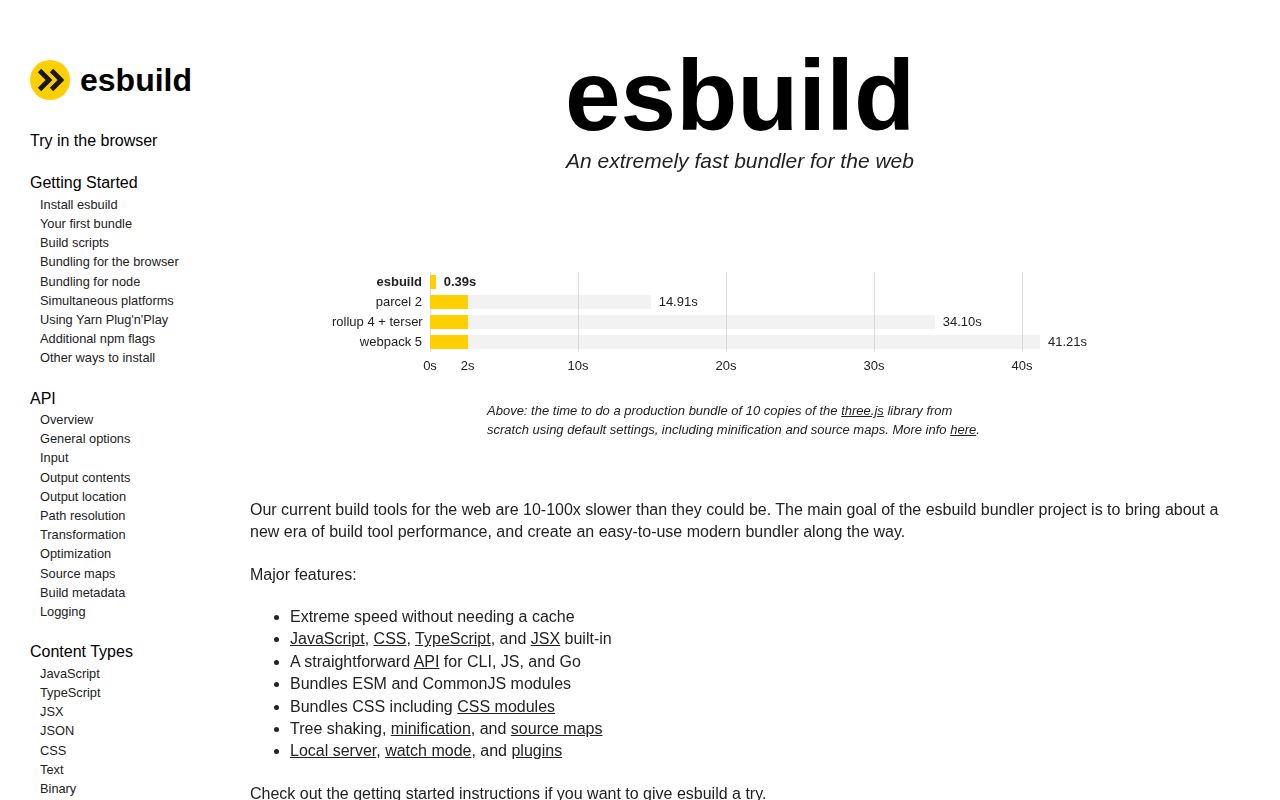
Choosing esbuild means taking responsibility for the build script around it. The README describes a tool that bundles JavaScript and CSS, accepts TypeScript and JSX, and exposes command-line, JavaScript, and Go interfaces. That's an appealing fit for a library author or a team with an existing build pipeline. You can give it entry files and an output location without adopting a framework's application structure. The README names the supported pieces clearly.
The 9.5 MB checkout in our lab contained 348 files and roughly 193,040 source lines. This is a substantial compiler behind a fairly small interface. Its built-in minifier and source maps reduce the number of separate tools you need to wire together. The useful question is whether those pieces cover your actual inputs. A project full of framework-specific file formats still needs the appropriate integrations around esbuild.
What happened when we ran it
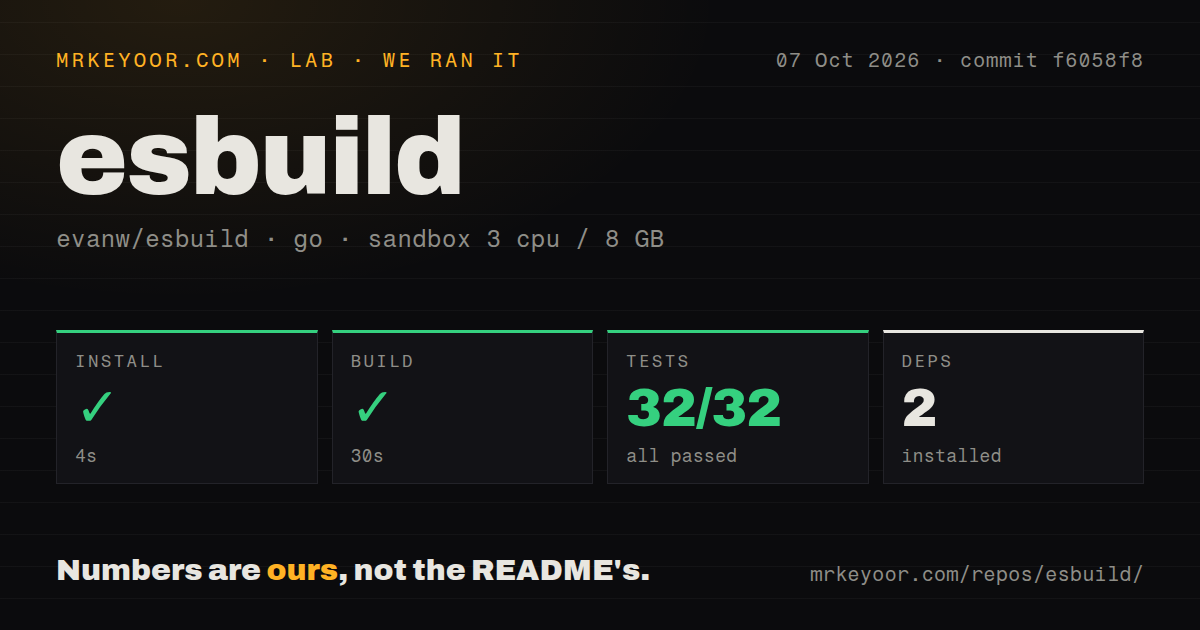
Our sandbox installed esbuild commit f6058f8 in 4 seconds, built it in 30 seconds, and completed its Go test step in 20 seconds. All 32 reported tests passed, with 0 failures. We cloned it on October 7, 2026, into an unprivileged Debian container using golang:1.24-bookworm, with 3 CPUs, 8 GB of RAM, and no secrets. Those results establish that this source checkout completed the steps our lab ran.
Installation added 2 packages. Our scan found 4 CI workflow files, no Dockerfile, and no tests directory. The missing directory plainly did not prevent the Go test command from running. Directory naming is a weak proxy for test coverage, and the 32 passing results should be read as the scope reported by our harness, rather than proof that every browser combination or JavaScript integration works.
The 30-second figure measures building esbuild itself. It doesn't tell you how quickly esbuild will bundle your application, how much smaller its output will be, or how it compares with another bundler. The README's speed pitch needs a separate workload comparison before you attach a saving to your team's builds. Our result is useful for assessing the source-development path and nothing broader.
TypeScript parsing leaves type checking to another tool
Esbuild can remove TypeScript annotations and turn the remaining program into JavaScript. It doesn't check whether those annotations describe a valid program. The content-type documentation tells users to run the TypeScript checker separately. If your deployment requires type errors to block a release, keep that check in the pipeline. A generated bundle alone cannot provide that assurance, even when compilation appears uneventful.
Our 32 passing Go tests don't change this documented boundary. Teams replacing a TypeScript compiler command with an esbuild command should first separate the jobs that command used to perform. Producing executable files and checking the types need distinct ownership. That arrangement is perfectly reasonable for a library build, but it creates a trap if somebody treats successful JavaScript output as approval of the original TypeScript.
Native binaries need to match the machine that runs them
The getting-started guide warns against copying an installed package between different operating systems. Esbuild uses a native executable, so dependencies prepared on one machine may contain the wrong executable for another. Prepare them on the destination platform. The normal npm route needs Node and npm, while building the source follows a Go path. Basic local use needs no service account or hosted API credential.
Our 4-second installation used the Go sandbox supplied by the lab. It is not an npm-install estimate for a Windows laptop or a container assembled from somebody else's node_modules. In your build script, explicitly choose browser or Node output and the runtime syntax you intend to support. The API reference documents those settings. Leaving them implicit makes the configuration harder to inspect when a bundle moves between environments.
Hot reloading and module federation need a different arrangement
The FAQ excludes hot-module reloading and module federation from esbuild's intended core. Its local server and watch mode can support a simple edit loop, but teams expecting a full application development environment should look closely at Vite. Rollup is another candidate for library packaging, while webpack deserves consideration when a deployment depends on its loader ecosystem or module federation. Choose against the required behavior, rather than the shortest configuration example.
A 20-second passing test step is a good starting point for experimenting with that choice. It doesn't reimburse the time spent recreating application tooling in custom plugins. I would pick esbuild directly when the build script remains understandable to the next maintainer. If the script starts managing framework behavior and development-server expectations, a tool designed around those responsibilities may be easier to own.
August fixes and October reports show ongoing use
The repository's last push was August 9, 2026. GitHub listed 40,070 stars and 631 open issues and PRs on October 13. Release v0.28.2, published August 8, fixed several output-correctness problems, including unsafe input-file overwriting. October issue activity shows continued use: issue 4551 reports an unexpected module wrapper when lowering an async arrow. That report is separate from our lab results.
I'd adopt esbuild for a bounded bundling job and keep output checks near the code that depends on it. The 32 passing tests support trying the measured commit, while the release fixes explain why upgrades deserve attention. Before replacing an existing build pipeline, bundle a representative entry point, inspect its runtime behavior, and confirm that type checking still has a named place in the release process.