Separate Task Spaces solve the tab-collision problem
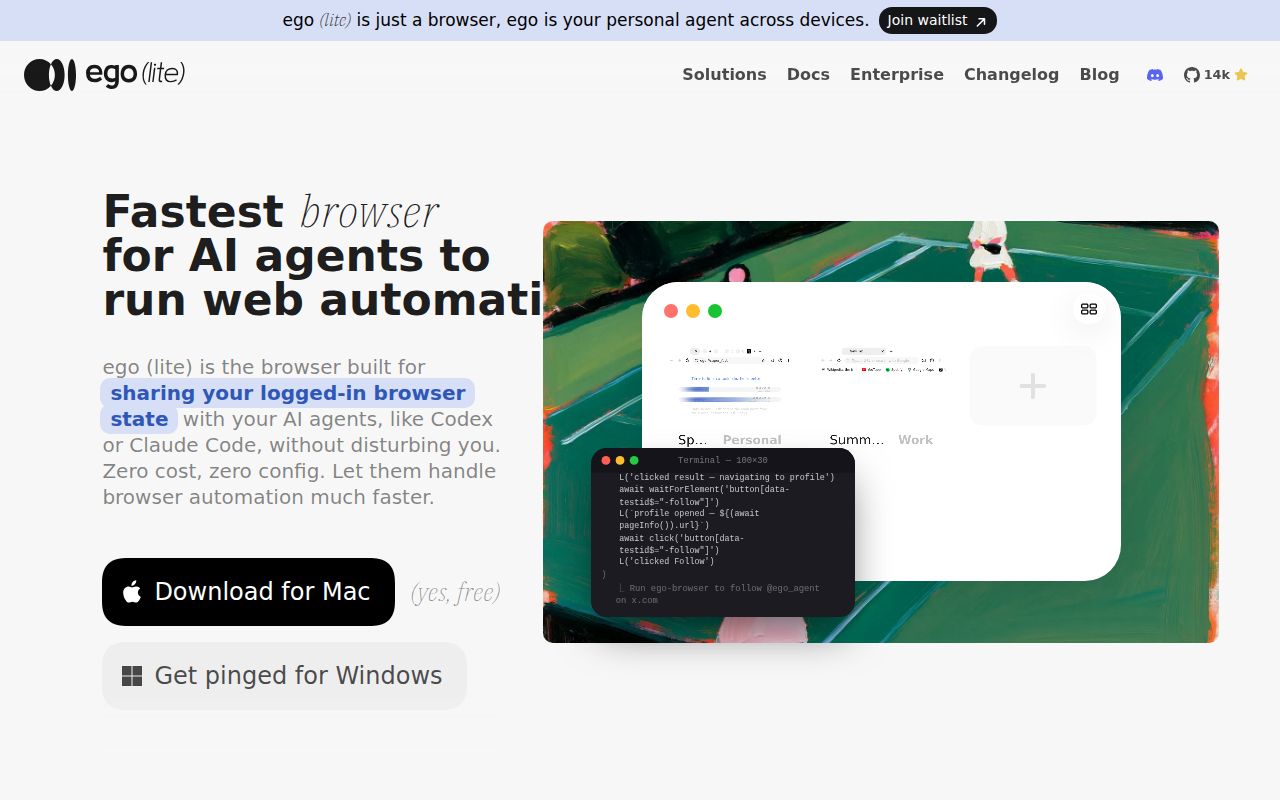
Browser agents usually start in a blank profile or take over a window the user needs. ego lite takes another route. Its Chromium app gives each agent job a Task Space with separate tabs, while allowing that space to inherit the user's login state. A person can keep browsing, watch the agent's space, take control for a login or judgment call, and later hand control back.
The ego-browser skill targets Claude Code, Codex, Cursor, and other agent CLIs. Its Node helper exposes snapshots, locators, clicking, typing, downloads, screenshots, JavaScript, fetch, Chrome DevTools Protocol access, and task-space ownership calls. A single script can observe and perform several steps before reporting back. That is a sensible interface for agents, which otherwise burn context on a long loop of tiny commands and page dumps.
The MIT repository is not the whole browser product
The open package lives under package/ego-browser/. It bundles agent-facing helpers around a browser-owned runtime, producing one ESM file that the browser invokes. The package documentation says the native browser owns tabs, Task Spaces, CDP transport, snapshots, and events. The top-level README separately states that repository contents use MIT while the ego lite browser is a separate free download.
That distinction affects review and procurement. Source inspection and tests cover the helper layer, but they do not provide the Chromium fork, native bridge, app updater, or macOS distribution as buildable source here. A team can audit the JavaScript calls around the bridge without reproducing the full browser binary. Treat the download as a product dependency with its own integrity, update, privacy, and rollback questions.
What happened when we ran it
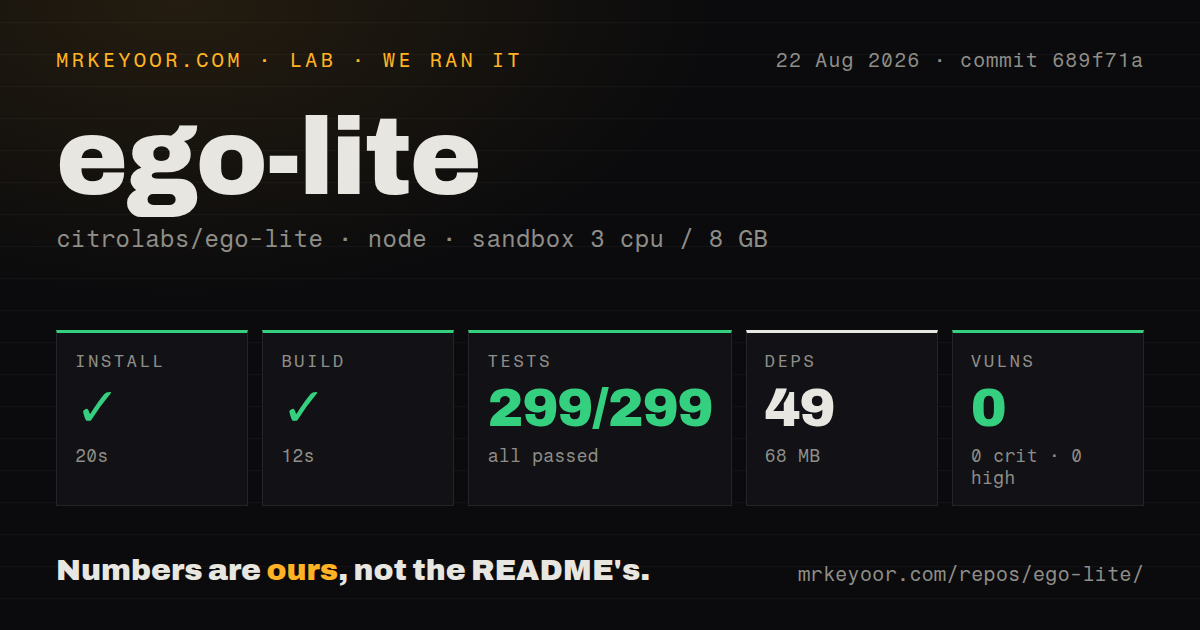
Our sandbox entered package/ego-browser/ and installed 49 npm packages in 20 seconds, using 68 MB. The build completed in 12 seconds. Node's test runner finished in 18 seconds with 299 passed and 0 failed out of 299. Npm audit reported 0 known vulnerabilities: 0 critical, 0 high, 0 moderate, and 0 low.
The checkout at commit 689f71a had 156 files, about 23,729 lines of source, and 2.4 MB. It included 6 CI workflow files, a tests directory, and no Dockerfile. Our unprivileged 3-CPU, 8 GB Node 22 container did not install or launch the macOS browser, migrate a Chrome profile, exercise a real Task Space, or test CDP isolation. The green suite applies to the helper package only.
Shared login state is both the convenience and the risk
Importing Chrome data lets an agent use sessions, cookies, extensions, and bookmarks without repeated logins. For supervised research or administration, that can remove the hardest part of browser automation. It also means a bad instruction, compromised skill, or hostile page can act with whatever authority the profile already has. A separate profile with the minimum necessary accounts limits the damage better than a daily personal profile.
Open issue 315 reports that model-generated JavaScript runs with raw CDP access and Node-side HTTP egress, allowing synthetic HttpOnly cookie material to be read and sent away in the reporter's reproduction. The report points to the measured commit 689f71a and asks for filtering in the native bridge. This is an issue report, not our own exploit test, but it targets the exact privilege combination the product advertises.
Task Space isolation has reported browser-global holes
Issue 319 reports that CDP Storage.getCookies and Storage.setCookies from a secondary profile read and write the default profile's cookie jar instead of staying in the caller's context. Its reproduction used a synthetic cookie and ego lite 0.4.7.1. Issue 303 separately reports that Network.clearBrowserCookies from an agent Task Space cleared authenticated sessions in the main Space.
Those reports do not say ordinary page tabs share every cookie. They say low-level browser-global CDP methods can cross the boundary. That matters because the skill exposes a raw cdp() helper to agent-written scripts. Until native scoping or method denial is documented and tested, Task Spaces should be treated as workflow separation, not a security sandbox for accounts with different trust levels.
The macOS install path needs an integrity check
The browser runs on macOS today; Windows and Linux are listed on the roadmap. Users can download a DMG or ask the skill installer to set up the app. Open issue 292 reports that several official Apple Silicon DMGs failed strict code-signature verification even though notarization tickets were present. It also says the agent installer removes macOS quarantine before launch and does not verify a pinned artifact hash.
We did not download those DMGs or reproduce the signature test. The issue includes commands, hashes, versions, and archived artifacts, so security teams have enough detail to verify the current download before approving it. A clean npm audit of 49 packages says nothing about the signed state of a separate application binary. Organizations should require a valid signature and a verifiable download before migration of authenticated browser data.
Activity is high, while the trust model is still settling
GitHub recorded 13,686 stars, 138 combined issues and pull requests, and a push on August 26, 2026. Repository release v1.2.3 shipped August 11 with real-browser regression cases and task-space documentation changes. The browser app has its own 0.4.x version line in current issue reports, another reason not to equate the repository release with the downloadable application build.
Issue 329 also reports the remote connection closing during long automation sessions after 1 to 2 hours, with a full app restart needed before work resumed. The reporter observed it on two 0.4.x app builds. ego lite has a genuinely useful control model and a well-tested helper. For now, use it with human supervision, limited account authority, and an independently checked app binary rather than as an unattended browser holding a person's most sensitive sessions.