1,091 packages sit behind a small command surface
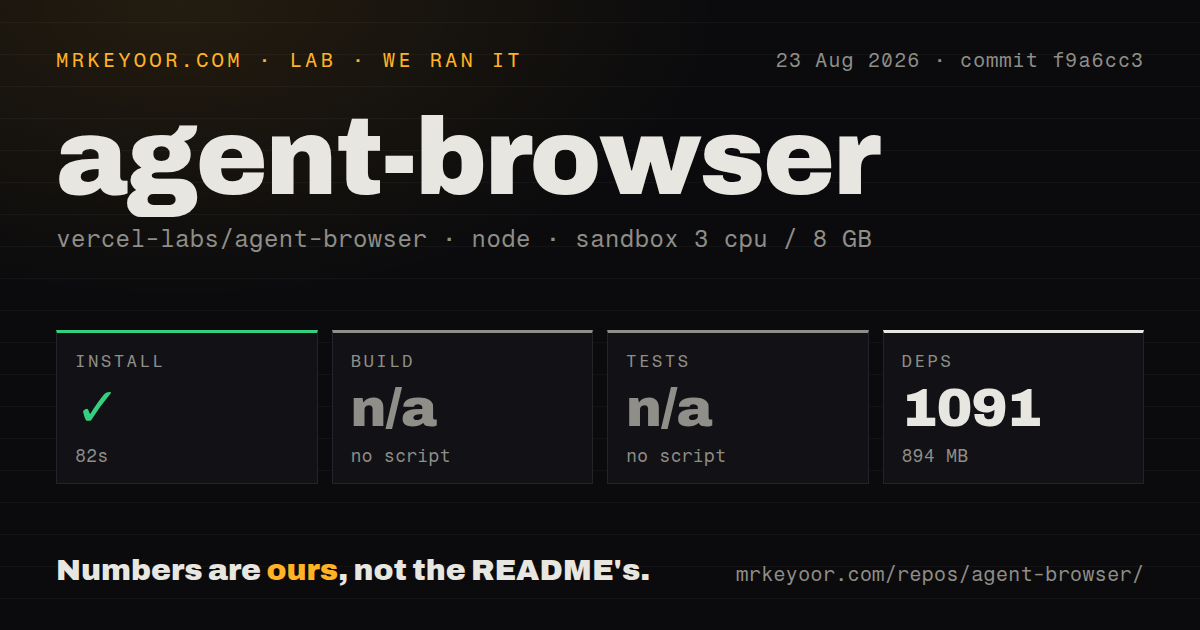
Our source install added 1,091 pnpm packages and occupied 894 MB, even though agent-browser presents itself as a compact native CLI. The weight comes from the development workspace, not from a claim that every user runs Node. Normal installations provide a Rust binary and daemon, while source contributors need the broader monorepo. The product's value is the command shape: open a page, take an accessibility snapshot, act on references such as @e2, and inspect the new state without writing a browser driver program.
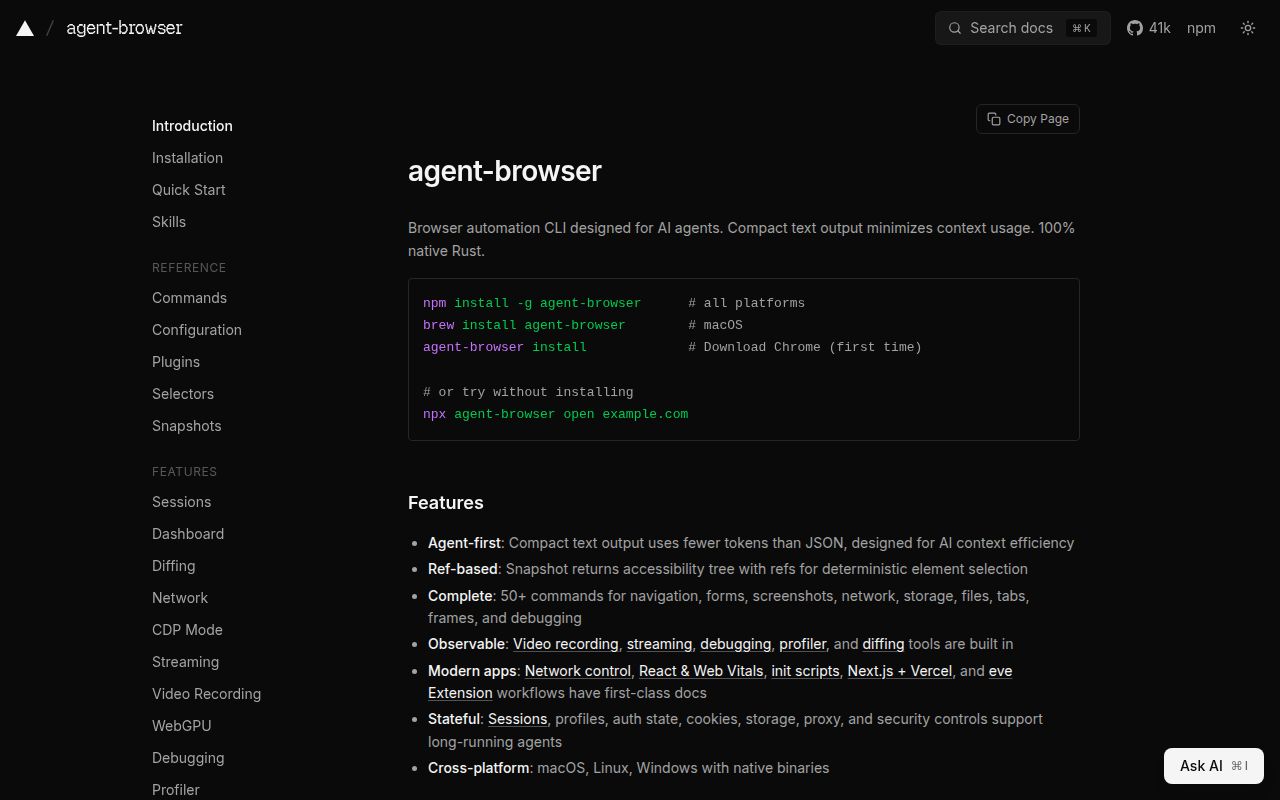
That snapshot workflow suits coding agents. Accessibility references are shorter and less brittle in a conversation than copying full selectors or DOM fragments. The CLI also supports semantic locators, ordinary CSS selectors, tabs, frames, dialogs, uploads, cookies, network routes, screenshots, traces, and visual or text diffs. It can return JSON for programs and can batch several commands into one invocation. This is a browser-control layer, so the calling agent still decides what goal to pursue and when an action is safe.
What happened when we ran it
In our 3 CPU, 8 GB container, pnpm installation succeeded in 82 seconds. It added 1,091 packages and used 894 MB. The repository contained 461 files, about 107,747 lines of source, 2 CI workflow files, and monorepo workspaces. We found no Dockerfile and no tests directory at the measured level. Those results describe the source workspace only; they do not measure the size of a global native install or its Chrome download.
The workspace exposed no build script or target, so our harness skipped the build. It also exposed no test script or target, so tests were skipped. We did not launch a browser, take a snapshot, click an element, or exercise the Rust daemon. The lab block contains no audit result, so none should be inferred. The practical finding is that 1,091 dependencies installed cleanly, while the declared package surface gave our standard runner no way to verify compilation or behavior.
Chrome installation is the second setup step
The recommended npm install supplies the native binary, then agent-browser install downloads Chrome for Testing. Existing Chrome, Brave, Playwright, and Puppeteer installations may be detected. On Linux, install --with-deps asks the system package manager for required browser libraries and exits nonzero if it cannot install them all. Source contributors face a different route: Node 24 or newer, pnpm 11 or newer, Rust, a pnpm build, and a native Rust build.
Local Chrome control needs no cloud account. Remote providers change that: Browserless, Browserbase, Browser Use, Kernel, and AWS AgentCore each use provider-specific credentials and session settings. The CLI can also connect directly to a CDP port or WebSocket URL. This flexibility is useful in CI, yet it spreads responsibility across browser images, profile storage, network access, and provider retention. Pick one execution path first and document where cookies, screenshots, traces, and downloaded files survive.
The MCP server exposes typed browser actions
Running agent-browser mcp starts a stdio Model Context Protocol server. It defaults to the 2025-11-25 protocol and a smaller core tool profile, while optional profiles add network, storage, debug, emulation, performance, React, and mobile commands. Typed fields such as URL, selector, text, session, and allowed domains produce more legible approval prompts than a raw shell command. That makes the MCP path one of the project's best reasons for adoption.
The permission boundary still belongs to the client and operator. The full profile can evaluate JavaScript, load or save authenticated state, upload files, inspect requests, modify cookies, and enable local file access. Domain allowlists also trigger WebRTC containment and launch restrictions, according to the README. Use a fresh browser profile, a short list of domains, and disposable credentials. A model that can see an admin page and submit forms has the same practical authority as the signed-in user.
A detached daemon needs an outside deadline
The Rust daemon starts on demand and persists across commands, avoiding repeated browser startup. By default it can close an unattended headless session after 1 hour, while headed or user-attached browsers are preserved. That design helps interactive work and session reuse. It also means killing one CLI process may not kill the daemon or Chrome tree that owns the session, so a surrounding harness should track the process group and have a recovery path.
Open issue #1713 describes that failure on agent-browser 0.34.0 under Windows 11. A wedged page reportedly blocked snapshot, active-tab read, and open because the client-to-daemon round trip had no deadline. Killing the CLI child left the daemon and Chrome processes alive, so later commands reattached and hung. Version 0.35.0 was released on August 25, but the report remained open. Treat this as a scoped Windows report and add an external timeout regardless.
Fast releases and 666 open items call for pinning
GitHub showed 41,328 stars, a last push on August 25, 2026, and 666 open issues and pull requests combined. Release 0.35.0 shipped the same day with private proxy CA trust on Linux and a skill for protected Vercel deployments. That pace shows active work and a moving interface. The combined open count is not a bug count, but recent reports cover Windows launch behavior, command deadlines, Chrome detection, and container flags that can affect automation reliability.
agent-browser is easiest to recommend as an agent-facing adapter around Chrome. Its reference-based commands are readable, its MCP schema is useful, and its direct CDP daemon avoids requiring Node at runtime. The 82-second source install and missing declared targets leave a verification gap in our run, so pin v0.35.0, exercise your real browser path, and record cleanup behavior. For assertion-heavy tests, keep Playwright. For autonomous browsing, give agent-browser only the sessions and domains the agent truly needs.