The app manages risky game-file changes instead of hiding them
DLSS 5 Swapper packages several ways of adding or tuning neural rendering behind one Windows library. It scans Steam, Epic, GOG, Xbox Game Pass folders, manual folders, and supported emulators. A game can use native DLSS, DLSS5-Feeder through ReShade, RenoDX, a multipass route, or an eligible OptiScaler path. The app records install history, backs up originals, gathers diagnostics, and exposes supported controls through an F8 overlay.
The useful design choice is reversibility. Full-drive scanning starts disabled, and you choose folders or enable broader discovery. Before writing a diagnostic bundle, the app shows which game, driver, manifest, and log details it will include. Release 2.2.7 makes another boundary explicit: uninstalling the app does not clean modified game folders. You must use Restore originals first. Treat each game as its own change set instead of rolling the tool across a library at once.
A 2-second build failure exposes the missing source payload
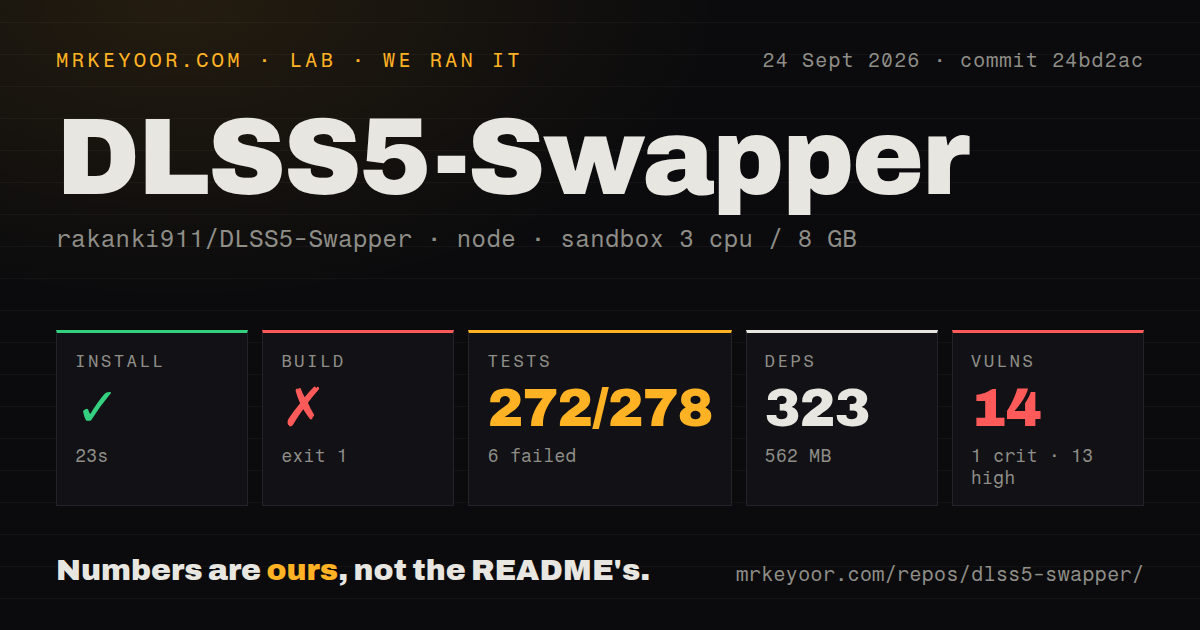
Our fresh checkout had 190 files, about 22,105 lines of source, and 32.9 MB of repository data. npm install succeeded in 23 seconds, added 323 packages, and occupied 562 MB. The project is an Electron app with a Windows build target and scripts for its overlay and bundled resources. Our scan found a test directory, no Dockerfile, and 0 CI workflow files. The absent CI matters because the local suite is not green.
The source package is not the full release payload. Its build command first runs scripts/collect-payload.js, while electron-builder expects payload, addons, and overlay-bin resources. In our container, the collector printed in Arabic and English that DLSS 5 files were not found, then told us to pass their folder to npm run payload. The log does not show where a contributor should obtain that folder: commit 24bd2ac did not build from its checkout alone.
What happened when we ran it
Our sandbox installed 323 npm packages in 23 seconds and used 562 MB on disk. The build exited with code 1 after 2 seconds because the required DLSS 5 payload files were absent. Tests exited with code 1 after 14 seconds: Node's test runner reported 272 passed and 6 failed out of 278. These results come from an unprivileged Debian container with 3 CPUs, 8 GB of RAM, and no secrets.
The supplied tail of the test log lists passing cases around compiler detection, single-instance behavior, release checks, and Vulkan-layer restoration. It does not identify the 6 failing cases, so we cannot say which functions failed or why. Npm audit found 14 known vulnerabilities in the installed tree: 1 critical and 13 high. That count is a dependency warning, not evidence that the packaged application was exploited, but it raises the bar for publishing traceable builds and automated checks.
Windows 10 and 11 are the supported path, while Proton is experimental
The release page provides an installer, portable executable, and SHA-256 checksums. The README supports Windows 10 or 11 x64 and says Feeder also needs the Microsoft Visual C++ x64 runtime, plus x86 for 32-bit games. Some components arrive on first use. A prior Program Files failure produced EPERM when the app tried to create a backup folder; version 2.2.7 now tells the user to run as administrator or move the game. Linux and Proton get experimental community source only, with no release binary.
Hardware and rendering paths also differ. ReShade and Feeder cover RTX 20 through 50 series according to the compatibility table. The bundled OptiScaler neural model runs on Blackwell, while older cards need a modified nvngx_dlssnr.dll supplied by the user. DirectX 10 is not directly supported by Feeder, and the F8 overlay is limited to 64-bit DirectX 11 and 12 games using supported add-on routes. Those constraints should be checked before downloading, not after a game stops launching.
Anti-cheat and per-game compatibility set the real limit
The README does not pretend injection is universally safe. It warns that anti-cheat can cause crashes or account bans, presents a red confirmation, and says the app never bypasses protection. Existing mods may conflict, and compatibility is not guaranteed. Current reports include an OptiScaler download timeout, a flickering overlay in a DirectX 9 game, and a Left 4 Dead 2 component timeout. Issue 397 reports fan spikes and two driver crashes on one setup after enabling newer files; it remains an individual report, not a measured general failure rate.
The community page can help narrow reports to your installed games and graphics card, but it is marked beta. Submitting a report can include the game, route, API, result, comment, GPU, driver, CPU, operating system, and app version after a review dialog. A random install identifier is stored as a hash for duplicate-vote control. Anyone avoiding hardware telemetry can leave the opt-in community features closed.
Release 2.2.7 is active, but the project is still young
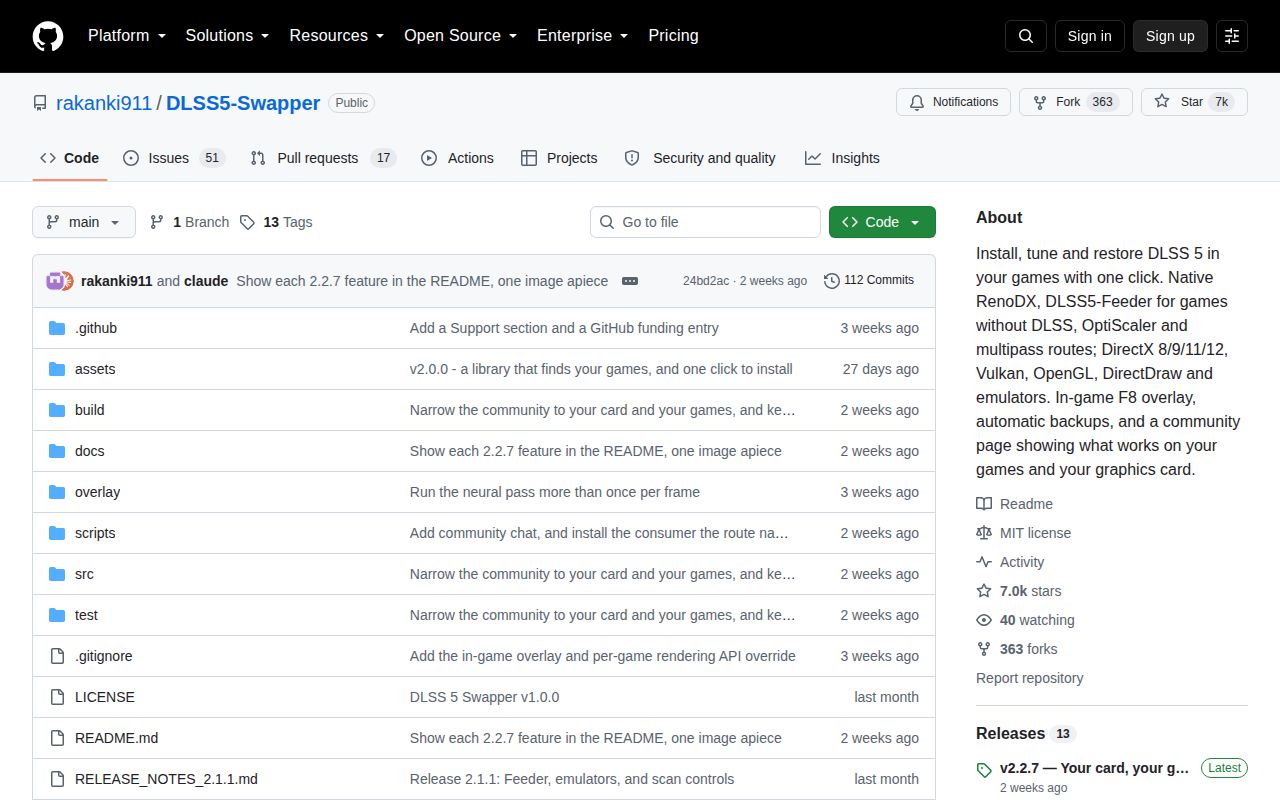
GitHub showed 6,975 stars and 68 combined open issues and pull requests. The repository was created on August 29, 2026, release 2.2.7 arrived on September 12, and the last push followed on September 13. Issue activity continued through September 28. That pace shows intense use and maintenance over roughly one month, not long-term stability. The latest release fixed DirectDraw installation, game detection, Program Files messaging, premature success messages, and uninstall guidance.
DLSS 5 Swapper makes a complicated mod stack legible and gives users a route back to original files. Our 272 passing tests show substantial checking, while 6 failures, 14 high-or-worse advisories, and the missing build payload stop short of a clean engineering result. Use the packaged binary with its published checksum, start on a game without anti-cheat, save diagnostics, and restore before switching backends. The tool is best treated as a controlled experiment per title, not a universal graphics upgrade.