Donut Browser isolates profiles, routes, and fingerprints
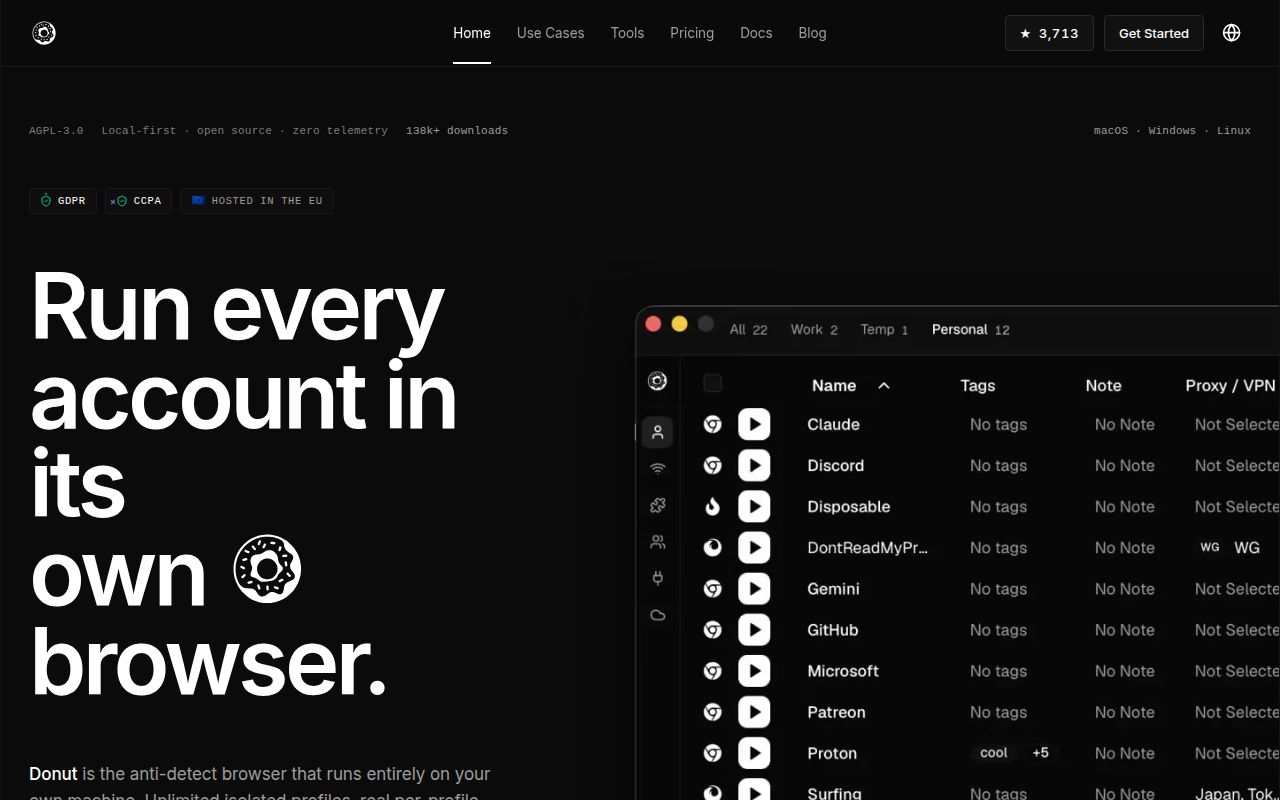
Donut Browser creates separate Chromium profiles with their own cookies, extensions, storage, fingerprint settings, proxy, and optional WireGuard configuration. Groups can apply settings across profiles, while imports bring data from Chrome, Edge, Brave, and other Chromium browsers. A DNS blocker works per profile. This is more separation than opening several ordinary browser windows under one account.
The legitimate use cases are easy to see: testing regional web behavior, keeping client accounts apart, reproducing a session with a fixed profile, and checking how a site reacts to privacy controls. The same features can violate a service's rules when used to conceal abusive automation or multiply accounts. Open-source code and local storage do not override those contracts, so policy review belongs beside technical evaluation.
Anti-detection claims need site-by-site verification
The README says its Wayfern Chromium fork can spoof fingerprints without detection by Cloudflare, reCAPTCHA v3, and other anti-bot systems. Treat that as the project's claim, not a durable guarantee. Fingerprinting systems, browser releases, and detection rules change independently. Open issue 549 reports that profiles were blocked by Cloudflare more often than expected, and issue 573 describes a saved configuration that could lose fingerprint spoofing.
A useful evaluation should capture the exact Donut and Wayfern release, operating system, profile settings, proxy type, and target site. Repeat it after updates. A profile that looks distinct to one test page may still expose correlated network, font, rendering, login, or behavior signals elsewhere. If account access or customer work depends on passing an anti-bot check, this project cannot remove that external dependency.
What happened when we ran it
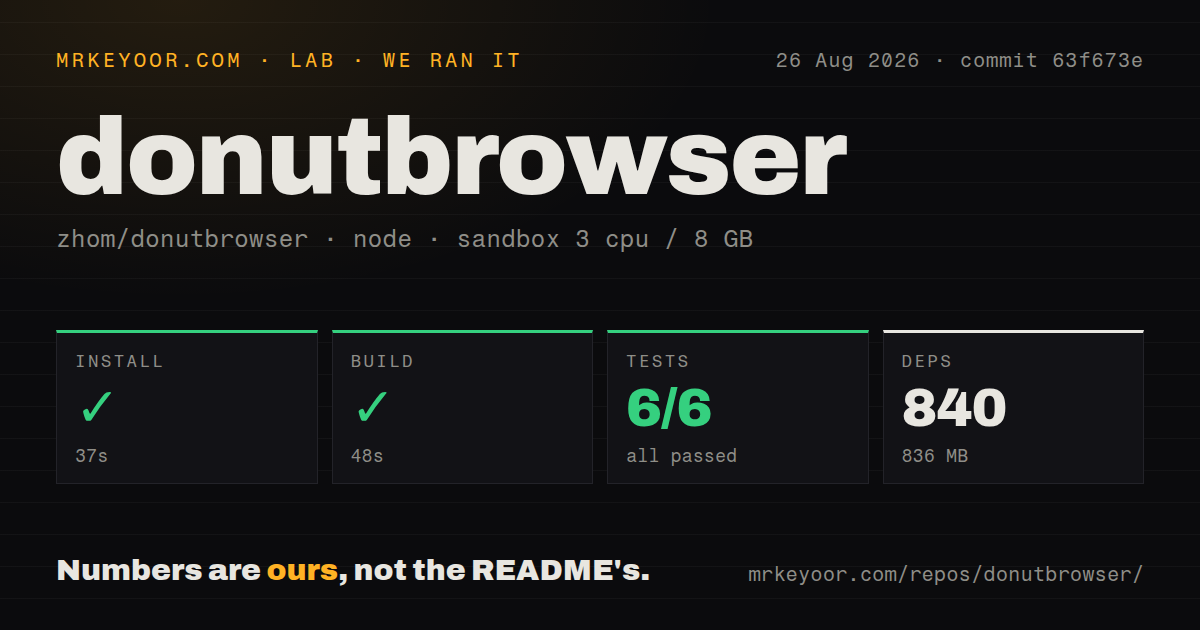
Our sandbox installed 840 pnpm packages in 37 seconds and used 836 MB on disk. commit 63f673e built successfully in 48 seconds. The checkout contained 491 files, about 167,077 source lines, and occupied 10.3 MB. It was a workspace monorepo with 19 CI workflow files, no Dockerfile, and no top-level tests directory in the measured tree.
The test command failed with exit code 101 after 61 seconds, although the Node summary reported 6 passed and 0 failed out of 6. The log showed repeated Xray-core download attempts rejecting a payload because its digest did not match an expected all-zero checksum. It then ended with [ELIFECYCLE] Test failed. Other lines showed cases for the pinned release, target rejection, license bundling, and cleanup reporting ok.
Those facts describe an outer command failure rather than a failed Node assertion. The excerpt does not explain why the expected digest was all zeros, so we would not blame the network, upstream artifact, or project code without another run. The practical result is that a fresh 3-CPU, 8 GB Debian environment could install and build the checkout, but could not complete its declared test step successfully.
Desktop installation is broad, while Linux has caveats
Version 0.29.6 publishes DMGs for Apple Silicon and Intel Macs, an x64 Windows installer and portable archive, plus deb, rpm, and AppImage packages for x86_64 and ARM64 Linux where listed. Homebrew and Nix paths are documented. The shell installer provides another Linux route, but reading and pinning downloaded installation code is safer on machines that will hold browser sessions and proxy credentials.
The README gives unusually frank AppImage troubleshooting. A segmentation fault may require libfuse2 or extraction mode. EGL display errors may need WEBKIT_DISABLE_DMABUF_RENDERER=1 or an X11 backend, and the project recommends deb or rpm packages if problems continue. Open issue 574 also reports Linux hardware acceleration not working. Test video, WebGL, downloads, extensions, and sleep recovery before choosing it as a daily browser.
Windows has a separate distribution concern. Issue 570 reports Smart App Control blocking the bundled Wayfern/Chromium binary as unsigned. Issue 586 reports a Windows 11 crash while setting Donut as the default browser. Neither issue proves every Windows install is affected, but both touch first-run trust and desktop integration. Managed Windows fleets should validate signatures and policy acceptance before a wider rollout.
Sync and MCP add useful control plus new exposure
Cloud sync can carry profiles, proxies, and groups across devices, and the server can be self-hosted with Docker. Optional end-to-end encryption uses a password known by the user. Before relying on that design, verify what profile data enters the sync payload, how keys are derived and recovered, how conflicts resolve, and whether extension data or live cookies are included. Back up a disposable profile and test restoration rather than learning from a damaged working identity.
The local REST API and MCP server let Claude and automation tools operate browser workflows. That earns Donut the MCP tag, but also expands the local attack surface. Bind control endpoints to the intended interface, restrict callers, and assume that profile actions can reach authenticated sessions. An assistant allowed to open pages or change profiles should receive the smallest useful tool set, especially when payment, publishing, or account settings are reachable.
Version 0.29.6 is active maintenance, not a feature release
GitHub recorded 3,713 stars, 19 combined open issues and pull requests, and a last push on August 26, 2026. Release v0.29.6 arrived 2 days earlier. Its notes describe internal maintenance, documentation, Nix setup, code cleanup, and test improvements, with no major user-facing feature or breaking change.
Recent issue activity covers password-manager popup sizing, a reCAPTCHA overlay on Meta login, YouTube drag and drop, Linux acceleration, Windows signing, and fingerprint behavior. That is healthy evidence of users testing real paths, but it also maps the rough edges buyers should reproduce. Donut is an interesting specialist browser for controlled profile work. Its fingerprint claims, failed lab test command, and desktop-specific bugs make a small pilot the sensible starting point.