One document model spans PDFs, Office files, audio, and more
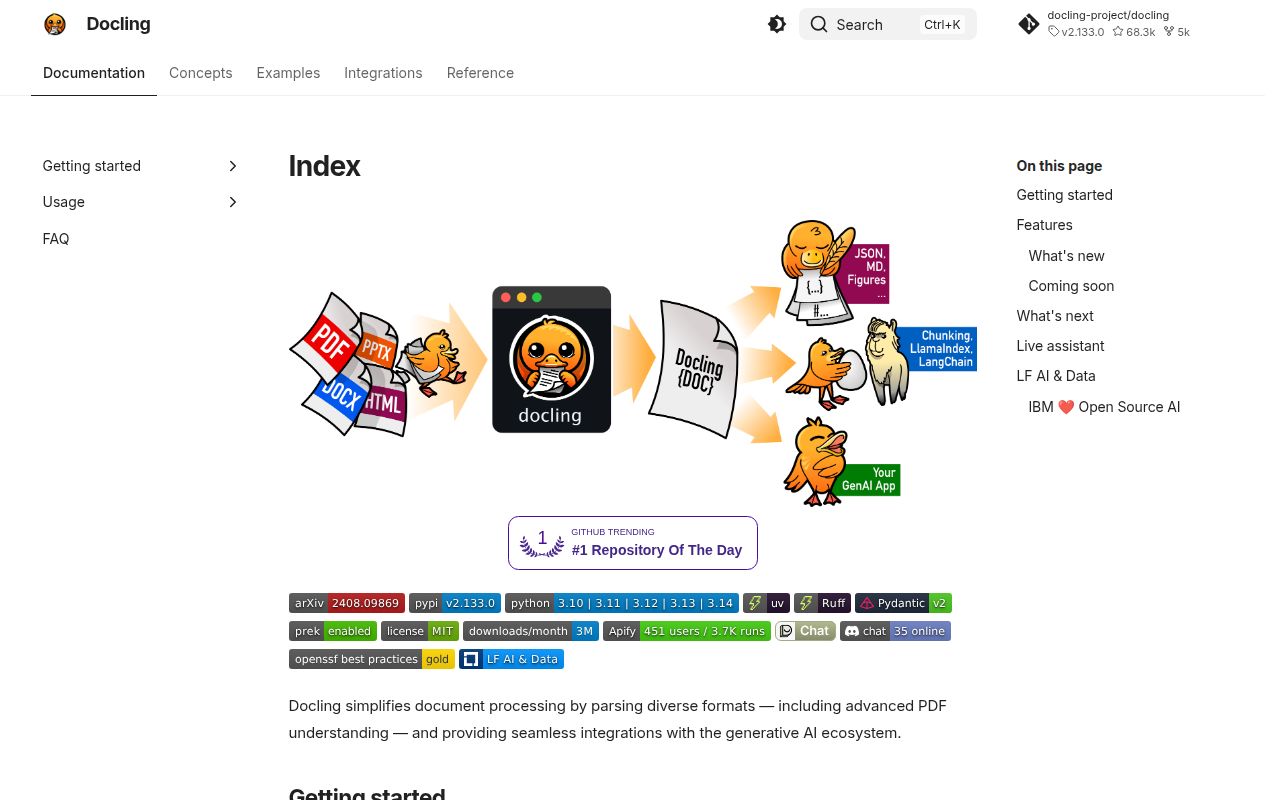
Docling accepts PDF, DOCX, XLSX, PPTX, HTML, email, images, audio, video, OpenDocument files, and specialist XML formats. It turns them into a DoclingDocument instead of stopping at a text dump. That object retains items such as headings, tables, pictures, page layout, and reading order, then exports Markdown, HTML, text, WebVTT, DocTags, DocLang, chunks, or lossless JSON.
That common structure is Docling's best reason to exist. A retrieval system can process a patent, a scanned invoice, and a slide deck through one downstream model instead of maintaining a parser-specific schema for each. PDF handling reaches into tables, code, formulas, image classification, charts, and OCR. The project also exposes a CLI and Python API, with separate routes for Docling Serve and an MCP server.
Local execution matters when source documents contain contracts, medical records, or internal reports that cannot go to a hosted parser. The repository uses the MIT license. Model licensing is separate, and the README explicitly tells users to check the original package for each model. That distinction belongs in procurement before a VLM or OCR engine reaches production.
What happened when we ran it
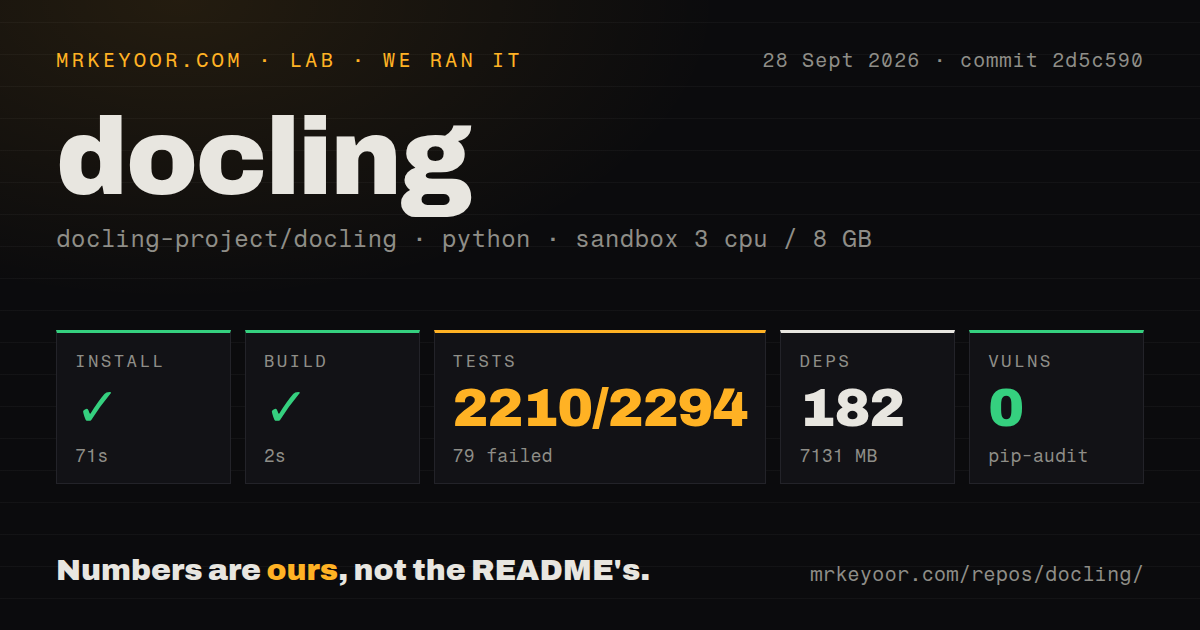
Our sandbox installed commit 2d5c590 in 71 seconds. The environment pulled 182 packages and occupied 7,131 MB on disk. The build completed in 2 seconds, and pip-audit reported 0 known vulnerabilities. This was an unprivileged Debian container with Python 3.12, 3 CPUs, 8 GB of RAM, and no secrets.
The test step failed with exit code 1 after 608 seconds. Pytest reported 2,210 passed, 79 failed, 77 skipped, 1 xfailed, and 5 collection or setup errors out of 2,294 tests. The checkout itself contained 1,772 files, roughly 153,659 lines of source, and used 186.7 MB. We also found 13 CI workflow files, a Dockerfile, and a tests directory.
The visible log tail repeatedly shows RapidOCR tests stopping because libGL.so.1 could not be opened. A separate fast-check test ended when a git merge-tree command returned an error. Those lines do not explain all 79 failures or the 5 errors, so assigning one cause to the whole result would be guesswork. The useful finding is narrower: a fresh Debian container can install and build Docling, but the full suite needs more runtime preparation than Python dependency resolution provided.
A 7,131 MB install changes the container plan
The README's quick start is one pip install followed by a one-line CLI conversion. Our 7,131 MB result shows what that simplicity costs in a clean environment. PyTorch and document models make this a substantial image before your own source files, cached artifacts, or optional engines arrive. A small PDF-to-text service should not pay that bill without proving it needs Docling's structure.
The installation guide is more candid than the quick start. CPU-only Linux users get a separate PyTorch index. Intel Macs need an older compatible PyTorch build and Python 3.12 or below. Optional extras cover ASR, VLMs, HTML rendering, EasyOCR, RapidOCR, and other engines. Video processing needs ffmpeg, while legacy Office formats and RTF need LibreOffice.
There is no hosted credential in the basic local route. Models and engine choices still become deployment inputs, so pin them and cache the required artifacts before an air-gapped rollout. If agents will call the MCP server or applications will use Docling Serve, add normal service controls: authentication where configured, request limits, timeouts, logs, and a retention policy for uploaded files.
OCR support depends on native libraries and hardware choices
Docling documents several OCR engines, but they do not share one installation path. Tesseract needs operating-system packages and TESSDATA_PREFIX. RapidOCR uses an optional extra with ONNX Runtime. Nemotron OCR has a much tighter lane: Linux x86_64, Python 3.12, and CUDA 13.x. Your engine choice determines the base image and accelerator requirements.
Our run makes that platform boundary tangible. Python installed 182 packages successfully, yet the RapidOCR test imports still failed when the container lacked libGL.so.1. The log establishes the missing library, not why every failing test broke. Build the exact production image first, then run its OCR path against scans in the languages and layouts you receive.
Conversion success also says little about correctness. A Markdown file can be created while reading order, a table cell, or a formula is wrong. Keep a representative gold set and compare page structure, headings, tables, symbols, and source references after upgrades. For records that need later reprocessing, lossless JSON is a safer stored result than Markdown alone.
The October 3 release is active, with a 997-item queue
GitHub recorded the latest push on October 3, 2026, and v2.133.0 was published the same day. That release adjusted RapidOCR model sizing and fixed handling across OpenDocument charts, Markdown code indentation, LaTeX encodings, DOCX numbering, CSV dialect detection, and uppercase extensions. This is active maintenance across the format surface.
GitHub also listed 997 open issues and pull requests combined, alongside 68,341 stars. The combined count is not a bug total, but it is a large queue to search before selecting a less common format or engine. Current code activity makes abandonment a poor reading of that number. It does suggest pinning versions and testing the particular conversions your application depends on.
Docling is the first parser I would test for a mixed, private document corpus where structure must survive conversion. The 2-second build is encouraging. The 7,131 MB environment and failed suite are the deciding counterweight. If your gold set proves that tables, reading order, and format coverage improve downstream results, the operational cost has a reason. Without that proof, use the smaller tool.