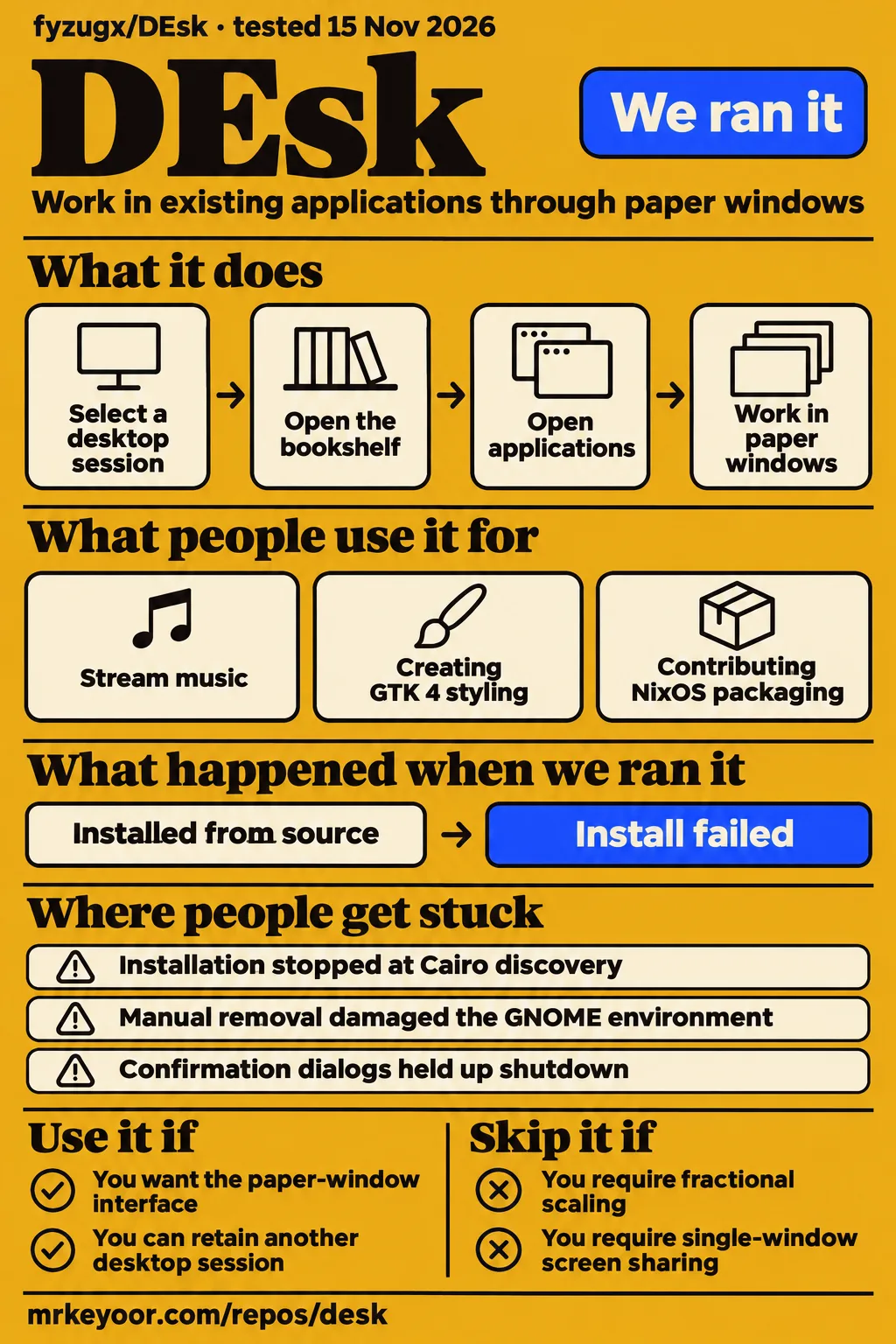
Our DEsk installation stopped after 3 seconds because Meson could not find Cairo. For Linux users attracted to paper windows and a wooden room, the useful decision is whether that interface justifies adding another desktop session. Keep your existing session available while making that decision. DEsk's documented workflow restrictions, especially application scaling and screen sharing, deserve as much attention as its appearance.
This desk review concerns fyzugx/DEsk, a Wayland desktop for Linux. The supplied README identifies v0.1.5 as beta, while our installation used commit 41a7a8d. Upstream's release notes report a v0.1.4 fix for the monitor-sleep regression in issue #18. That changes the adoption advice: the original failure has a recorded release outcome, and the later streaming-related idle-lock report is a separate part of the thread.
What people use DEsk for
GitHub contributors describe running DEsk on Debian, creating GTK 4 styling on Ubuntu and contributing NixOS packaging. These three uses show different reasons to spend time with the project: using the interface, adapting application appearance and integrating another distribution. The accounts belong to named contributors, and their reported outcomes should stay attached to those people.
| Person | What they did | Reported outcome |
|---|---|---|
| JamesStallings | Ran DEsk on Debian 13.7 Trixie and streamed music | Enjoyed the interface, reported interruptions and compared the same applications under LXQt. Debian usage account, #16 |
| VKOWinHecker201 | Installed DEsk on Ubuntu 26.10 and supplied GTK 4 styling | Shared Nautilus and Calculator previews; the current README credits the contributor for the GTK 4 theme. GTK 4 contribution, #17 |
| picarica | Contributed a NixOS flake | The maintainer says the flake entered v0.1.5 under packaging/nix through #48. NixOS packaging discussion, #22 |
JamesStallings' account is useful because it contains both enthusiasm and investigation. After praising the desktop, the user reported shutdowns on a machine already known to overheat under another workload. They then ran the same applications and music stream in LXQt. The Ubuntu contribution answers a different practical question: someone wanted existing applications to match the paper interface and supplied styling that upstream subsequently credited.
What happened when we ran it
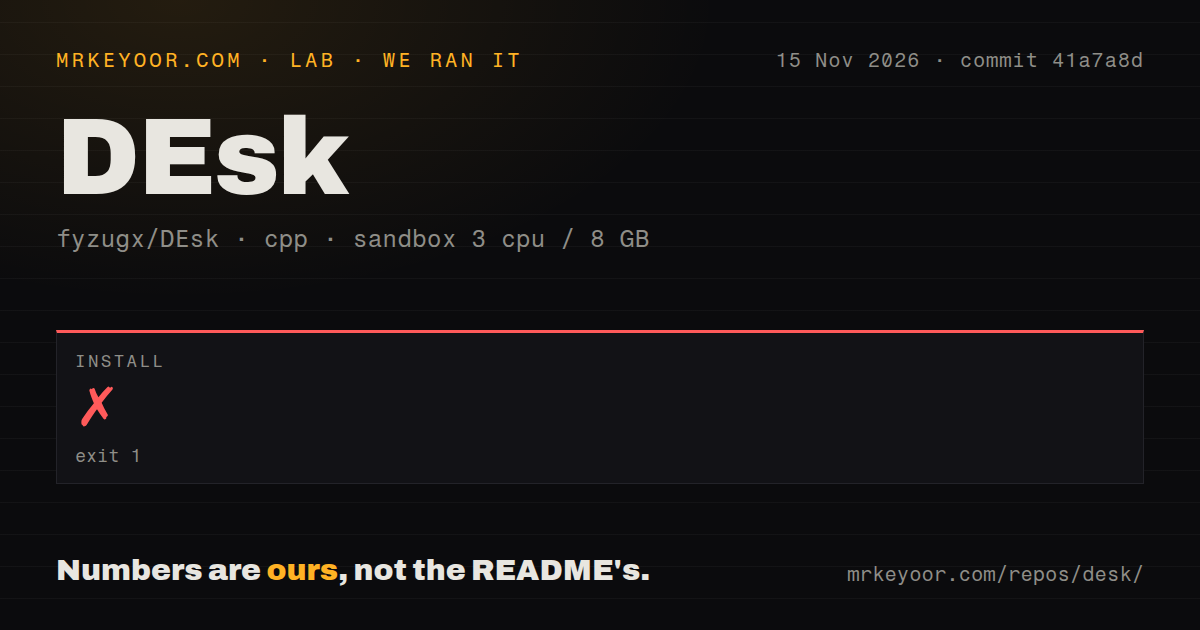
Our run at commit 41a7a8d failed during installation with exit 1 after 3 seconds on November 15, 2026. The sandbox configuration recorded 3 CPUs, 8 GB RAM and image label lab-cpp:1. The log reached dependency discovery and stopped at Cairo, so the concrete result is a setup failure with an identifiable stopping point.
| Recorded item | Result | Meaning |
|---|---|---|
| Installation | Failed, exit 1, 3 seconds | Meson stopped at Cairo discovery. |
| Sandbox configuration | 3 CPUs, 8 GB RAM, image label lab-cpp:1 | Recorded configuration of the installation environment. |
| Checkout | 230 files, about 92,987 source lines, 6.2 MB | Size of the checked-out source. |
| Repository signals | 0 CI workflow files, Dockerfile present, no tests directory | Scanner observations of this checkout. |
The compiler log identifies GCC 12.2.0, pkg-config 1.8.1 and CMake 3.25.1. It finds the math library and threads, then reports Run-time dependency cairo found: NO (tried pkgconfig and cmake). Meson stops at meson.build:27:0 with Dependency "cairo" not found, tried pkgconfig and cmake. The recorded total harness duration is 6 seconds; the installation step accounts for 3 seconds of that total.
The separate hands-on safety step failed because none of compose.yaml, compose.yml, docker-compose.yaml or docker-compose.yml existed. Its rule required a Compose file and labelled the repository unsafe on that basis. The teardown record says teardown: ok. A summary nevertheless claims deployment with the project's own Docker Compose and every port bound to 127.0.0.1. The failed prerequisite contradicts that success claim.
Where people get stuck
Upstream reports fixes in v0.1.3, v0.1.4 and v0.1.5 for several problems raised in the supplied issues. The important distinction is the recorded outcome for each problem: a release note naming a fix, a configuration explanation, or a discussion redirected to another ticket. Reading those outcomes together gives a more useful installation checklist than reading issue titles alone.
| Report | Reported problem | Recorded outcome |
|---|---|---|
| #11, removal | A user says manual removal damaged their GNOME environment. | v0.1.3 added an uninstall script; upstream says distribution packages and personal settings stay. |
| #47, terminal selection | Changing Default Programs left the drawer opening Xfce Terminal. | v0.1.5 added a Terminal row controlling the drawer and Super+Enter. |
| #12, rendering | Graphics changes disrupted the Control Panel and post box. | Upstream reports a v0.1.4 drawing-order fix. |
| #18, monitor sleep | A disappearing monitor hot-plug signal ended the session. | v0.1.4 release notes explicitly report fixing #18. |
| #51, shutdown | Application confirmation dialogs held up shutdown. | The maintainer redirected follow-up to #41. |
The terminal problem came from using the wrong kind of default. Upstream explains that a terminal has no file type of its own, so changing Default Programs did nothing for the drawer. The dedicated Terminal row exposes the setting directly. The rendering thread also contains a separate complaint about worn-looking application-category text. Its recorded drawing-order repair answers the missing Control Panel elements, while the text complaint concerns readability.
Installation and removal have version-specific instructions
The README documents installers for Debian 13, Ubuntu 24.04 and 26.04, Arch Linux, and Fedora 43 and 44. These commands install a desktop session selected after logging out. Read the route for your distribution and the removal instructions together: adding a session changes the machine's software and login choices, and upstream provides a specific way to reverse that installation.
| Distribution route | Documented script or location |
|---|---|
| Debian 13 | scripts/install_debian.sh |
| Ubuntu 24.04 / 26.04 | scripts/install_ubuntu.sh |
| Arch Linux | scripts/install_arch.sh |
| Fedora 43 / 44 | scripts/install_fedora.sh |
| NixOS | packaging/nix |
Fedora installation arrived in v0.1.2, uninstall tooling in v0.1.3 and upstream NixOS packaging in v0.1.5. Those versioned responses matter when an older issue says a route is missing. For removal, the README tells users to leave DEsk, enter another desktop or a text console, and run sudo sh scripts/uninstall.sh from the installation folder. It says the script asks before removal and leaves distribution packages and personal files in place. Installation and removal instructions.
The paper windows replace familiar desktop controls
DEsk documents Fold, Unfold and Discard actions on window corners, a drawer for the dock and a bookshelf for applications. These objects perform ordinary desktop jobs inside a rendered room. The interface is a reason to choose the project in its own right: you are changing how windows and applications are presented, while continuing to work in existing programs.
The README lists Super+D for the drawer, Super+A for the bookshelf, Super+C for the Control Panel and Super+N for notifications. X11 applications run through Xwayland. DEsk also selects standard applications for terminal, browser, file management and editing, with settings that can name their desktop entries. Its Shell Settings interface opens borrowed system tools and names the program responsible for each setting. DEsk controls and application model.
Styling and language have documented controls
The current README credits VKOWinHecker201 for DEsk's GTK 4 theme and lists seven interface languages. GTK 3 and GTK 4 styling use a DEsk-specific dconf layer. The README separately describes an optional libadwaita CSS import in ~/.config/gtk-4.0/gtk.css; that import applies across every desktop the user runs, and removing the line undoes it.
English documentation provides the installation and removal entry points, alongside Japanese documentation. Language selection is available through Shell Settings or shell.conf, and upstream says it switches live. These are useful distinctions for a reader considering a second session: documentation language, DEsk's own interface language and the appearance of external applications are separate controls. The GTK contribution and current instructions should be read together. Theme and language documentation, original GTK contribution.
Installation privileges and optional network requests
The documented installation commands use sudo, and the README says the screen lock checks authentication with PAM. Those are specific integration points for a Linux desktop session. DEsk also offers optional weather at the lock-screen door through open-meteo.com. Upstream says the request sends the selected city's latitude and longitude, so enabling weather adds an external request to the local interface.
The release notes describe desk-report as a diagnostic tool that gathers information into ~/desk-report.txt with personal information removed. In issue #18, the maintainer requested that report and the session log to understand the disappearing screen. Preserve the distinction between installation output and session diagnostics when seeking help: Cairo discovery and a monitor hot-plug event occur at different stages and call for different records. Diagnostic tool release notes, monitor diagnostic exchange.
DEsk vs LXQt and keeping GNOME
JamesStallings reports that LXQt ran all day without issues after interruptions under DEsk on the comparison machine. The thread describes using the same applications and music stream as a control. That makes LXQt a concrete comparison to repeat, with the original user's hardware and circumstances attached to the account. LXQt comparison account, #16.
| Choice | Supported distinction | Choose it when |
|---|---|---|
| DEsk | Paper windows, drawer, bookshelf and rendered room | The physical desktop interface is the reason you want another session. |
| LXQt | Its repository identifies it as the next generation of LXDE. | You want the alternative used in the supplied same-applications comparison. |
| GNOME | Its site documents an overview, workspaces and everyday applications. | Your existing GNOME session already supports your work. |
LXQt's repository contains its desktop components. GNOME's site describes spreading work across multiple workspaces and using Super to open an overview. These primary descriptions explain what the alternatives are, while the user thread supplies the specific LXQt experience. Keeping an existing desktop also gives the README's uninstall procedure an accessible starting point after leaving DEsk. LXQt repository, GNOME workflow description.
How to read the monitor issue's outcome
The v0.1.4 release notes explicitly report fixing the monitor-sleep regression in #18. Earlier in the thread, the maintainer explained that DEsk ended its session when the last screen disappeared. The reported repair keeps the session alive and waits for the screen to return. That release outcome supersedes the earlier comment saying the fix would arrive in the next update.
The thread continued after the accidental October 24 closure and reopening. On October 28, JamesStallings described v0.1.4 testing, then identified Chromium music streaming as the condition preventing idle locking. The user intentionally closed #18 and said they would open a streaming-related issue. By contrast, #51 routes shutdown follow-up to #41. These endings describe different outcomes and should retain their own explanations. Full monitor thread, v0.1.4 release account, shutdown discussion.
FAQ
Upstream documents an uninstall script run after leaving DEsk, answering the removal question raised in #11. The other questions below come from the supplied project discussions and concern configuration, styling, packaging and session behavior. Their answers use the current README or the recorded maintainer response, with version numbers retained where a later release changed the answer.
How can I uninstall DEsk without damaging another desktop environment?
The README directs users to run sudo sh scripts/uninstall.sh from the installation folder after logging into another desktop or a text console. It says the script leaves distribution packages and personal settings. The maintainer identifies v0.1.3 as the release that added this route, following the earlier removal complaints. Uninstall instructions, removal discussion.
Why does DEsk go black after ten minutes and fail to wake?
Upstream reports a v0.1.4 fix for #18, where a monitor dropping its hot-plug signal caused DEsk to end the session. The later October 28 comments concern Chromium streaming preventing idle locking, and the reporter intentionally closed the original issue after identifying that condition. These are distinct behaviors within the same discussion. Monitor report, release notes.
Where is DEsk's shell.conf file, and when is it created?
The README places personal settings in ~/.config/desk/shell.conf, written when a user first changes Shell Settings or creates the file manually. Until then, machine-wide settings and defaults apply. JamesStallings confirmed the file appeared after changing settings through the desktop, resolving the earlier confusion about its location. Configuration explanation.
Why does the drawer ignore my default terminal setting?
The v0.1.5 release notes document a dedicated Terminal row in Shell Settings that controls the drawer and Super+Enter. Upstream explains that Default Programs could not choose a terminal because it has no file type of its own. The row selects among installed terminals by name and uses the app.terminal setting. Terminal selection discussion.
Can DEsk include GTK 4 styling for a more consistent application theme?
The current README includes GTK 4 styling and credits VKOWinHecker201. Its normal theme setup uses DEsk's own dconf layer, while the optional libadwaita CSS import affects every desktop session. That distinction matters when sharing a user account with GNOME or another desktop. Current theme instructions, GTK 4 contribution.
Can DEsk's NixOS support live in the main repository?
The maintainer says the NixOS flake entered v0.1.5 under packaging/nix through #48. The release notes describe a package and NixOS module for the login session, maintained by the community. The contribution therefore has a recorded home in the main repository, answering the request to avoid maintaining two separate locations. NixOS contribution.
Is there a DEsk community forum other than Discord?
The supplied maintainer response says they would consider enabling GitHub Discussions. The README links a Discord server and invites bug reports and ideas. GitHub issues contain the support exchanges cited throughout this review, including the original request for a forum other than Discord. Forum request and reply, README community link.
Can the Control Panel offer Eco, Balanced and Performance modes?
The maintainer acknowledged the requested selector and said it must work without systemd too. That response records the requested direction. DEsk's documented Graphics levels control drawing quality, a different setting from the requested system power-profile selector. Keep those controls distinct when reading the discussion or deciding which machine settings you need to reach quickly. Power-profile request.
Why can an application's confirmation dialog prevent DEsk from shutting down?
The README describes shutdown as asking windows to close first, with a window that stays open holding up the operation. In #51, the maintainer agreed that the explicit power action should end the session and redirected follow-up to #41. The duplicate closure records that routing. Shutdown behavior discussion.
Why does the Control Panel render incorrectly after changing graphics settings?
Upstream reports a v0.1.4 fix for the drawing-order problem affecting the Control Panel and post box after Graphics changes. The traced background had been drawn over their elements. Logging out and back in was the earlier workaround; the issue also contains a separate concern about worn-looking application-category text. Rendering report and response.
What we have not tested yet
Our installation failure left monitor recovery, interactive window handling and sustained desktop use untested. We also have not tested supported distribution installation, uninstalling alongside GNOME, NixOS packaging, terminal selection or shutdown with a confirmation dialog. The supplied evidence records upstream delivery of the #18 fix, but our lab supplies no independent recovery result. The #51 extract supplies no implemented shutdown fix. No build or test result accompanies our failed installation, and the Compose safety label is a harness admission result, not a desktop security assessment.
The v0.1.5 release notes list adoption limits that can decide the choice before another installation attempt. DEsk does not yet tell applications a scale, leaving their windows small on HiDPI displays. Fractional-scale, layer-shell, session-lock, gamma-control and input-method-v2 are unsupported. That affects uses such as Waybar panels, external screen lockers, night-light controls and on-screen keyboards. Screen sharing covers whole screens rather than individual windows and does not start with the software renderer. X11-to-Wayland dragging is also unsupported. Upstream known limitations.
Other upstream boundaries include no suspend or hibernate button, incomplete right-to-left rendering outside the post box, and translations beyond English and Japanese awaiting native-speaker review. The community NixOS flake is not built or tested with every release. Upstream says Fedora container installation and headless execution were tried, while graphical Fedora login was not. Our lab has not assessed these paths, label accessibility, interface languages, PAM security, diagnostic redaction, weather requests or isolation of settings between desktops.
We have not measured idle memory, energy use, frame rates or comparative performance. The observations in #16 belong to a user with a machine already known to overheat and do not diagnose a DEsk memory leak. The scanner's missing tests directory and CI workflows do not enumerate all upstream checks; the release notes describe other checks. The image label does not identify the operating-system version, and the Cairo log supplies no proven package remedy. The metadata records 1,693 stars and a November 14, 2026 last push, not daily adoption. The null latest-release lookup supplies no confirmed release designation beyond the README's v0.1.5 beta label.
A useful next run would record the exact revision and graphics driver on a supported installation, then exercise monitor sleep, physical monitor power-off and shutdown with unsaved work. It should also check the display scaling and screen-sharing workflows the intended user needs. Those are proposed checks, not results: the measured result here remains the installation failure at commit 41a7a8d.