mrkeyoor.com_
Fri 16 Oct 18:52 UTC
AI Toolsevaluationupdated 08 Oct 2026

Deepseek-Harness-Easy-Setup review

DeepSeek Harness Easy-Setup is a Chinese-language Windows installer project for DeepSeek Harness, and the repository does not provide an English README. It bundles the upstream command-line package with a portable Node runtime, then adds shortcuts that start its local web interface or stop the process.

+0stars / 7d
Verdict

We could not execute commit 27460bc because our sandbox supports neither this PowerShell ecosystem nor a Docker path, so there is no lab proof that its installer completes. The source is unusually candid about its Windows assumptions and has a serious end-to-end test script, but its downloaded build inputs are not checksum-pinned and its release notes provide almost no evidence. Use it only when you can build and verify the EXE on Windows yourself; everyone else should install upstream dsh directly or choose a signed desktop client.

We ran it

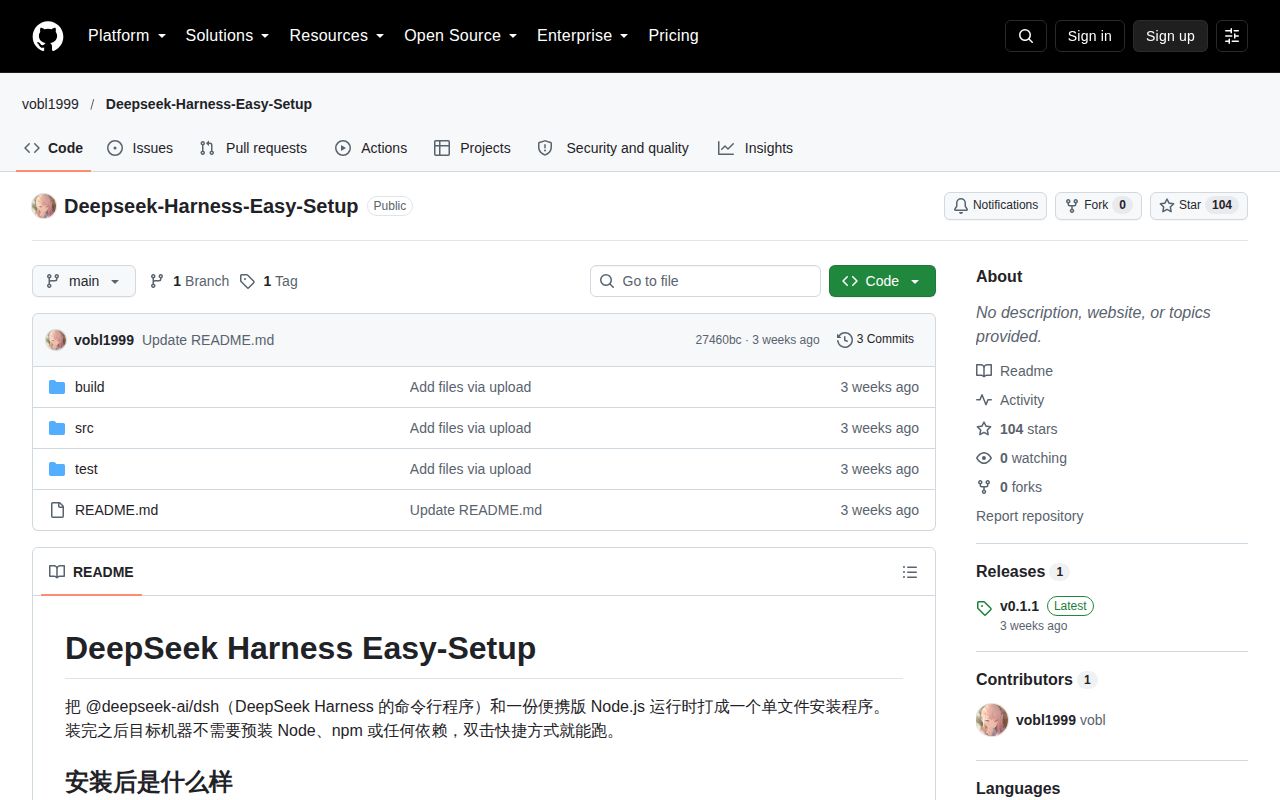
Screenshot of Deepseek-Harness-Easy-Setup (github.com/vobl1999/Deepseek-Harness-Easy-Setup)

Answers from our run

Did you run Deepseek-Harness-Easy-Setup yourself?

No. Its code is PowerShell, and it carries no manifest our lab installs from, and no Dockerfile, so there was nothing standard to install, build or test. This review is written from the repository's own documentation.

Who should not use Deepseek-Harness-Easy-Setup?

macOS, Linux, Windows on Arm, or 32-bit Windows users: the build and bundled runtime target Windows 10 or 11 x64.

What are the alternatives to Deepseek-Harness-Easy-Setup?

DeepSeek Harness, DSH Desktop by Anywhere Labs, DSH Desktop by DataElement. The source is unusually candid about its Windows assumptions and has a serious end-to-end test script, but its downloaded build inputs are not checksum-pinned and its release notes provide almost no evidence.

Setup2/5Windows-only build with six prerequisites and no sandbox result
Docs3/5Detailed Chinese README; no English guide or useful release notes
Community2/5104 stars, no issue history, and one published release
Maturity2/5Single release wrapping a compatibility-breaking upstream preview

Who it’s for

Chinese-speaking Windows users who want DeepSeek Harness without installing Node or npm on the target PC.
Administrators willing to build and inspect an NSIS installer on a dedicated Windows x64 machine.
Developers who specifically want the upstream web interface launched from desktop and Start menu shortcuts.
Testers comfortable with a young wrapper around an upstream developer-preview project.

Who it’s NOT for

macOS, Linux, Windows on Arm, or 32-bit Windows users: the build and bundled runtime target Windows 10 or 11 x64.
English-only teams: the README, launcher messages, and operating notes are Chinese, with no English documentation in this repository.
Security-sensitive distribution pipelines that require signed binaries and checksum-pinned inputs: the scripts download Node and NSIS without documented cryptographic hash checks, and the release provides no checksum file.
Builds kept under a path containing spaces: the README says the NSIS parameter handling cannot accept that path.
Teams expecting a stable upstream contract: DeepSeek Harness labels itself a developer preview with compatibility-breaking changes, while this installer copies the globally installed package present at build time.
Operators needing a Windows service or shared machine deployment: installation is per user, starts a local web process from shortcuts, and stores one PID and log under LocalAppData.

Setup reality

We did not run commit 27460bc. Our sandbox had no supported ecosystem for a PowerShell project, and the repository had no Dockerfile, so install, build, and tests were not attempted.

The documented build needs Windows 10 or 11 x64, PowerShell 5.1, .NET Framework 4.x, Node, a global @deepseek-ai/dsh install, and network access to nodejs.org and SourceForge. NSIS can be downloaded by the script.

The project path cannot contain spaces. The portable Node version must match native modules in the copied dsh package, the installer is per user, and the end-to-end test rewrites the current user's real desktop and Start menu shortcuts before removing them.

The installer removes Node from the target PC, not the build PC

DeepSeek Harness Easy-Setup solves one narrow Windows problem. It turns the upstream @deepseek-ai/dsh package, a portable Node executable, two small C# launchers, and an NSIS script into one installer. After setup, desktop and Start menu shortcuts open the local dsh web interface or stop it. The target user does not have to install Node, npm, or the package separately.

The builder still needs the whole chain. The README requires Windows 10 or 11 x64, PowerShell 5.1, .NET Framework 4.x, Node, network access, and a global dsh installation. The build script locates that global package, reads its version, copies it into staging, downloads a matching portable Node build, compiles the launcher and stopper with the system C# compiler, then invokes NSIS. A repository path with spaces is explicitly unsupported.

The package you build depends on that machine's global dsh

By default, the script copies dsh from the current user's global npm directory. You can pass another source folder and override the installer version, but there is no manifest in this repository that pins one upstream package release for everyone. That makes the build convenient for a personal handoff and harder to reproduce later. The native node-pty, sharp, and koffi modules also have to match the portable Node version.

commit 27460bc was made on September 20, 2026, and its README example produces version 0.1.1. The script derives a stable-looking installer version by removing a prerelease suffix from the upstream package string. That means an upstream 0.1.1-rc.2 package can become an installer named 0.1.1. Anyone distributing the EXE should record the complete dsh version and Node version outside the filename.

What happened when we ran it

We did not run commit 27460bc in our sandbox. The repository's primary language is PowerShell, which was outside the ecosystems supported by this runner, and there was no Dockerfile that could provide a supported execution path. Install, build, and test steps were therefore not attempted.

The unused sandbox allocation was 3 CPUs and 8 GB of RAM in an unprivileged container with no secrets. Those resources say nothing about whether the Windows installer builds or whether its own end-to-end test passes. We have no measured package count, disk footprint, build time, test time, or test result for this repository, and we will not substitute the README's claimed success message for a lab result.

The test script touches real user shortcuts

The included PowerShell test is much more substantial than the release notes. It silently installs into a test directory, checks installed files, desktop and Start menu links, the uninstall registry entry, launcher logging, duplicate-start behavior, stopping, a real HTTP response from dsh web, and removal. It reports either ALL CHECKS PASSED or a failure count. That is a good test design on paper, but our sandbox did not execute it.

The test uses port 3999 for the real boot check and rewrites shortcuts with the same names as a normal installation. The README warns that running it changes the current user's desktop and Start menu links, then deletes them during uninstall. A clean Windows virtual machine is the sensible place to run it. Testing on a developer's daily account can disturb an existing installation, even if the script itself behaves as documented.

Downloaded build tools are checked for shape, not identity

The NSIS helper cycles through several SourceForge mirrors, opens each ZIP, and confirms that it contains makensis.exe. The Node download is taken from nodejs.org using the build machine's current Node version. Neither path in the inspected scripts verifies a cryptographic checksum. The repository's sole release contains one roughly 45.7 MB Windows EXE, but the release body is only 123 and does not publish hashes or signing details.

That does not prove the binary is malicious or corrupted. It means a careful distributor has to add the missing provenance checks: pin versions, verify vendor hashes, scan the staged files, sign the final installer, and publish its digest. The GitHub repository also has no detected license metadata, although the Chinese README says its scripts are MIT-licensed and attributes the whale icon to DeepSeek. A company should resolve that metadata mismatch before redistribution.

One September release is too little history for blind installation

GitHub showed 104 stars, 0 open issues and pull requests, and no issue history on October 8, 2026. The last push and the only release both landed on September 20. Zero reported issues in a repository this new is not evidence that the installer is trouble-free. There is little public usage history to inspect, and the release description does not tell you what was built.

The wrapper is useful for a very specific audience: a Chinese-speaking Windows user who wants the upstream web UI behind familiar shortcuts. Its source is small enough to audit, and the author documents several awkward Windows behaviors plainly. Still, upstream dsh calls itself a developer preview and warns of breaking changes. Build the installer in a disposable Windows VM, preserve exact input versions, and verify the result before giving it to another machine.

Alternatives

ProjectWhat it isPick it when
DeepSeek Harness gh↗The upstream agent harness, runnable directly with Node and npm.pick this instead when you can install Node and want official documentation, source builds, and the newest upstream behavior.
DSH Desktop by Anywhere Labs gh↗A community desktop application for DeepSeek Harness on Windows and macOS.pick this instead when you want a maintained native desktop experience and macOS support, not only a Windows web launcher.
DSH Desktop by DataElementA cross-platform desktop wrapper with signed installers, profiles, updates, and recovery tools.pick this instead when signed releases and desktop management features matter more than a small installer script collection.

What people are saying

  1. [velocity-scout] vobl1999/Deepseek-Harness-Easy-Setup

Sources

  1. DeepSeek Harness Easy-Setup repository
  2. Easy-Setup build script
  3. Easy-Setup installer test
  4. Easy-Setup release
  5. DeepSeek Harness upstream repository

More ai tools reviews

universal-modder · DeepEP-Ascend · DeepGEMM-Ascend · hypoarena · jeeves · faster-whisper · the whole board →