Dark Reader fixes the long tail of sites without dark mode
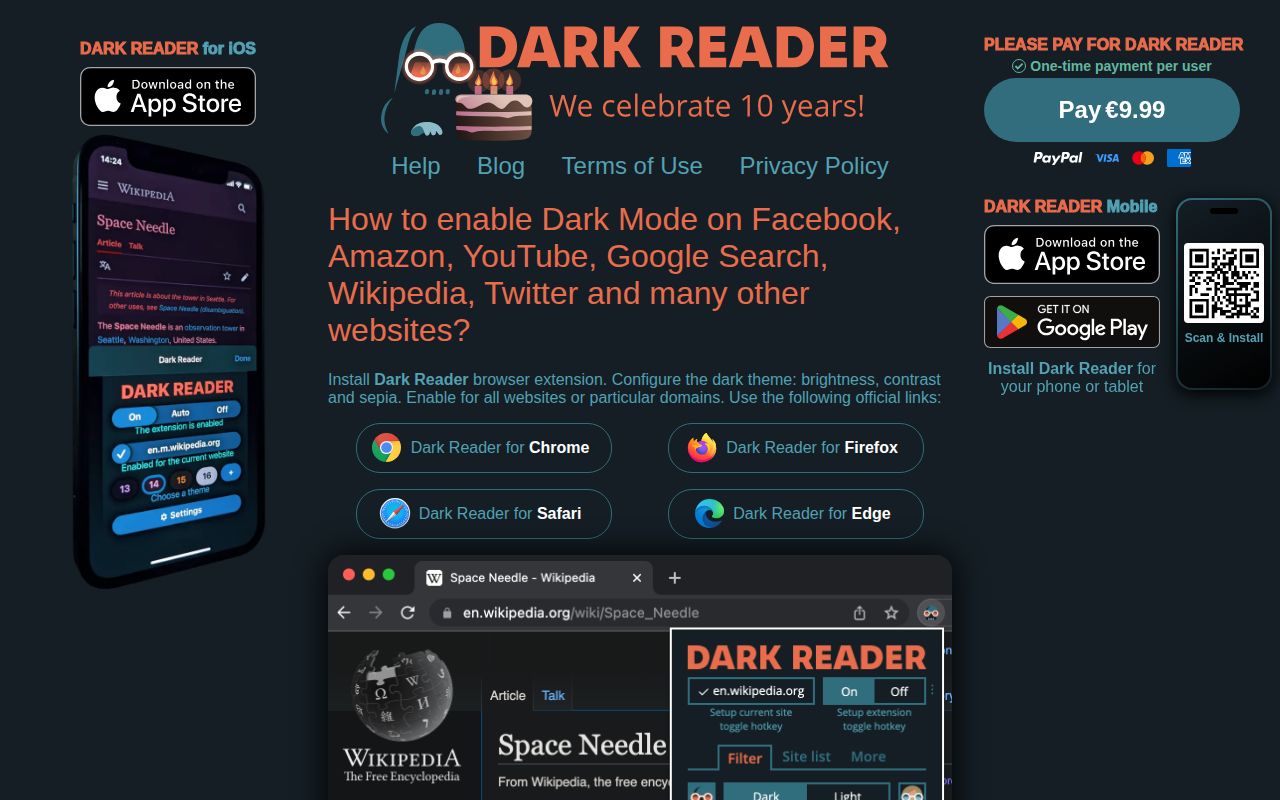
Dark Reader does more than invert a screenshot. Its default dynamic mode analyzes stylesheets, backgrounds, images, and vector graphics, then rewrites colors as the page changes. Users can tune brightness, contrast, sepia, and saturation globally or for one site. An include or exclude list handles pages that already look right. The extension is available for Chrome, Firefox, Safari, Edge, and Thunderbird.
There are 4 generation modes. Dynamic analyzes the page for better results. Filter inverts the page and restores selected parts, but can hurt text rendering or lag on large pages. Filter+ uses SVG filters and behaves poorly in Firefox. Static generates a basic stylesheet quickly. Switching modes per site is a useful repair tool.
Broad page access is necessary and still worth scrutinizing
A theme engine must read and change page styles. Dark Reader's Chrome Manifest V3 file requests scripting, storage, font settings, alarms, and host access for *://*/*; the Firefox manifest includes tabs, theme, storage, and <all_urls>. The help page explains that this access is used to analyze appearance and apply site settings. The privacy policy says the extension does not collect personal data or browsing history.
The MIT source permits inspection, but permission scope remains a personal or organizational decision. An extension able to run on almost every page occupies a sensitive browser position even when its authors collect nothing. Managed workplaces may prefer browser-native themes or an allowlisted user-style tool.
What happened when we ran it
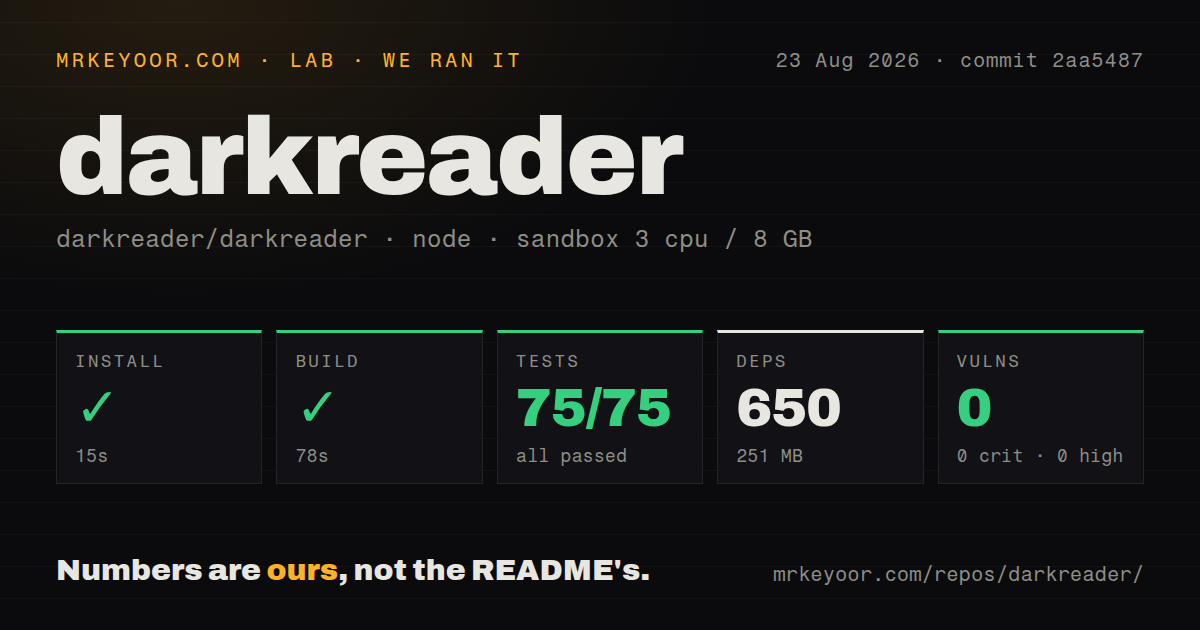
Our sandbox cloned commit 2aa5487 into an unprivileged Debian container with 3 CPUs and 8 GB of RAM. Npm installed 650 packages in 15 seconds and used 251 MB. The source build succeeded in 78 seconds. Jest then passed all 75 tests in 11 seconds, and npm audit found 0 known vulnerabilities in the installed packages.
The checkout held 980 files, roughly 38,615 lines of source, and 4.4 MB before dependencies. Our scan found 4 CI workflow files, a tests directory, and no Dockerfile, which fits a browser extension rather than a service. Install, build, tests, and audit all completed without an observed failure.
The lab did not load the extension into every supported browser or compare visual output across websites. A passing 75-test suite cannot cover the changing CSS, canvas, iframe, and browser behavior of the whole web. It does not settle every site-specific report.
Site fixes are maintenance data, not a one-time algorithm
Automatic transformation will always meet exceptions. Dark Reader carries site-specific fixes, and ordinary builds receive those changes with extension releases. Optional synchronization of newer fixes can be enabled through advanced settings, but it is off by default because the team stopped using GitHub as a content-delivery network. Users can reset local changes and force a sync when that setting is active.
GitHub showed 1,449 combined issues and pull requests on August 26, 2026. That includes site-specific reports and proposed fixes, not 1,449 confirmed core defects. New activity covered GitHub theme detection, Desmos, webmail, and WordPress. The queue reflects the size and churn of the compatibility surface.
Browser restrictions should stay stronger than theme preferences
Firefox prevents extensions from running on certain protected pages. Dark Reader documents how to empty the restricted-domain list, but warns that the preference applies to every extension. That is a poor trade for most users. A white Mozilla-controlled page is less costly than removing a browser security boundary globally. The same restraint applies to private windows and local files.
Browsers may show a bright background before a page loads, which Dark Reader cannot fully control; a dark browser theme helps. Extension-store pages remain white because extensions cannot inject there. Local files need a separate permission. Open reports also cover unreadable QR codes and local PDFs, reminders to toggle the extension off when color transformation changes machine-readable or embedded content.
The website API is useful but has a visible side effect
Developers can install the darkreader npm package, call enable, follow the system color scheme with auto, disable transformation, check status, or export generated CSS. This can provide a quick dark mode for a site whose CSS was never designed around theme variables. The README warns that the library adds a stub chrome object to window, which may conflict with applications using the same global.
A generated theme should not replace design-system work when the application owner controls the CSS. Native semantic tokens yield more predictable charts, logos, focus states, and brand colors. The API is better suited to prototypes, embedded content, readers, or legacy pages where refactoring every stylesheet is unrealistic. Test it with screenshots and accessibility checks across actual application states.
Current pushes outweigh the older release date
The latest GitHub release was v4.9.129 on July 14, 2026, while the repository was pushed on August 26. Same-day pull requests and broken-site reports show active work after the release. The security policy advises running the newest available version and notes that browser stores can lag. That is a distribution reality, not evidence that the project is dormant.
Dark Reader remains the default recommendation because its controls and compatibility work match the messy web it operates on. Our clean 101-second build-and-test path strengthens that recommendation for contributors, while the open queue keeps it honest. Use the extension where automatic darkening improves daily browsing, exclude problem sites quickly, and keep browser security stricter than the desire to darken every page.