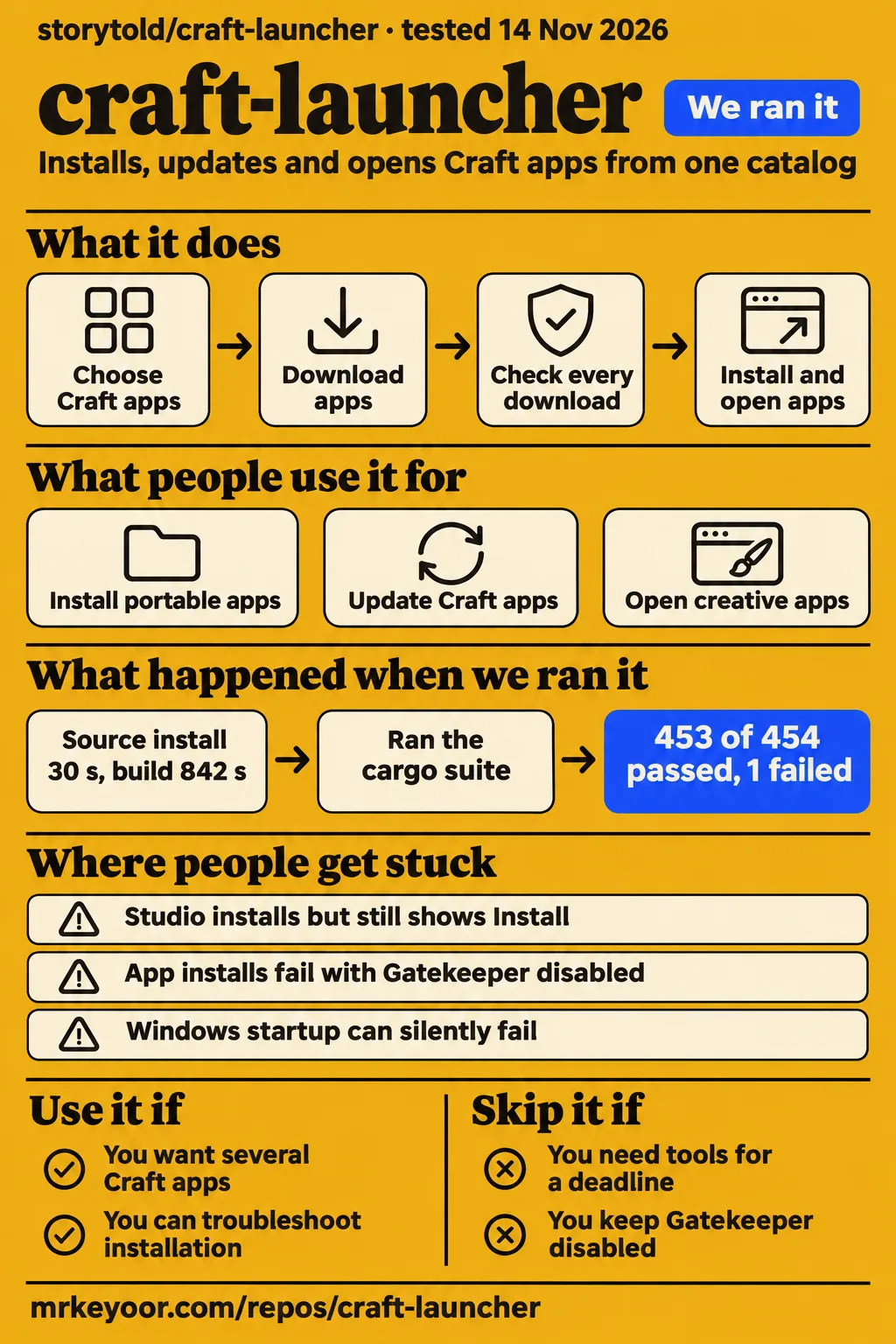
Our sandbox built ArtCraft Launcher in 842 seconds, but its test command failed with 453 passes and one failure. Use it to explore several Craft apps if you can troubleshoot installation and graphics problems. Keep manual downloads available, and avoid making it the only route to tools you need for a deadline.
What people use craft-launcher for
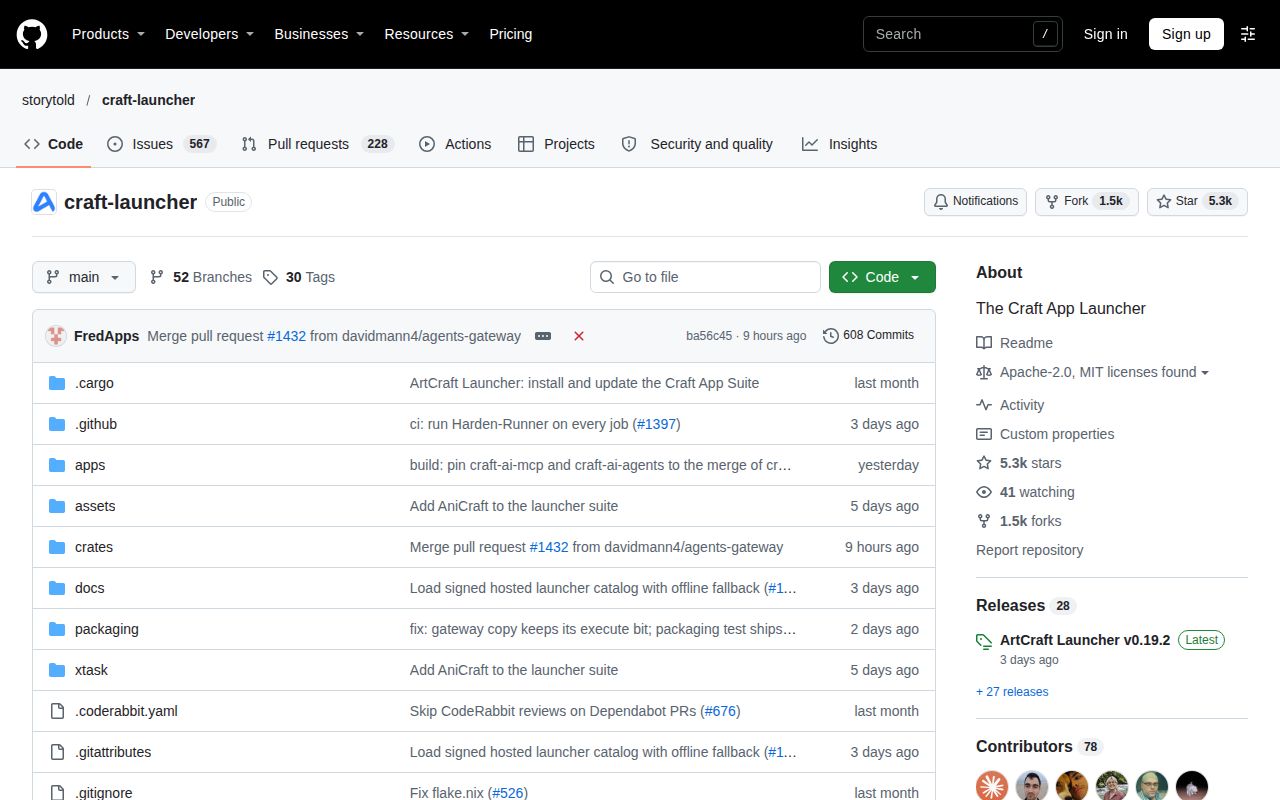
storytold/craft-launcher installs, updates and opens the Craft creative-app suite, according to its README. It saves you from visiting separate release pages for PhotoCraft, FilmCraft, GridCraft and the other apps. The similarly named Minecraft launcher service and Craft CMS plugin serve different purposes. Their pricing and features say nothing about ArtCraft.
The most useful community evidence concerns getting applications onto a computer, rather than producing finished creative work. These reports show both successful actions and the version boundaries attached to them:
| Who used it | What they did | Reported outcome |
|---|---|---|
| dmnsea and joaowars776 | Retried Windows portable app installation after the archive-layout bug | Portable installations worked in v0.8.1. Issue #574 |
| nick314 | Built v0.13.0 locally with PR #1091 while keeping Gatekeeper disabled | Craft Anything and GridCraft installed successfully with the modified build. Issue #1078 |
| SauloHS, confirmed by Hachdog | Updated an Intel graphics driver after startup failures | The launcher opened after an Intel driver update for SauloHS and Hachdog. Issue #46 |
| robhyder | Installed ArtCraft Studio with Launcher v0.16.0 and opened its executable directly | Studio opened, while the launcher continued to show Install. Issue #1302 |
The portable-install reports make the clearest case for the launcher: people who wanted apps without system-wide installation eventually got that workflow working. Studio's report shows the opposite side of the same promise. Downloading and installing an app can succeed while the catalog still gives you the wrong next action. For a launcher, accurate detection is part of the product.
What happened when we ran it
Our November 14, 2026 quickstart attempt at commit ba56c4587f57 stopped at install planning. Its clone step completed, then install planning failed. The record names recipe quickstart-cli. The runner reported no install method it could run: its recipe excluded source builds, Homebrew and pipe-to-shell scripts, and found no supported package command or manifest-named binary. That is a recipe-selection failure, rather than an observed desktop crash.
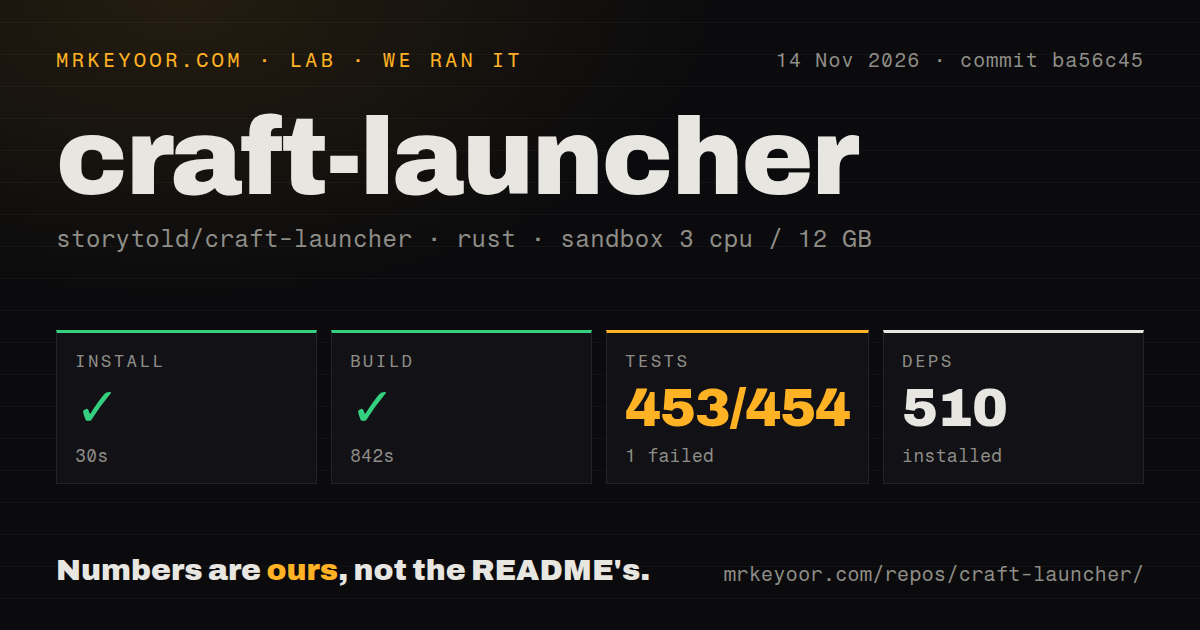
Our November 14, 2026 source run installed dependencies in 30 seconds, built in 842 seconds and failed its test command after 250 seconds at commit ba56c45. The sandbox configuration recorded 3 CPUs, 12 GB RAM and image label lab-rust:1.
| Source-harness step | Recorded outcome | What to take from it |
|---|---|---|
| Dependency installation | Succeeded in 30 seconds; 510 dependencies recorded | The source setup step completed in this sandbox. |
| Build | Succeeded in 842 seconds | Compilation succeeded for the measured checkout. |
| Tests | Exit 101 in 250 seconds; 453 passed, 1 failed of 454 | The test command failed despite most tests passing. |
| Repository scan | 272 files, approximately 46,738 source lines, 6 MB checked out | Checkout size is separate from an installed footprint. |
| Automation scan | 8 CI workflow files, no Dockerfile, no tests directory | Tests can live inside Rust modules, as the test output demonstrates. |
The failure tail ends in the native library: its final summary reports 316 passed, one failed and four ignored, followed by the instruction to rerun -p artcraft-launcher-native --lib. That summary covers one test group. The overall harness records 453 passes and one failure, so the final group's count should not replace the overall result.
Several names near the end contain the word "failing", including a_failing_helper_reports_its_own_error and a_failing_api_is_retried_quickly_only_during_the_first_load. Both lines end in ok. They are passing cases that exercise errors. The tail does not name the actual failed test or show its assertion. Calling either of those passing cases the culprit would manufacture a diagnosis.
The quickstart metadata also contains generic wording about deployment with Docker Compose and loopback-bound ports. Its actual step record stops at planning, and the source scan found no Dockerfile. We therefore count no live deployment from that attempt. Teardown was recorded as successful.
Where people get stuck: graphics, policy checks and detection
User reports separate at least three different problems: a launcher that cannot open, a downloaded package that fails a policy check, and an installed app the launcher cannot recognize. Reinstalling the same package is a poor first response when the symptom belongs to another layer.
| Environment and version in the report | Symptom | Reported action or resolution |
|---|---|---|
| Windows portable apps, failures before v0.8.1 | Expected executable absent from the ZIP root | Users confirmed working portable installation in v0.8.1 after PR #756. #574 |
| OpenCore-patched older Macs, including an official v0.7.0 report | Rejected metal3.2 shader version, then lost GPU device |
Compatibility overrides helped some machines; the thread remains open. #38 |
| macOS with Gatekeeper disabled, reports through v0.14.0 | Download finishes, then policy assessment rejects installation | Enable Gatekeeper, install the DMG manually, or use the reporter's locally patched build; the issue is closed despite later failure comments. #1078 |
| Windows startup, v0.2.1 and v0.3.2 reports | No persistent window, with Intel, AMD or shader-related errors | Event Viewer helped identify the failing module; an Intel driver update helped some users. The broader startup thread remains open. #165 |
| Windows, Launcher v0.16.0 and Studio v0.41.1 | Studio installs but still shows Install | robhyder opened the installed executable directly; the detection report remains open. #1302 |
The Mac distinction is especially useful. In issue #38, PaoloC68 says SYSTEM_VERSION_COMPAT=1 removed the shader-version error on a Mid-2015 Intel Mac, but another compiler failure followed. Combining it with WGPU_VALIDATION_INDIRECT_CALL=0 allowed startup on that machine. This is a specific community workaround for that graphics path. It should not become a blanket instruction to disable validation on every Mac.
On Windows, issue #1302 includes a contributor's diagnosis of a publisher mismatch in installation detection. Other comments separately report Studio ignoring the launcher's chosen installation folder and using its default location. Keep those symptoms separate when filing a report: an incorrect folder and a missed registry entry can look alike in the catalog while needing different fixes.
Updating several apps still involves permission choices
Launcher v0.18.0 offers an optional setting to ask for permission once per update batch, according to issue #1362. The setting is disabled by default. It reduces repeated prompts within a batch, while the user who raised the issue wanted updates that would never require calling an administrator again.
That difference matters in a school, shared studio or managed workplace. DwayneSmail describes repeatedly contacting an administrator as updates arrive. A reply recommends installing the launcher for the user, putting apps outside Program Files and choosing portable mode. Treat that as a reported configuration workaround, subject to the computer owner's policy. The issue closes as a duplicate of the broader request, rather than documenting a universal solution for system-wide installations.
For several Craft apps, choose installation scope before filling the catalog. The README says updates retain an app's existing package format, and Windows apps already installed for the current account keep that scope and folder. A launcher installed without elevation does not automatically make every application it manages a per-user installation. That is the distinction behind several portable-install requests.
Security checks can pass while installation still stops
The README says every download is checked against its published SHA-256 checksum and that a running app is never replaced. Those are useful documented controls for an application that downloads and runs other programs. They answer different questions from whether a particular release triggers antivirus software or works with the machine's graphics drivers.
Issue #1078 reports a DMG whose checksum, signature and notarization checks succeeded, yet the launcher rejected the policy assessment because Gatekeeper was disabled. The reported failure is therefore more specific than "bad download". nick314's local v0.13.0 build with PR #1091 skipped that assessment while retaining signature, developer-identity and notarization checks, according to the comment.
Issue #1384 reports a Kaspersky alert after updating from v0.18.0 to v0.19.0. Clean MSI reinstalls of both versions produced no alert for the reporter. The reporter also clarified that the batch-permission option was enabled after detection. That sequence contradicts treating the option as a demonstrated trigger. The open report needs reproduction, not a confident label of "false positive".
craft-launcher vs manual downloads, portable apps and community launchers
Manual downloads give you a direct fallback when the launcher's installation or detection path gets stuck. ArtCraft Launcher earns its place when one catalog and update workflow saves you repeated release-page visits. The pack's meaningful comparisons concern how you install the same suite, rather than unrelated Minecraft products.
| Choice | Choose it when | Trade-off supported by the records |
|---|---|---|
| ArtCraft Launcher | You want one catalog for several Craft apps | Installation, detection and graphics reports need matching to your version. README |
| Manual release downloads | A launcher policy check blocks your Mac installation | A user reports manual DMG installation as a fallback; updates become your responsibility. #1078 |
| Windows portable app folders | You want apps in a writable user location | Users report working installs in v0.8.1 and describe avoiding elevation outside Program Files. #574, #1362 |
| Linux AppImage, .deb or .rpm | You want the upstream-recommended launcher packages | The README recommends these over its Flatpak path. Linux packaging |
| Launcher Flatpak | You specifically need that packaging route | Host permissions govern host installation; without host Flatpak, apps run inside the launcher's sandbox. Linux packaging |
Two real community projects deserve context rather than a generic recommendation. CraftCenter documents per-user installations and a command-line interface. Its README now recommends the official launcher and says it will probably receive little further feature work. Its license is PolyForm Noncommercial, so check those terms before choosing it for an organization.
GetCraft is archived and directs users to ArtCraft Launcher. It remains useful to someone inspecting an existing GetCraft installation or studying its source. I would choose the official launcher or manual release downloads for a new setup before adopting an archived updater. Neither community project's existence is evidence that it fixes the current official launcher's reported bugs.
What the other reviews get wrong
The mirrored README's Rust 1.90 minimum conflicts with the dependency state encountered in Argusic's pinned run. Argusic reports that egui 0.36 required Rust 1.95 or newer. That corrects the documented minimum for the checkout it encountered, without turning one dependency state into a permanent requirement for all releases. The live README still says 1.90 or newer.
Argusic's useful evidence is that its pinned version started on a virtual display without a GPU. A "Runs" verdict is easy to read as permission to trust every installation and update action. Studio's detection report demonstrates why those are separate claims. Likewise, issue #33's portable-install request closed after reported success in v0.8.1, whereas the closed Gatekeeper thread contains subsequent failure reports. Read the outcome, version and follow-up comments together.
Search results add an identity problem before any technical judgment. CraftLauncher at craftlauncher.app sells Minecraft launcher services, while brilliancenw/craft-launcher is a Craft CMS navigation plugin. This review concerns ArtCraft's creative-app manager at storytold/craft-launcher. A comparison about Minecraft mod loaders or Craft CMS search cannot answer whether this updater recognizes your installed Studio executable. Target identity, Minecraft service, CMS plugin.
Questions people ask
The source build succeeded in our sandbox; startup and everyday app management require separate evidence. These answers distinguish our measured checkout from the versions named in community reports.
Does craft-launcher actually build and run on a clean machine?
Our source build succeeded at ba56c45, while its test command failed. Argusic separately reports starting ArtCraft Launcher v0.5.1 on a virtual display at commit 7c7271e5f629. Those observations support compilation here and startup there, with the full-workflow boundary collected below. Argusic startup record.
How long does craft-launcher take to install?
Our dependency installation took 30 seconds, with 510 dependencies recorded; building then took 842 seconds. These are source-harness stages on the recorded sandbox, rather than a stopwatch measurement of downloading a Windows MSI or dragging a Mac app into Applications. The results and configuration are in the source-run table above.
Does craft-launcher need a GPU to start?
Argusic reports startup without a GPU using a virtual display. That is evidence for its tested setup, while the Mac and Windows reports show graphics compatibility affecting actual desktop startup. CPU-only startup success should not decide whether a particular Intel Mac or Windows graphics driver will work. Recorded startup, Windows reports.
What breaks during craft-launcher installation?
Our quickstart recipe stopped at install planning because it found no supported runnable installation method. Community reports describe different failures, including portable ZIP layout before v0.8.1 and Gatekeeper assessment with Gatekeeper disabled. Match the error to the installer path before applying a workaround. portable archive report, Mac policy report.
How was craft-launcher tested, and where can I inspect the evidence?
Our November 14 source harness checked installation, compilation and Cargo tests at ba56c45; the table above records its results. The separate quickstart attempt has linked clone, planning and teardown records. Argusic's page links its own run logs and terminal recordings for a different commit. Keep those records distinct when comparing outcomes. Argusic evidence.
How does craft-launcher compare with alternatives?
ArtCraft Launcher combines the catalog and update workflow; manual downloads bypass that workflow when it blocks installation. On Linux, upstream recommends AppImage, .deb or .rpm over the launcher Flatpak. CraftCenter recommends the official launcher, and GetCraft is archived. The comparison table above focuses on those practical choices. Upstream packaging, CraftCenter, GetCraft.
Why does ArtCraft Launcher crash on older Macs running OpenCore Legacy Patcher?
Issue #38 records a rejected metal3.2 shader version followed by a lost GPU device. Its reporter connects the selected shader language to older drivers on an OpenCore-patched system. The thread includes official v0.7.0 failure reports, so cite the machine and release when comparing your own error. Mac startup thread.
What can I try if SYSTEM_VERSION_COMPAT=1 does not fix the Mac startup crash?
PaoloC68 reports success on an Intel Mac with both SYSTEM_VERSION_COMPAT=1 and WGPU_VALIDATION_INDIRECT_CALL=0, after compatibility mode alone left an indirect-validation compiler error. It is a machine-specific workaround from the issue, rather than a confirmed official release fix. PaoloC68's report.
Why do macOS app installs fail when Gatekeeper is disabled?
Issue #1078 says the launcher's assessment code rejects a security-disabled override even when other checks succeed. That produces the generic policy-assessment message after the download. The issue describes enabling Gatekeeper before retrying and manual DMG installation as workarounds, with later comments still reporting failure through v0.14.0. Gatekeeper assessment thread.
Can I install and update Craft apps without turning Gatekeeper on?
nick314 reports doing so with a local v0.13.0 build incorporating PR #1091, retaining signature, identity and notarization checks. Another commenter reports manually installing release DMGs. These are reported alternatives to the failing launcher path, with different maintenance effort from downloading an official launcher release. Local-build and manual-install reports.
Can the Windows launcher install and update portable versions of Craft apps?
Users report portable installations working in v0.8.1 after PR #756 addressed the ZIP-layout problem. Issue #33 closed as completed with that version. The portable setup described in the permissions thread also puts apps outside Program Files to avoid system-wide installation scope. Portable fix, completed request, permissions workaround.
Can I point the launcher at an existing portable app installation?
Issue #33 contains a request for a "locate" option for an existing portable folder. Its closing comment confirms the portable-installation fix in v0.8.1, rather than specifically confirming that locate workflow. If adopting existing folders is your deciding requirement, the exact missing evidence is listed below. Existing-folder request.
What we have not tested yet
Our evidence stops before a complete desktop workflow of installing, detecting, opening and updating Craft apps across Windows, macOS and Linux. We did not reproduce the community workarounds, run creative tasks in the managed apps, measure a large update batch or assess long-term stability. The source-run test tail lacks the failed assertion, so its cause remains unknown. The quickstart recipe's planning failure supplies no live-app result, screenshot or known-answer task.
The image name lab-rust:1 records configuration, not an actual Rust compiler or operating-system version. Raw toolchain logs are required for those versions. No installed-footprint, vulnerability-scan, peak-memory or comparative performance result accompanies the supplied source run. Argusic's separate startup result does not establish the reliability of app management on the current release.
The collected issue snapshots do not establish a general Windows graphics fix, an officially released fix for the older-Mac workaround, a shipped resolution to the later Gatekeeper reports, or a released Studio detection correction. The Kaspersky trigger and false-positive status are unresolved. Existing-portable-folder adoption also lacks a demonstrated outcome in issue #33. Proposed texture-painting work and the adjacent PS5 discussion supply no measured creative workflow or PS5 deployment here.
All four product scores are N/A. The source setup measurement is useful, but it does not assess supported desktop installation ease. Reading the README and issue snapshots is insufficient to rate support responsiveness, documentation accuracy across platforms or operational maturity numerically. For your own decision, use one nonessential Craft app on the intended computer and check that Install becomes Open, the app starts, and a later update preserves the expected folder and scope. Studio's v0.16.0 report shows why that last check belongs in the purchase-style decision, even when the download finishes successfully.