The 68,831-line codebase produces notes you can keep
course2md turns a local file, YouTube link, or Bilibili link into a folder containing captured frames and transcript paragraphs. Markdown and HTML are standard outputs, with structured JSON available when requested. The program prefers existing subtitles, then uses speech recognition when captions are absent or the user forces that route. Its central idea is useful and specific: a lecture slide belongs beside the words spoken while that slide was visible, so the result reads like illustrated notes instead of a raw subtitle dump.
What happened when we ran it
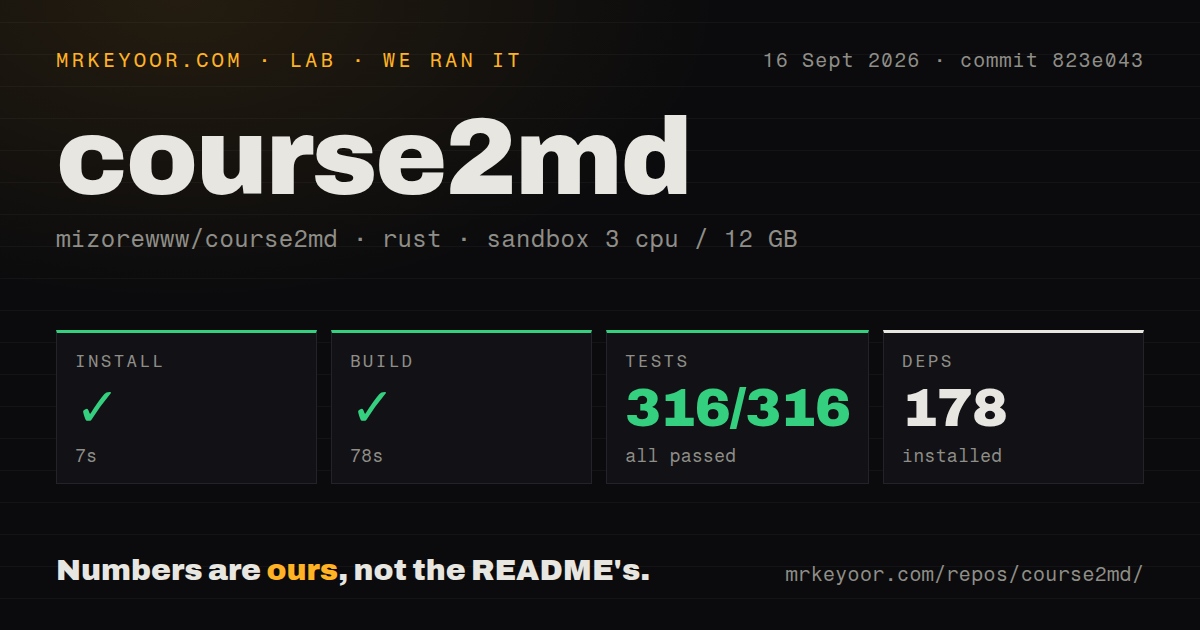
Our sandbox installed commit 823e043 in 7 seconds and added 178 packages. The build completed in 78 seconds. Cargo then finished the test suite in 24 seconds: 316 passed and 0 failed out of 316. The run used a fresh unprivileged container with 3 CPUs and 12 GB of RAM. The supplied install, build, and test path therefore completed with a full green result.
The repository also had 310 files, about 68,831 lines of source, 5 CI workflow files, and a tests directory. It had no Dockerfile. Those signals fit a desktop and command-line application better than a server image. Our run did not download a course, extract frames, obtain a speech model, judge a transcript, or time a full conversion. The 316 passing tests establish code behavior covered by the suite; they do not establish recognition quality on your lecturer, language, microphone, or slide deck.
The 7-second install leaves the media toolchain outside Cargo
The quick dependency result covers 178 installed packages, while day-one use still depends on programs outside Rust. Every conversion needs ffmpeg and ffprobe. Online video adds yt-dlp. General GPU or CPU speech recognition adds llama-server, and the selected local model must be present. The course2md doctor command is therefore an important part of setup, not an optional diagnostic to remember after a failed job. It checks the tools, chosen backend, settings, and cached models.
Model storage is material on a laptop. The README puts first-use downloads around 1 to 2.3 GB for packaged Apple speech models and about 2.4 GB for the llama.cpp GGUF path. A platform subtitle can avoid that work, because the default selection prefers human captions, then automatic captions, before local recognition. This ordering is sensible for course notes: it saves compute when a usable transcript already exists while keeping an offline fallback for local files and videos with no captions.
Version 2.0.0-rc.4 has four speech paths, not one universal setup
Version 2.0.0-rc.4 supports a packaged Apple Silicon route, an Intel NPU route, a general llama-server route for GPU or CPU, and a configurable cloud speech API. These paths do not have the same dependencies or privacy properties. Apple users get the cleanest packaged local experience. Windows and Linux users need to match the server build and hardware path, while NPU support brings its own runtime. Cloud speech trades local setup for a provider account and audio upload.
The desktop is useful, while version 2 remains an RC
v2.0.0-rc.4 is the fourth release candidate, published on September 15, 2026. GitHub still marks v1.7.0 as the latest stable release, and the README keeps stable and RC installation channels separate. Prebuilt desktop packages cover Apple Silicon on macOS 15 or later, Windows x64, and Linux x64. Intel Mac and Linux ARM64 users receive standalone CLI binaries rather than a packaged GUI. Pick the channel and platform before following the first install command you see.
Recent issue history shows both responsiveness and remaining desktop risk. Issue 14 reported that the RC1 Linux GUI could not save an AI service, while the CLI still worked. Pull request 15 identified unavailable credential storage on Linux and Windows, added system-keyring and file fallbacks, and closed the issue the next day. Later release candidates include that fix. RC4's own notes still say Windows and Linux visuals, other recognition hardware, third-party service combinations, and sustained loads need broader testing.
Version 2 privacy depends on the backend you select
Local recognition keeps speech data on the machine, and AI proofreading is off by default. The cloud speech path sends audio to its configured endpoint. Optional proofreading and summaries send transcript text, and a vision-capable configuration can include a screenshot. An OpenAI-compatible label describes the API shape rather than where data goes. A local Ollama-style endpoint and a hosted provider can use the same interface while creating very different privacy outcomes. Check the endpoint and model before adding credentials or a private recording.
September activity is healthy, but the history is short
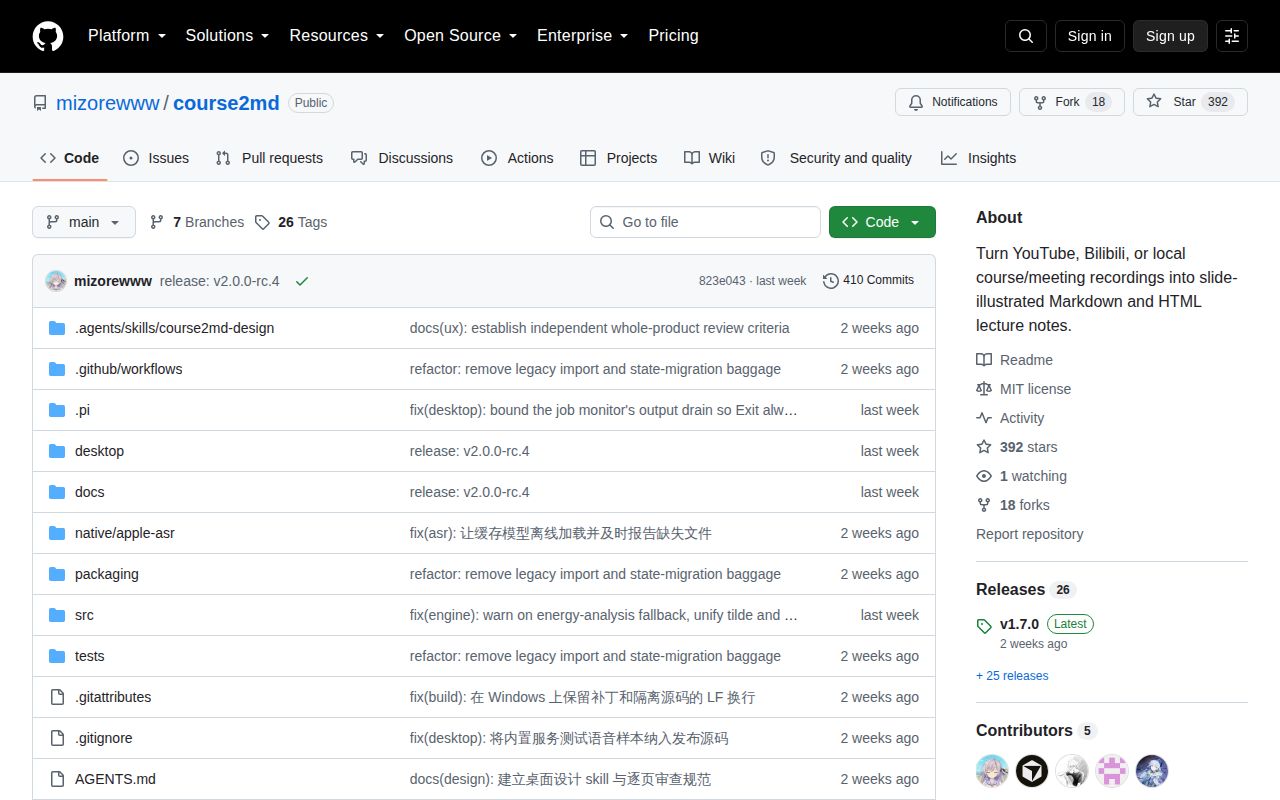
The repository was created on August 31, 2026, and the last push was September 15. GitHub showed 392 stars, 18 forks, and 0 open issues or pull requests when fetched on September 23. Closed issues cover subtitle selection, model mirrors, terminal editing, progress display, and the RC1 credential bug. That is useful evidence of response to concrete reports. It is still less than a month of public history, so the star count should not be read as years of compatibility testing.
VidBee is the stronger alternative when speaker labels, broad download support, and a searchable media library lead the decision. KIRVO-REPORTING/video-to-notes fits a terminal and agent workflow that ends in Notion or Obsidian. WhisperX is a better foundation when word alignment and diarization matter enough to build the note layer yourself. course2md wins when the desired artifact is already clear: local illustrated Markdown, made by a pipeline whose 178-package install and 316-test suite we could complete.