Choose convt for folders across several file types
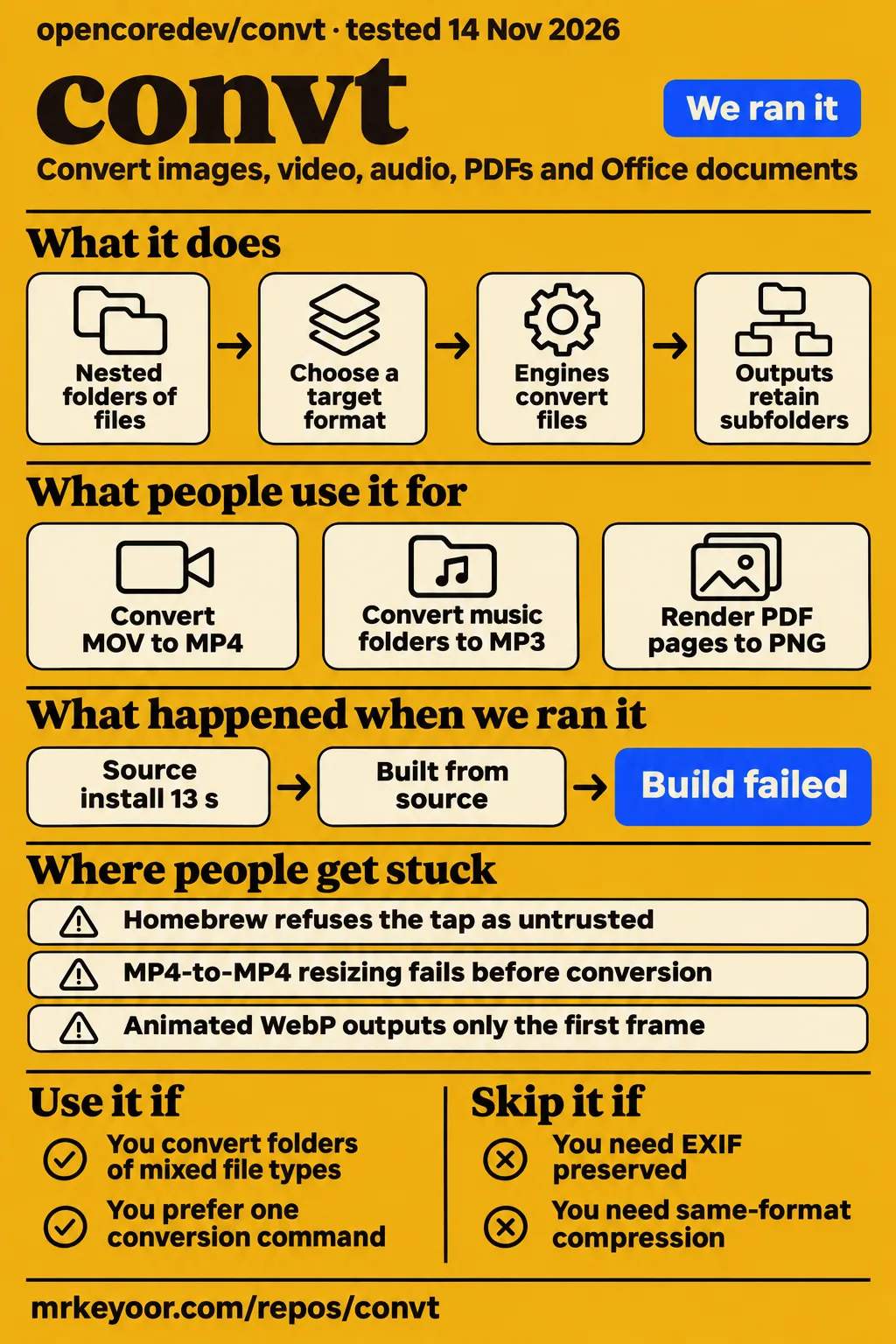
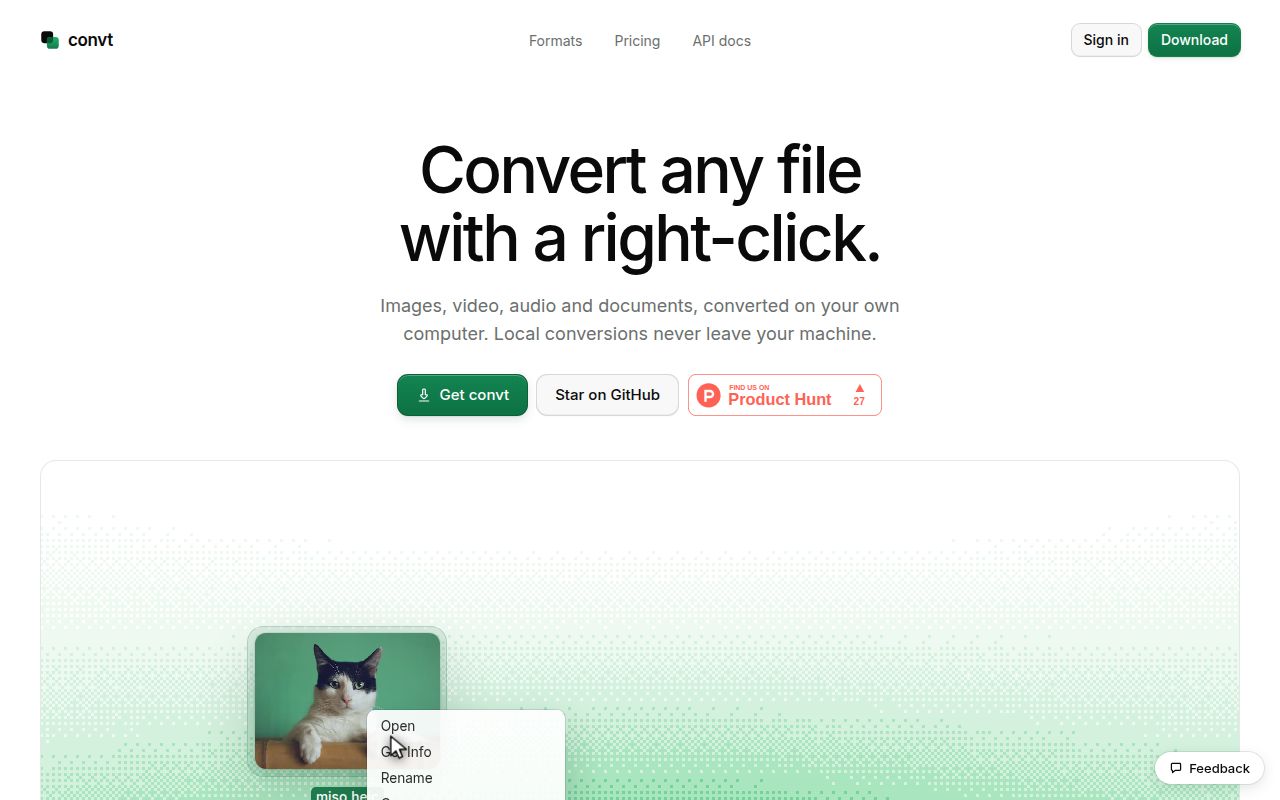
convt puts image, video, audio, PDF and Office conversion behind one desktop app and command-line interface; the documented Desktop license costs $39 once. Consider it if you regularly convert folders containing several kinds of files. Choose a specialist first if your work depends on detailed video controls, preserved photo metadata or animation. Our sandbox installed the workspace dependencies in 13 seconds, then failed its build in 6 seconds. That supports a cautious buying decision, rather than a recommendation based on a completed conversion. Official product description.
The useful question is whether a shared command saves you enough work to justify another application. For an occasional image, the project's own guides recommend Preview or Paint. For a directory tree of assets, retaining the folder layout while applying one target format is more compelling. Start with a disposable copy of a representative folder, including files with transparency and metadata, and inspect the outputs before committing your collection.
What people use convt for
The project's authors report successful Linux CLI folder conversions with 0.5.0, including preserved subfolders, image dimensions and song tags. Those reports are the strongest detailed workflow evidence in the supplied material. They are upstream results, separate from our lab observations.
| Who did it | Task and reported outcome | Why you might care |
|---|---|---|
| convt website authors | Their three-second 1080p ProRes MOV went from 28.8 MB to a 3.1 MB MP4, or 1.0 MB at 720p. MOV example | A concrete example of changing format and resolution, without implying the same saving for your videos. |
| convt audio-guide authors, using generated files on Linux with CLI 0.5.0 | They converted four nested FLAC, WAV and MP4 inputs to MP3, keeping subfolders, song tags and sample rates, but dropping embedded cover art. Audio guide | A music folder can retain its organization while still needing manual repair of its artwork. |
| convt image-guide authors, using generated WebPs on Linux with CLI 0.5.0 | PNG retained transparency. Dimensions stayed unchanged, JPG used the selected background color, and nested folders survived. Animated inputs became still images. WebP guide | Folder conversion fits asset preparation, provided you separate animation from still images. |
| convt PDF-guide authors, using a generated three-page PDF on Linux with CLI 0.5.0 | They received one PNG per page; a Letter page at 300 DPI measured 2550 × 3300 pixels. PDF guide | Page selection and explicit resolution suit document uploads and print preparation. |
The audio example explains the appeal better than a format count. A folder containing an album, a recording and a video can use the same --to mp3 instruction. The video contributes its soundtrack, and the recursive option retains the directory structure. The guide's successful four-file outcome is useful evidence of routing across inputs, not a listening evaluation or a throughput benchmark.
The PDF example answers a different practical question: whether you get all pages rather than whichever page happens to be visible in a viewer. The authors recorded separate output filenames and a chosen-page command. For a document workflow, count the resulting files and check a page containing small text before sending the results onward. Recorded PDF outputs.
What happened when we ran it
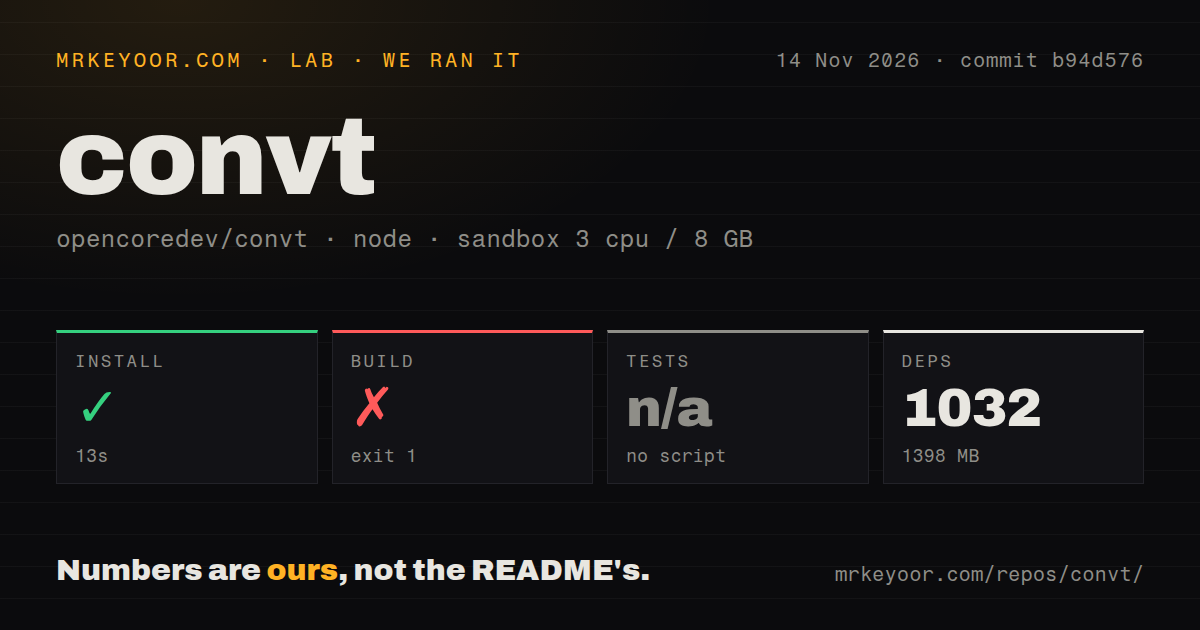
Our November 14 quickstart-cli attempt at b94d5765d3c0 stopped at planning, before a file conversion. The separate Node/Bun workspace harness installed dependencies successfully and then failed its build. These are two different paths through the repository, and neither produced a checked conversion result.
| Recorded path or step | Result | What it tells you |
|---|---|---|
| Hands-on checkout | Clone completed in 2 seconds. | The recipe obtained the source. |
| Hands-on plan | FAILED: no installation method accepted by this recipe. | The recipe excludes Homebrew, source builds and pipe-to-shell scripts. It found no supported package command or manifest binary declaration. |
| Hands-on teardown | Recorded as ok. | Cleanup completed after the blocked attempt. |
| Workspace dependency install | Succeeded in 13 seconds; 1,032 dependencies recorded, 1,398 MB on disk. | Dependencies were obtained for the development workspace. |
| Workspace build | Failed with exit 1 in 6 seconds. | The failing task was @convt/extension:build. |
| Workspace tests | No tests script or target found; skipped. | The harness recorded no passing test result. |
The quick-start failure was a mismatch between the available instructions and the recipe's permitted methods. The README offers packaged downloads and a source route involving Bun and Cargo. Our recipe declined those routes before running the converter. The run record also carries a generic Docker Compose deployment description, but its step records stop at planning. We therefore describe this as a blocked attempt, not a working deployment.
The workspace harness used commit b94d576, 3 CPUs, 8 GB of configured RAM and image label lab-node:22. Its scan recorded 1,169 files, about 143,974 source lines and a 49.1 MB checkout. It detected monorepo workspaces and seven CI workflow files, with no Dockerfile or tests directory detected by that scan. Those are repository observations, not the footprint of an installed desktop app.
The build tail names apps/extension/scripts/build.ts:142:9, shows Bun v1.4.4 (Linux x64), and ends with the extension build script exiting 1. It lists zero successful tasks out of three. The earlier error that would explain the failure is absent from the supplied tail. Blaming a missing package, the operating system or the conversion engines would go beyond that log. The image label alone supplies neither an operating-system version nor a complete runtime inventory.
Where people get stuck: installation and conversion routes
Issue #99 reports that a fresh Homebrew trust store rejects the documented tap, while issue #100 reports a separate deprecated cask parameter. These failures need different responses. Granting trust addresses the first report; it does not rewrite a cask. Both reports are open in the supplied records.
| Symptom and attributed report | Response supported by the record | Recorded resolution |
|---|---|---|
| Issue #99: Homebrew refuses the tap as untrusted. | The reported workaround is brew trust --cask opencoredev/convt/convt or brew trust opencoredev/convt, after deciding to trust that source. |
Open; workaround documented in the error. |
Issue #100: the cask warns about verified: and fails in developer mode. |
The report proposes removing the deprecated URL parameter and using default verification. A follow-up reproduces the warning with cask 0.5.0. | Open; no completed fix in the record. |
Issue #102: an MP4-to-MP4 resizing example returns no_route. |
The reporter says routing rejects the same input and output format before resizing. Use a documented different-format example, such as MOV to MP4, to exercise the option. | Open; a working example is the workaround. |
Issue #101: --max-size enlarges small HEIC or AVIF inputs on macOS imageio routes. |
A commenter traces the behavior to unconditional sips -Z resizing and proposes conditional resizing or the existing fit function. |
Open; the reproduction concerns 0.2.0-era builds. |
| Issue #124: a source-build user reports a 9 MB image becoming a 20 MB WebP, crashes after conversions and an unavailable Finder extension. | The record supplies no diagnosis or repair. Keep the original and inspect output size before replacing anything. | Open; no confirmed fix supplied. |
The distinction matters when troubleshooting. A routing error before conversion cannot tell you whether a resize option works. A conversion that produces a larger file needs an output inspection, not an assumption that choosing WebP guarantees compression. Keep the command, input format, selected engine and installed version with a bug report so the next person can reproduce the same route.
Batch conversion can create more output than you expect
The official CLI page says a folder input converts every file it can route to the target, including video and PDF inputs when the target is JPG. Separate media types before a large batch if that behavior would surprise you. A directory named Photos is only a directory name; its contents determine what the command can process. Folder behavior.
The same page says repeat runs create numbered filenames rather than replacing existing results. That protects earlier output, but it also means a retry can leave another set of files to sort through. Use an empty destination for an evaluation batch and compare its contents with your expected list. The audio guide records this behavior with talk (1).mp3 beside the first output. Repeat-run example.
Concurrency has a documented boundary too: -j controls parallel files, while videos run one at a time. That is an operating rule, not a measured speed result. For a mixed archive, estimate neither completion time nor disk savings from the small MOV example. The useful first batch contains your actual file types and the largest PDF you expect to process. CLI job options.
Local conversion and cloud conversion have different privacy rules
Local conversion processes files on your computer; selecting Cloud in the desktop app uploads the file, and the API converts on convt's servers. The official pages make that distinction explicitly. A blanket promise that convt never uploads files would misdescribe the product. Desktop Cloud choice, API overview.
The API requires an account with billing and an API key. Its workflow creates a job, uploads through a signed storage URL, starts processing, polls for completion and downloads outputs. Local desktop and CLI conversions require no API key. If the reason you are evaluating convt is keeping documents off a remote converter, choose the local path and make that choice explicit in any script or staff instructions. API requirements and workflow.
Website analytics are another question. Issue #52 requests PostHog pageviews for convt.app and explicitly excludes desktop and CLI telemetry from that task. It concerns website instrumentation. Reading it as evidence that the converter sends your files or desktop activity to analytics would conflate different components.
convt vs HandBrake, Permute and specialist commands
The official comparison positions convt as a shared interface across file categories, while HandBrake supplies deeper video settings and Permute offers a Mac conversion app. Pick by the work you repeat, rather than the longest format list. The table reflects the project's comparison and our editorial selection advice. Mac comparison, CLI comparison.
| Alternative | What the official comparison says | Pick it instead when |
|---|---|---|
| HandBrake | A free video encoder with many settings; the Mac page recommends it for same-format video compression. | Your job is video encoding and you need controls beyond convt's shared interface. |
| Permute | A paid Mac app for video, audio, images and PDFs; convt adds Office conversion, a CLI and Windows/Linux availability in this comparison. | Your shortlist is Mac desktop converters and Office or command-line work adds little value. |
| FFmpeg, ImageMagick, LibreOffice or Pandoc | Specialist commands go deeper in their own areas; the CLI page says they may already suffice if you know their flags. | Your scripts already cover the required conversions and another interface would add maintenance. |
| Preview, Paint and other built-in apps | The guides recommend existing apps for individual files and convt for folder workflows. | You have one or a few files and no recurring directory-tree task. |
For a developer already comfortable with FFmpeg, convt's reason to exist is less syntax to remember when the next input is a PDF or Office file. For someone converting only video, that advantage shrinks. Paying for a common interface makes sense when changing tools is the recurring inconvenience. It buys no automatic assurance about the quality or suitability of a particular output.
What the other reviews get wrong
IndieTools describes convt as a free browser converter, while the official pages describe a paid desktop app and CLI. Its listing also shows website performance measurements, which answer a different question from conversion speed or output quality. Use those readings to assess the listed website, not to choose an encoder. IndieTools listing, official CLI offering.
Toolfolio's local-only description also needs a product boundary: it fits local conversions, while the API receives files on convt's infrastructure. Its supplied page has zero community reviews, so the listing is not corroboration from a body of users. Toolfolio record, API documentation.
Some misleading instructions come from the project itself. The Homebrew two-command recipe omits the trust response recorded in #99. The contributor resizing example in #102 fails before reaching resizing. And #101 gives a concrete exception to treating --max-size as a shrink-only promise. The fix map above preserves the version and environment attached to each report instead of presenting every old reproduction as current behavior.
Questions people ask
convt is the file converter from opencoredev, and the similar-looking search terms below refer to different software. The remaining answers separate the paid distribution, local execution and platform support so you can choose the relevant route.
Do searches for convtranspose2d or convt_no_number refer to this file converter?
No. ConvTranspose2d is a PyTorch transposed-convolution operator, while CONVT_NO_NUMBER is an SAP runtime error discussed in its S/4HANA support documentation. Neither describes opencoredev/convt. Search for the repository name or convt.app when looking for this converter. PyTorch reference, SAP support record.
Is convt free if its source code is open?
The documented Desktop license is $39 once, while the source code is AGPL-3.0. The current README says ordinary source builds are unrestricted and packaged builds start a seven-day trial on first conversion. Open source and paid signed distribution coexist here; choose between building the code and paying for the packaged offering. Price, README licensing and trial.
Does convt upload my files?
Local jobs stay on your computer; desktop Cloud jobs and API jobs upload files. The API documentation explicitly offers local desktop and CLI conversion without an API key or upload. Decide which execution path your workflow uses before applying a privacy claim to it. Local/API distinction, desktop selection.
How does convt differ from Permute or HandBrake?
convt's official comparison emphasizes Office conversion, its CLI and Windows/Linux availability against Permute, and broader file categories against HandBrake. HandBrake is the specialist video choice in that comparison. The earlier table gives the task-based selection advice rather than a claim that one product wins every conversion. Official comparison.
Is convt a wrapper around FFmpeg?
For video and audio, yes, according to its CLI page. Other categories use engines such as PDFium, LibreOffice and resvg, selected by convt. That is why discovering which engines are available with convt engines matters more than assuming every conversion follows the FFmpeg path. Engine explanation.
Does convt work on Windows?
The official documentation offers a Windows app and CLI. Its 0.5.0 instructions say the installer leaves the command off PATH, so PowerShell needs the executable's full path. The current README also says the Explorer integration is built but absent from the release installer. A Windows download therefore does not promise the same right-click experience as Finder. CLI platform instructions, README integration status.
Can convt run on a server?
The documented Linux x86_64 CLI runs over SSH or in a script. That local execution option is separate from the paid cloud API on convt's servers. If you already operate a Linux conversion pipeline, evaluate the terminal route against the specialist commands you use today. Server answer.
Why does Homebrew refuse the convt tap as untrusted?
Issue #99 reports that the documented commands never grant the explicit trust required by its fresh Homebrew trust store. The error supplies a brew trust command as the workaround. Read the installation row above before granting that trust, and keep the separate cask deprecation report in mind. Trust-store report.
Why does the convt Homebrew cask warn about verified: and fail in developer mode?
Issue #100 says Homebrew treats the deprecated cask parameter as an error in developer mode. Its follow-up reproduces the warning with cask 0.5.0. Removing the deprecated parameter is the proposed cask change, and granting tap trust addresses a different failure. Cask report.
Why does --max-size enlarge small HEIC or AVIF images on macOS?
A commenter on issue #101 attributes the enlargement to an imageio route applying sips resizing even when the input is smaller than the limit. The reported builds are from the 0.2.0 era. The proposed repair makes resizing conditional or uses the existing fit function after decoding. Imageio report.
Why does an MP4-to-MP4 --video-height command fail with no_route?
Issue #102 reports that the same-format routing check rejects the command before it reaches resizing. The example therefore cannot demonstrate whether the height option works. A different-format command, such as the documented MOV-to-MP4 example, exercises the intended conversion path. Routing report, MOV example.
Why did converting an image to WebP make it larger?
Issue #124 reports a 9 MB source becoming a 20 MB WebP in a source-built app, but supplies no diagnosis. The record cannot tell you which setting or engine caused that result. Measure the output you receive and retain the source rather than treating a format change as a guaranteed size reduction. Source-build report.
What we have not tested yet
Our evidence stops before a checked conversion: the quickstart recipe blocked at planning, the separate workspace build failed, and the harness skipped tests. We have not measured conversion speed, visual quality, audio quality, memory under conversion load or native Mac and Windows reliability. Our lab record contains no screenshots or checked conversion outputs. The run's generic Compose wording supplies no evidence of a healthy service. The build tail supplies no root cause, and the scan's missing test target does not prove the Rust project has no tests.
The supplied 0.5.0 docs say same-format compression is unavailable, HEIC-to-JPEG loses EXIF metadata, animated WebP becomes a first-frame still, and conversion is not an editing workflow for cropping, trimming or merging. Album-art loss appears in the authors' audio result. Native Mac coverage needs particular attention because the Mac page describes Finder behavior from source rather than a recorded Mac run. The documented Mac offering requires Apple silicon and macOS 13 or later. Documented limits, CLI limits.
We have not retested #101 on a current release, reproduced #124, or established a released change to same-format routing. Issue #170 reports macOS target-size CI failures and suggests an FFmpeg change as a possible cause. It remains an open report, not a confirmed diagnosis or proof that a new compression feature shipped. It also cannot explain our different extension-build failure. Issue #28 records a checkout synchronization patch and a request to deploy it; its closed status alone does not confirm that deployment. Its immediate workaround was the desktop trial and Polar portal.
The current README describes checksum-checked document packs across released platforms, while the supplied 0.5.0 guides direct Mac and Linux users to a separate LibreOffice installation. We have not reconciled those instructions against each packaged release. The GitHub snapshot fetched November 14 lists 362 stars, 27 open issues and PRs, and a push that day; the latest-release endpoint returns v0.5.0 dated October 15. That shows ongoing activity, not how many people rely on it. The supplied video searches and listings provide no independent conversion benchmark or basis for an adoption estimate. We have not audited local network traffic, cloud retention or security controls. Repository, release.
Setup, community and maturity are N/A because a supported installation, support responsiveness and sustained operation were not assessed. Documentation earns 3/5 on a five-point editorial scale: 1 means instructions are insufficient to attempt the task, 3 means task-specific instructions exist with material inconsistencies, and 5 means those paths are independently reproduced and consistent. The generated-file guides support the middle rating; conflicting platform instructions and the installation reports prevent a higher one. Before buying, run the trial on a copied folder that includes your least forgiving file. Open the result and check its metadata before you trust the rest of the batch.