Context7 replaces model memory with a dated source
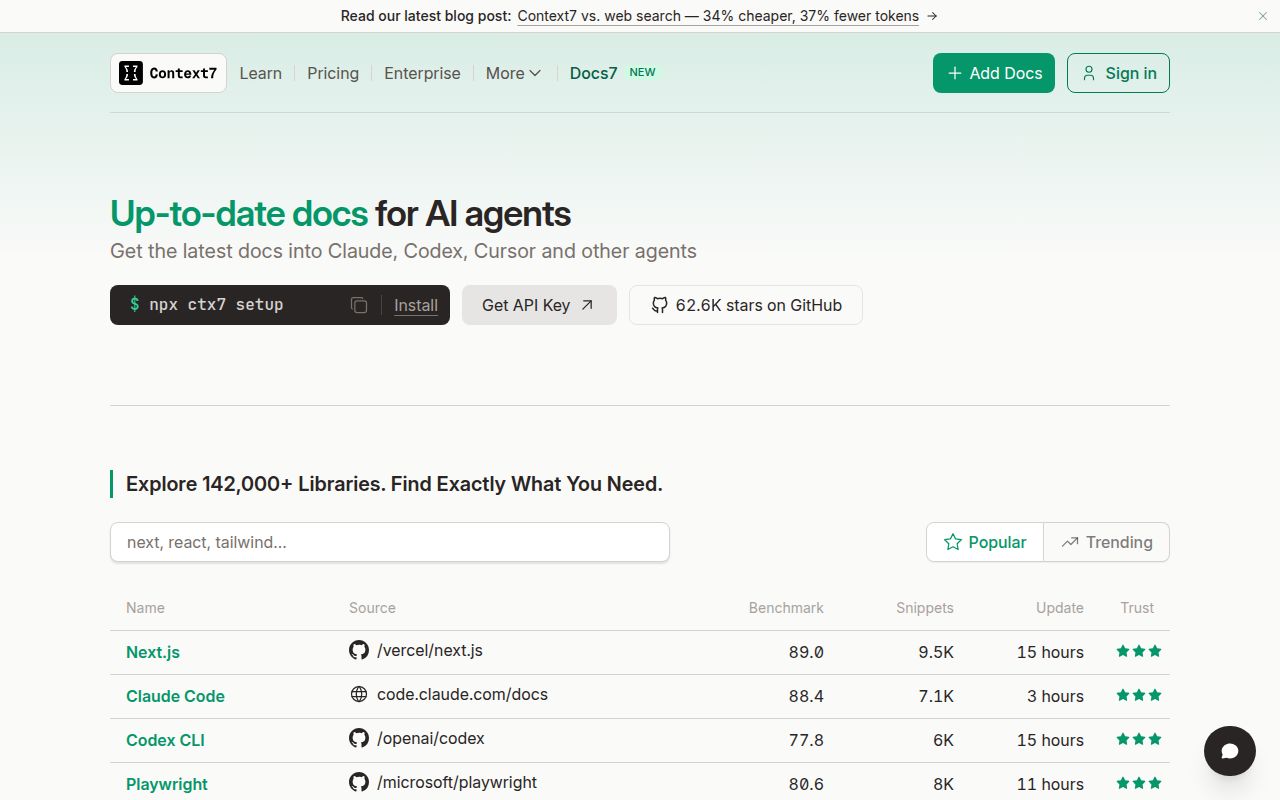
A coding agent can know React well and still suggest an option removed two releases ago. Context7 tackles that specific failure. It resolves a library name to a catalog ID, then retrieves documentation and examples for the question in front of the agent. The public interfaces are deliberately small: the MCP server has one tool for resolving an ID and another for querying docs.
The README recommends supplying an exact ID and version when you know them. Naming /vercel/next.js and Next.js 14 skips a matching step and narrows the material returned. That is the right habit. Retrieval improves the evidence available to an agent, but it cannot tell whether the generated change fits your repository, handles your edge case, or preserves behavior outside the prompt.
One command configures either a skill or MCP
npx ctx7 setup requires Node.js 18 or newer. It authenticates through OAuth, creates an API key, and installs a CLI skill or MCP connection for selected agents. Cursor, Claude, and OpenCode have explicit setup flags. A manual client can point at https://mcp.context7.com/mcp and send the key in an Authorization header. The key raises rate limits, according to the README.
The same repository publishes the MCP server, ctx7 CLI, TypeScript SDK, Vercel AI SDK tools, and a pi extension. That range makes Context7 easier to fit into an existing agent stack. It also hides an important boundary: Upstash says the API backend, parsing engine, and crawling engine are private. You can inspect the clients and MCP server here, but this checkout is not the complete hosted service.
What happened when we ran it
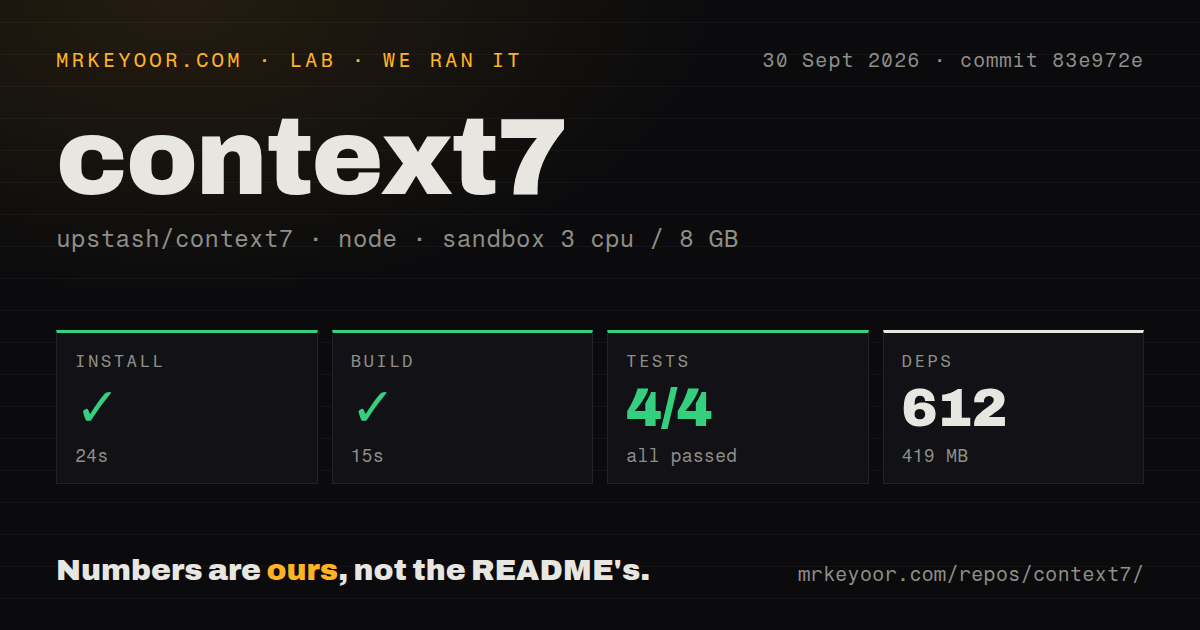
Our sandbox installed commit 83e972e in 24 seconds. Pnpm added 612 packages and the resulting environment occupied 419 MB. The monorepo build passed in another 15 seconds. The checkout itself contained 503 files, roughly 21,903 lines of source, and 25.1 MB before installation. Six CI workflow files were present; a Dockerfile and top-level tests directory were not.
The full test command failed with exit code 1 after 13 seconds. The visible workspace summaries were mixed. packages/pi passed 4 of 4 tests, and packages/sdk passed 44 of 44. packages/tools-ai-sdk ran 10 tests and reported 4 failures with 6 passes in src/index.test.ts. Pnpm then ended the recursive command with an ELIFECYCLE failure.
The supplied log tail does not contain the failed assertions, so it does not establish a cause. We cannot call this a missing service, flaky test, or code regression from that evidence. The useful finding is narrower: installation and compilation worked in our unprivileged Node 22 container with 3 CPUs and 8 GB of RAM, while the complete repository test command did not pass.
The catalog is useful, but its accuracy is not guaranteed
Context7 projects are community contributed. Its disclaimer says the service does not guarantee the accuracy, completeness, or security of indexed documentation. That warning matters because retrieved text can shape code, commands, and configuration. Check the selected library ID, requested version, and returned source before accepting changes involving authentication, infrastructure, or data deletion.
Two tools keep the interaction understandable, yet resolution itself can add work. Open issue 3219 asks for permission to reuse an ID already resolved during the same task and for a less proactive retrieval policy. The report says the current instructions tell agents to fetch docs for a broad range of library, framework, SDK, API, CLI, and cloud questions, even when suitable evidence is already in context.
There is also a fresh client setup edge case. Issue 3277, opened September 30, reports that ctx7 setup treated a valid trailing comma in an OpenCode JSONC file as a JSON parsing error. The command still updated the rule and installed a fallback skill, but the MCP server configuration failed. That is a specific problem for JSONC users, not evidence that every OpenCode install is broken.
A September 30 push shows active maintenance
GitHub recorded 62,567 stars, 27 open issues, and 46 open pull requests when we checked on October 1, 2026. The repository was pushed on September 30. Its latest GitHub release was @upstash/context7-sdk@0.5.0, published September 22, adding a typed search method that can find documentation without a separate library-resolution request. Those dates show an actively changing project.
The combined queue of 73 issues and pull requests should not be described as 73 bugs. It includes feature discussions and work in progress, including authentication changes for the hosted MCP endpoint. Fast movement is welcome for client compatibility, though teams should pin package versions and read release notes rather than assuming the setup command will behave identically month to month.
Context7 earns its place when stale APIs waste real time
Context7 is easy to justify when agents routinely touch fast-moving frameworks. The setup path is short, exact library IDs reduce ambiguity, and several integrations use the same source. Our 24-second install and 15-second build support the claim that its public tooling is approachable. The 419 MB dependency footprint is noticeable, but still ordinary for a Node monorepo used in development.
Adoption should stop at retrieval, not trust. The hosted indexing core is outside this repository, community entries can be wrong, and commit 83e972e did not give us a clean full suite. Use the returned docs as evidence you can inspect. If policy requires local ingestion or a green upstream checkout, ContextMine or a simpler human reference is the safer fit.