Hooks decide whether raw output stays out of the conversation
Installing Context Mode's MCP server makes its tools available. Getting an agent to route bulky output through them is a separate step. That distinction matters when a long test log or fetched page is consuming the conversation space needed to finish a task.
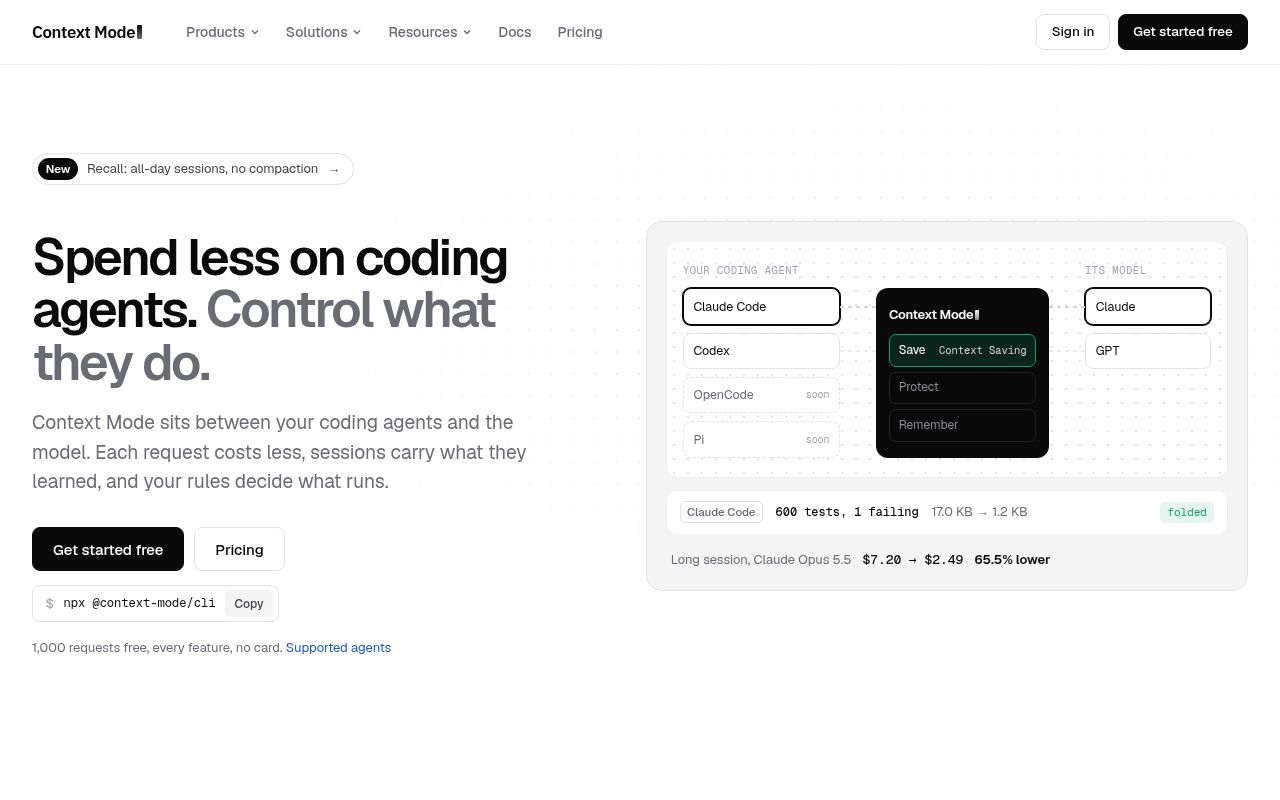
The supplied README documents a Claude Code plugin with lifecycle hooks, MCP tools, and routing instructions. It also offers an MCP-only installation without automatic routing. Hooks provide a mechanism for intercepting tool calls; an instruction file depends on the model following its guidance. A connected server alone does not establish that the integration routes work correctly. The installation instructions distinguish these paths.
What happened when we ran it
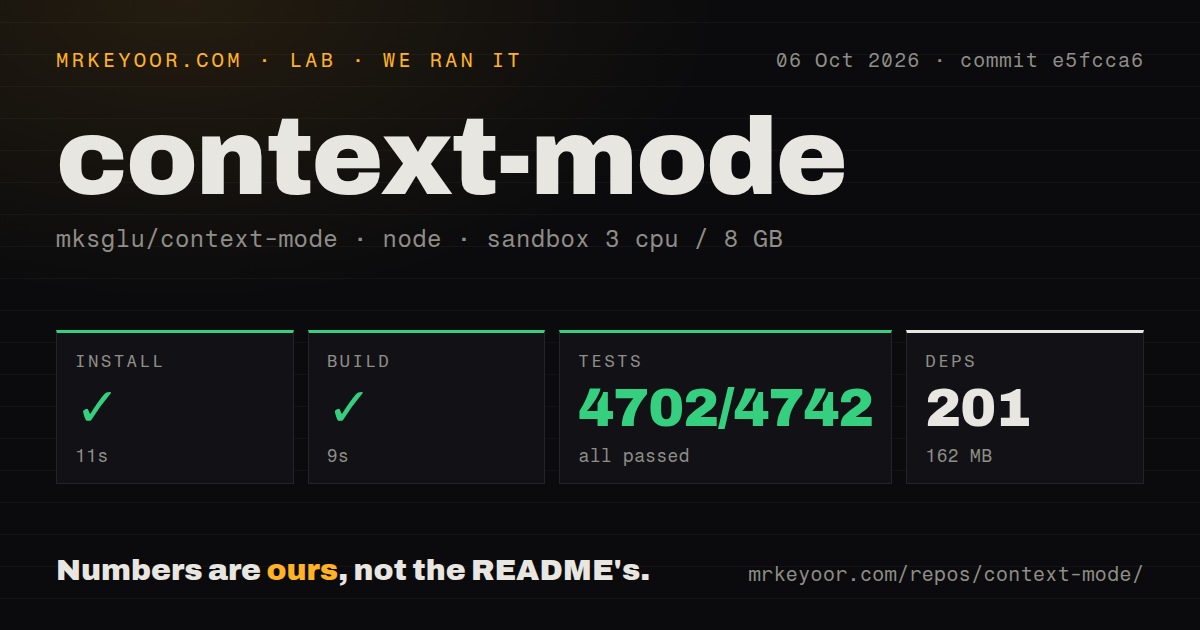
Our sandbox installed commit e5fcca6 in 11 seconds, recording 201 dependencies and 162 MB on disk. The build succeeded in 9 seconds, and tests completed in 132 seconds. Vitest reported 4,702 passed, 0 failed, and 40 skipped out of 4,742. Bun was the recorded package manager. The supplied summary does not identify the individual reasons for the skipped tests.
The run took place on October 6, 2026, with 3 CPUs, 8 GB of RAM, and image lab-node:22. That image name does not prove the actual runtime or operating-system version. The checkout occupied 12.4 MB across 599 files and roughly 145,227 source lines. The scan found 5 CI workflow files and a tests directory, with no Dockerfile detected.
These measurements establish repository installation, build completion, and the recorded suite result. They do not establish context savings during a real coding task, correct recovery after compaction, or retrieval completeness. No context-reduction percentage follows from the passing suite.
The supplied README is separate evidence from the measured checkout. Its integration descriptions should not be read as behaviors verified at commit e5fcca6.
Check whether retrieval preserves the evidence you need
The README describes storing session events in SQLite and retrieving relevant material through FTS5 search. Search gives an agent a way to request narrower context, but our repository run did not measure whether the returned material was sufficient to finish a task.
For a client trial, use a log with a known failure. Ask the agent for the error and its surrounding conditions, then ask a follow-up that requires a different part of the log. Compare both answers with the original file. This is a proposed evaluation, not an additional test performed for this review. Smaller output is useful only if the agent can still retrieve the evidence it needs.
Hookless editors lack the documented recovery path
The README says Antigravity IDE and Zed have no hook support in the current release, so session tracking is unavailable there. Their routing files can guide tool choices, but they do not provide automatic event capture. That is a reason to pass if recovery after conversation compaction is your requirement. Antigravity CLI is a separate integration with its own documented hooks.
For Claude Code, the documented doctor command checks runtimes, hooks, FTS5, and plugin registration. Run it after enabling the plugin, then check recovery using a disposable task. A diagnostic result and a successful recovery answer different questions; this review did not reproduce either in a live client.
The supplied README lists Node.js 22.5 or newer, or Bun, for several client integrations. Match your chosen client's prerequisites independently because the sandbox image label does not establish the exact runtime used in our run.
Execution retains the host process's filesystem access
The security section says execution tools run arbitrary code and inherit filesystem access. It distinguishes the file-reading tool's boundary guard from a full operating-system sandbox. Treat approval of an execution call as approval of code execution, and keep host containment enabled.
Stored content also needs a retention decision. The README documents a purge command that permanently deletes indexed content from the knowledge base. Decide which repositories and logs may be indexed before making capture routine.
For hosted products, check Elastic License 2.0: it prohibits providing a hosted or managed service that gives users access to a substantial set of the software's features or functionality.
Memory and documentation tools answer different needs
Claude-Mem's README describes capturing tool observations and generating summaries for future sessions. Consider it when saved project history is the main requirement. Context7's README describes retrieving version-specific library documentation and code examples for coding agents. Consider it when API documentation is the missing material. These are source-described purposes, not comparative results from our sandbox.
Documentation earns 4/5 on this review's reading rubric: 3 means usable setup recipes, 4 adds client limitations and troubleshooting, and 5 requires independently verified end-to-end guidance. The supplied Context Mode extracts include installation recipes, compatibility caveats, diagnostics, and security warnings. Our run did not exercise the live integration instructions, so it does not support the highest rating.
Supplied GitHub metadata records a last push on October 24, 2026. That dated activity does not establish issue-response quality or sustained maintenance, so community remains unassessed.
Start with the client you use every day. Check that calls route through Context Mode, follow-up searches preserve necessary evidence, and recovery works for your task. If your client lacks the required session hooks, the passing repository suite does not resolve that limitation.