v0.10.0 puts several clients on one local engine
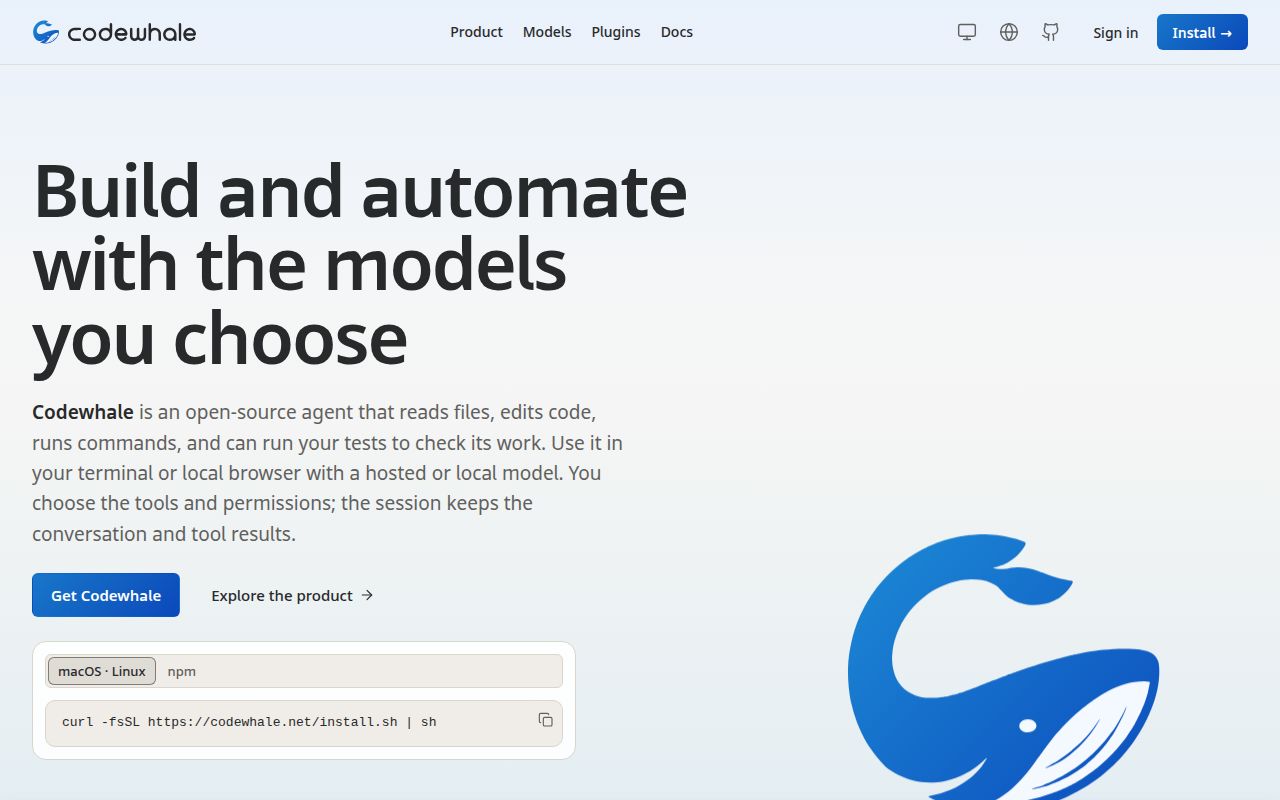
Codewhale v0.10.0 runs its terminal, headless, browser, and pull request review clients against the same local engine. A session can persist across those clients, and a durable goal can keep longer work moving beyond one prompt. Skills, plugins, hooks, MCP servers, sub-agents, and supervised agent teams extend that engine. This is a runtime for continuing work, not merely a chat box that returns a patch.
The control model is unusually explicit. Plan mode explores without changing the workspace. Work and Operate can make changes, while Ask, Auto-Review, and Full Access determine when a tool needs approval. Receipts record files, commands, and approvals. Undo and restore offer recovery paths. Those controls matter because the agent can run shell commands and, through an optional plugin, operate other applications.
The 28-second install leaves four policy choices
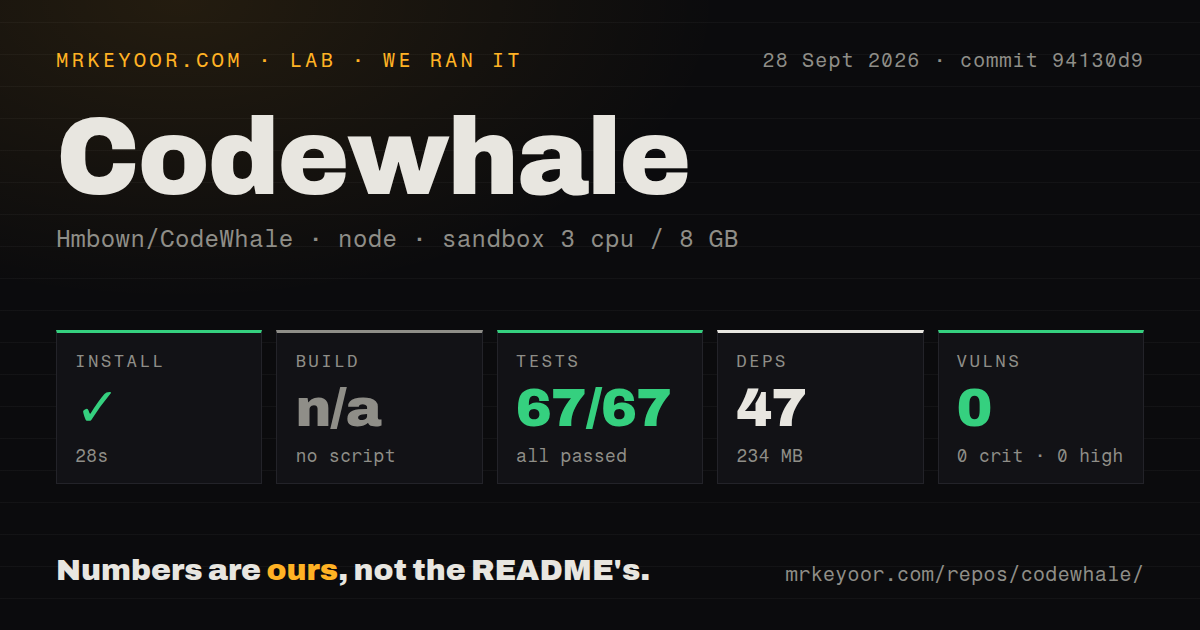
Our npm route installed 47 packages in 28 seconds and occupied 234 MB. Codewhale recommends its checksum-verified release installer for macOS and Linux, while npm and Cargo are secondary paths. Windows, Docker, Nix, Homebrew, and Android packages cover more environments. Multiple installations can compete for the same command on PATH, a problem the README calls out directly.
Getting the binary is the easy part. Hosted use needs provider credentials entered through the provider picker. Local use depends on Ollama, vLLM, or SGLang running separately, although Codewhale can detect an existing Ollama chat model. Before a team rollout, someone must choose the default model, approval posture, command sandbox, and telemetry setting. Usage analytics are on by default, with a documented command to disable them.
What happened when we ran it
Our sandbox installed commit 94130d9 in 28 seconds with 3 CPUs, 8 GB of RAM, Node 22, no secrets, and no elevated privileges. The checkout contained 2,655 files, about 1,437,068 source lines, and occupied 72.2 MB. Installation added 47 packages and brought disk use to 234 MB. The repository had no build script or target, so our harness skipped that step. npm audit reported 0 known vulnerabilities across all severities.
The overall test step failed with exit 127 after 18 seconds. Within that command, node:test recorded 67 passes and no failures. The visible tail showed protocol corpus cases behaving as expected, followed by successful framing checks for split chunks, bad magic, oversized lengths, and non-JSON payloads. It did not name the command that returned 127. A missing system package or a repository fault would both be guesses, so the defensible result is that the root step did not complete cleanly.
Enabled MCP servers can disappear in v0.10.0
Open issue #6828 describes three enabled MCP servers that validated and exposed 20 tools through the management command, yet a fresh terminal or headless session exposed none of them. Tool search also returned no MCP entries. The reporter found that starting a server inside each session worked around the problem, but the state did not persist. This report targets v0.10.0 and directly affects one of Codewhale's advertised extension paths.
Other boundaries are documented rather than accidental. The current Windows command path has no advertised OS sandbox. Linux uses bubblewrap when it is installed and passes Codewhale's probe. Claude Code plugin import supports a declarative subset, but rejects hooks, LSP declarations, custom MCP file paths, build steps, TypeScript agents, and service processes. Compatibility here means selected assets can move across, not that every Claude Code plugin will run unchanged.
31 workflows support an active 1.4-million-line project
Our scan found 31 CI workflow files, a Dockerfile, and monorepo workspaces. It found no directory named tests, though the test command reached node:test cases elsewhere in the tree. The roughly 1,437,068 source lines cover a Rust engine, terminal interface, browser client, provider adapters, packaging, plugins, and agent coordination. Debugging an interaction across those layers will take more effort than tracing a narrow command-line editor.
GitHub showed 41,068 stars and 202 open issues and pull requests on October 7, 2026. The API list separated that total into 186 issues and 16 pull requests. The repository was pushed the same day, while v0.10.0 was released on September 22. Those dates and the fast response to recent reports indicate active maintenance. They do not make the 202-item queue irrelevant, especially when an open item touches MCP discovery in the current release.
Codewhale makes sense when the runtime will stay busy
The alternatives trim the decision in different ways. Aider keeps coding close to a chat, a patch, and Git. OpenHands is better suited to teams that want a browser-led development-agent environment. OpenCode covers terminal, desktop, and IDE use with its own multi-provider approach. Codewhale earns its extra surface when saved sessions, durable goals, receipts, plugins, and supervised agents will all see regular use.
Our run proved that the npm wrapper installs quickly and its audit was clean at commit 94130d9. It also ended with exit 127 after the visible node:test cases passed. Trial v0.10.0 in a disposable clone, confirm that your MCP tools appear in a fresh session, and inspect the sandbox marker on every supported platform. If the job stops at producing a reliable diff, Codewhale asks you to operate more machinery than the result needs.