Sixteen coding products share one account dashboard
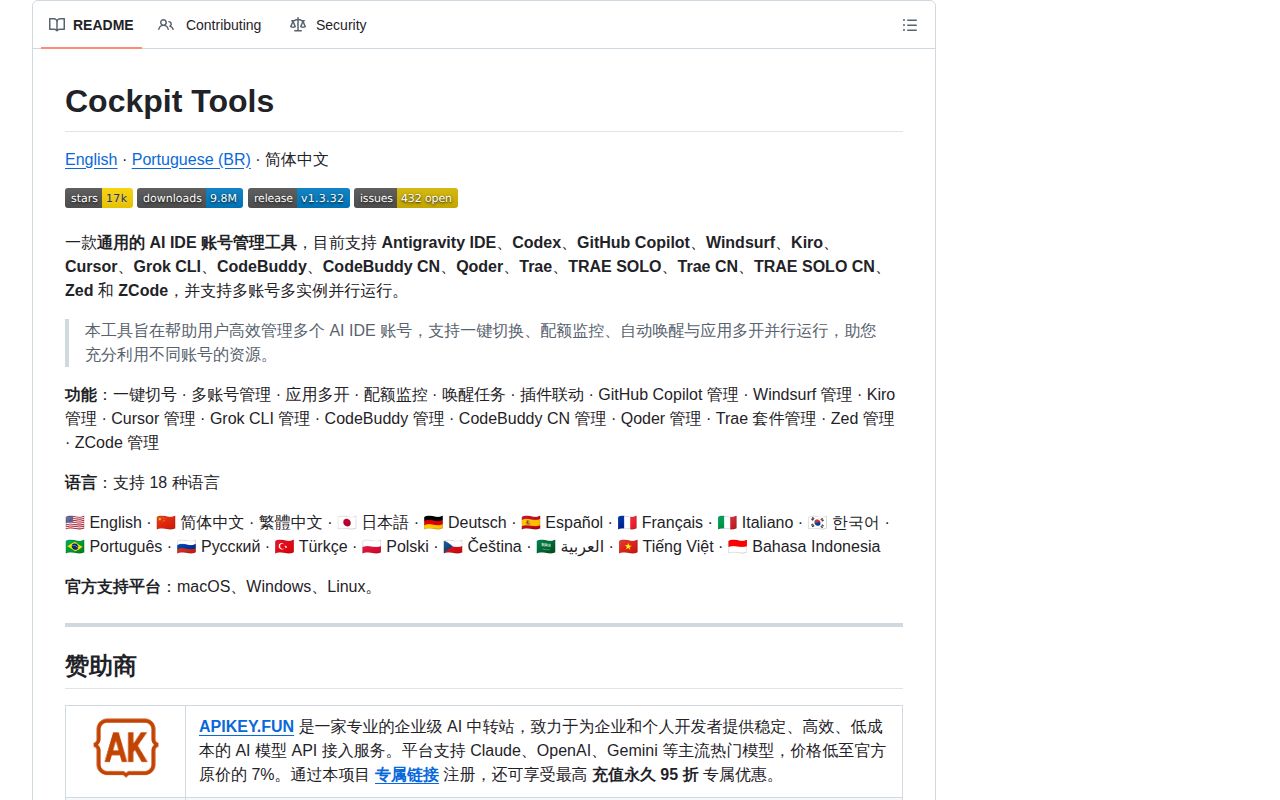
Cockpit Tools puts account status, quota use, reset times, and launch controls for 16 named coding products into one Tauri desktop app. The list includes Codex, GitHub Copilot, Cursor, Windsurf, Kiro, Antigravity IDE, Grok CLI, CodeBuddy variants, Qoder, Trae variants, Zed, and ZCode. The primary README is Chinese, while a detailed English edition and an 18-language interface are available.
This is useful for a specific kind of developer: someone with legitimate access to several accounts who repeatedly signs out, changes local credentials, or launches separate client profiles. Managed instances can use different directories and account bindings. The dashboard also refreshes quotas and can keep more than one client instance running. That convenience comes from writing the formats and paths used by many unrelated applications, so upstream changes can break switching without warning.
Local storage includes plaintext Grok tokens
The project says its account database stays on the machine rather than in a Cockpit cloud account. It also writes selected credentials back to official locations such as ~/.codex, ~/.grok, and ~/.zcode/v2. On Unix, Grok credential directories use mode 0700 and files use 0600, but the access and refresh tokens inside remain plaintext JSON. File permissions are the main protection.
A local WebSocket service binds to 127.0.0.1 and uses port 19528 by default. It can be disabled when plugin integration is unnecessary. OAuth, token refresh, quota checks, and update checks still contact each provider. Backups need special care because copying the application data or home-directory credential files may copy live sessions. The README advises redaction and account removal on shared machines.
What happened when we ran it
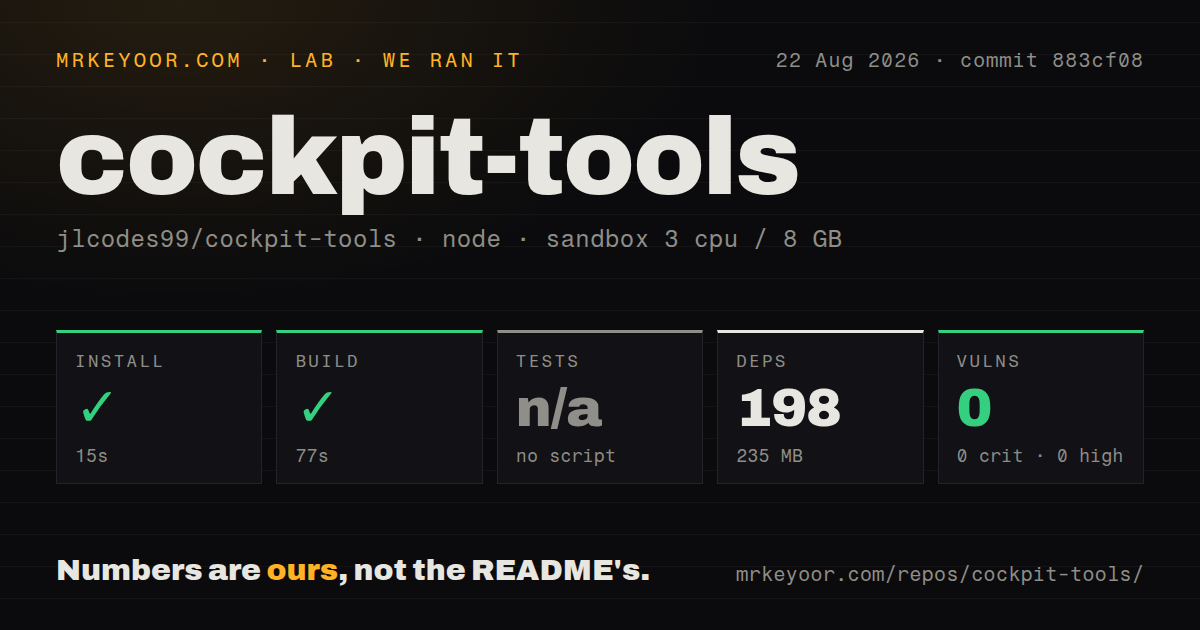
Our sandbox installed commit 883cf08 in 15 seconds, adding 198 npm packages and occupying 235 MB. The build passed in 77 seconds. Npm audit found 0 known vulnerabilities in the installed Node dependency set. The checkout measured 52.1 MB, contained 1,558 files, and had roughly 692,184 lines of source, much of it in the bundled sidecar code.
We did not run tests because the package exposed no general test script or target. The repository does contain a tests directory and one narrowly named Codex API-key test command, but that is not a project-wide entry point. Our scan also found 3 CI workflow files and no Dockerfile. A successful web build therefore gives less confidence than a passing suite across credential import, switching, instance isolation, and client launch behavior.
The lab result covers the Node install and declared build in an unprivileged Debian container with 3 CPUs and 8 GB of RAM. It does not show that the Tauri desktop package launches, that each supported client is detected, or that OAuth refresh works. Those need release-package checks on macOS, Windows, and Linux with disposable test accounts rather than primary credentials.
Current issues describe switching and history failures
Issue 2099 reports recent Codex work records disappearing after account switches and says visibility repair and instance import did not recover them. Issue 2101 reports conversations failing to resume after a switch because config.toml contained an invalid transport under an MCP server entry. Other reports from August 26 describe access-denied client launches, repeated login prompts, and OAuth refresh revocation.
These reports do not prove Cockpit deleted every affected conversation, and several contain little diagnostic detail. They do identify the highest-risk boundary: the app changes another product's local state while that product may also be running or updating it. Before regular use, export the original client state, test one disposable account, close the target client during switching, and verify that old sessions remain visible after a restart.
macOS installation requires bypassing a trust control
Cockpit Tools ships .dmg, .msi, .exe, .deb, .rpm, and AppImage packages. The macOS release flow does not use Apple Developer ID signing or notarization. Its troubleshooting section recommends --no-quarantine, removing the quarantine attribute with sudo xattr, or choosing Open Anyway in system settings when Gatekeeper blocks the application.
That is a serious tradeoff for software holding many OAuth tokens. A checksum and public source help, but they do not replace signed provenance for a downloaded binary. Cautious macOS users should build from reviewed source or wait for notarized releases. Windows and Linux users should still verify the release asset and keep the data directory inside a single-user OS account.
The license rules out ordinary company adoption
GitHub's API did not identify a standard license file for the repository. The README states CC BY-NC-SA 4.0 and goes further, explicitly barring commercial use including internal enterprise use, paid integration, services, and resale without written authorization. That is a straightforward stop sign for a company hoping to put Cockpit on employee machines.
The security policy creates another review problem. It contains template instructions telling maintainers what to write and lists supported versions 5.1.x and 4.0.x, while the current release is v1.3.32. GitHub recorded that release and a new push on August 26, 2026, with 16,568 stars and 477 combined issues and pull requests. Development is active, but a fast release cadence does not repair unclear security handling.
Cockpit Tools makes the most sense as a personal convenience on a locked-down machine. The 77-second build and 0 npm advisories make inspection approachable, while the missing general test target, plaintext token storage, unsigned Mac build, license limit, and account-switching reports set a low ceiling on trust. Use disposable accounts first, keep backups outside its managed paths, and disable the local service when nothing consumes it.