Three views and one device rail target Omarchy users
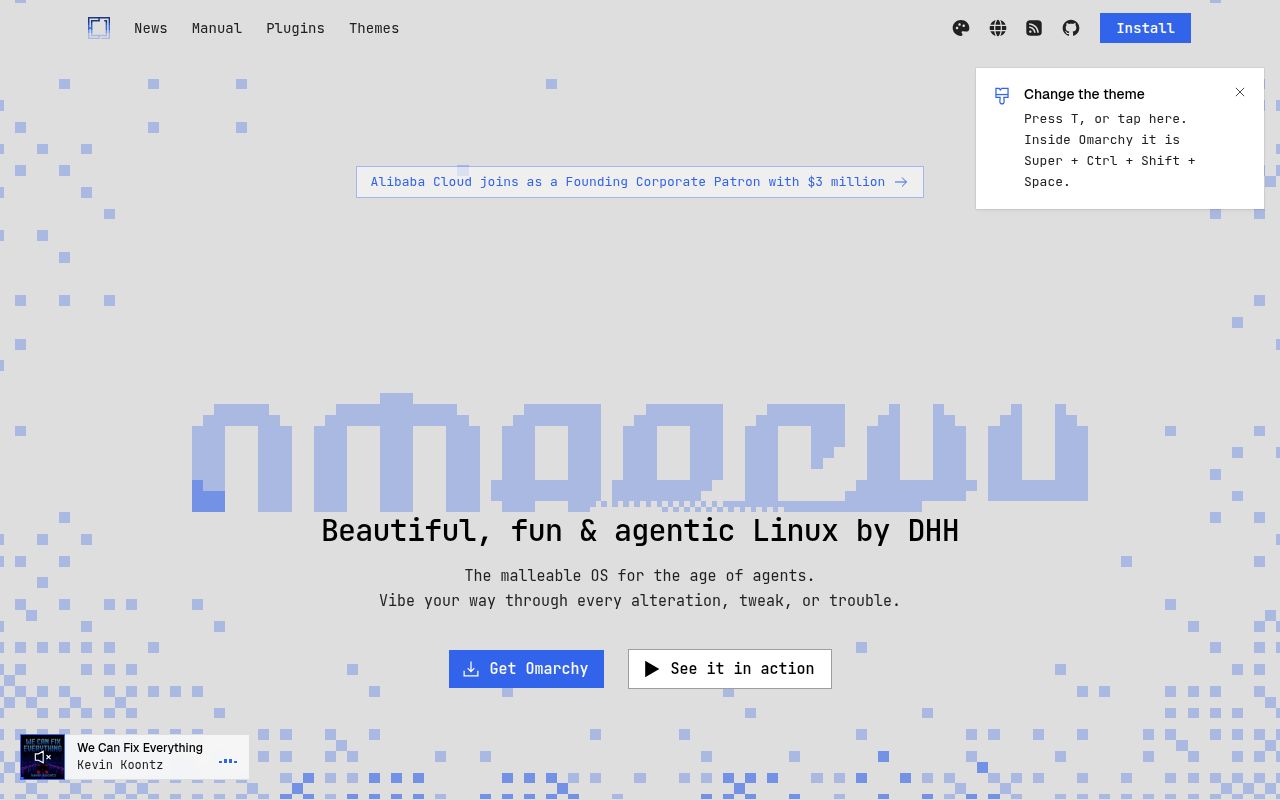
Flea combines a Rust file backend with a Quickshell interface that follows the current Omarchy theme. List, grid, and column views sit alongside tabs, natural filename sorting, and Quick Look for images, PDF pages, text, media, and archives. The device rail can expose USB drives, phones, cameras, and network locations. This is a graphical file manager with keyboard habits, not a terminal browser wearing a window.
The project is unusually direct about its home turf. Omarchy and Quickshell are hard dependencies, and the installation guide says it will not install on plain Arch. Our checkout reinforces the size of the commitment: commit f304c38 contained 667 files and roughly 96,136 source lines. Flea also integrates with Hyprland bindings, D-Bus, MIME handlers, and XDG portals, so porting it to another desktop would be real engineering work.
The 15-second build passed, while 4 tests did not
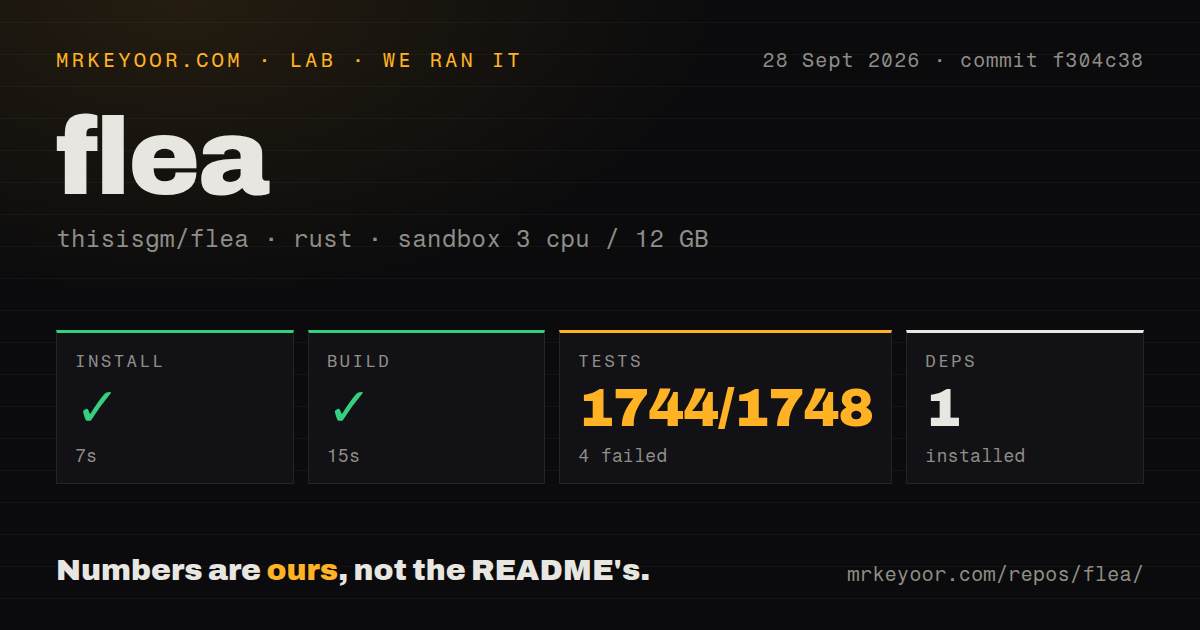
Our sandbox installed the Rust project in 7 seconds with 1 package, then completed the build in 15 seconds. The checkout occupied 17.7 MB before that work. Those are encouraging numbers for a desktop application with file operations, previews, network mounts, device support, and a portal backend. The repository also has a tests directory and one CI workflow file, though it has no Dockerfile.
The test command failed with exit code 101 after 39 seconds. Across the run, 1,744 tests passed and 4 failed out of 1,748. The tail names a_file_carries_its_owner_and_the_line_puts_it_on_the_wire_escaped and a_path_resolves_through_its_own_uid_and_a_missing_path_resolves_to_nothing; one binary summary shows 872 passed and 2 failed. The log does not establish why all 4 failed, so we cannot label them as container quirks or product defects.
What happened when we ran it
We ran commit f304c38 in a fresh, unprivileged container with 3 CPUs and 12 GB of RAM. Installation succeeded in 7 seconds, the build succeeded in 15 seconds, and the suite ended unsuccessfully after 39 seconds. A 99.8% pass rate still leaves a red test command, especially when the named cases touch ownership and path resolution inside a file manager.
The passing tail included cases for copying a socket tree, handling vanished metadata rows, continuing a batch after one item fails, and returning nothing for a missing search root. That breadth suggests the backend tests unhappy paths rather than only button clicks. Still, our lab did not open the Quickshell interface, mount a phone, browse SMB, or exercise the XDG chooser. The 1,748-test result measures the code path the repository exposed, not the complete desktop experience.
Default mode changes four areas of user configuration
The recommended flea-bin package is prebuilt for x86_64 and aarch64. A slower repository package lets Omarchy review, build, and sign the same release, while flea-git follows the main branch. The docs tell users to install only one because all variants own /usr/bin/flea. Source packaging reads the current checkout directly, which makes a clean worktree important before makepkg -si.
Running flea --default can modify the user's MIME association, a D-Bus service entry, Hyprland bindings, and XDG portal preference. That is how folders, “Show in folder,” a keyboard shortcut, and file dialogs reach Flea. Removal through pacman cannot clean those home-directory choices. Run flea --default off and flea --picker off before uninstalling, or follow the documented manual cleanup for the leftover files.
Large archives and some SMB mounts remain sharp edges
Issue 211 describes a 55 GiB Zip64 archive that extracts with 7z but dies inside Flea. The report traces it to a 30-second CPU limit shared with thumbnail jobs and says the same limit affects either archive tool. The app then shows a generic failure because the killed process leaves empty standard error. Anyone handling backup-sized archives should use an external extractor until that path changes.
Issue 194 concerns a mounted, writable SMB share that Flea still says cannot be read when the share username matches the desktop login. The report shows command-line SMB and GIO access working outside Flea. Another documented constraint is drag and drop across Hyprland workspaces: changing workspace ends the drag, so the target must already be visible. These are specific workflow limits, not reasons to dismiss local browsing.
v0.3.5 is moving quickly for a September project
GitHub showed 580 stars, 66 open issues and pull requests, and a last push on September 25, 2026. Release v0.3.5 shipped that day with changes to menu speed, Quick Look, trash behavior, failed-copy undo, PDF paging, and tap handling. The release notes also name a Chromium New Tab Page drop refusal as a known issue. Active pull requests continued through September 27.
Flea is already more considered than its v0.3.5 label suggests, particularly in its reversible desktop setup and unusually detailed installation notes. The failed 39-second suite prevents a blanket recommendation. If you live in Omarchy, its keyboard model and lazy directory work are worth testing. Keep Nautilus, Dolphin, or Thunar available until Flea passes your ownership, network-share, archive, and portal cases.