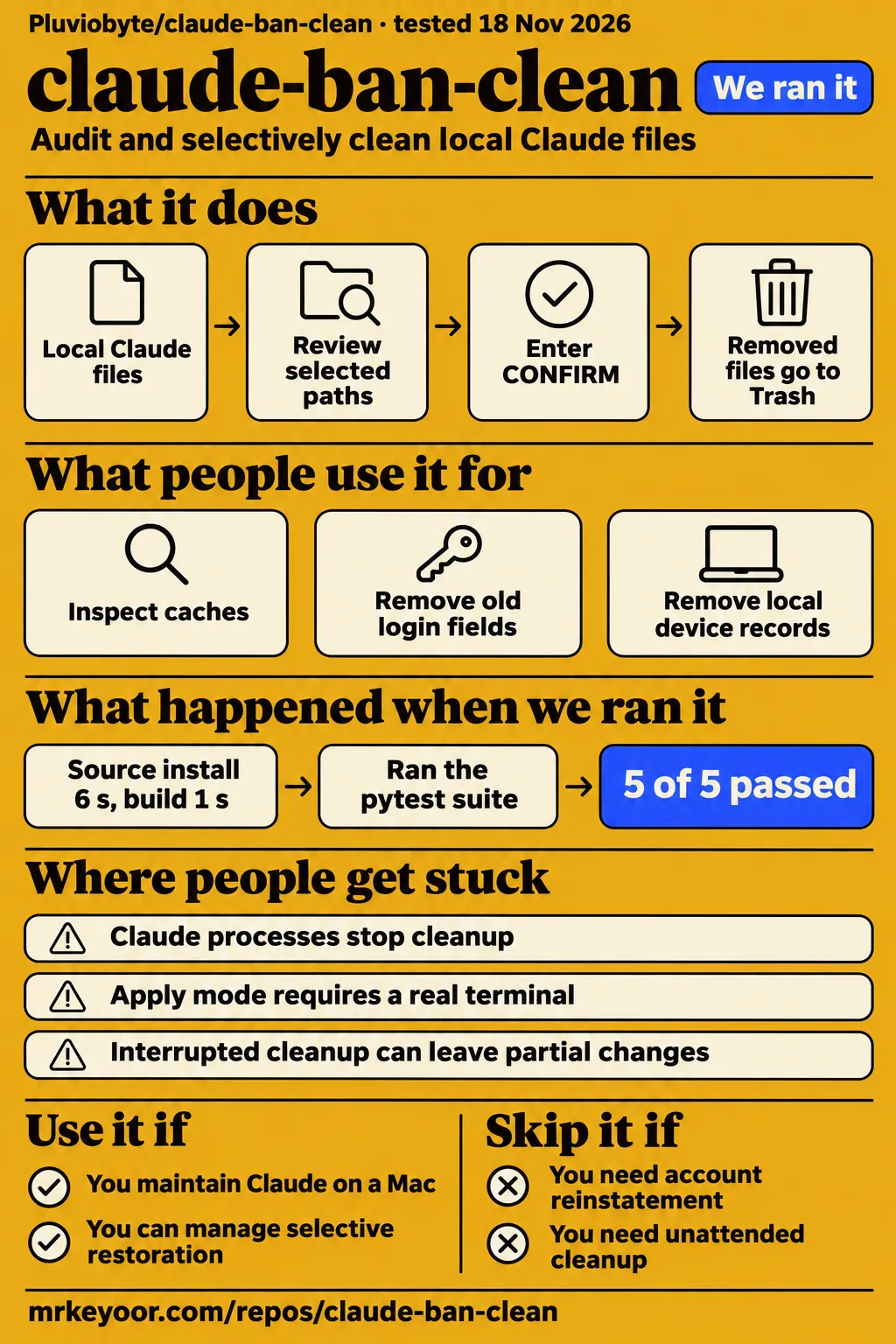
Our sandbox installed claude-ban-clean in 6 seconds and passed all 5 tests. Use it if you maintain Claude on a Mac and want to inspect selected cleanup targets before approving changes. Skip it if your goal is account reinstatement, identity erasure or unattended maintenance. The README explicitly rejects ban reversal and KYC bypass, despite the word "ban" in the project's name. Its useful distinction is between caches, account fields and local device records: each is a different maintenance job, with a different reason to touch it.
What you can do with claude-ban-clean
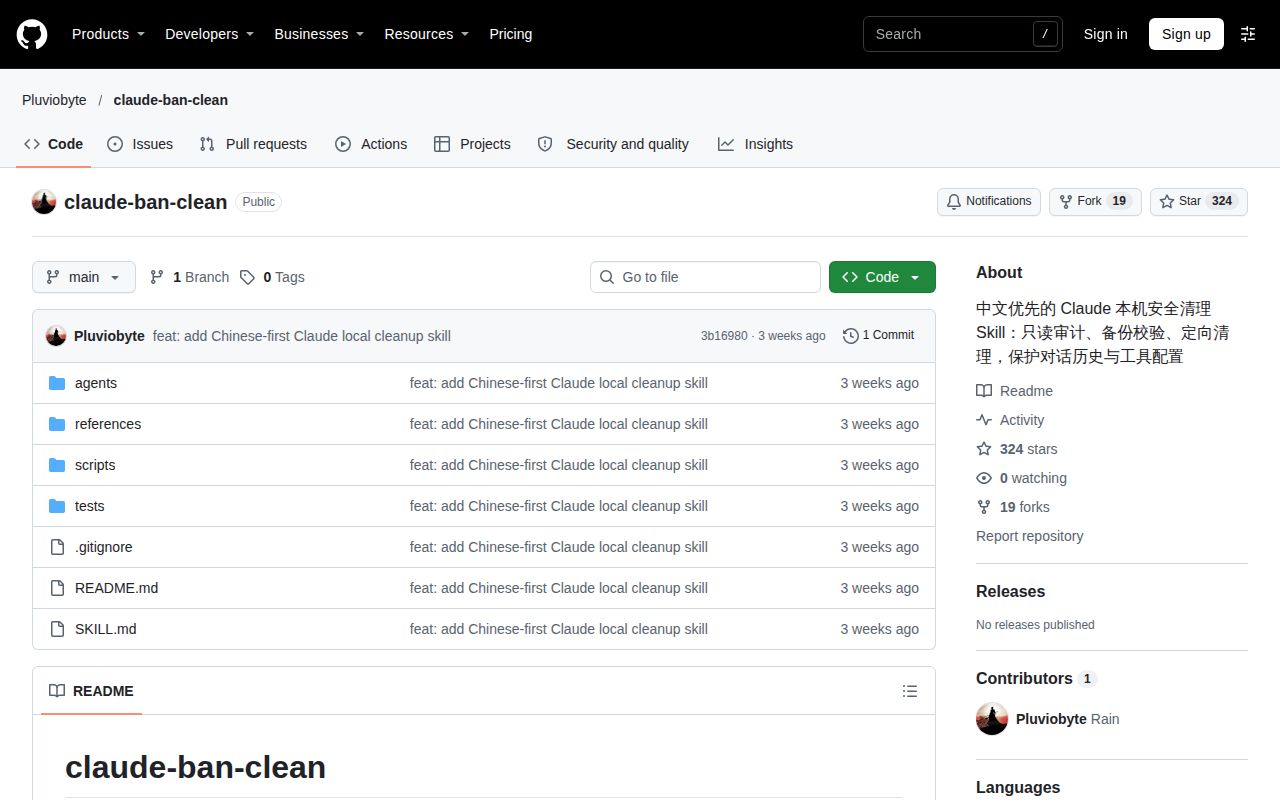
claude-ban-clean separates local Claude cleanup into cache, account and device-record scopes on macOS. Its README describes a Python standard-library script and installation as an agent skill, including a Codex installation path. The default terminal command performs a read-only cache audit. Adding an account scope selects credential-related targets; adding apply mode changes the operation from inspection to an interactive write. Clearing a graphics cache and removing login state have different consequences, so select them separately. Project README and cleanup scopes
| Scope | Documented target | Decision before applying |
|---|---|---|
| Cache | Claude Code cache and telemetry directories, Desktop graphics cache, logs and crash reports | Select the disposable local files you want removed |
| Account | Selected account and token fields, CLI credentials and Desktop configuration journal | Review credential-related paths and expect a possible logout |
| Device records | Local ant-did and ant-device-registry.json files | Select this scope separately from account cleanup |
| Browser | A separate procedure for profiles, cookies and partitioned storage | Authorize and inspect browser targets separately |
The documented audit command for cache and account targets is python3 scripts/cleanup.py --scope cache --scope account, run from the repository directory. The README says this inventory omits field values, allowing an operator to review selected paths without printing credential contents. Choose the scope by the files involved in your maintenance problem. An account-related symptom alone is not a reason to select caches, credentials, device records and browser storage together. Documented terminal commands
What people use claude-ban-clean for
The README describes three maintenance jobs: inspecting caches, removing selected old login fields and separately removing local device records. For a cache inventory, use the default audit. For old login state, inspect the account scope and its credential targets. For device-record maintenance, review the two named local files and select that scope explicitly. These are the uses described by the project's scope design. Cache audit, account cleanup, device-record scope
The account-success report in the supplied NodeLoc discussion concerns ClaudeDone, a different product. That identity distinction matters for readers arriving through account-repair searches: this review concerns Pluviobyte/claude-ban-clean and its local file operations. Its account scope selects login-related data, while its device-record scope selects two local files. Neither operation should acquire another product's testimonial merely because both appear in discussions about Claude account restrictions. NodeLoc discussion record, claude-ban-clean scope definitions
What happened when we ran it
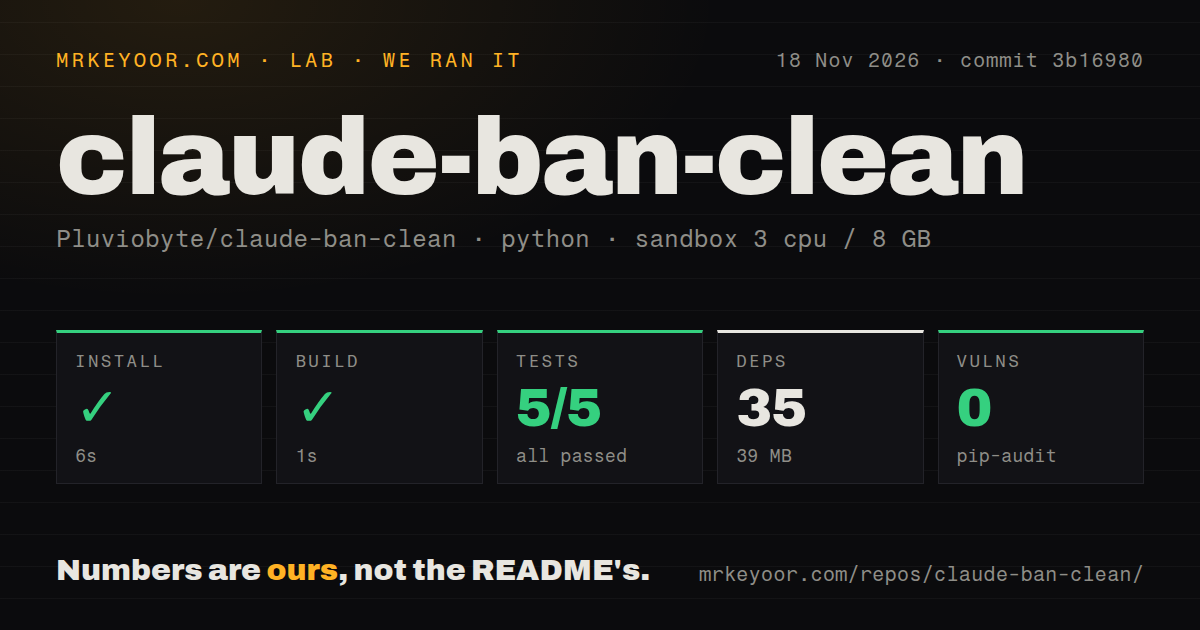
Our source harness installed claude-ban-clean in 6 seconds; the separate hands-on safety step failed because no Compose file existed. The failed step lists compose.yaml, compose.yml, docker-compose.yaml and docker-compose.yml as absent. Its runner required one of those files. The run summary nevertheless reports deployment using the repository's own Docker Compose, with every port bound to 127.0.0.1. Those records conflict; the recorded deployment outcome is contradictory. The teardown record says "teardown: ok."
| Source-harness check | Our recorded result |
|---|---|
| Install | Succeeded in 6 seconds |
| Dependency inventory | 35 recorded dependencies, 39 MB on disk |
| Build | Succeeded in 1 second |
| Tests | Succeeded in 2 seconds; pytest reported 5 passed and 0 failed |
| Dependency audit | pip-audit reported 0 known vulnerabilities |
| Repository scan | 8 files, approximately 301 source lines, a tests directory, 0 CI workflow files and no Dockerfile |
We measured the source checks at commit 3b16980 on November 18, 2026. The recorded sandbox configuration was 3 CPUs, 8 GB RAM and image label ghcr.io/astral-sh/uv:python3.12-bookworm. Upstream specifies Python 3.10+ and standard-library operation, so the harness's 35 recorded dependencies describe its environment rather than the application's requirements. The 39 MB footprint and pip-audit result belong to that same measured environment. documented requirements
Where people get stuck: terminal checks and partial changes
Apply mode requires a real terminal and stops when Claude processes are detected, according to the README. It provides no skip-confirmation option and says the tool will not terminate those processes for you. Exit Claude Desktop and Claude Code normally, then review the inventory from a separate terminal. The documented sequence makes the operator responsible for choosing targets and entering CONFIRM before backup and cleanup proceed. Terminal requirements and process checks
| Situation | Documented response | What to do |
|---|---|---|
| Windows or Linux cleanup | Actual cleanup unsupported | Use a supported Mac for this tool |
| Claude process detected | Cleanup stops | Exit the applications normally |
| Apply launched without a real terminal | Interactive confirmation required | Run in a terminal and enter CONFIRM after reviewing targets |
| Cleanup interrupted | Report records partial-or-stopped | Save current state and restore selected backup paths |
| Account traces still present | Some identifiers deliberately retained | Review the listed fields and retained data |
| Old device records return | Retained keys and server registration may restore them | Treat local records separately from server registration |
The README says cleanup stops on error without automatically rolling back current files. Its recovery instructions tell you to close related applications, save the current state and restore specific paths from the relevant backup batch. Copying an entire old directory over the current one can overwrite history or configuration created since cleanup. That manual recovery obligation, together with the confirmation prompt and process checks, makes this workflow a poor fit for unattended maintenance. Recovery instructions
Security defaults preserve recoverable copies
The README says cleanup starts only after backup hashes and directory structure checks pass. Its first write creates a timestamped batch under ~/ClaudeBackups/claude-ban-clean-* with 0700 permissions. Removed files go to a batch under Trash, and originals of edited JSON files remain in the backup. The report records paths, key names and progress rather than field values. These provisions give an operator specific files and records to consult during recovery. Backup and report design
Backup contents can still contain tokens, cookies or personal information, so the README tells operators to keep them locally and out of GitHub. Account cleanup retains unknown fields, nested project data, userID, machineID and historical account associations. It also preserves conversation history, Skills, Hooks, MCP configuration and project/Git files. That policy suits selective login-state cleanup while keeping the surrounding working environment, and explains why the backup directory deserves the same care as the credential files it contains. Protected data and retained fields
Browser cleanup needs its own decision
The script does not automatically modify Chrome. Browser work is a separate documented procedure, and the README warns that third-party storage such as Persona can belong to unrelated sites, including ChatGPT and Kraken. It calls for separate authorization and checks by profile, origin and partition. A shared storage name therefore calls for inspecting ownership before deletion; permission to remove Claude Desktop caches should name those caches and their paths. Browser procedure and restrictions
Device-record cleanup has a different local target. The README says deleting ant-did may lead the application to generate a new value, while deleting the registry JSON may allow old records to return through retained keys and server registration. Removing those local files does not revoke server-side registration. Keep browser storage and device records separate when describing the intended change, because they involve different files, ownership checks and recovery decisions. Device-record semantics
Chinese instructions explain the consequential choices
The supplied README is in Chinese and documents preserved fields, browser partitions and selective restoration. Commands and scope names use English identifiers, but the surrounding explanations describe what changes and what stays. An English-speaking operator needs to understand those passages before approving a write, particularly when the inventory includes credentials or shared browser storage. The supplied tree names SKILL.md as the agent entry point. Supplied README and repository tree
For a first look, the README's read-only command is python3 scripts/cleanup.py, executed from the repository directory. Its Codex installation instructions also tell users to inspect an existing destination before cloning into it. Start by reading the resulting target list, then decide whether to add an account or device-record scope. Installing the skill places files in a skill directory; applying cleanup changes selected local data and requires its own interactive confirmation. Installation and terminal instructions
claude-ban-clean vs claude-scrub and claude-migrate
claude-scrub targets secrets in history; claude-migrate targets Desktop Code sidebar records after an account switch. Their supplied READMEs describe different operations from claude-ban-clean's selective cache and login-state cleanup. Match the operation to the problem before choosing a tool. A password printed inside a transcript belongs to a different file-level task from a stale login field, and an empty sidebar after switching accounts calls for examining session records. claude-scrub README, claude-migrate README
| Project | Documented job | Pick it when |
|---|---|---|
| claude-ban-clean | Audit and selectively clean local caches, account fields and device records | You want a scoped maintenance inventory on macOS |
| claude-scrub | Find secrets in Claude history and replace them with labels | A token or password appeared in session material |
| claude-migrate | Copy Desktop Code session records between accounts on the same Mac | Sessions disappeared from the sidebar after switching accounts |
claude-scrub covers transcripts, prompt history, paste cache, file history and shell snapshots. Its README says redaction is permanent and provides no backup because a backup would retain secrets. claude-migrate instead copies sidebar records, preserves session IDs and leaves transcripts untouched; its author describes the Desktop storage layout as undocumented and subject to change. Those differences affect the decision as much as the headline task: one rewrites sensitive history, while the other adds records that point to existing transcripts.
FAQ
Anthropic directs users who believe their account was wrongly suspended to sign in and submit its appeal form. That is the account-review route described in its support guidance. Local cache cleanup, login-state maintenance and an account appeal are separate operations. For someone arriving here after a suspension, choosing between them starts with the outcome needed: reviewing an account decision or changing selected files on a Mac. Anthropic appeals guidance, local maintenance scope
What should I do if my Claude account gets banned?
Anthropic tells affected users to log in with the banned account and complete the linked appeal form. Its Safeguards team can investigate why the account was disabled. The claude-ban-clean README likewise directs account problems to official support. A local file inventory serves a maintenance purpose; the appeal process gives the account holder a route to request review of the suspension. Official suspension and appeal instructions
How can I use Claude without getting banned?
claude-ban-clean provides no guarantee against account bans. Its README defines a local maintenance tool, explicitly rejects ban reversal and KYC bypass, and says device unlinking is not guaranteed. Use its cleanup scopes to select local files for maintenance. For an account restriction, the README points to official support rather than presenting cleanup as an account-protection procedure. Project purpose and restrictions
How do I fix Claude's "app unavailable" error?
claude-ban-clean's documented workflow does not address the "app unavailable" error. The README describes auditing caches and selectively changing local account fields or device records, rather than diagnosing that error. Its terminal commands are maintenance commands, not an error-specific repair sequence. The repository therefore answers which local data a cleanup selects, rather than how to resolve this application message. Documented maintenance workflow
How can I configure Claude Code to skip the login page and connect to an API?
claude-ban-clean's documented workflow does not configure API authentication or provide a login-page bypass. Its account scope removes selected stored account fields and credential-related files. That operation changes existing local login state; it does not specify an API endpoint, authentication settings or connection commands. API connection setup is a separate task from this repository's documented cleanup workflow. Account scope and terminal workflow
What can I do when Claude registration or login asks for phone verification or KYC?
The README explicitly says claude-ban-clean cannot bypass KYC and directs account problems to official support. Its device-record scope selects ant-did and ant-device-registry.json on the local machine. The README also explains that retained keys and server registration may restore old records. Those local operations do not complete a server-side identity requirement or revoke the server's device registration. Project restrictions and device-record semantics
Is Claude Ban Clean the right choice for me, or is there a better option?
Choose claude-ban-clean for a scoped Mac maintenance inventory, claude-scrub for secrets in history, or claude-migrate for Desktop Code sidebar records after an account switch. For a suspension, follow Anthropic's appeal instructions. Before applying a file operation, read the relevant tool's handling of backups, permanent changes and recovery so the selected workflow fits the data you intend to change. Cleanup README, scrubbing README, migration README, account appeals
What we have not tested yet
Our run provides passing source checks and a stopped Compose safety step, not a completed macOS cleanup or recovery. Selective restoration after interruption, browser operations, device-record regeneration, protected Keychain behavior and compatibility across Claude versions remain outside those results. The image label does not establish the sandbox's actual runtime or operating-system version. The README describes temporary-directory tests with simulated data; the supplied records contain no attributable completed cleanup for this project. README test boundaries
The supplied material contains the README and a tree naming SKILL.md, rather than the skill instructions themselves. Adoption, support responsiveness and both alternatives' behavior in our environment are unassessed. Nicheloom returned a security-verification screen. The supplied video opening does not establish a tested prevention or repair procedure, and the Bilibili records are search listings rather than repair instructions. They supply no tested app-unavailable fix or API configuration sequence. Nicheloom response, video opening, Bilibili listings
Rendered-page layout, related links and recommendation modules also sit outside the supplied measurements. The next useful product evidence would be a supported Mac run with a saved target inventory, completed selective cleanup and demonstrated restoration of changed paths. For the current maintenance decision, start with the documented read-only inventory and compare its exact targets with the files involved in your maintenance problem.