Choose the scope before installing
Caveman's standalone skill is the starting point if you want shorter coding answers. The full CLI also changes inputs and model routing, so it needs a broader evaluation. Our recorded repository run establishes dependency-setup time and footprint, but leaves CLI operation and savings unverified.
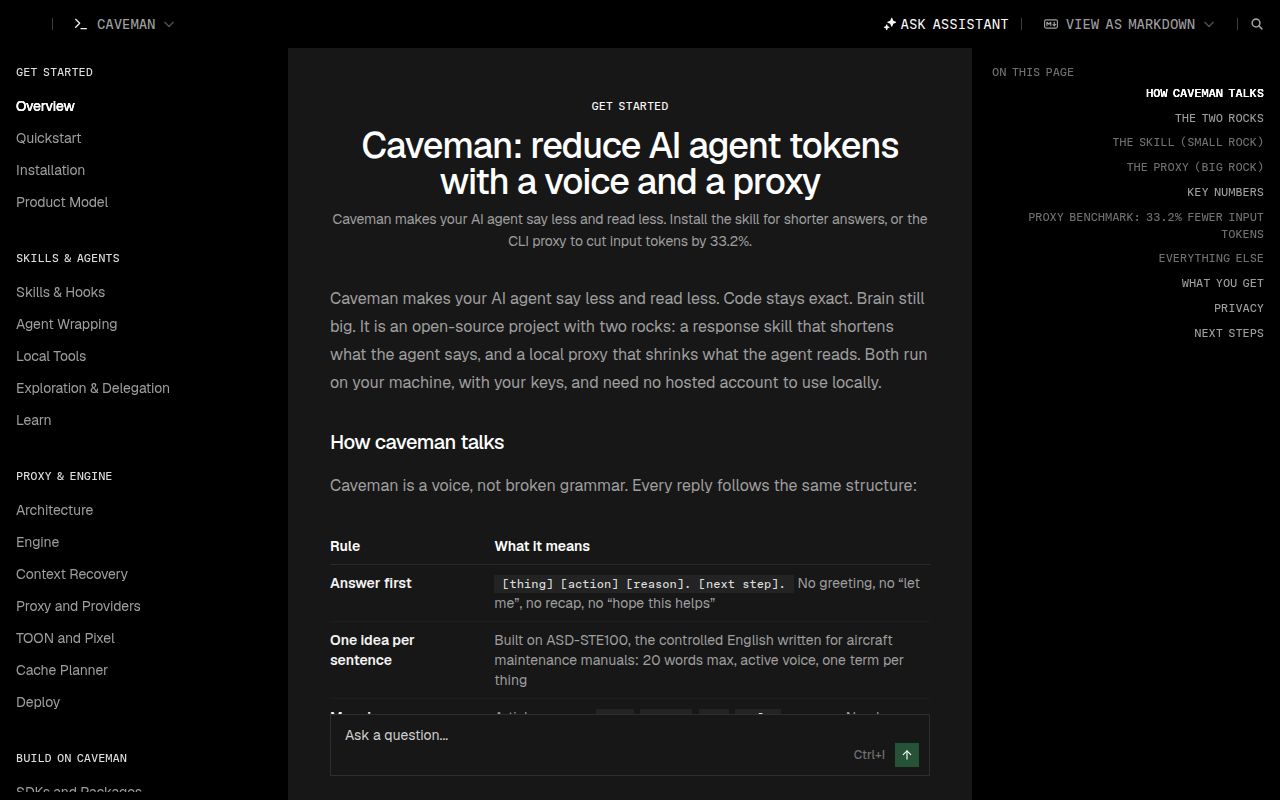
The README instructs the voice to answer first, preserve negation, and leave code, commands, paths and error messages unchanged. It calls for full sentences when handling security warnings, irreversible actions or a confused reader. These are instructions to the assistant, not guarantees that every response will follow them. Read the voice rules.
What our recorded run establishes
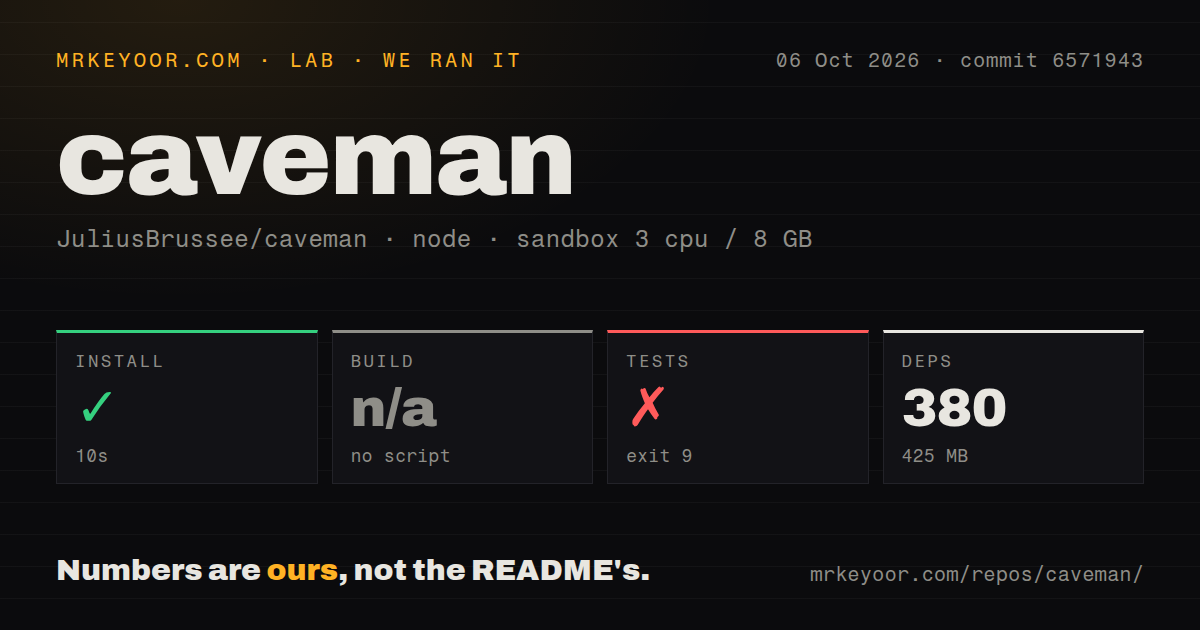
Our run took place on October 6, 2026, at commit 6571943 (full SHA: 6571943370f7c9d4de1946481177ee7b306cd8e8). The configured sandbox had 3 CPUs, 8 GB of RAM and the image label lab-node:22. The actual install output reports Node.js v18.20.8 and pnpm 10.14.0. Use that runtime evidence when interpreting the result.
The dependency-install step completed successfully in 10,036 milliseconds, rounded to 10 seconds in the stored summary. That summary records 380 dependencies and 425 MB of installed dependency footprint. The pnpm tail reports 379 packages added across 14 workspace projects. We retain both records without treating them as interchangeable counts. The footprint belongs to this repository dependency setup, not the standalone skill.
Several workspace packages warned that Node.js v18.20.8 was below their declared requirements of >=22.13 or >=22.12. The current README requires Node.js 22.13+. Successful dependency installation under the older runtime does not establish supported operation.
The build step was skipped because there was no build script. The recorded test command was:
node --test --test-force-exit --test-concurrency=2 tests/installer/*.test.mjs tests/hooks/*.test.mjs
It exited 9 after 1,037 milliseconds, rounded to 1 second, with node: bad option: --test-force-exit. The command failed at startup; the suite did not run. There is no passing-test count, and this result does not show that Caveman's product features are broken.
The test output identifies caveman-installer@3.1.0, while the dependency-install tail lists @caveman-ai/cli 1.2.1. No installed-binary check, agent session, compression workload or routing trial appears in the supplied run. Dependency setup therefore cannot verify CLI installation or integration behavior.
The repository scan recorded 1,613 files, roughly 273,683 source lines and 19.1 MB before dependency installation, plus 15 CI workflow files, a Dockerfile, a tests directory and workspaces. Those describe the checkout. They do not establish test coverage, compatibility or security. No audit result was recorded, and audit coverage is unknown.
What to check on the version you adopt
The supplied v4.0.1 release notes describe fixes for Windows, synchronization and agent integrations. Our older checkout does not validate that release. The install guide also contains a stale sentence describing CLI releases as 2.x and Caveman releases as 3.x; the v4.0.1 release notes explicitly list @caveman-ai/cli@4.0.1. Keep the installer package, CLI package and repository release identities separate.
Activation varies by host. The guide distinguishes automatic hooks, manual skill invocation, soft probes and paths not tested end to end. A soft probe describes detection limits; it is not itself proof that an integration fails. On newer npm versions, follow the guide's Git-install instructions rather than assuming an older command still works.
The supplied issue listing includes activity dated October 25, 2026, including closed compatibility-drift reports. It does not support retaining an October 13 last-push claim or a current count of 37 open issues and PRs. Issue titles and closures also do not independently verify the reported behavior or its resolution.
Savings and privacy need separate checks
Our run measured no token savings, task quality or billing outcome. The README's compression and routing results are maintainer-reported benchmarks with their own workloads and limits. Its routing comparison is interim, and its voice comparison uses the 3.1.0 rules. A useful trial should compare Caveman with your existing concise-answer instructions and check whether tasks still finish correctly. For request-priced access such as GitHub Copilot, the README says shorter answers alone save nothing.
According to the README, the skill sends nothing by itself, except that /caveman-compress sends the selected file to your configured model provider. The CLI sends usage telemetry by default. Its documented opt-outs are caveman telemetry off and DO_NOT_TRACK=1.
Auto has a separate data path. Once you sign in and select it, the README says it sends Caveman Cloud selected conversation context, including material attached to the latest ask. On the Free plan, Caveman may retain that context to improve routing. Requests routed to a Caveman Cloud model pass through Cloud whole, including system prompts, tool results and code. Review these distinctions in the privacy section; our dependency-install run did not inspect network behavior.
How to use the ratings
These are editorial evidence ratings, not benchmark scores: 1 means substantial documented obstacles, 2 means important evidence gaps, 3 means a usable evaluation path with material limits, 4 means detailed support for the category, and 5 requires broad corroborated evidence. Unknown adoption and untested compatibility do not earn a high score.
RTK is relevant when you want shell-output filtering. LLMLingua is relevant when you control prompt construction inside an application. Neither was tested in our Caveman run. For Caveman itself, begin with the smallest feature that addresses your need, then verify activation and task results on the exact version and runtime you plan to use.