A recovered backup is a reason to investigate, not a promise
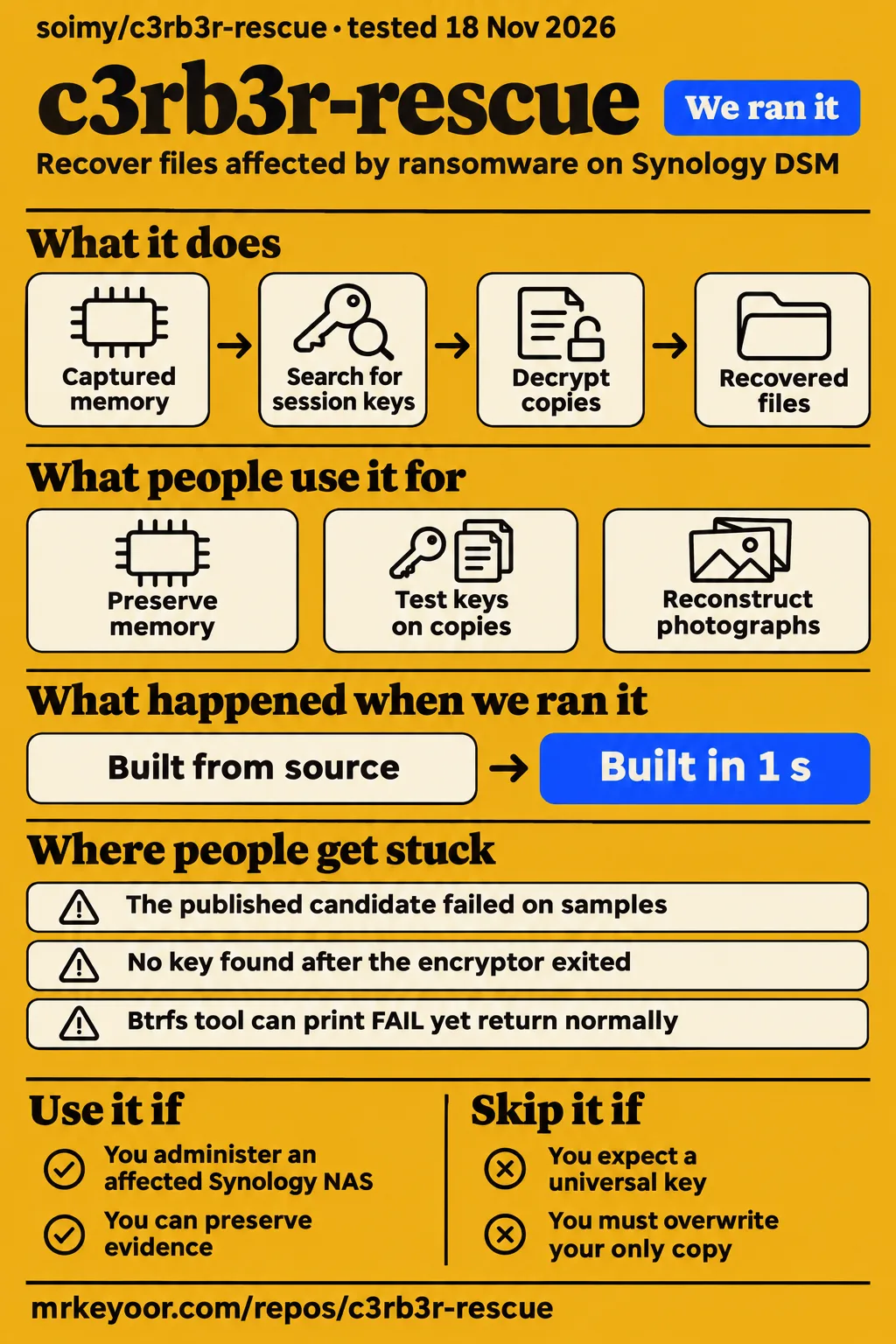
The c3rb3r-rescue author reports recovering an approximately 49 GiB GitLab backup and restoring 80 projects in isolation. Use this toolkit if you administer an affected Synology NAS and can preserve evidence before experimenting. Skip it if you expect a shared key to unlock every victim's files. Our sandbox installed and built the project, but its test command stopped at six collection/setup errors. Those are separate findings: a documented recovery and an unsuccessful software check. Author's account.
The decision starts with what survives on your machine. A session key in captured memory can support decryption. A surviving snapshot can supply an earlier copy. Older Btrfs blocks can sometimes support reconstruction. These routes demand different evidence, and a success through one route says little about the others. That distinction makes this project worth reading even when its particular memory method cannot help you.
What people use c3rb3r-rescue for
Administrators use the repository to preserve memory, test recovered keys on copies and choose between decryption and filesystem recovery. Its most useful examples name the recovery mechanism and the checks performed afterward, rather than treating every readable file as a successful decryption.
| Who used it | What they did | What the report supports |
|---|---|---|
| The soimy/c3rb3r-rescue author | Extracted a session key from PVE guest memory | An approximately 49 GiB GitLab weekly backup matched its historical digest and yielded 80 projects in an isolated restore. README |
| Benjamin-zlt | Used a live, stopped encryptor on physical DSM and that machine's own key | About 84,500 recovered files were reported; 39 of 40 known pairs matched, while the remaining comparison used a different file version. Community findings |
| chris7395328 in issue #12 | Reconstructed photographs from retained Btrfs blocks without a key | Reported 386 recovered photographs from 684 processed, all passing complete JPEG decoding; one reference photograph matched decoded pixels. Photo report |
| flyhope in issue #25 | Used the skill with qoder-cli to locate snapshots that DSM appeared not to show | Reported exporting important data before a successful rollback. This was snapshot recovery. Snapshot account |
Benjamin-zlt's report is useful because it extends the memory method beyond the author's virtual machine. It also shows why the denominator matters. Checking known pairs is stronger evidence than a screenshot of filenames, but a sample comparison is still a different result from comparing every recovered file against an independent original. The project's community summary preserves that distinction. Evidence summary.
The photo account answers a different question: whether losing the key necessarily ends recovery. It doesn't, when usable old Btrfs blocks survive. Keep that account separate from key extraction. The reporter saved output to a computer and left the NAS ciphertext untouched, a detail that matters more to the next victim than a broad success percentage. Issue #12.
What happened when we ran it
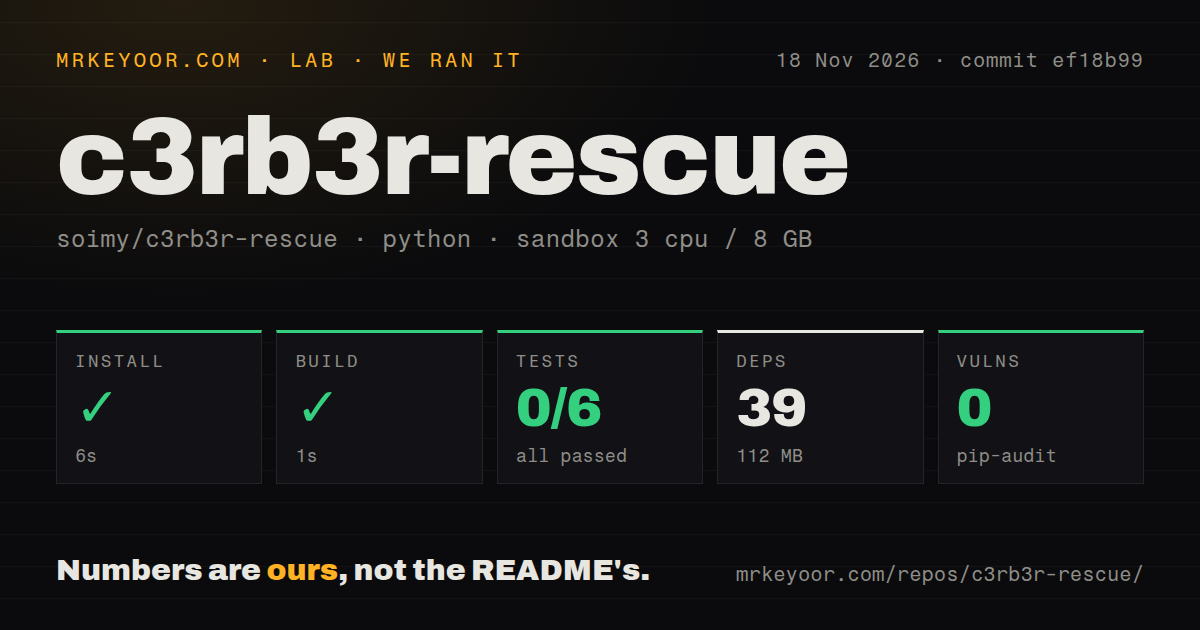
Our November 18, 2026 sandbox run at commit ef18b99 installed c3rb3r-rescue in 6 seconds and built it in 1 second, but the test command exited 1 after 2 seconds. The recorded configuration was 3 CPUs, 8 GB RAM and image label ghcr.io/astral-sh/uv:python3.12-bookworm. That label records the chosen image; actual runtime and operating-system versions require the raw toolchain logs.
| Check | Our recorded result | What it tells you |
|---|---|---|
| Install | Succeeded in 6 seconds; 39 dependencies; 112 MB on disk | The dependency step completed in this sandbox. |
| Build | Succeeded in 1 second | The recorded build command completed. |
| Tests | Exit 1 in 2 seconds; 0 passed, 0 failed, 6 collection/setup errors of 6 | Collection/setup stopped before any passing test result. |
| pip-audit | 0 known vulnerabilities | The audit reported no known dependency vulnerabilities. |
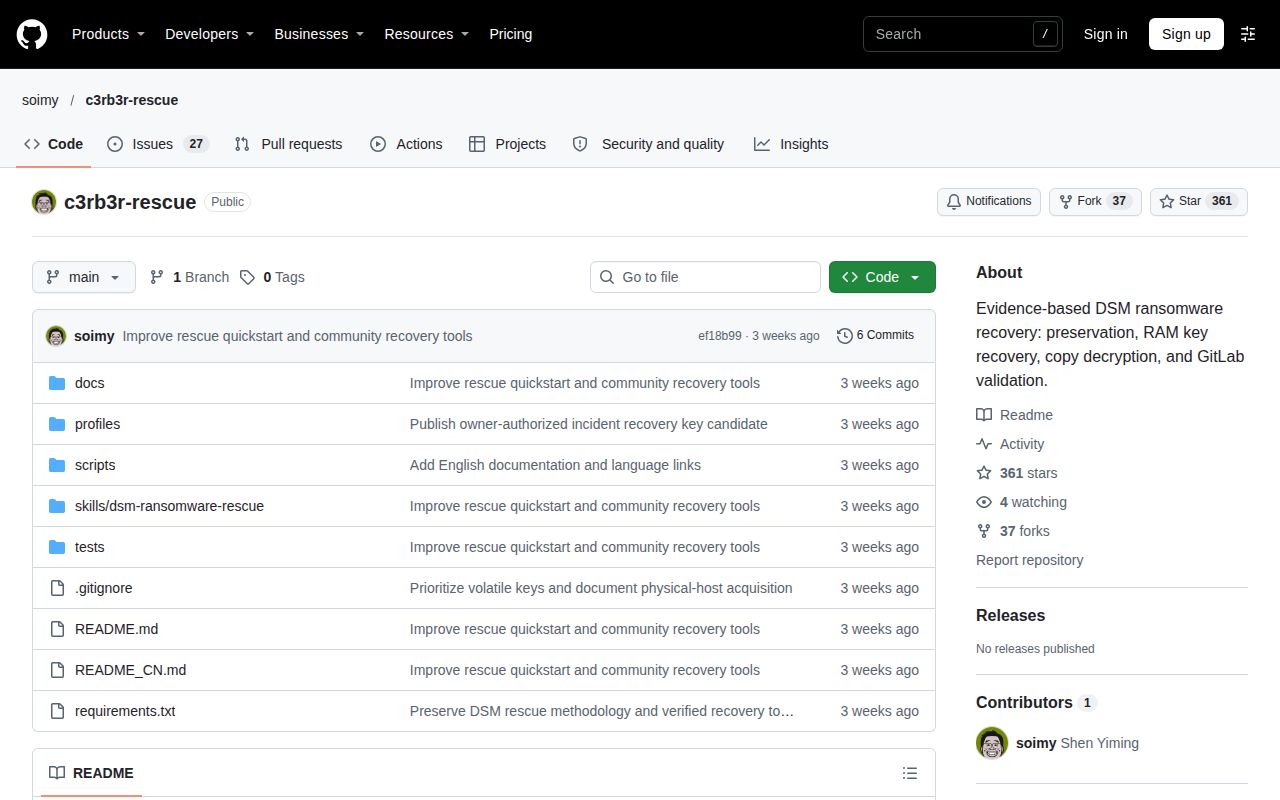
| Repository scan | 56 files; approximately 2,875 source lines; 0.4 MB checked out | This is a small Python toolkit. |
| Automation and packaging scan | 0 CI workflow files; no Dockerfile; tests directory present | A test directory exists, but our suite invocation failed. |
The log names test_decrypt_copy.py, test_inspection.py, test_inventory_archives.py, test_preservation.py, test_process_memory.py and test_public_key.py as errors. Its visible exception is ModuleNotFoundError: No module named 'check_publish', following from check_publish import inspect_blob. That is enough to explain why we cannot present this run as a passing suite. It doesn't identify the cause of every collection error, so prescribing a packaging change from this tail would be guesswork.
A separate hands-on record says the safety step failed because no compose.yaml, compose.yml, docker-compose.yaml or docker-compose.yml existed. Its generic run line nevertheless claims a deployment with the project's own Docker Compose. Those records conflict. The failed prerequisite supports a blocked deployment attempt, not a working NAS recovery demonstration. The teardown record says teardown: ok.
Where people get stuck: a live machine can still have no key
Issue #9 reports an unrebooted machine whose encryptor had already exited, with no key found in RAM and zram searches. Keeping the NAS powered on preserves an opportunity to collect evidence; it doesn't guarantee the material you need remains there. That is a more useful warning than any rule based solely on hours since infection. Negative case.
| Reported obstacle | Supported response | Status in the supplied evidence |
|---|---|---|
| Issue #5: the public candidate failed on another victim's samples | Prioritize the victim's own captured material and test independent copies | No cross-victim success reported. Key failure |
| Issue #14: process capture hit an offset overflow at [vsyscall] | The collector excludes mappings beyond signed off_t and records them | The maintainer documents a partial-result capture fix. Collector review |
| Different footer session markers | Select the reviewed session explicitly with --expected-marker HEX8 | Marker selection retains key validation; accepting a marker isn't a key match. Session handling |
| Issue #19: a commenter found no recoverable old Btrfs data | Preserve other copies and disk evidence for further assessment | That comment reports no continuation to recovery, despite the thread's success title. Mixed-outcome thread |
| External Btrfs preflight prints FAIL but returns normally | Read structured checks and stderr; require relevant checks to be present and passing | A documented integration warning, not an upstream fix. Btrfs guide |
The title of an issue is a poor substitute for reading the conversation. Issue #19 begins with one person's successful process-key recovery, then contains another person's unsuccessful Btrfs assessment. Combining them into a single success story would send a reader down the wrong route. Likewise, an accepted footer marker only selects which session you intend to examine. It cannot turn the author's published candidate into your machine's key.
Independent storage is part of the recovery method
The README tells users to keep ciphertext and write recovered files outside the affected storage pool. Budget for that destination before attempting a large batch. Copy-based decryption preserves a source you can revisit if a key, parser or output check turns out to be wrong. Preservation instructions.
For Btrfs reconstruction, a copy of an encrypted file is not enough to preserve the older extents and filesystem history. The integration guide calls for preserving the backing storage and recording the storage stack. It also warns that a read-only file descriptor doesn't freeze a filesystem with background writers, and that a simple read-only mount flag doesn't necessarily prevent log replay. This is where a convenient laptop recipe can become a poor fit for an unfamiliar RAID or cache arrangement. Acquisition conditions.
At volume, output space and validation become the practical burden. The guide asks users to account for ciphertext copies, recovered output and multiple candidates, while separating hard links and duplicate paths in inventories. A count inflated by duplicate paths is no help when you need to know which unique files are intact. Keep failed candidates in their own records so a resumed batch doesn't silently count them as finished.
English documentation exists; several deeper guides are Chinese
The project provides an English README and English physical-memory, Btrfs and tool-usage references, while its README labels several deeper guides as Chinese. Those include PVE containment, reverse engineering, inventory checks, GitLab restore and the AI skill. The issue conversations also include substantial Chinese reporting. An English-speaking operator can understand the main choices, but should expect translation work when following the detailed incident history. Documentation index.
That matters most when an assistant translates a procedure into commands. The README's suggested prompt asks it to establish the machine type, reboot history, process state, access channel and independent destination first. Treat that as a list of facts to collect. A successful AI-assisted account in issue #7 reports extracting a key and decrypting several test files after a capture offset error; it supplies no full recovery inventory. Issue #7.
Recovery does not make the NAS trustworthy again
The README separates restoring data from rebuilding the compromised system, replacing credentials and addressing the entry point. That separation is a reason to prefer this workflow over immediately cleaning up the machine until its files look normal. Memory dumps and key material also belong in private storage, alongside business data, rather than in a public support issue. Recovery and privacy guidance.
The community findings document says intrusion attribution is case-specific. Reports of exposed IPv6 access or a download/task chain are evidence about those incidents, not proof that every victim entered through the same vulnerability. For an operator, the consequence is straightforward: a recovered document doesn't tell you which access path needs repair. Preserve acquisition receipts and executable digests separately from your reconstruction results. Case boundaries.
c3rb3r-rescue vs in-place decryption, Btrfs tools and hbkit
Choose an alternative by the surviving evidence: a valid key, retained Btrfs data or an intact backup archive. The projects below solve different parts of the incident, and their reported outcomes belong to their own authors.
| Option | Why someone would choose it | Decision that changes |
|---|---|---|
| soimy/c3rb3r-rescue | Preserve ciphertext and decrypt copies using recovered session material | Arrange independent output storage. README |
| penv13/c3rb3r-inplace-rescue | Its author offers a standalone Go binary and in-place decryption to avoid duplicate-output space and Python dependencies | It overwrites encrypted segments in the original file, changing the preservation tradeoff. Alternative's README |
| crt106/c3rb3r-btrfs-recovery | Reconstruct retained old blocks when no usable key exists | Success depends on mappings and compatible storage layouts. Integration review |
| YordiLorenzo/hbkit | Read a Hyper Backup archive whose required contents survived | This is a backup restore route, not session-key decryption. Issue #26 |
YordiLorenzo's issue #26 reports a normal hbkit restore of 465,000 files from wingsoon2's affected backup. The report says the bucket data survived and only four dispensable metadata files were encrypted. Counting that as 465,000 c3rb3r-rescue decryptions would misdescribe the mechanism. It is still a valuable option for a reader whose NAS and reachable backup both show ransom notes. Hyper Backup account.
PhotoRec appears in flyhope's account for another reason: it recovered data but lost filenames and directory structure, making organization impractical. Discovering surviving snapshots allowed structured export before rollback. If intact snapshots exist, the Btrfs guide prioritizes copying from them before inferring old blocks. That is the sensible order to investigate, rather than choosing the most technically elaborate method first. Snapshot report, route priority.
Outdated claims, corrected
HKEPC's X post overstates recovery of the October 22 backup: the supplied repository commit describes it as incompletely recovered because of interleaved repeated encryption. This is separate from the approximately 49 GiB weekly backup with a matching historical digest. A reader should not carry the stronger outcome from one backup over to the other. HKEPC post, commit extract.
The maintainer's issue #9 comment also goes too far when it calls a living encryptor the only recovery opportunity. That describes the live-process key route. The repository now includes a separate no-key Btrfs route, and the later snapshot and Hyper Backup reports belong to still other mechanisms. Losing process memory closes an important route without proving every earlier copy has vanished. Issue #9, Btrfs reference.
Issue #12's broad claim about recovering modes 0x26 and 0x25 also needs the integration guide's conditions. Partial encryption alone isn't proof of recoverability: retained extents, correct mapping and boundary checks matter. The guide expressly distinguishes a candidate from an exact match to a known original. Don't turn a particular reporter's result into a general percentage for your own NAS. Original thread, qualified workflow.
Questions people ask
Yes, some C3RB3R victims report recovering files through their own memory keys, surviving snapshots or old Btrfs blocks. Which route applies depends on the evidence preserved on that machine. The author's backup and community reports are useful precedents, rather than a shared decryptor for every .L0CK3D file. Recovery routes.
Can I recover my files after a C3RB3R attack?
The author's approximately 49 GiB backup recovery is a documented success. Start by identifying your filesystem, process state, existing dumps and intact copies so you can choose a matching route. Don't discard ciphertext because the first key candidate fails. README.
Do I need to dump my own NAS memory to recover a working key?
Successful memory cases used their own session material; the published candidate failed on other victims' samples. A previously saved dump can be relevant too. Snapshot and old-block recovery are separate choices that don't require extracting a session key. Community findings, candidate failure.
Does the encryptor have to remain alive, even 36 hours after infection?
Issue #16's reporter says the encryptor was still present after more than 36 hours, while issue #9 reports no key after the process exited. These accounts support checking process state, rather than using elapsed time as a recovery deadline. Issue #16, issue #9.
How can I tell whether decryption really succeeded?
A full hash or byte comparison with an independent original of the same version supports exact recovery. Complete decoding or an application restore supports a narrower format or application result. Opening a preview only produces a candidate. Keep those categories in your recovery manifest. Validation levels.
Has anyone recovered a rebooted EXT4 NAS without a memory key or Btrfs?
The supplied issue #22 contains no successful full decryption or filesystem recovery for that situation. The maintainer says no such success had been reported in the thread. Preserve the disks and other copies rather than treating a Btrfs success as an EXT4 recipe. EXT4 case.
Does C3RB3R overwrite EXT4 files or create encrypted copies and delete the originals?
Issue #22's maintainer describes in-place overwriting of EXT4 data blocks. The victim asks about deleted originals, but that question isn't evidence of a demonstrated undelete route. The supplied record supports no blanket promise that original files are waiting in unallocated space. EXT4 discussion.
Can partially encrypted photos and videos yield recognizable images or playable footage?
Btrfs issue #12 reports complete JPEG decoding for recovered photographs. In rebooted EXT4 issue #22, partial video salvage and thumbnails are suggestions, with no demonstrated outcome. A readable image reconstructed from retained blocks and a playable fragment carved from damaged media are different results. Photograph report, EXT4 suggestions.
How should I image and reconstruct a four-disk Synology RAID for recovery?
Issue #22's owner proposes imaging each original disk and analyzing copies, but supplies no completed reconstruction procedure. Have a specialist establish the actual RAID, cache and filesystem layout before assembly. The Btrfs guide warns against substituting underlying devices to bypass storage-layer checks. Four-disk case, storage precautions.
Has anyone solved recovery of large videos with the Btrfs method?
Issue #12 includes a comment reporting that video recovery failed, while the detailed photo report says its videos weren't processed in that round. Those records provide no general large-video success rule. Assess the individual file's extents and validate the full output. Media discussion.
Should I restore DSM before attempting recovery after a power interruption?
The README puts evidence preservation ahead of upgrades, reinstalls and rebooting. If power is already lost, preserve disks, existing dumps, snapshots and other copies. Restoring DSM cannot recreate the previous process memory. Recovery decision table.
How do I mount Synology disks on a Linux laptop to attempt recovery?
Flyhope reports using Ubuntu and a Synology-compatible Btrfs kernel for read-only access. That account isn't a generic mounting command for every Synology array. The integration guide requires a separately reviewed storage plan, including cache layers and log-replay behavior. Laptop account, mount cautions.
How do I completely remove the malware after recovering my data?
The README calls for rebuilding in a clean environment, replacing credentials and addressing the entry point. Issue #16 includes a suggestion to inspect scheduled tasks for persistence. A cron inspection alone isn't the clean rebuild described by the project. README, cleanup discussion.
What we have not tested yet
Our sandbox checked installation, build, test invocation and dependency auditing, not recovery from an infected NAS. We have not tested physical memory acquisition, real-disk Btrfs reconstruction, RAID assembly, large-video salvage or recovery after a reboot on EXT4. The supplied deployment records conflict and contain no completed recovery task or usable screenshots. The test tail doesn't establish why every module failed collection, and the image label doesn't confirm actual runtime versions.
Community outcomes remain attributed reports. The maintainer's October 30 summary covers issues through #14 and explicitly says its new regression fixtures use synthetic data; it isn't an independent rerun of physical acquisition or real-disk Btrfs recovery. Later snapshot and hbkit cases broaden the routes discussed, rather than proving the decryption scripts handle every device. The hbkit report also says encrypted Config/ prevents rebuilding names and folders. Maintainer's boundary, backup-reader limit.
The supplied video records, Bilibili search and empty autocomplete record add no usable demonstration of this toolkit. GitHub's anonymous API rate limit prevented a current star count, last-push date and latest-release check, so we draw no maintenance verdict from those missing fields. No supplied evidence establishes one intrusion route across all victims or a general EXT4 salvage percentage. If your only copy is on an unfamiliar array, the useful next step is an acquisition plan that preserves it, before a bulk recovery command changes what remains.