Selection gives the agent a narrower starting point
BrowserKitten began under the repository name PawWork_ZhuaZhua. It runs as an unpacked Chrome MV3 extension with a side panel, a service worker, an offscreen agent runtime, content scripts, and preview tabs. You can select material on the live page, describe an outcome, and let the agent inspect or change the page. It can also produce session artifacts such as sheets, documents, and site HTML.
That selection-first approach is the best reason to try it. Browser agents often begin by scanning a whole page and guessing what matters. Here, the user can hand the agent an owned group of page items before work begins. The content script handles page snapshots and mutations, while the offscreen runtime owns the model loop and session store. The split is sensible because Chrome may stop a service worker between events.
What happened when we ran it
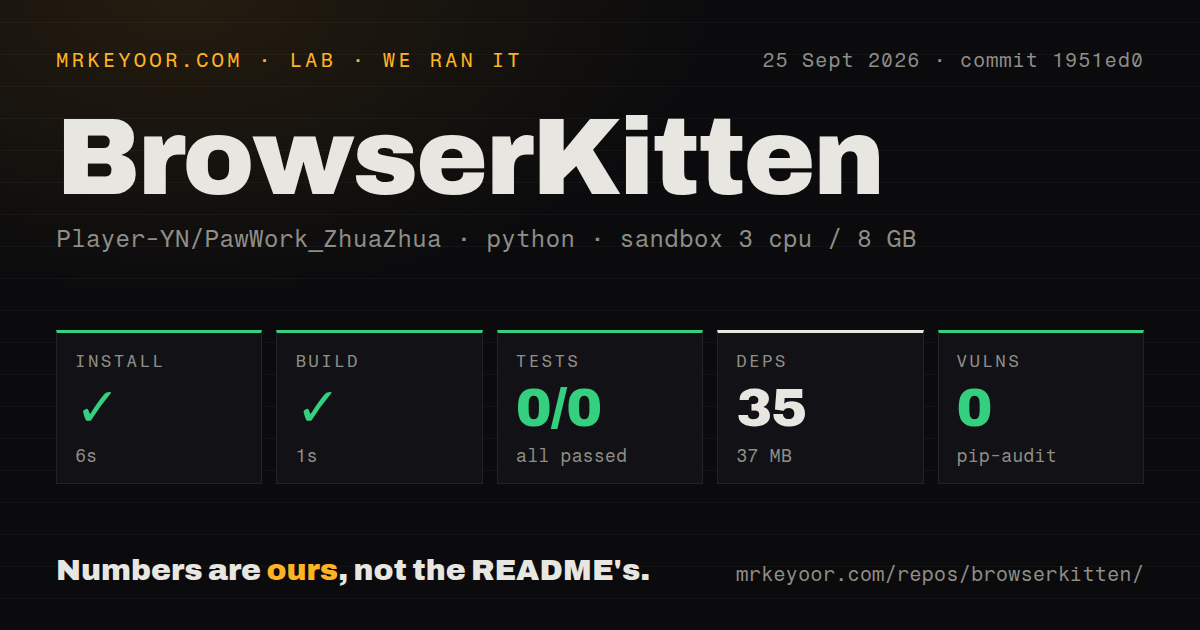
Our sandbox installed 35 Python packages in 6 seconds and used 37 MB on disk. The build step succeeded in 1 second. Pytest then exited with code 5 after 1 second because it collected 0 tests. Its final line was no tests ran in 0.02s. The log shows no product failure.
The mismatch matters. The README says there is no package.json and no build step for the extension. Its documented checks are a Node test command for logic regressions and a separate browser smoke script that loads the real extension through Playwright. Our Python-oriented sandbox did not run those commands, even though the checkout had a tests directory and 1 CI workflow. Treat the lab result as proof of quick packaging, plus proof that pytest is not a useful test entry point here.
The measured checkout was much larger than the quick start suggests: 189 files, about 72,506 source lines, and 2.8 MB before the 35 installed packages. Some of that scope comes from vendored browser runtimes and the session workspace. Pip-audit found 0 known vulnerabilities in the Python environment we installed. That audit says nothing about vendored JavaScript, extension permissions, or the model endpoint you choose.
Chrome 135 is the minimum, and developer mode is permanent
Installation means cloning the repository or unpacking a release archive, opening chrome://extensions, enabling developer mode, and choosing Load unpacked. Chrome 135 or newer is required. On Chrome 138+, sys.eval and page-identity fetch also need Allow User Scripts on the extension details page. If DevTools already controls the target tab, sys.cdp can return CDP_BUSY; restricted pages such as chrome:// and the Web Store cannot be operated.
There is no hosted model. You paste an OpenAI-compatible API key into the side panel, and the extension stores it in chrome.storage.local. That keeps model choice open, but it puts credential handling in the browser profile. Organizations should decide whether local extension storage, broad host access, and a developer-mode package meet their policy before anyone tries it on an authenticated production site.
The manifest permissions match the product's ambition: all URLs, tabs, scripting, storage, alarms, downloads, offscreen documents, tab groups, navigation, user scripts, and debugger access. Those permissions let guest code ask the host to capture screenshots, fetch data, evaluate page code, and use Chrome DevTools Protocol operations. They also give a mistaken or malicious action room to matter. Use a separate browser profile and low-value accounts for initial trials.
A sandbox limits code, while the host still has power
Guest JavaScript runs in QuickJS without direct access to chrome.*. It reaches browser abilities through a defined sys interface routed by the service worker. Version v1.1.0 added sys.waitFor, which polls a selector, text condition, or code result for up to 120 seconds, plus a sandbox sleep function. That avoids repeatedly asking the model to check a streaming page while one short evaluation times out.
The sandbox is only one boundary. The host can still alter a logged-in page, download files, open preview tabs, and use debugger features when the user grants them. Screenshots are not atomic document snapshots, and a tab ID does not distinguish the page before and after navigation. The architecture guide calls out both limitations, which is useful. An automation that submits a form should read the resulting page state before retrying after an interruption.
Crash recovery does not guarantee exactly-once actions
Sessions and artifact blobs use IndexedDB and OPFS, but call registration and tab leases live in service-worker memory. If that worker dies, BrowserKitten has no durable call journal to prove whether a page-changing action completed. Scheduled tasks record progress and a due time, yet the documentation says they are not an exactly-once mechanism. A normal conversation turn also does not create a durable task automatically.
This boundary rules out unattended, high-consequence work such as submitting payments or making irreversible account changes. The safe use is inspectable research and drafting, where the agent can pause, show artifacts, and recover by checking current state. The extension supports one execution per session at a time, and long tasks do not have a fixed hop limit. Keep the scope small enough that you can see whether it drifted.
Recent work is active, but the browser check stays manual
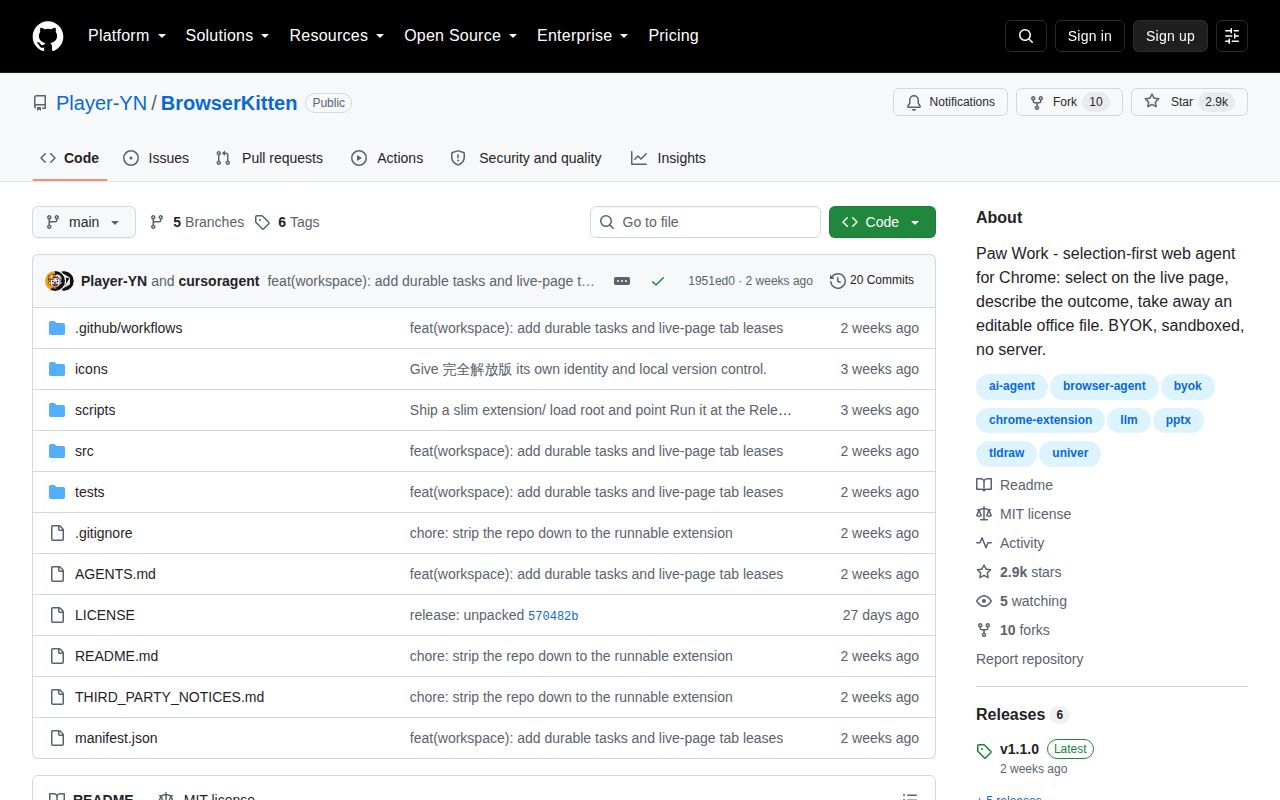
GitHub now identifies the project as Player-YN/BrowserKitten. It was created on August 28, 2026, pushed on September 18, and released v1.1.0 on September 16. GitHub showed 2,882 stars and 0 open issues or pull requests when fetched. The current activity is clear, but less than a month of history cannot show how the extension handles Chrome or model-provider changes over time.
CI runs the Node logic checks and verifies the release package shape. The real-browser Playwright smoke test remains a manual command and is not installed by CI. That gap is more important than the failed pytest invocation because the product lives across Chrome processes and permissions. Use the release zip, run the documented browser smoke path yourself, and test on a throwaway profile before trusting the 72,506-line system with a logged-in account.