Short answer
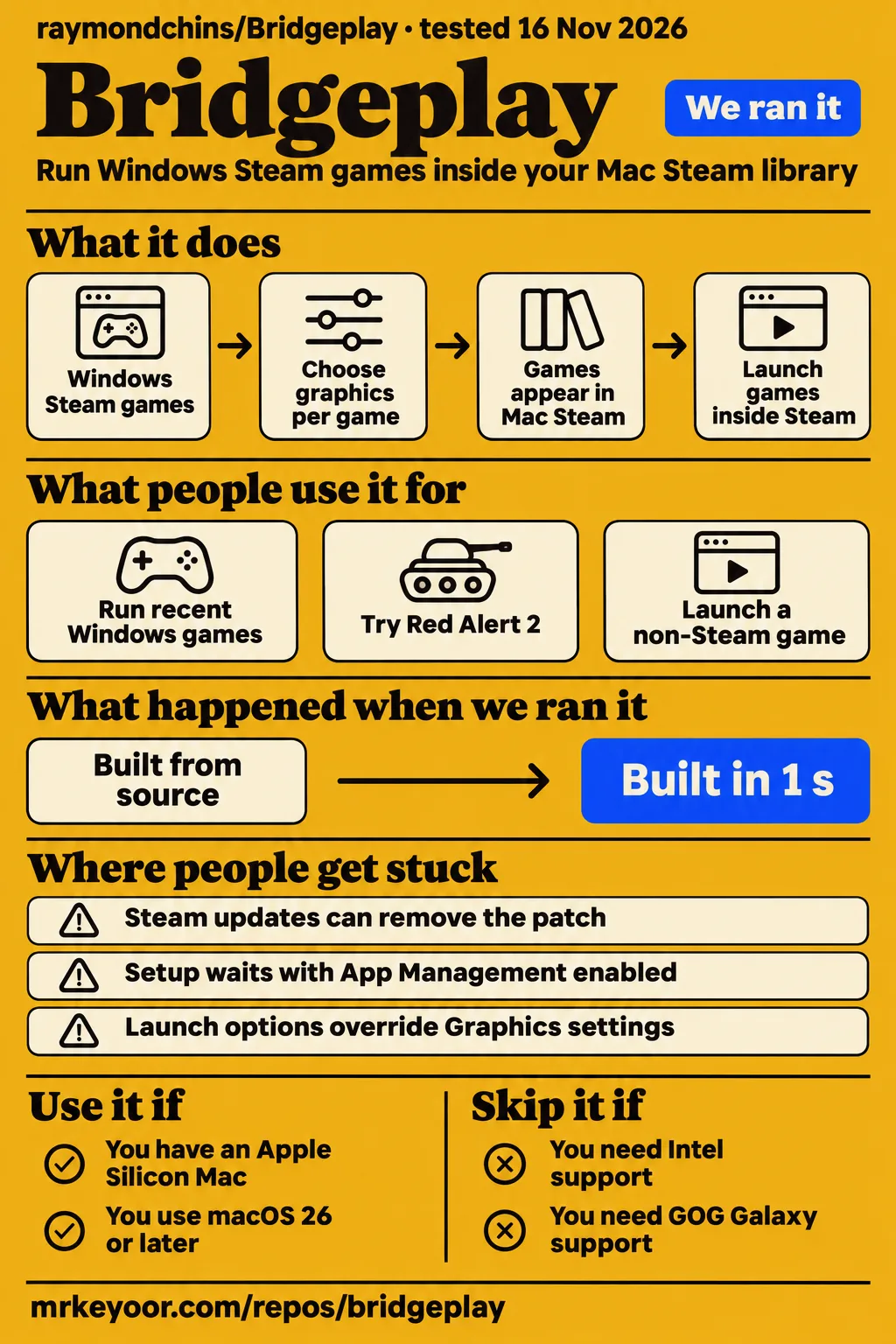
Bridgeplay's source-harness install succeeded in 5 seconds, but the separate hands-on safety check stopped before deployment because it required a Compose file. Use this free Mac Steam integration if you have supported Apple Silicon hardware and enjoy trying Windows games with per-game settings. Skip it if your main game needs anti-cheat servers, you have an Intel Mac, or you want to keep Valve's Steam application untouched.
Raymond Chin's Bridgeplay is the free GPL-3.0 project at bridgeplay.dev. The paid bridgeplay.app product is unaffiliated. That distinction deserves to come before any download button: a newcomer raised exactly this confusion in issue #1510, and maintainer Raystorms answered that bridgeplay.dev is the project's only official domain. The issue is closed with that clarification, rather than a merger or a paid upgrade path.
The attraction is familiar: Windows games appear inside the Mac Steam library you already use. The cost is less obvious. Bridgeplay inserts a library into Steam and replaces Valve's signature with local signing. Whether that is a sensible trade depends more on your particular games and tolerance for repairs than on a headline frame-rate demonstration. The project FAQ states the platform requirements and Steam modifications plainly.
What people use Bridgeplay for
The developer reports recent Windows games running through Mac Steam, while player reports also include games that fail to launch. Those are different kinds of evidence, and each needs its owner attached.
| Who tried it | What they did | What the record says |
|---|---|---|
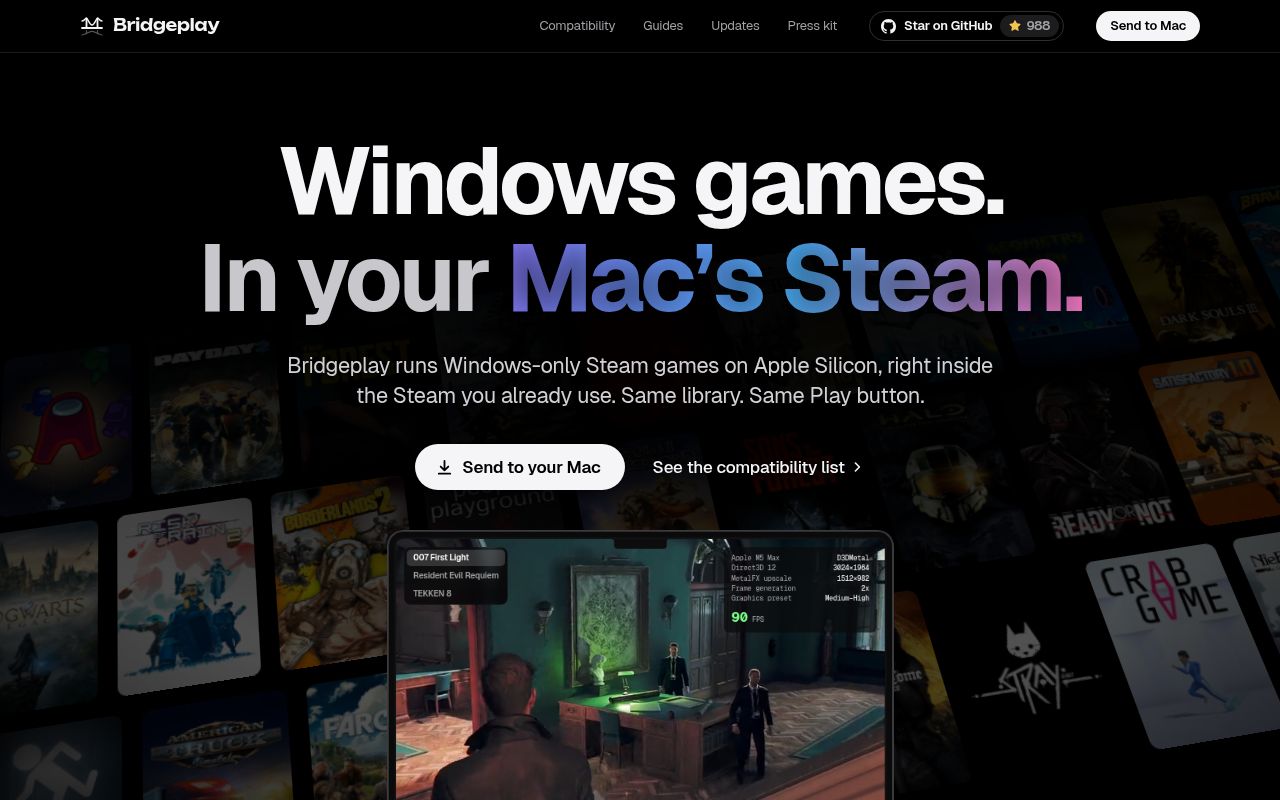
| Bridgeplay developer | Ran recent Windows Steam games on an M5 Max MacBook Pro | Reports 90+ fps with GPTK 4.0 beta 3, using MetalFX upscaling and experimental frame generation where listed. These are developer results. Developer demonstrations |
| Five community reporters | Tried Command & Conquer Red Alert 2 and Yuri's Revenge across Apple Silicon Macs | Three reported issues and two could not run it. The page labels the reports unverified. Red Alert 2 reports |
| One community reporter with an M1 Pro | Added a local copy identified as Launcher to Steam as a non-Steam game | Reported that it did not run on Bridgeplay 0.7.61. The page distinguishes that copy from the Steam edition. Launcher report |
| tylercritchlow in issue #1852 | Worked on an experimental Intel path locally | Reported foundational work on a branch without a submitted PR. Raystorms closed the request and said Intel support was not planned for now. Intel discussion |
The Red Alert 2 page is particularly useful if you assume that older games will be the easy ones. Its reports include lag, a DirectX problem and an inability to set the video mode. That gives an owner of that game a concrete reason to approach Bridgeplay cautiously. A successful demonstration of a newer DirectX game cannot answer those complaints, because the graphics path and game are different.
Bridgeplay's architecture page describes WineCX running under Rosetta 2, with D3DMetal translating DirectX 11 and 12 into Metal. DXMT and DXVK are alternatives selected per game. Settings live in Steam's Properties window under Bridgeplay. If you like working within a single library, that integration is the product's main reason to exist. The graphics engines and translation work come from the upstream projects credited there.
What happened when we ran it
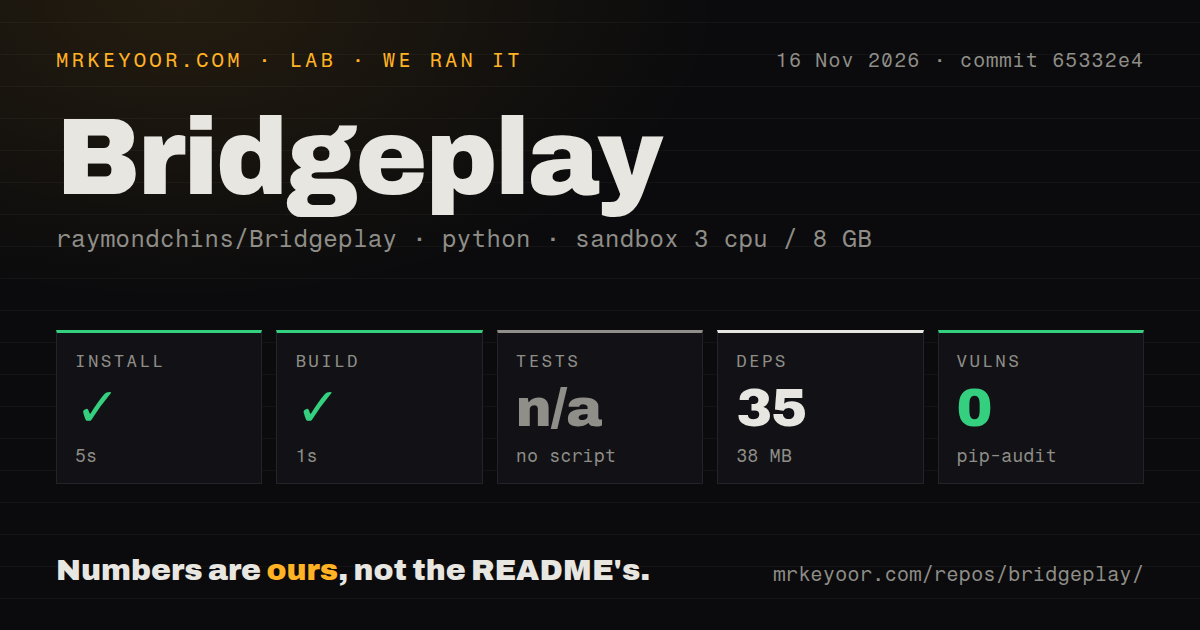
Our November 16, 2026 hands-on safety step failed because the lab required a Compose file and found none; the separate source harness recorded successful install and build steps at commit 65332e4.
The safety record calls the repository "unsafe" under its Compose-file rule. That is the runner's classification of a missing deployment file, not a demonstrated security defect in Bridgeplay. A Mac desktop application needs a supported Mac evaluation, so this failure tells us that the deployment procedure did not fit this checkout.
| Recorded check | Result | What it means for the reader |
|---|---|---|
| Hands-on safety check | Failed: no compose.yaml, compose.yml, docker-compose.yaml or docker-compose.yml | The procedure stopped at its Compose prerequisite. |
| Source-harness install | Succeeded in 5 seconds | The recorded dependency step completed. |
| Source-harness build | Succeeded in 1 second | The recorded build step completed. |
| Dependencies | 35 recorded, 38 MB on disk | This is the harness environment's footprint. |
| Tests | No tests script or target, skipped | There is no passing test result from this run. |
| pip-audit | 0 known vulnerabilities | This is the recorded package-audit result. |
| Repository scan | 4 CI workflow files, no Dockerfile, no tests directory | These are scan signals, rather than proof of CI success. |
| Hands-on teardown | Reported ok | The teardown record reports completion. |
The sandbox configuration assigned 3 CPUs and 8 GB RAM and named the image ghcr.io/astral-sh/uv:python3.12-bookworm. The source harness classified the checkout as Python and counted 743 files, about 105,162 source lines and 152.3 MB checked out. Those figures describe this harness run. They are not the Mac app's download size or a gaming hardware recommendation, and the image label does not identify the actual runtime versions.
There is also a contradiction in the hands-on metadata. The generic run entry says the project deployed with its own Docker Compose, with ports bound to 127.0.0.1. The detailed safety step says no Compose file existed. We give the concrete failed step priority and make no successful deployment claim. The teardown entry says "teardown: ok".
For a prospective user, the practical setup route is the documented Mac app, not this source harness. The install guide says to download Bridgeplay.dmg, drag the notarized app into Applications, and follow the Setup Assistant. You need an administrator account, Steam sign-in and internet access for its components. Rosetta and Apple's graphics are part of that process. The 5-second harness result should never become a promise about finishing those Mac steps.
Where people get stuck: Steam updates and permissions
Steam updates can remove Bridgeplay's patch, and macOS permission switches can remain visibly enabled while no longer working. The troubleshooting guide distinguishes these situations from a game-specific failure. Start by identifying which layer failed before rebuilding a game's prefix.
| Symptom | Documented action or release change | Evidence status |
|---|---|---|
| WineCX download stops after the network drops | Update Bridgeplay and rerun engine setup; 0.7.44 added waiting and resumption | Release-note fix |
| Setup asks you to quit Steam before making WineCX the default | 0.7.45 quits Steam before changing that setting | Release-note fix |
| Another tool is already installed into Steam | Use Repair Steam before continuing Bridgeplay setup | Documented workaround |
| App Management is enabled but setup waits | Toggle the permission off and on, or remove Bridgeplay from the list and add it again | Documented workaround |
| A 32-bit game says Steam is not running | 0.7.38 fixed the WineCX 11.17 connection; the guide advises selecting that engine and rebuilding an older prefix if needed | Release-note fix plus recovery instructions |
| Overcooked shows a solid magenta screen | 0.7.58 moved it to DXMT | Game-specific release-note fix |
| Changing Graphics has no effect | Remove a BRIDGEPLAY_BACKEND override from Steam launch options | Documented workaround |
| Reapplying after a Steam update produces a signing error | 0.7.61 waits for Steam to finish writing and retries signing | The release says this should prevent the error |
These actions come from the troubleshooting guide and changelog, rather than repairs reproduced in our sandbox. The signing change is a useful example of why wording matters: the note says it "should stop" the error. That supports describing an attempted fix, without declaring every Steam update problem solved.
The Graphics override is an especially easy way to lose an evening. A launch option can take precedence over the menu you are changing, so repeatedly choosing another backend leaves the real setting intact. Remove that override first. For a controller that stopped responding after an update, the guide recommends Trust Bridgeplay on this Mac to preserve permission, or resetting Steam's Input Monitoring permission when it is stale.
Security: Bridgeplay replaces Steam's signature
Bridgeplay modifies Steam.app, re-signs it locally and removes Valve's hardened runtime, according to the README. Anyone considering this for a shared or tightly managed Mac should read that list before accepting the setup prompts.
The README describes copying notproton.dylib into Steam and changing Info.plist so Steam loads it at startup. It also changes the default compatibility tool and resets Accessibility and input permissions. The injected library loads for every macOS user sharing that Steam application. That is a wider change than placing a standalone launcher in your own Applications folder.
The documented download checks are useful: signatures or pinned hashes protect Bridgeplay's files and engine, with Apple's signature checked for the toolkit and Valve's for Steam. Apple notarization and those checks address specific distribution risks. They do not grant Valve's approval for changing its application. The FAQ says Valve does not endorse the modification and that it may conflict with the Steam Subscriber Agreement.
Leave the optional Block Steam client updates setting off unless you have a specific reason to accept missing Steam security fixes. For removal, the install guide documents Repair Steam and Remove Everything, both restoring Info.plist. If Valve's signature is still absent afterward, it directs you to reinstall Steam from Valve. Read that recovery route before changing a Steam installation you depend on.
Game reports need a label, not just a green result
Bridgeplay's compatibility list combines maintainer checks, player submissions and CrossOver ratings from AppleGamingWiki for games nobody has tried with Bridgeplay yet. The README's explanation makes that mixture explicit. A result imported from another product answers a different question from a report on your Mac and Bridgeplay version.
One supplied issue shows why a detailed-looking report can still be unusable. In issue #1064, a reporter described My Femboy Roommate reaching a black screen while audio continued. Raystorms closed it because the supplied log matched another issue with names swapped, including the same timestamp and Steam user. The maintainer invited a fresh report with the reporter's own log. We exclude that thread as evidence that this game was actually tested.
The developer's M5 Max results are also a specific category: developer demonstrations with listed settings. Upscaling and experimental generated frames apply where indicated. A displayed frame-rate claim with generated frames is unsuitable as a promise of equivalent input response on an M1. Choose a compatibility entry by game, chip, engine and backend, then look for the account of what happened rather than relying on the headline status.
Controller claims need the same version discipline. Release 0.7.52 removed the previously shipped DualSense Bluetooth bridge, Steam Input rumble and game-mode host pending upstream work. The changelog is clearer about that boundary than a broad controller feature list. Ordinary controller support and those particular removed features should be evaluated separately.
English documentation exists; support is best-effort
Bridgeplay has English installation, architecture and troubleshooting guides, while its README describes maintenance as a part-time hobby with best-effort support. That is enough for a technically curious owner to find a route through a setup problem, but it is a poor basis for promising someone else uninterrupted gaming.
Issue #1852 shows the boundary clearly. tylercritchlow described an Intel branch, while the maintainer explained that support would require another engine, Intel Steam signatures, CI and hardware the team lacked for testing. The request was closed for now. A contributor's local progress is useful research, but a closed request and an unfinished branch are not a supported installation path.
The source material also contains substantial Indonesian discussion of attribution and ecosystem funding. You can read the core user guides in English without following that debate. If you do follow it, distinguish a contributor's proposal from an agreed change: issue #829 proposes reconnecting the GitHub fork tree, and records discussion rather than a demonstrated completed migration.
Bridgeplay vs CrossOver, NotProton and the paid namesake
Bridgeplay offers a free WineCX route inside Mac Steam; upstream NotProton deliberately centres CrossOver, and bridgeplay.app is a separate paid product. Those distinctions are more useful than a blanket winner for Mac gaming.
| Choice | Why consider it | The deciding difference |
|---|---|---|
| Bridgeplay at bridgeplay.dev | You want free integration into the existing Mac Steam library | Supports a free WineCX engine and can use an owned CrossOver installation. Architecture |
| CrossOver | You prefer the paid product from CodeWeavers | In issue #79, an occasional gamer recommends it for frequent play because of support and stability. That is the commenter's recommendation. CrossOver discussion |
| NotProton with CrossOver | You want the upstream integration and its CrossOver-centred approach | Its maintainer explains that this dependency deliberately supports CodeWeavers. Upstream objection |
| BridgePlay at bridgeplay.app | You are evaluating the separate commercial product | Its site advertises a trial and subscriptions; it is not a paid tier of this repository. Commercial site and domain clarification |
The funding dispute is a real reason to choose between these routes. In closed issue #79, NotProtonNot objects that a free packaged alternative could undermine CrossOver revenue supporting Wine. Raymond Chin refuses to delete Bridgeplay. Readers who want their purchase to support that work can choose CrossOver; readers choosing Bridgeplay should still understand where the engine came from.
Public discussion mostly adds positions rather than game results. On r/opensource, abotelho-cbn argues that upstream control over downstream forks would defeat their purpose. On X, krisutou asks CodeWeavers whether the free fork could hurt revenue. Those are a defence of forking and a question about funding, respectively. Neither is a measurement of lost sales. Reddit discussion · X discussion.
What the other reviews get wrong
The supplied homepage's installer instructions lag behind the disk-image route documented in the install guide and release notes. Its under-1-MB installer and Privacy & Security allowance describe a different route from dragging the notarized app into Applications. Release 0.7.56 introduced the disk image. Use the install guide and changelog when an older homepage snapshot disagrees.
The attribution accusations also need separating. Issue #727 says attribution arrived only after the backlash. Rahmat Wibowo's account of his earlier review says the README, NOTICE, licence, commit history and website already named NotProton. His complaint distinguished repository attribution from promotion that omitted the upstream name. That is a narrower, better-supported criticism. Early attribution review.
Issue #1241 alleges identical code throughout and removal of the original copyright. Wibowo's earlier account and the project's architecture page cut against that blanket story: the former records attribution, while the latter lists Bridgeplay's own additions alongside inherited components. Treat the allegation as an allegation, rather than a code-audit result. Issue #1241 · Architecture and upstream credits.
Finally, the CrossOver sales claim is a sustainability concern, not a measured consequence here. Wibowo's October 24 overview explicitly says he found no public data supporting or refuting it. The concern belongs in a buying decision, but repeating it as a proven sales decline would overstate the evidence. Fork-dispute overview.
Questions people ask
Bridgeplay is a free GPL-3.0 app that runs Windows Steam games inside Mac Steam on Apple Silicon with macOS 26 or later, according to its FAQ.
What is Bridgeplay, and is bridgeplay.dev its official website?
Raymond Chin's Bridgeplay integrates Windows games into Mac Steam, and bridgeplay.dev is its official domain. Searchers using "bridgeplay dev" are looking for that project rather than its paid namesake. The maintainer confirms the domain in issue #1510.
What does the search "bridgeplay uk" refer to?
The supplied search evidence leaves "bridgeplay uk" unresolved. It supplies no UK edition of this Mac app. Bridgeplay.org describes a Bronx sports nonprofit, a different entity. Use raymondchins/Bridgeplay and bridgeplay.dev to identify the software. Search suggestions · Foundation website.
What does "bridgeplayer" mean, and is it related to this Mac gaming project?
"Bridgeplayer meaning" appears in the search suggestions, but those suggestions supply no definition or connection to Raymond Chin's app. The retrieved bridge-card-game tutorials concern another subject. They are not Bridgeplay documentation. Search suggestions · Card-game tutorial.
Is bridgeplay.app related to bridgeplay.dev, and why does it charge for a licence?
The projects are unaffiliated, according to Bridgeplay maintainer Raystorms. The .app website markets its own paid product with trial and subscription options. Its charges do not unlock a paid tier of raymondchins/Bridgeplay. Domain clarification · Commercial offering.
Can Bridgeplay run Windows Steam games on a Mac for free?
Yes: the project is free and non-commercial, with no Bridgeplay account or subscription. You still need a Steam account and access to the games. Free access to Bridgeplay does not make every Windows title compatible. Project FAQ.
Which Macs and macOS versions does Bridgeplay support?
Bridgeplay requires an Apple Silicon Mac, M1 or later, running macOS 26 Tahoe or later. The documented setup also needs an administrator account, Steam account and internet connection. Those requirements exclude Intel hardware. Install requirements.
Will Bridgeplay support Intel Macs?
Intel support is not planned for now, according to Raystorms's closing reply in issue #1852. The local experimental branch described there lacked harvested Intel Steam signatures, and the thread identified engine deployment-target obstacles. It is not an announced release. Intel support request.
Does Bridgeplay work on macOS Sequoia or Sonoma?
No: the documented minimum is macOS 26, which excludes macOS 15 Sequoia and macOS 14 Sonoma. A compatible chip alone does not satisfy the operating-system requirement. The FAQ answers both versions explicitly.
How do I install Bridgeplay and restore Steam afterward?
Download the notarized disk image, drag Bridgeplay into Applications and follow its Setup Assistant. Repair Steam and Remove Everything restore Info.plist; if Valve's signature is still missing, the guide says to reinstall Steam from Valve. Install and removal guide.
Is Bridgeplay safe, and does Valve allow its Steam modifications?
Valve does not support or endorse Bridgeplay's Steam modifications. The project documents notarization and download checks, but also replacing Valve's Steam signature and possible conflict with Steam's agreement. Those are separate considerations when deciding whether to install it. Safety answer.
Which games actually work with Bridgeplay?
The developer reports recent games running, while the compatibility list includes failures as well as successes. Read the evidence label and hardware for the particular title: maintainer checks, unverified player reports and imported CrossOver ratings carry different weight. Compatibility explanation.
Does Bridgeplay support GOG, Epic or other non-Steam games?
The official FAQ says GOG Galaxy, Epic Games Store and other launchers are unsupported. One player added a local non-Steam copy labelled Launcher as a Steam shortcut and reported failure. That attempt is not support for another storefront or a verdict on a separate Steam edition. FAQ · Local-copy report.
What we have not tested yet
We have not tested the supported Mac installation, an actual game session, controller behaviour, Steam restoration or game performance. The source harness's successful steps and package audit cannot answer those questions. Its classification as Python is also not a language audit of the Mac application, and exact runtime versions require the raw toolchain logs.
The hands-on safety failure and contradictory generic deployment entry leave no credible successful application run to describe. There are no known-answer game tasks or screenshots from that attempt in this pack. Our next useful run would start with a supported Mac, record the release and engine, then test a named game through launch, play, controller input, a Steam update and removal.
We have not conducted a full source comparison with NotProton, audited the complete signing and download chain, checked account safety with anti-cheat, or measured CrossOver sales effects. The developer's 90+ fps demonstrations are not our independent benchmark. A side-by-side game comparison would need the same Mac, scene, graphics settings and a clear separation of rendered and generated frames.
The video evidence does not fill those gaps. The Bridgeplay-specific clip's extract contains only music and a repeated word. The longer video titled "This App Lets You Play Windows Steam Games on MacOS" actually describes CrossOver and The Binding of Isaac: Repentance, rather than a Bridgeplay run. Its supplied record does not identify the channel. We therefore use neither as proof of Bridgeplay performance. Bridgeplay clip · CrossOver walkthrough transcript.
Before changing Steam, find a report for the game you want to play, on a comparable Mac, and read its backend and failure details. If that evidence is missing, the decision is whether you want to do that experiment yourself.