Bootstrap 5.3.8 is a full interface layer, not only a grid
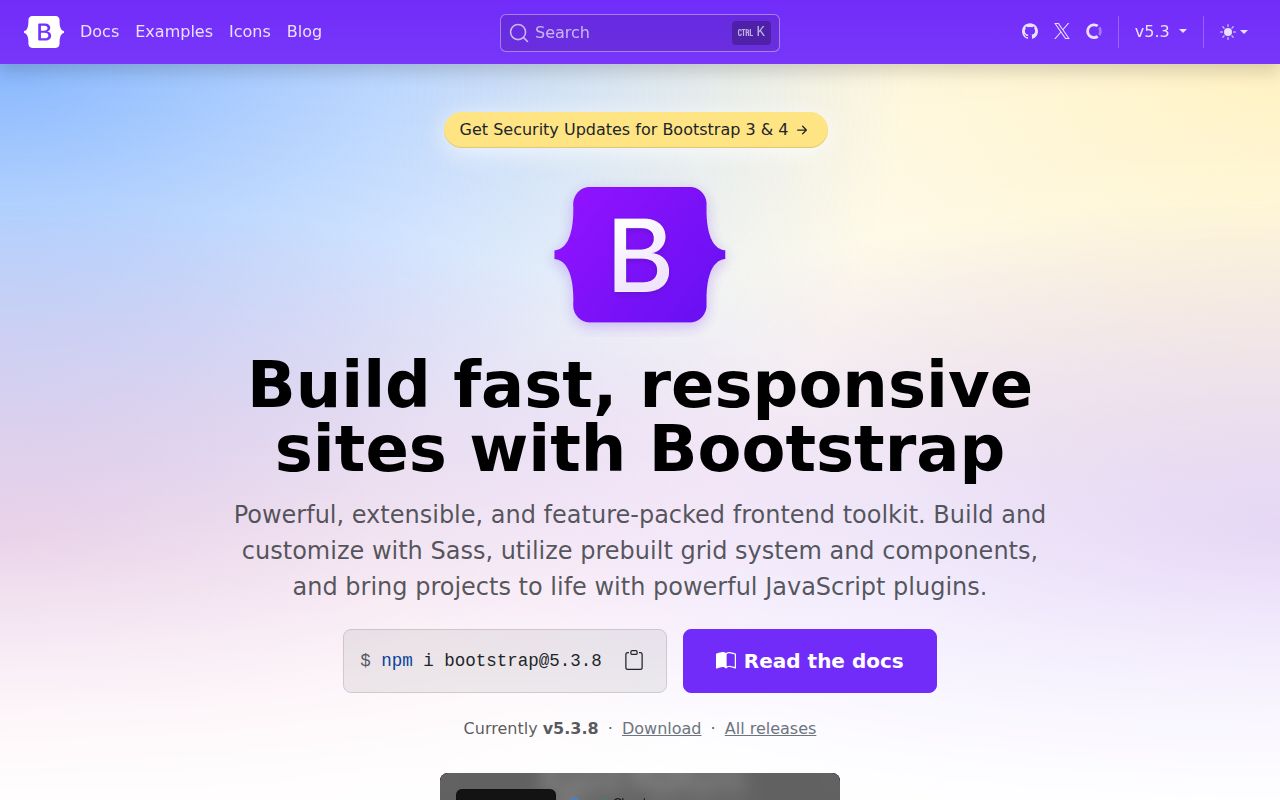
Bootstrap 5.3.8 packages a responsive grid, a browser reset, utility classes, styled content, forms, and interactive components. The download includes ordinary and minified CSS, RTL variants, source maps, standalone JavaScript, ES modules, and bundle files that include Popper. A team can adopt one compiled stylesheet for a prototype or compile selected Sass parts into a larger design system. That range is why Bootstrap remains useful long after its original mobile-first pitch became commonplace.
The framework favors recognizable conventions. Containers, rows, columns, spacing utilities, buttons, alerts, navigation, modals, and dropdowns share a documented vocabulary. This cuts time when developers move between projects, but the default result can also look familiar to anyone who has used Bootstrap before. Serious brand work means changing variables, pruning unused parts, and checking every component state rather than swapping one primary color and declaring the design finished.
Seven documented install routes suit very different stacks
The README lists 7 ways to obtain v5.3.8: a release download, Git clone, npm, Yarn, Bun, Composer, and NuGet. Compiled assets let a plain HTML site start without a build system. Sass users can alter variables and maps before compiling, while package users can import only the JavaScript modules they need. No hosted Bootstrap account, license server, or API credential sits in the runtime path.
Interactive features add boundaries. Dropdowns, popovers, and tooltips depend on Popper, though the bundled JavaScript already includes it. Browser ES-module use needs a way to resolve the bare @popperjs/core specifier. More importantly, Bootstrap's own docs say its JavaScript is not fully compatible with React, Vue, and Angular because both layers may change the same DOM node. Use a framework-specific component package when that ownership conflict applies.
What happened when we ran it
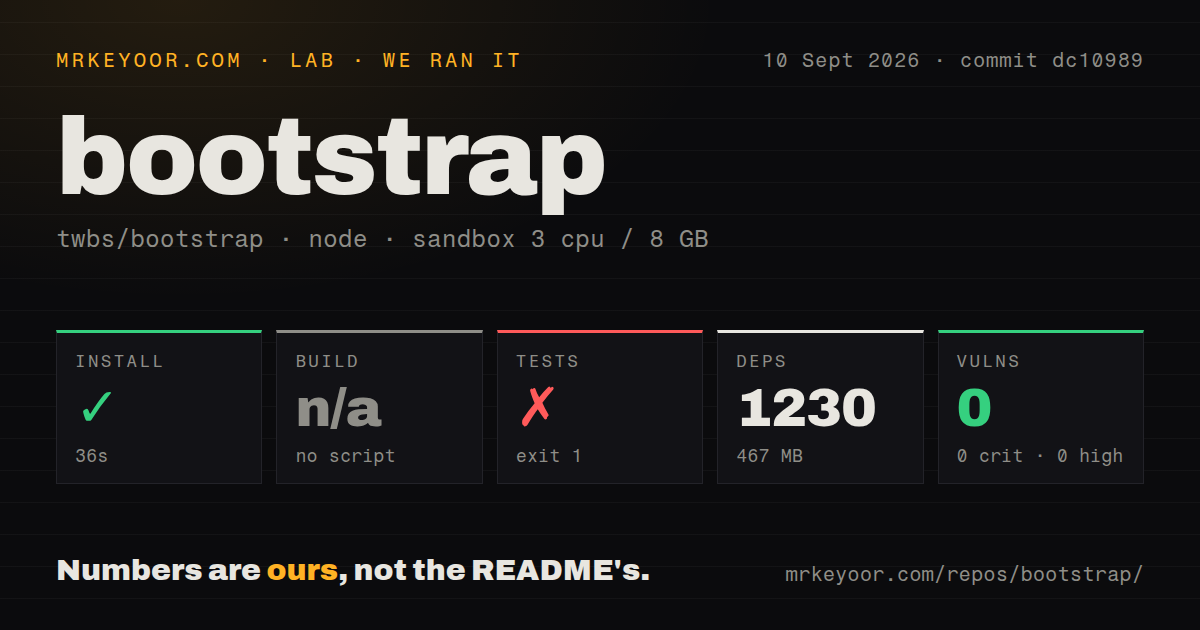
Our sandbox installed commit dc10989 in 36 seconds, adding 1,230 packages and occupying 467 MB. The checkout contained 696 files, about 25,831 lines of source, and occupied 9.7 MB before dependencies. We used Node 22 in a fresh Debian container with 3 CPUs, 8 GB of RAM, no secrets, and no elevated privileges. Npm audit found 0 known vulnerabilities across critical, high, moderate, and low severities.
The harness found no conventional build script or target, so it skipped that step. The repository instead exposes separate css, js, dist, and documentation tasks. The full test command ran for 25 seconds and ended with exit code 1. Karma could not start on port 9876 because the container had no Chrome, Chromium, or Firefox. The parent js-test-karma and js-test tasks then failed.
The supplied summary also recorded 18 warnings and 0 errors before the browser failure. An npm warning said the version_short configuration will stop working in the next npm major. Our scan found 16 CI workflow files, no Dockerfile, and no top-level tests directory, although JavaScript and Sass test folders exist deeper in the checkout. The result identifies a missing system prerequisite for local contributors, not a failed Bootstrap assertion.
Accessibility still depends on the application's markup
Bootstrap's accessibility page says the framework can support WCAG 2.2, Section 508, and related requirements when authors implement markup, styling, and scripting correctly. It also warns that some default button, alert, and form-validation colors may fall below the 4.5:1 text and 3:1 non-text contrast ratios. Generic components may need more ARIA and JavaScript to describe their exact purpose. Those admissions are useful: component classes do not replace an application audit.
The framework does include helpful foundations. Most transition effects respond to prefers-reduced-motion, and visually hidden helpers support screen-reader text and focusable skip links. Yet a long-running open pull request, 38971, concerns keyboard access to responsive scrolling tables in Chrome. The review burden remains with the product team: test actual color pairs, labels, focus order, zoom, scrolling regions, and component behavior with the assistive technology you support.
Modern browsers are supported, while Internet Explorer is not
The browser guide targets the latest stable releases across major platforms and also supports Firefox ESR. Internet Explorer is excluded, with Bootstrap v4 named as the fallback for teams that still require it. Linux Chrome and Firefox are described as working unofficially rather than receiving formal support. Mobile browser quirks around modal scrolling and page zoom also remain documented, so a responsive grid alone does not settle device compatibility.
That modern baseline permits current CSS and JavaScript, but applications must define their own browser matrix. Bootstrap's .browserslistrc controls the project build, not a customer's contractual support policy. Test the exact components you use, especially overlays, form controls, responsive tables, and color modes. If an old embedded web view or managed desktop browser sits in scope, verify it before standardizing on the v5 branch.
A September 2026 push outweighs the older release date
GitHub showed 174,758 stars and 233 combined open issues and pull requests, split into 105 issues and 128 pull requests. The last stable tag, v5.3.8, was published on August 26, 2025, but the repository was pushed on September 9, 2026. Current issue and pull-request activity continued that month. The old release date therefore does not support calling the project abandoned; it does show that stable-package users have not received a newer tag for more than a year.
Tailwind CSS is the better fit when a team wants styling primitives and will design every component. Material UI makes more sense when React component APIs should own interaction. Bulma keeps the class-based approach while leaving JavaScript entirely to the application. Bootstrap is the pragmatic middle: broad, framework-neutral CSS with optional behavior and unusually detailed docs. Its value rises when consistency and delivery speed matter more than visual novelty.