Swiper 14.2.0 earns its weight on complicated carousels
Swiper covers far more than left and right buttons. Its modules include pagination, scrollbars, autoplay, keyboard and mouse-wheel controls, history, hash navigation, nested sliders, virtual slides, breakpoints, RTL layout, and accessibility behavior. The README also lists fade, flip, cube, and coverflow effects. These features suit a product gallery or touch-led media browser that would otherwise need custom gesture, focus, and layout code.
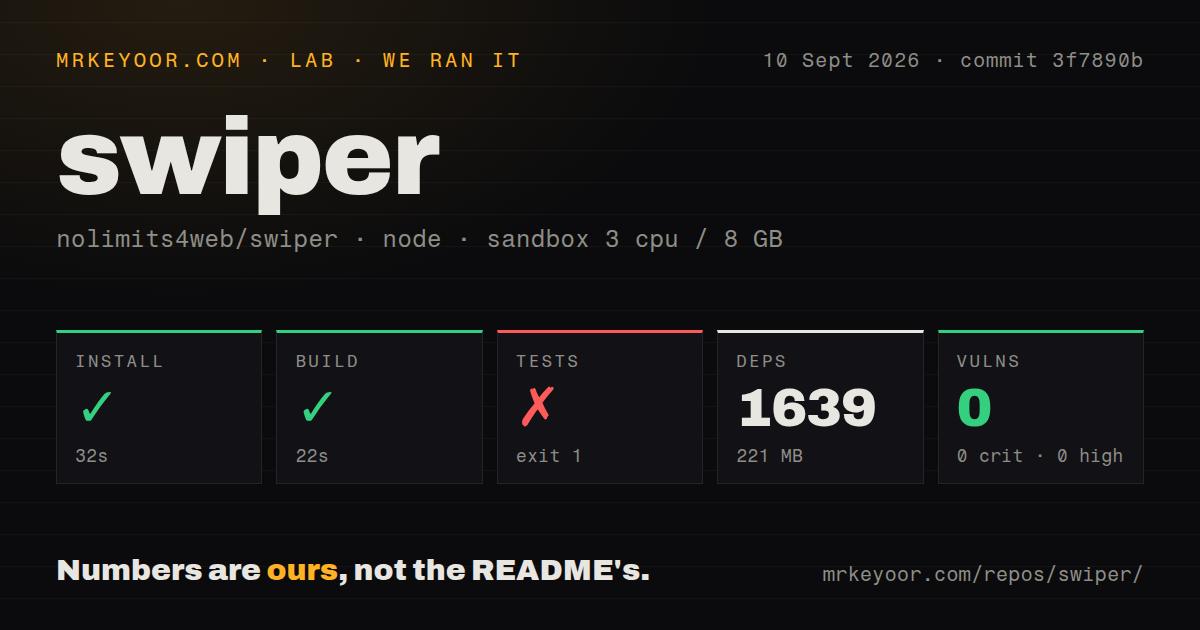
That range can be excessive for a short row of cards. Swiper has an API surface where loop behavior, centered slides, automatic sizing, breakpoints, lazy loading, observers, and framework rendering can interact. The source repository installed 1,639 packages in our lab, although that figure describes the contributor checkout and must not be mistaken for an application's shipped bundle. Modular imports and tree shaking let consumers omit unused features.
What happened when we ran it
Our sandbox installed Swiper in 32 seconds, adding 1,639 packages and occupying 221 MB on disk. The development build succeeded in 22 seconds. The test step exited with code 1 after 9 seconds while validate ran formatting and TypeScript checks in parallel. oxfmt --check . inspected 283 files and reported one formatting problem, BACKERS.md, before the command stopped with check-format exit code 1.
The log tail contains no failed browser behavior test or assertion. It also does not prove that every other check completed successfully, so the accurate result is narrower: commit 3f7890b built, but its test command did not pass in our fresh environment because a tracked Markdown file failed formatting. Npm audit reported 0 known vulnerabilities in the installed dependency tree. The run used Node 22, 3 CPUs, and 8 GB of RAM in an unprivileged Debian container.
Our scan counted 313 repository files and about 23,221 source lines in a 2.8 MB checkout. A tests directory was present, while a Dockerfile and CI workflow files were absent at that commit. The package file requires Node 20.19.0 or newer and defines separate contract, type, consumer-type, SSR, element-DOM, loop-warning, parameter, and bundle-size checks. Because validation failed first, the supplied result cannot claim those later commands passed.
Modern browser focus excludes compatibility-first products
The README says plainly that Swiper is not compatible with all platforms and targets modern apps. That should stop teams with old-browser contracts from adopting it on name recognition alone. Establish the browser matrix before implementation, then exercise touch, keyboard, screen reader, reduced-motion CSS, resize, and right-to-left cases in the actual page layout.
Basic development is conventional. Install the repository dependencies, run the build, and use dedicated playground commands for Core, Element, React, or Vue. Production artifacts belong in dist. A consumer does not need credentials or a hosted Swiper account. That simplicity is useful, yet it does not remove framework timing problems: carousels measure elements, and server rendering or route remounts can change when those measurements and custom styles become valid.
Loop, auto sizing, and remounts have current regressions
Swiper 14.2.0 has an open report where changing direction after navigating virtual slides puts them in the wrong position. Open issue 8125 describes another specific combination: Swiper Element with loop mode, slidesPerView: "auto", and custom CSS widths fails to render content in the last 2 slides. Issue 8230 reports visible movement during live window resizing with automatic widths and the default ResizeObserver, with resizeObserver: false offered as a workaround that gives up container-only resize detection.
Framework lifecycles add another risk area. Issue 8224 reports that a Vue 3 and Nuxt 4 Web Component setup loses custom navigation and injected styles after client-side route remounts on v14.2.x, while a hard refresh works. Issue 7577 documents first-paint style instability with server rendering in Next.js 13 and 14, though that report names Swiper 11.1.4. These reports make useful regression cases for teams using the same combinations.
Loop mode appears repeatedly in the open queue because duplicated or rearranged slides complicate indexing, sizing, links, and pagination. If a design requires loop plus centered slides, automatic widths, dynamic data, or clickable neighboring cards, build a reproduction with the production CSS before committing to the component. Test the exact interaction through resizes and route changes.
Current releases coexist with a large support queue
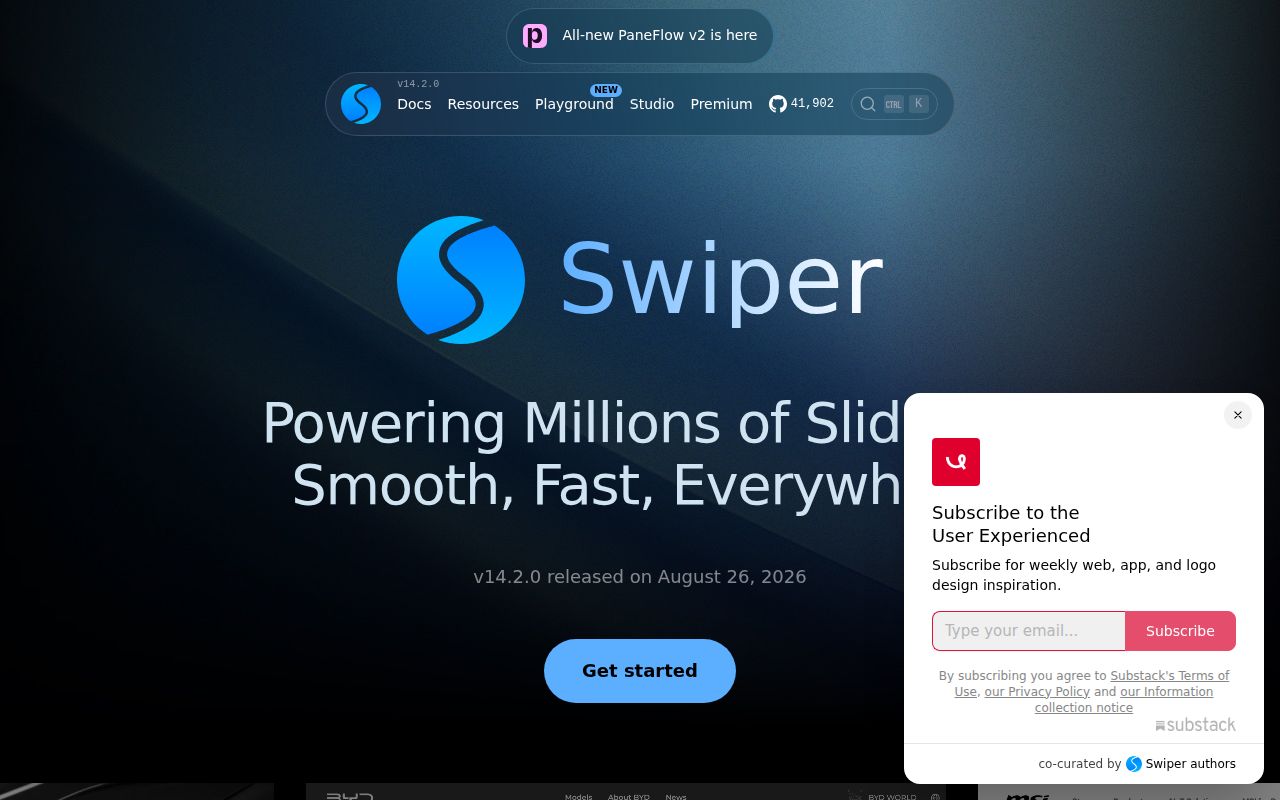
GitHub recorded 41,902 stars and a last push on September 8, 2026. The latest release, v14.2.0, was published on August 26, 2026 with fixes for loop indexing, RTL direction changes, card transforms, and an object-extension safety problem, plus controls for lazy image handling and fade transitions. That combination shows ongoing maintenance rather than a library left on an old major version.
The open count was substantial: 230 issues and 13 pull requests when fetched. A large user base can produce a large queue, so 243 combined items are not by themselves a verdict on quality. The recent push and release show maintainer activity, while fresh reports against v14.2.0 show that advanced configurations still find edge cases. Buyers should search the queue using their exact options and framework instead of scanning issue titles generically.
Pick Swiper for feature density, then constrain it
Embla Carousel is a better fit when a team wants a smaller engine and plans to author controls and presentation. Splide is worth comparing when its accessibility model and narrower API match the design. Glide.js suits conventional sliders that do not need Swiper's long list of modules and effects. Native CSS scrolling may be enough for the simplest strip, especially when loop mode, autoplay, and custom transitions are absent.
Swiper is most convincing when several hard requirements land together: touch tracking, RTL, virtual slides, custom navigation, and responsive multi-slide layouts. Start with the fewest modules and options that satisfy the design. Pin v14.2.0 or the exact version you test, preserve a browser reproduction, and run it through SSR hydration, client-side navigation, resizing, keyboard input, and touch. The 22-second successful build makes source evaluation easy; the open combination bugs explain why production acceptance needs more than that build.