Short answer: use it for the moment an agent needs your hand
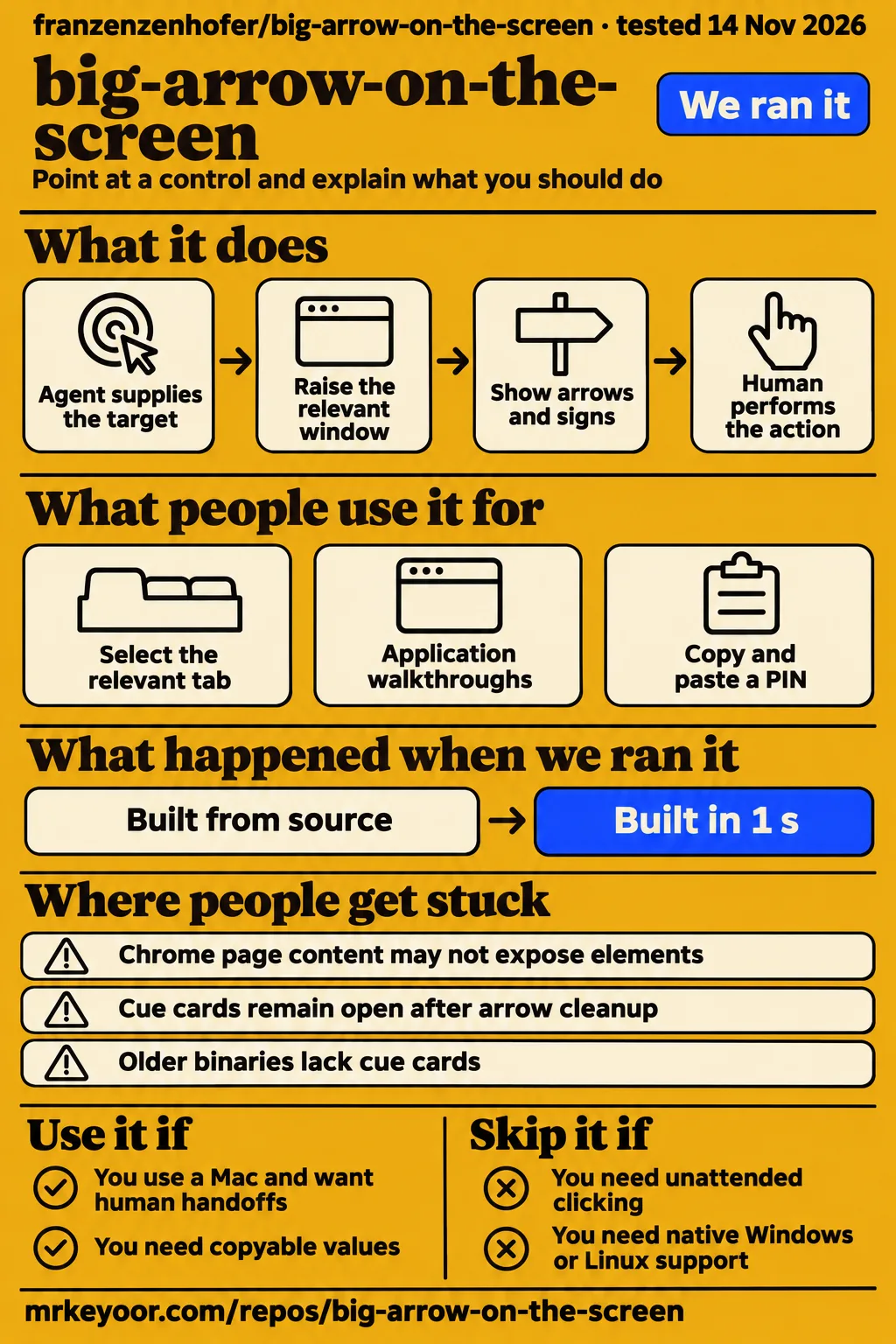
Big-arrow-on-the-screen gives a Mac agent a visible way to ask you to click a particular control, paste a value or answer a question. Use it if Claude Code or Codex regularly leaves you hunting for the window that needs approval. Skip it if you need unattended automation, a native Windows/Linux application from this repository, or a record proving what the agent saw. Our sandbox recorded successful install and build steps, while the separate hands-on recipe stopped at installation planning.
The useful detail is the sign beside the arrow. An agent can name the action and its consequence where you are about to click. A cue card can hold several values or return your choice as JSON. That is a sensible addition to a workflow already designed to wait for a human. It doesn't make an agent wait, decide whether an action is appropriate, or establish that the selected target is correct. The project README describes a pointing tool that never clicks, types or captures the screen.
What people use big-arrow-on-the-screen for
The author has demonstrated tab selection, application walkthroughs and copyable values in staged scenes on a real Mac. These are concrete examples of what the interface can communicate, with a clear distinction between the author operating a demonstration and a customer completing work.
| Who demonstrated it | Task and observed outcome | Source |
|---|---|---|
| Project author | In Chrome, the command raises the window and selects the relevant tab among multiple windows and 14 tabs before pointing. | Chrome demonstration |
| Project author | In Keynote, three arrows mark Animate, Add an Effect and Play together. | Keynote demonstration |
| Project author | A six-page Screen Recording permission guide uses screenshots annotated with agent-drawn arrows. | Permission guide |
| Project author | On a made-up sign-in page, a PIN copy button changes to a check and the PIN appears in the field. | Copy-and-paste demonstration |
| Project author | Scripted cue-card scenes show working buttons and typed answers beside arrows in real applications; the situations are fictional. | Cue-card scenes |
The Chrome example is the most persuasive use of the idea. Finding a label is only part of helping someone: the right window also needs to be visible. The documented App:tab title target brings that tab forward first. In the Keynote scene, the arrows communicate an ordered path through several controls. I'd choose one arrow per step for a live handoff so the human has one action to consider; the project's skill recommends that sequence too. Targeting and sign instructions.
What happened when we ran it
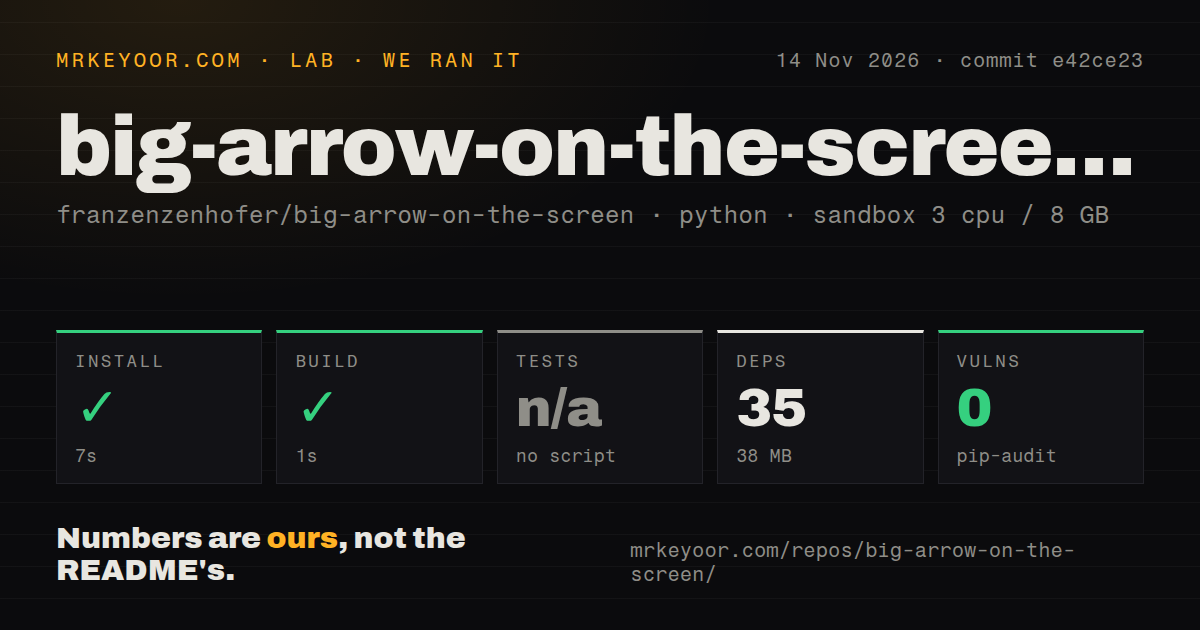
Our November 14 sandbox recorded installation succeeding in 7 seconds and the build succeeding in 1 second at commit e42ce23. The separate quickstart-cli hands-on recipe stopped at its planning step because it could not select an allowed installation method. Those results describe different checks, and neither supplies a completed Mac interaction.
| Sandbox observation | Recorded result |
|---|---|
| Install step | Succeeded in 7 seconds |
| Build step | Succeeded in 1 second |
| Dependency inventory | 35 dependencies, 38 MB on disk |
| Tests | No tests script or target detected, skipped |
| Dependency audit | pip-audit reported 0 known vulnerabilities |
| Repository scan | 255 files, approximately 13,250 source lines, 21.7 MB checked out |
| Supporting files | 3 CI workflow files, no Dockerfile and no tests directory detected |
The recorded configuration was 3 CPUs, 8 GB RAM and image ghcr.io/astral-sh/uv:python3.12-bookworm. The scanner classified the ecosystem as Python, while the actual README identifies a Swift macOS binary. Treat that mismatch as a reason to read the results narrowly. The image label alone supplies neither the actual runtime version nor the operating-system version. Successful generic steps are not a measurement of the installed Mac executable.
The hands-on record names November 14, commit e42ce23f7be9 and recipe quickstart-cli. It also carries generic deployment wording about Docker Compose and localhost-bound ports, despite the planning failure. That wording cannot substantiate a running application. The planning record says the recipe excludes Homebrew, source builds and pipe-to-shell scripts, and found no supported apt, npm, pipx, uv, cargo or Go installation route. This was a recipe boundary, not an observed crash in bigarrow.
Cloning completed and teardown reported success. We leave the clone duration out of the setup comparison because it says nothing about launching the overlay. There are no task-answer records or screenshots from that attempt. The native requirements and permission instructions below come from the project, rather than from a successful macOS lab session.
Where people get stuck: permissions, Chrome and old binaries
Targeting a control by label requires Accessibility permission for the application running the shell, such as Terminal, Ghostty or VS Code. Granting it to the wrong host won't help the command. Start with bigarrow doctor, which identifies permissions and displays. The current skill distinguishes bad input, a missing target and a missing permission with separate exit codes, so an agent can respond to the actual failure.
| Symptom | Documented response | Evidence and status |
|---|---|---|
| Homebrew demands full Xcode | Update Homebrew and upgrade bigarrow. | In issue #71, shanempope supplied a tap fix; the co-maintainer reports it merged and shipped in v0.5.1. |
| Native element targeting fails | Run bigarrow doctor and grant the named permission to the shell host. |
Skill troubleshooting, documented workaround. |
| Chrome page element is missing | Launch Chrome with --force-renderer-accessibility, or convert page geometry to a rectangle target. |
Target reference, documented workaround. |
| Copy markup appears literally or cards are unavailable | Upgrade to bigarrow 0.5.1 or newer before using the current skill. | Minimum-version warning, documented compatibility requirement. |
| Settings command exits successfully but the pane is wrong | Read the resulting window title before pointing. | Settings reference says an incorrect pane ID can still exit successfully. |
For Chrome, distinguish the browser's toolbar from the page inside it. The renderer-accessibility requirement concerns page content. If you use the rectangle fallback, the reference's conversion assumes 100 percent zoom and accounts for the browser window's screen position and toolbar height. Copying raw page coordinates into a screen target skips that conversion. This is a good reason to begin with one known control in the actual application you use, rather than a decorative arrow at a fixed screen position.
Install the executable before teaching the agent the skill
The documented macOS route installs the binary with Homebrew, then installs the agent skill. Cloning the skill alone leaves out the executable the agent needs. The README lists macOS 14 or newer and Swift 6 for source builds, using Command Line Tools or Xcode. Those are upstream requirements, not the runtime versions of our sandbox. Installation documentation.
brew install franzenzenhofer/tap/bigarrow
bigarrow install-skill
bigarrow doctor
Use the current skill with bigarrow 0.5.1 or newer. A useful first exercise is an ordinary control whose label you can read yourself, followed by a check of the resulting application state. The skill asks the agent to write a full sentence on the sign and explain consequential actions, including payments, permission grants and deletion. Keep those instructions: "click Allow" leaves out what the permission allows, and a conspicuous arrow can make an incomplete explanation look more authoritative than it deserves. Skill requirements.
Cue cards survive ordinary arrow cleanup
A values-only cue card stays open until the human closes it or the agent explicitly closes the card. Ordinary stop, stop --all, the prompt hook and the agent exiting leave cards alone. That difference matters at the end of a login or approval workflow: clearing the arrow doesn't mean the floating information has disappeared. Use bigarrow stop --cards for the session's cards or stop --pid for a particular card. Card lifecycle reference.
Questions have a separate completion rule. A card closes once all questions have answers, while --keep retains it with a Sent indicator until the human closes it. bigarrow wait returns structured results, including answers and copied labels. That gives the calling agent something more precise than an assumption that a click happened. Design the continuation around the returned answer and the application outcome; dismissing an arrow alone doesn't prove a permission was granted or a payment was made. Card behavior.
Secret sources reduce exposure, with explicit limits
The project documents secret references instead of literal passwords in command arguments. Supported sources include Keychain, 1Password, environment variables and files. Its README says secret fields remain masked until revealed, use concealed clipboard copying, expire from the clipboard after 30 seconds and omit secret values from replies. It also reports screenshot exclusion observed with screencapture on macOS 27. These are project-reported safeguards, not findings from our sandbox. Secret handling.
Keep ordinary copy chips for ordinary values. The reference says --say speaks sign values, making a password in an ordinary sign a particularly poor choice. A secret card gives you the intended secret-handling path. The human still needs to read the destination application and the consequence of the requested action. Bigarrow's visibility is useful for attention, but the arrow itself grants no authority to the agent's instruction. Copy-button reference.
Project checks cover displays, but permission skips matter
The maintainer reports passing full-screen, Stage Manager, Space-switch and display-change checks in v0.1.0/0.1.1. In issue #16, that report includes a second display, scaling and unplugging a display while an arrow is visible. The thread records the work as done and links its CI run. It is useful evidence of deliberate coverage for the ways desktop overlays commonly become annoying.
The integration checks also have a permission boundary. In issue #11, the maintainer reports the real-window-server harness implemented, with the sign's pixel-color check skipped without Screen Recording permission. The issue describes opt-in screen checks and says CI enables them. A passing job therefore needs its skip details read alongside its status. Our sandbox's skipped tests and absent detected tests directory remain separate observations from that upstream harness.
big-arrow-on-the-screen vs see-the-arrow, Agent Pointer and Peekaboo
Choose the original project for its documented macOS handoff workflow; consider separate ports for Windows or Linux. The closed platform request, issue #70, records contributors offering ports and the co-maintainer linking them in the README. Closing the issue didn't add native support to the original Swift application.
| Option | What the cited source supports | Pick it when |
|---|---|---|
| big-arrow-on-the-screen | macOS arrows and cue cards for agent-to-human handoffs. README | You use a Mac and want the current original skill and card workflow. |
| see-the-arrow | Contributor describes a Windows/Linux X11 port with screenshot targeting and a step-by-step teaching mode. Issue #70 | You need a port for those platforms and can check its feature compatibility. |
| Agent Pointer | Contributor describes a Windows port with UI Automation targeting and copy buttons; Linux is excluded. Issue #70 | You want a Windows-specific implementation. |
| Peekaboo | BizFlowAI describes screen perception and UI automation as complementary to bigarrow's human communication. Comparison | Your missing component is inspecting or operating the interface. |
The see-the-arrow installation guide makes the Wayland distinction unusually clear: arrows can draw, but mouse, window, element and click-wait targeting require an X11 session. "Linux support" without that qualification could send you to the wrong tool. Also check cards separately before substituting a port: retaining command names isn't proof that every feature of the original travels with them.
For the reverse direction, BizFlowAI describes jimmyhmiller/overlay as a way for a human to annotate a screen and export images for an agent. Saved screenshots and diffs also suit later inspection. Choose the direction of communication first: asking a human to act now, showing an agent what you mean, and preserving evidence for tomorrow are different jobs. Workflow comparison.
What the other reviews get wrong
AI Indigo calls big-arrow-on-the-screen a paid tool in a comparison FAQ even though the same page labels it open source. The upstream project is MIT licensed. That contradiction matters more than the comparison's rating: it can make a free local utility sound like another subscription decision. AI Indigo comparison, upstream license statement.
BizFlowAI's full-Xcode requirement is outdated. Issue #71 records a release build using only Command Line Tools and says the unnecessary Homebrew requirement shipped out in v0.5.1. DevOTD's summary says repository materials don't identify changes in that release; the issue supplies at least this confirmed change. SkillsLLM's clone-and-skill instructions omit the separate executable installation. These are actionable corrections, not reasons to dismiss everything those pages say. BizFlowAI, DevOTD, SkillsLLM, resolved requirement.
Broad click-through descriptions need another qualification. Target clicks pass through, while clicking the sign or shaft dismisses the arrow and a copy button consumes its click to copy. The current skill explains that behavior explicitly. Calling the entire overlay click-through conceals the interaction you need to understand when the arrow vanishes or a value is copied.
Questions people ask
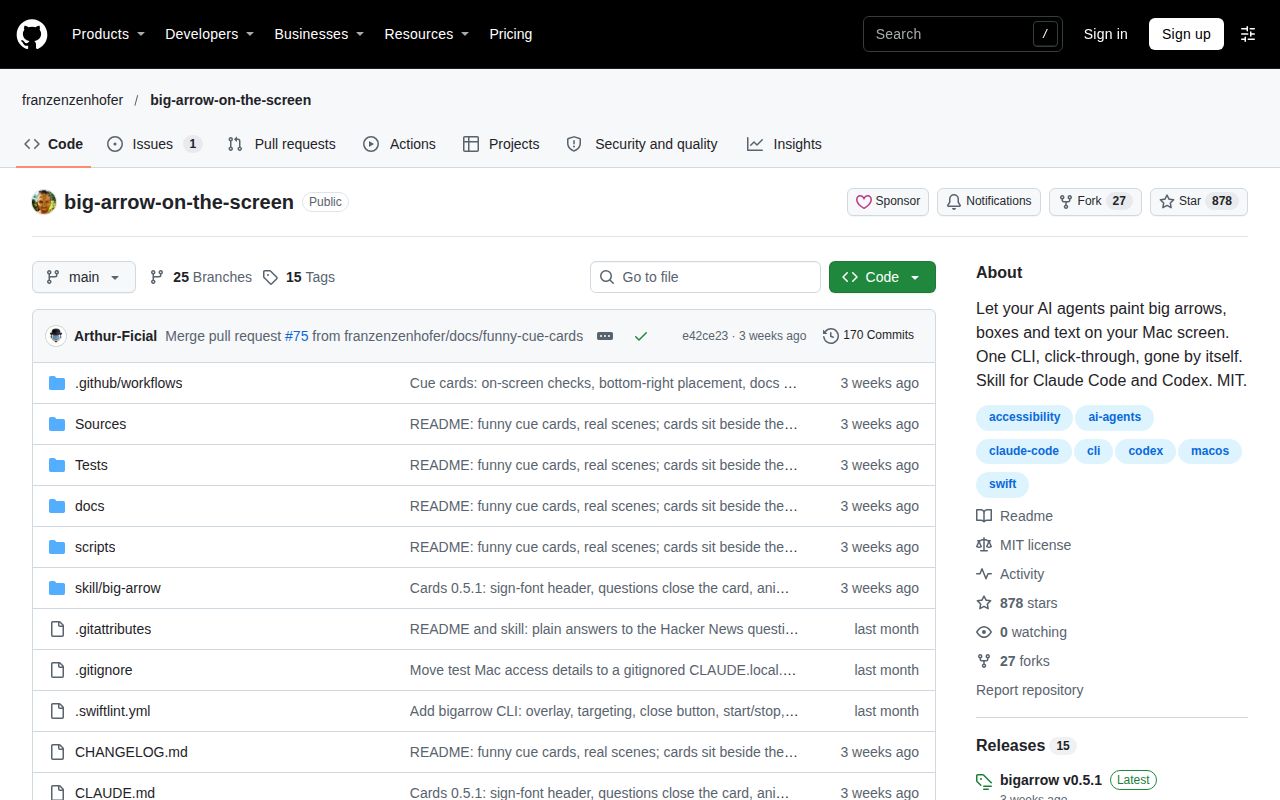
Big-arrow-on-the-screen is an MIT-licensed macOS command-line pointer and cue-card tool with skills for Claude Code and Codex. Project description.
What is big-arrow-on-the-screen?
Bigarrow draws arrows and signs over the desktop and offers floating cue cards for values and human answers. It never clicks, types or captures the screen. The agent supplies the target and the human performs the requested interaction. README.
How do I install and use Big Arrow on the Screen?
Install the executable with brew install franzenzenhofer/tap/bigarrow, then run bigarrow install-skill. Use bigarrow doctor to inspect permissions before asking the agent to target a control by label. README installation, skill troubleshooting.
Can I use bigarrow on Windows or Linux?
The original is for macOS. Issue #70 links separate projects: Agent Pointer for Windows and see-the-arrow for Windows and Linux X11. The latter's guide describes restricted targeting on Wayland. Platform discussion, port requirements.
Can I install bigarrow with Command Line Tools instead of full Xcode?
Yes. The co-maintainer's response to shanempope in issue #71 confirms a Command Line Tools release build and the removal of Homebrew's Xcode dependency in v0.5.1. That report concerns building the binary. Resolved Xcode requirement.
Does bigarrow need Screen Recording or Accessibility permission?
Drawing alone needs no permission. Element targeting needs Accessibility, and title-specific window targeting can need Screen Recording. Permissions belong to the app running the shell, so use bigarrow doctor to identify it. Targeting permissions, README permission table.
Who is Big Arrow on the Screen for?
Mac users running Claude Code or Codex are the documented audience, especially when an agent needs a human for consent, a code or a choice. The README also proposes screen-sharing help and instructional material. Intended workflows.
What can I do with Big Arrow on the Screen?
You can target a coordinate, rectangle, window or labeled element, show copyable values and collect answers through cards. The author's Chrome and Keynote scenes demonstrate navigation and instruction rather than autonomous clicking. README examples.
What do I need to run Big Arrow on the Screen?
The source route lists macOS 14 or newer and Swift 6, with Command Line Tools or Xcode. The current agent skill requires bigarrow 0.5.1 or newer. Homebrew installation and skill installation are separate steps. Requirements, skill version.
Is big-arrow-on-the-screen free?
Yes, the project is MIT licensed. Its README describes a local Swift binary without an account. That answers the utility's licensing question, separately from any charges for the agent you choose to run. License and architecture.
Is Big Arrow on the Screen safe to run?
The project documents secret-source references, masked fields, concealed copying and clipboard expiry. Those safeguards address specific exposures. They don't make an agent's requested action trustworthy or turn our dependency-audit result into a security certification. Secret safeguards.
What are alternatives to Big Arrow on the Screen?
See-the-arrow and Agent Pointer offer platform ports. Peekaboo addresses perception and automation, while jimmyhmiller/overlay serves human-to-agent annotation. Choose by platform and communication direction rather than a shared directory category. Port discussion, workflow comparison.
Why use a big arrow instead of bringing the confirmation dialog into focus?
The original can raise the relevant app, window or tab before pointing. The sign adds an explanation of what the human should do. If merely surfacing the dialog solves your problem, adding an overlay may be unnecessary. Window targeting.
What we have not tested yet
We have not tested the installed macOS executable, permission prompts, cue-card answers, display changes or a complete human handoff ourselves. Our generic sandbox checks and the blocked hands-on recipe cannot settle usability or reliability on a Mac. Actual toolchain logs are needed to reconcile the Python classification with the Swift product and identify what the successful generic commands exercised.
The supplied evidence is mainly author demonstrations and project checks, without independent production-workflow results. The Reddit post by company_url_finder explicitly repeats README material, and GitHub_Daily's Chinese-language X post describes the permission-handoff idea rather than documenting a completed deployment. The supplied video extracts are empty, so they supply no attributable walkthrough outcome. Reddit record, X record.
We have not independently audited secret leakage, clipboard-manager behavior or screenshot exclusion across macOS versions and recording applications. Nor have we compared the ports' current card support, measured long-session resource use, or established behavior under many simultaneous handoffs. Our next useful run is one complete Mac task: identify a real control, show the consequence, collect the human's answer and confirm the application outcome after explicit card cleanup.