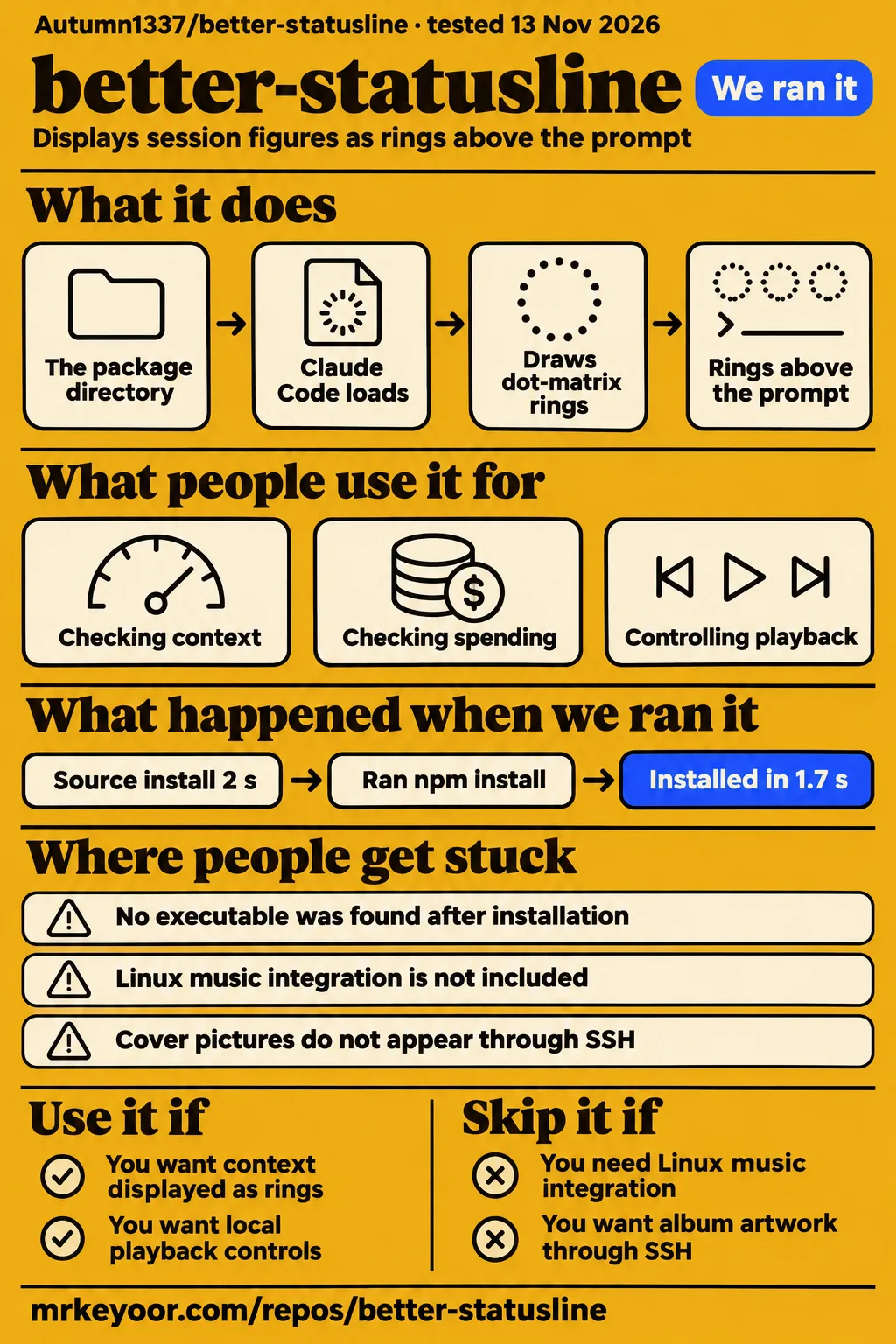
better-statusline installed in our source sandbox in 2 seconds. A separate hands-on recipe installed version 0.7.1, then stopped while looking for an executable. The README loads the installed package directory into Claude Code. That difference explains the recorded stopping point and gives readers a concrete next step. For a Claude Code user choosing a status display, the other decisions are whether its rings suit the information they read and whether their workstation meets the music and graphics requirements.
What people use better-statusline for
better-statusline's README describes four rings for context, cache, the five-hour allowance and the weekly allowance. The context ring answers how full the conversation window is; the allowance rings show how much of each limit has been spent and when it resets. The arc turns yellow when consumption runs ahead of elapsed time. For someone already checking these figures while coding, the documented layout puts the different constraints beside one another. See the README's ring descriptions.
The session header keeps the model, reasoning effort, folder and Git state visible. The README includes staged and modified files, lines added and removed during the session, and active subagents. Recent-turn spending appears as bars beside the session total. Those bars grow by the square root of cost, so their heights represent a transformed scale. Read the printed amounts when the actual cost matters. The session header and spending descriptions explain how the figures share the display.
The macOS music card adds Spotify or Apple Music controls beside the session figures. The README describes play, pause, skip, seeking, shuffle, repeat and volume, with an accent taken from the cover. That makes local playback control a concrete reason to consider this layout. The /fold command collapses the band into one row and opens it again, providing a documented way to reclaim terminal space. See the music card and folding controls.
What happened when we ran it
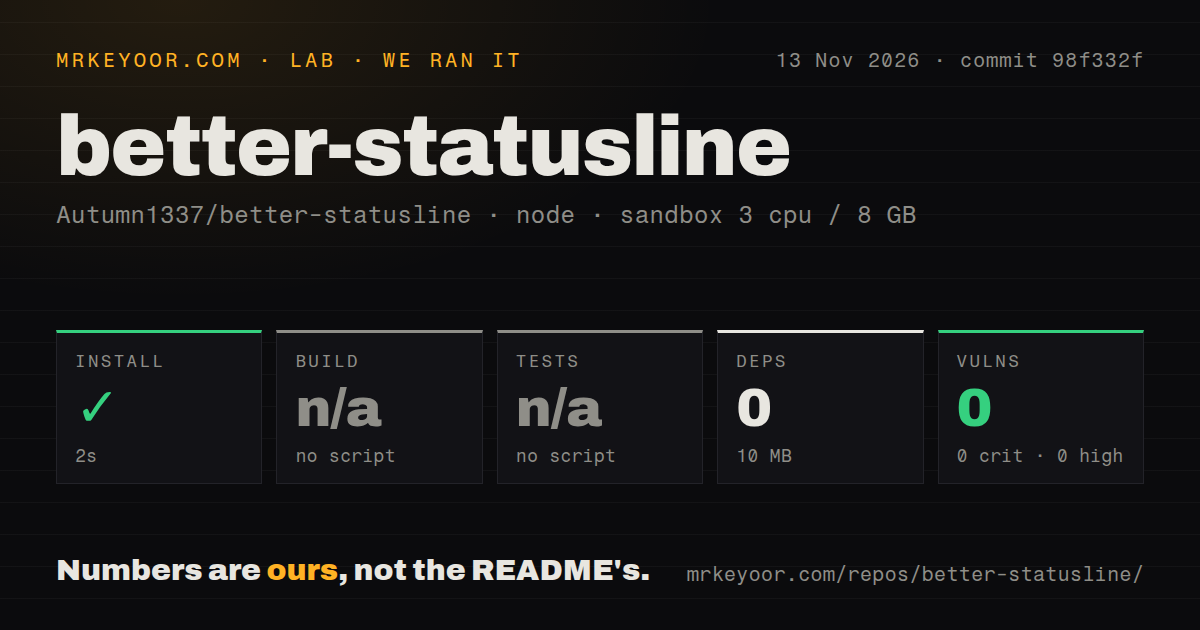
Our source install succeeded in 2 seconds at commit 98f332f on November 13, 2026. The harness recorded 0 dependencies and 10 MB on disk. Its repository scan counted 37 files, approximately 2,297 source lines and a 4.8 MB checkout. The configured sandbox had 3 CPUs, 8 GB RAM and image label lab-node:22. These figures belong to our source run; the separate hands-on recipe has its own installation timing and footprint.
| Source-harness check | Recorded result | Interpretation |
|---|---|---|
| npm install | Succeeded in 2 seconds; 0 dependencies recorded; 10 MB on disk | The installation step completed |
| Build | No build script or target; skipped | The harness recorded a skipped build |
| Tests | No tests script or target; skipped | The harness recorded skipped tests |
| npm audit | 0 known vulnerabilities: 0 critical, 0 high, 0 moderate and 0 low | The audit returned no known advisories |
| Repository scan | 37 files; approximately 2,297 source lines; 4.8 MB checkout | These describe the inspected checkout |
| Repository signals | 0 CI workflow files; no Dockerfile; no tests directory | The scan found none of these signals |
The separate hands-on run used commit 98f332f9050a in an unprivileged container configured with 2 CPUs and 4 GB RAM, without published ports or secrets. Its recipe was named quickstart-cli. The table preserves each recorded step and the resulting finding. Keeping the environments separate also keeps the package installation's 1.7 s timing distinct from the source harness's 2-second installation result.
| Hands-on step | Recorded outcome | Result |
|---|---|---|
| Clone | Recipe quickstart-cli in 2 s | Step recorded |
| Global npm install | Installed better-statusline 0.7.1, 188 KB installed in 1.7 s | Installation completed |
| Find executable | Installed, but no executable was found for better-statusline | FAILED |
| Finding | The install put no executable on PATH for better-statusline | no-binary |
| Teardown | ok | Cleanup completed |
The records identify the clone step, global installation, failed executable search, no-binary finding and successful teardown. The failure occurred at command discovery. The README's npm instructions instead give Claude Code the package directory, which makes that loading command the relevant next step after installation. The troubleshooting section below keeps the two documented commands together.
Where people get stuck: loading a plugin directory
The README's npm route starts Claude Code with a plugin directory after global installation. It does not instruct readers to launch a better-statusline executable. The hands-on recipe therefore stopped at a different check from the documented loading step. If you have reached the same point, use the package directory as the argument to Claude Code. These are the README's commands, reproduced as setup instructions:
npm install -g better-statusline
claude --plugin-dir "$(npm root -g)/better-statusline"
The README also provides marketplace and clone routes. Its marketplace commands add Autumn1337/better-statusline, then install better-statusline@better-statusline. For a clone, the documented one-session command is claude --plugin-dir ./better-statusline. Choose one route and keep its loading step attached to it. The installation instructions distinguish installing files, loading a directory for one session and configuring a clone for every session.
| Situation | README requirement or control | Next action |
|---|---|---|
| Package installed, executable search failed | Claude Code loads the package directory | Use the documented --plugin-dir command |
| Music card is the intended feature | macOS with Spotify or Apple Music | Match the platform and player requirements |
| Cover pictures are required | kitty 0.28 or later, or Ghostty; direct session | Use the documented graphics path |
| Plain symbols are preferred | icons accepts unicode | Select the Unicode option in /config |
| Ring proportions need adjustment | python3 and terminal pixel-size reporting | Check both requirements |
| Animation is distracting | motion accepts reduced | Select reduced motion in /config |
Claude Code 2.1.289 is the documented minimum
The README requires Claude Code 2.1.289 or later and Git for the status display. Music, cover pictures, ring proportions and icons have separate requirements. This gives readers a component-by-component setup checklist: the core status display depends on Claude Code and Git, while the full presentation also depends on the player, terminal and font environment. The README requirements identify those dependencies before a reader changes settings.
| Component | Documented requirement |
|---|---|
| Core status | Claude Code 2.1.289 or later, and Git |
| Music card | macOS with Spotify or Apple Music |
| Cover pictures | kitty 0.28 or later, or Ghostty; not through tmux, screen or SSH |
| Round rings at the selected font size | python3 and a terminal reporting its pixel size |
| Nerd Font icons | Ghostty, kitty or WezTerm, or your own Nerd Font |
The README describes separate fallbacks for missing components: without a player, the band contains status alone; without pictures, the card has no cover; without a Nerd Font, icons use plain Unicode. Its icons setting accepts auto, nerd and unicode. The motion setting accepts auto, full and reduced. These controls let readers choose plain glyphs or reduced animation directly through /config, rather than changing unrelated parts of their terminal setup.
The music bridge controls local playback
The README assigns player access, cover handling and cell-size scripts to bridge/. It describes bridge/now-playing.js printing a line of JSON whenever playback changes, using the MusicPlayer declaration in types/index.d.ts. A bridge for another system would emit the same contract. The MPRIS example describes that extension mechanism, while the requirements table identifies macOS with Spotify or Apple Music as the documented music-card environment.
The local controls include actions that change playback state, such as seeking, skipping and adjusting volume. That makes the bridge files relevant reading before using the music panel. Our npm audit reported 0 known vulnerabilities. The README architecture description separately identifies the scripts responsible for reaching the Mac, handling the cover and detecting cell size. It provides a concrete starting point for inspecting the integration and understanding which files handle those local actions.
Version 0.7.1 and the repository snapshot
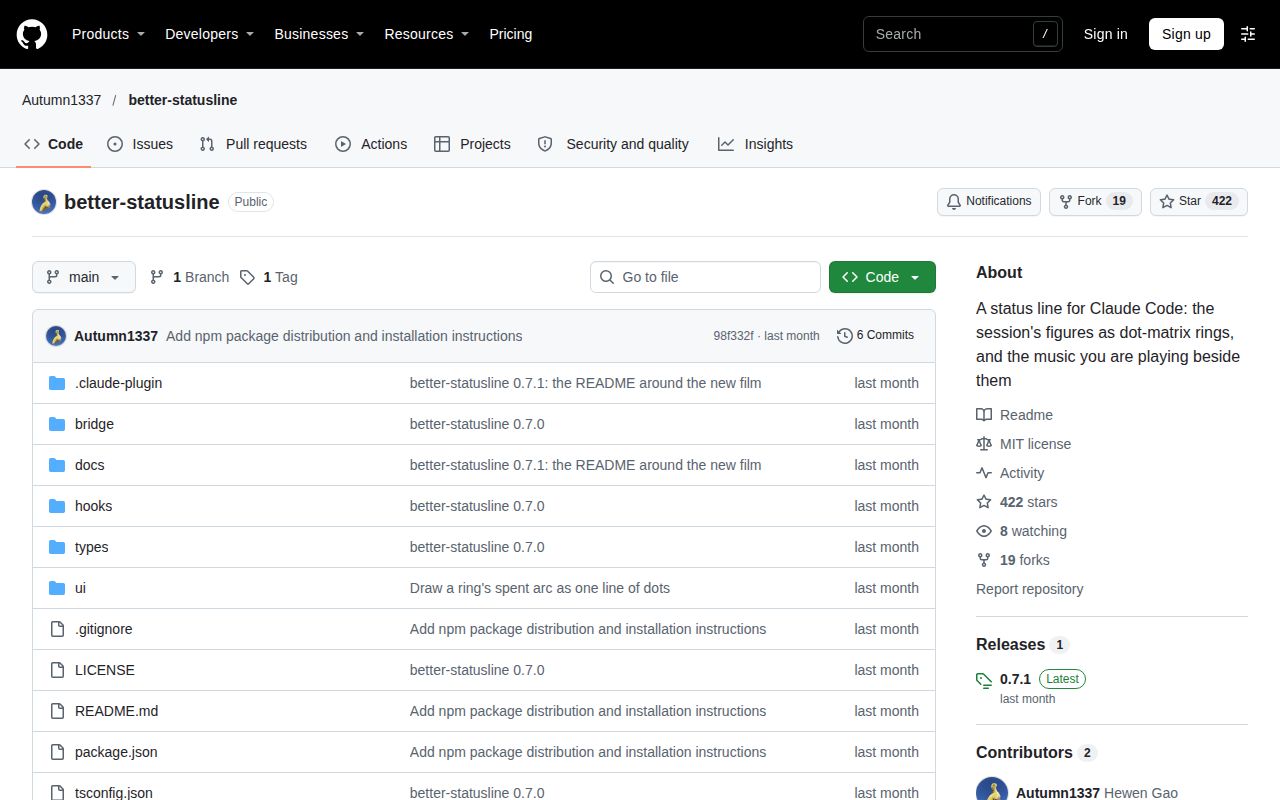
The supplied latest-release record identifies v0.7.1, published October 5, 2026. Its release notes describe a spent ring arc drawn as one line of dots and a README built around the film. The November 14 repository snapshot records 422 stars, a last push on October 7, 2026, and zero open issues and PRs. These dated facts identify the release and repository snapshot discussed here; the source harness used commit 98f332f.
The four product ratings are N/A. The documentation supplies commands, requirements and fallback descriptions, while the installation records supply concrete setup outcomes. The review uses those facts directly in its recommendations. The v0.7.1 release notes and repository metadata keep release identity and repository activity separate from our installation measurements. The assessment boundaries for the ratings appear in the final section.
better-statusline vs ccstatusline and ccusage
ccstatusline documents configurable widgets, while ccusage documents session, daily and block cost displays. Those interfaces provide concrete reasons to shortlist them beside better-statusline's rings and music card. Start with the information you repeatedly need while coding: arranging fields, checking spending and controlling playback lead to different choices. The comparison below connects each recommendation to a documented interface rather than assigning a general winner.
| Choice | Documented emphasis | Choose it when |
|---|---|---|
| better-statusline | Dot rings, session header, spending bars and macOS music controls | You want this visual layout and local playback controls |
| ccstatusline | Interactive configuration of widgets, colors and multiple lines | You want to arrange and preview your status display |
| ccusage statusline | Session costs, daily totals, block costs, burn rate and context usage | You want spending figures and cost-calculation comparisons |
| Claude Code custom script | JSON session input and script output | You want to own a formatter for a few selected fields |
ccstatusline's configuration interface supports adding, removing and reordering status line widgets. Its README also describes per-widget colors, multiple separate lines and live previews. Those are practical reasons to choose it when you want to arrange the display yourself. See the ccstatusline configuration documentation. Writing down the fields you regularly read gives that configuration work a purpose and helps distinguish a useful layout from one chosen mainly for its appearance.
ccusage documents a cost-source mode that displays Claude Code and ccusage costs side by side for comparison. Its guide also describes daily totals across sessions, making it a relevant candidate when spending is the main question. See the ccusage statusline guide. For a smaller formatter, Claude Code's custom statusline documentation describes a shell script receiving session JSON on stdin and displaying what the script prints. That route gives the reader responsibility for selecting and formatting the fields.
What the other reviews get wrong
Claude Code's official statusline documentation says settings reload automatically and script edits appear on the next update trigger. This corrects the supplied setup guide's blanket advice to restart after every change. Changing the configured command and editing a script have distinct documented update behavior. The supplied research synthesis preserves the setup guide's restart advice; the official statusline documentation supplies the current behavior for this command-based interface.
The supplied theme guide treats exceeds_200k_tokens as a signal that compaction has started. The official definition says it reports whether combined input, cache and output tokens from the most recent response exceed 200k, a fixed threshold regardless of window size. That definition describes a token threshold rather than a compaction event. The theme guide and official field definition therefore assign different meanings to the same flag.
The theme guide also claims an exact match with /context while instructing readers to calculate (rawUsed / 80) * 100. That formula changes the percentage. A display using the transformation should label the resulting scale rather than present it as the unchanged reported value. These corrections concern the supplied general statusline guides and their command-based interface. They help readers trace setup and field advice to the interface being described, instead of applying a general recipe to every statusline plugin.
Questions people ask
The README documents directory loading, macOS music requirements and terminal-specific cover requirements as separate setup decisions. The questions below address those decisions using the README and the recorded installation outcome. Together they help readers identify whether they need a different loading command, a supported player environment or a terminal graphics path. Each answer concerns a named component, so a missing cover and a missing executable lead to different next steps.
Does better-statusline need a standalone executable?
The npm instructions load the installed package directory through Claude Code's --plugin-dir option. Use the README's npm loading route, which pairs global installation with the Claude Code command shown above. The marketplace and clone instructions offer other documented routes. Keeping the chosen route's installation and loading steps together gives the setup a clear endpoint: Claude Code receives the plugin directory or the installed marketplace plugin.
Does the music card work on Linux?
The README documents the music card for macOS with Spotify or Apple Music. Its architecture section describes another bridge emitting the same JSON lines and gives MPRIS on Linux as an example. The distinction is between the documented player environment and the bridge contract available to an implementer. Read the music requirements and bridge description together when deciding whether the status display or the playback integration is your reason for choosing the plugin.
Can album covers appear through tmux or SSH?
The cover-picture requirements specify kitty 0.28 or later, or Ghostty, and explicitly exclude tmux, screen and SSH. The README separately describes the card's fallback without a cover. Player information and artwork therefore depend on different components. The cover-picture requirements are the relevant starting point when playback information appears but artwork does not; the icon-font setting controls glyphs elsewhere in the presentation.
What we have not tested yet
The recorded runs stop before a supported interactive Claude Code session displays the plugin. Playback controls, artwork, fonts, pixel-size detection, reduced motion and the terminal matrix have no execution results in these records. The README names macOS in Ghostty as the development environment, calls other terminals untested and describes function hooks as an early-access API that changes between releases. The source run used commit 98f332f; the hands-on record identifies installed package 0.7.1 rather than a successful interactive test of the release tag.
The author's 3 to 4% estimate concerns one CPU core per open session while music plays. Our records contain no idle CPU, battery, animation-overhead or multi-session measurements. Build and tests were skipped by the harness. The README documents claude plugin validate . and tsc -p . as development validation commands, but the supplied run records contain no execution results for either command or for the reproduced plugin-loading example. Comparative performance and reliability measurements for the alternatives are also absent.
The zero-open-issue snapshot supplies no historical response assessment. The security evidence consists of the npm audit and documented architecture, without a complete implementation, permissions or network review. Image labels identify configured sandboxes rather than exact runtime or operating-system versions. These gaps leave setup ease, documentation completeness, community response and maturity unassessed as numerical ratings. On a workstation meeting the README's requirements, the next useful experiment is its one-session plugin load, followed by checking status figures, playback and artwork separately.